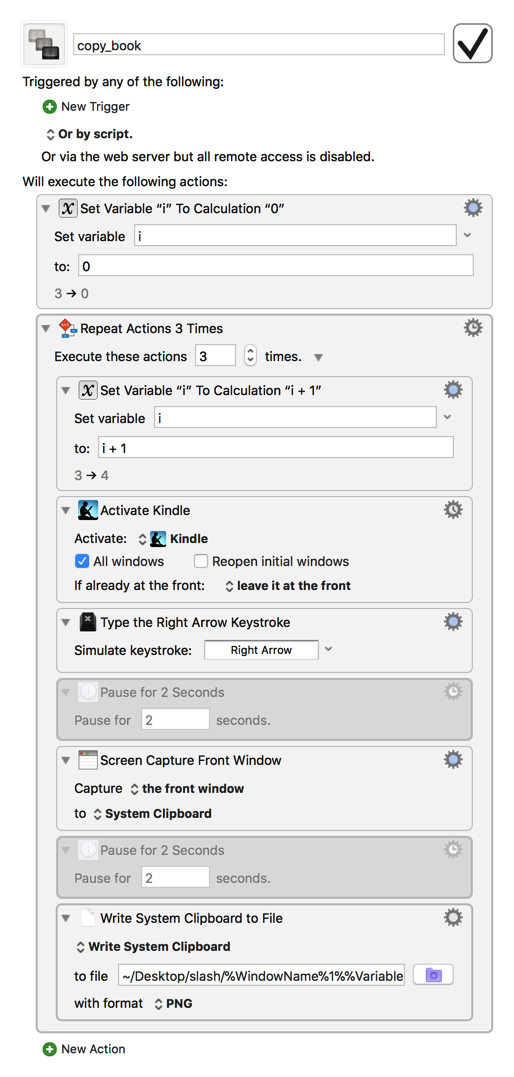
but the action (calc) is not available. I can't use the for each action because i do not have a preexisting collection of objects. I tried putting increment i by 1 into the action 'set variable' but that didn't work.
Don't worry that the Set Variable action has the + 1 part in red; that just means the i variable hasn't been created yet. Run the macro once to create the variable and it will start being shown in black.
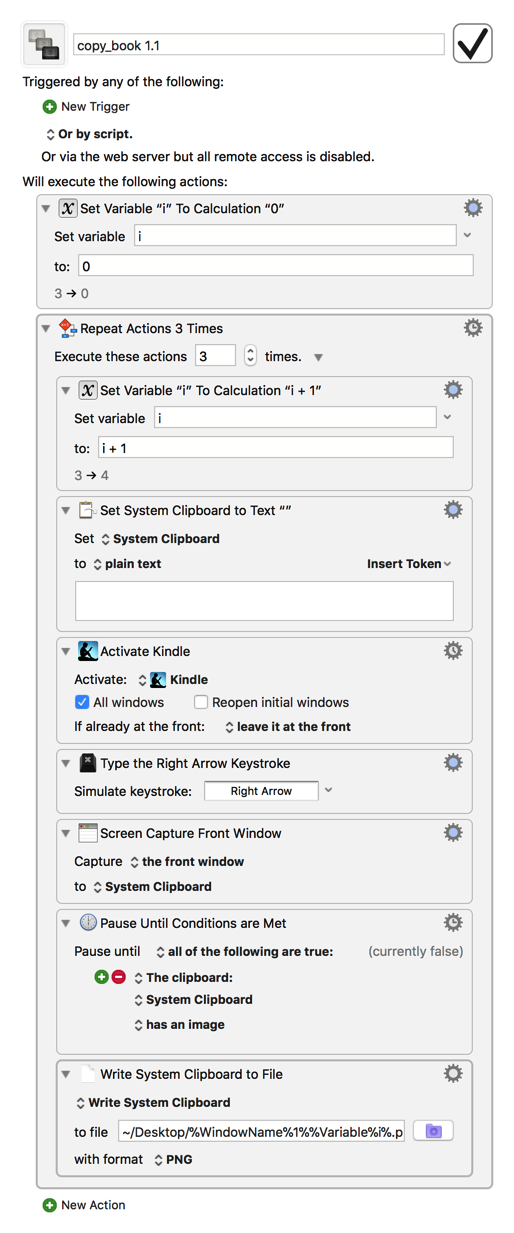
I just tested this, and when I left the pauses on, it seemed to copy macro actions to the desktop instead of the expected images for some reason, which resulted in the same error. However, when I disabled the pauses, it all worked as expected, with the added benefit of being much faster. The only further change I made to make the resulting files display properly in the Finder was explicitly adding the .png extension to the Write File action:
no, I’m still getting the same error. I tried the attached macro but I’m not sure if that’s yours or mine. Also, I have a mac. Does ‘windowname’ work with the mac? Is there anyway you can upload the exact macro that you got to work. Also, when I eliminate the last action I get an error at the set variable part.
That version I just uploaded was the one I got working, but I can see how keeping the same name would be confusing, so this latest version has a new number to make it clearer. I also replaced the pauses with actions to ensure that the macro pauses until the clipboard contains the screenshot before writing the clipboard to a file, which should hopefully help with your issue.
KM is only available for the Mac, and %WindowName% is a KM-specific text token that contains the name of the front-most window, so yes, it definitely works
thanks that did it. the problem was that in the screen shots you provided i could not completely see what was in the path box. the second problem was that i didn’t use the macro you uploaded but a different one.