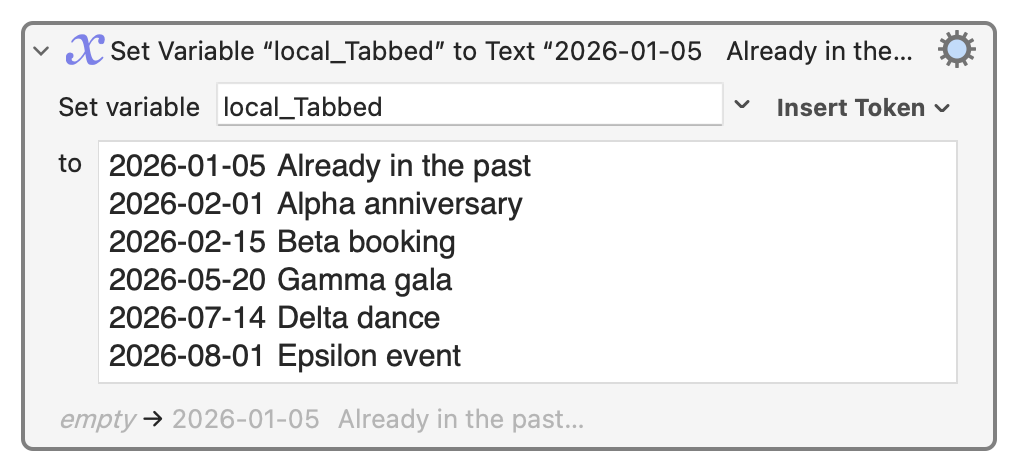
Hi. I had been using something much like the following three Actions to make a string that I inserted by pasting.
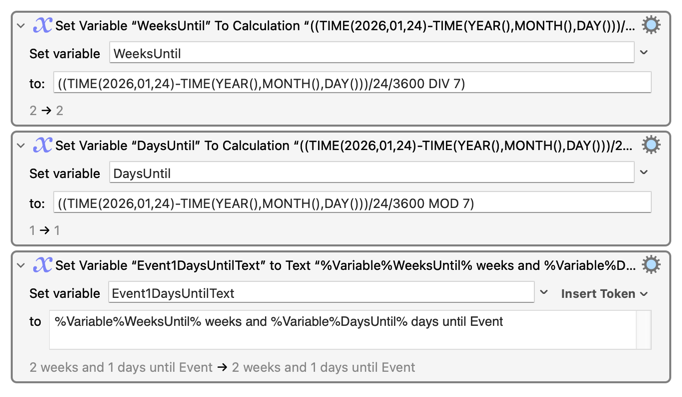
This worked well for a single event.
I would now like to expand it to several events. Is there any way to input to the TIME() function a variable? My immediate goal is to have this work for two events. I have created Variables for the name of each event. I changed the third Action above, replacing “Event” with the event-name variable. Then I grouped the Actions and duplicated the group for Event2. The final Action concatenates some additional text and pastes:
Calendared Events:
• %Variable%Event1DaysUntilText%
• %Variable%Event2DaysUntilText%
For each event, I now have to manually input the numerical date argument for two TIME() functions. How can I supply the dates for the events, and have that date used by the TIME() functions (two for each event)?
I tried various things, including the Calculate() function and the %Calculate%formula% token, as well as using TIME() to turn the event date into a number (unixdate), saving that to a variable, and putting that variable into the Time() function. None were reliable.
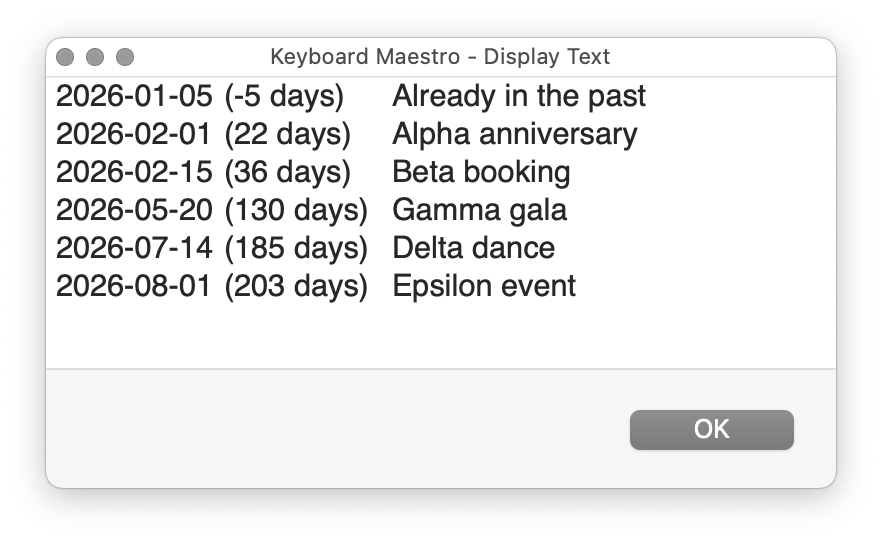
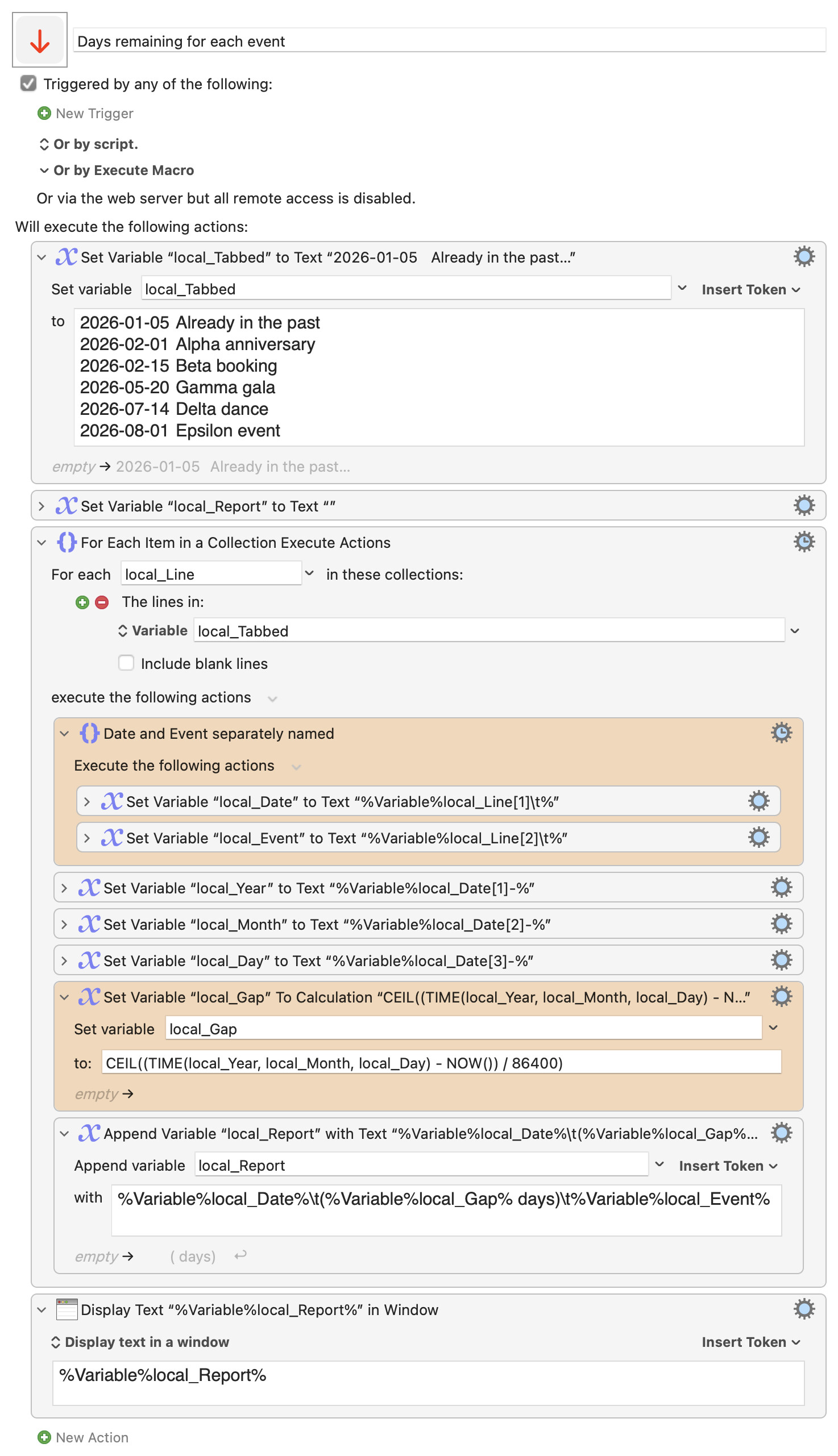
Longer term, I’d like to set this up for a series of 5-8 events in a calendar year. I’d like to be able to supply (by Action asking for input, or a series of lines, or a table) event names and dates, and have the macro paste the weeks and days for each event that has not yet occurred.
TY.