(I searched this forum a ton, but couldn’t find the answer I was looking for!)
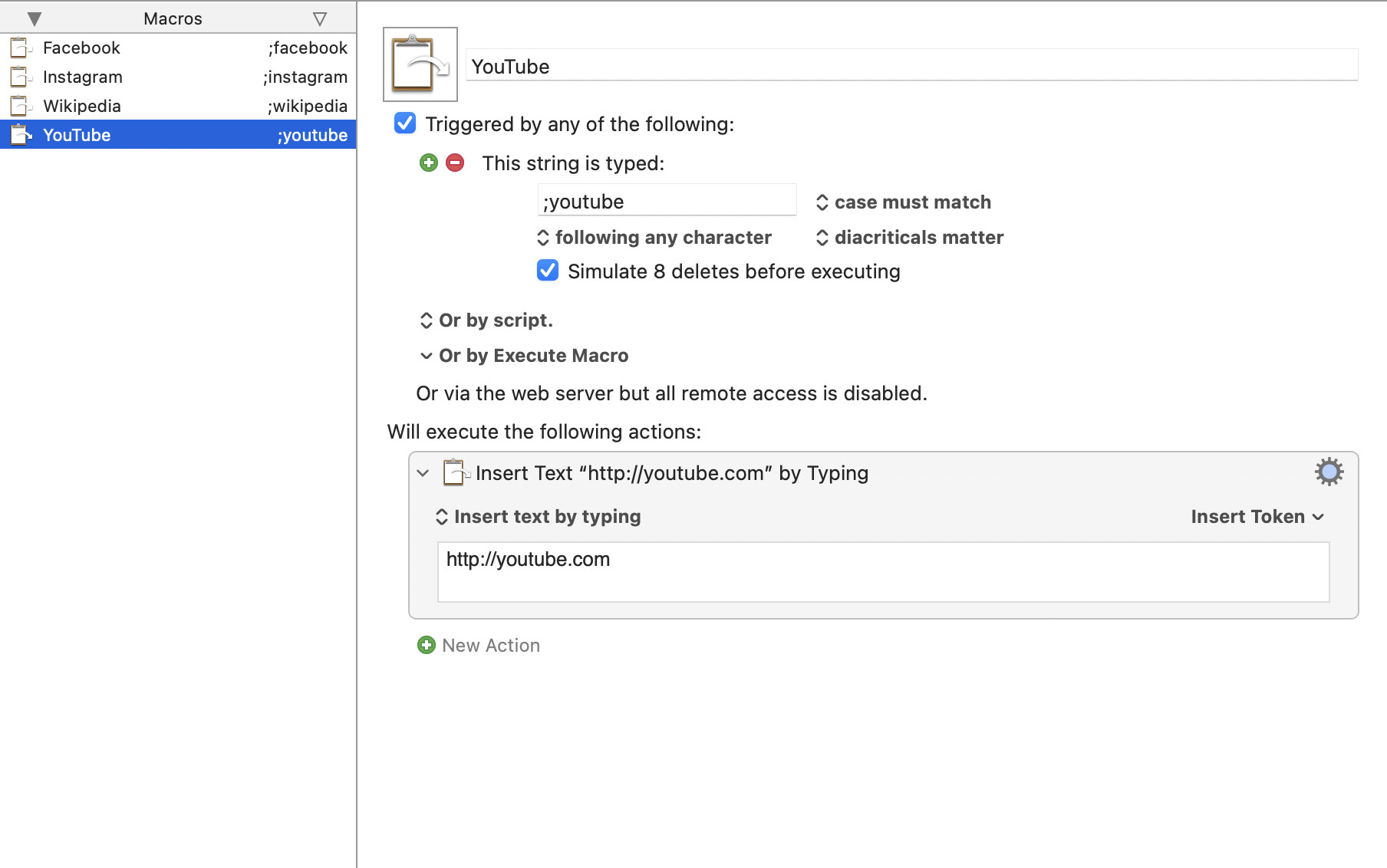
I work in customer support and send a lot of links over email based on what problems customers are having. I have a ton of macros in a folder that look like this example:
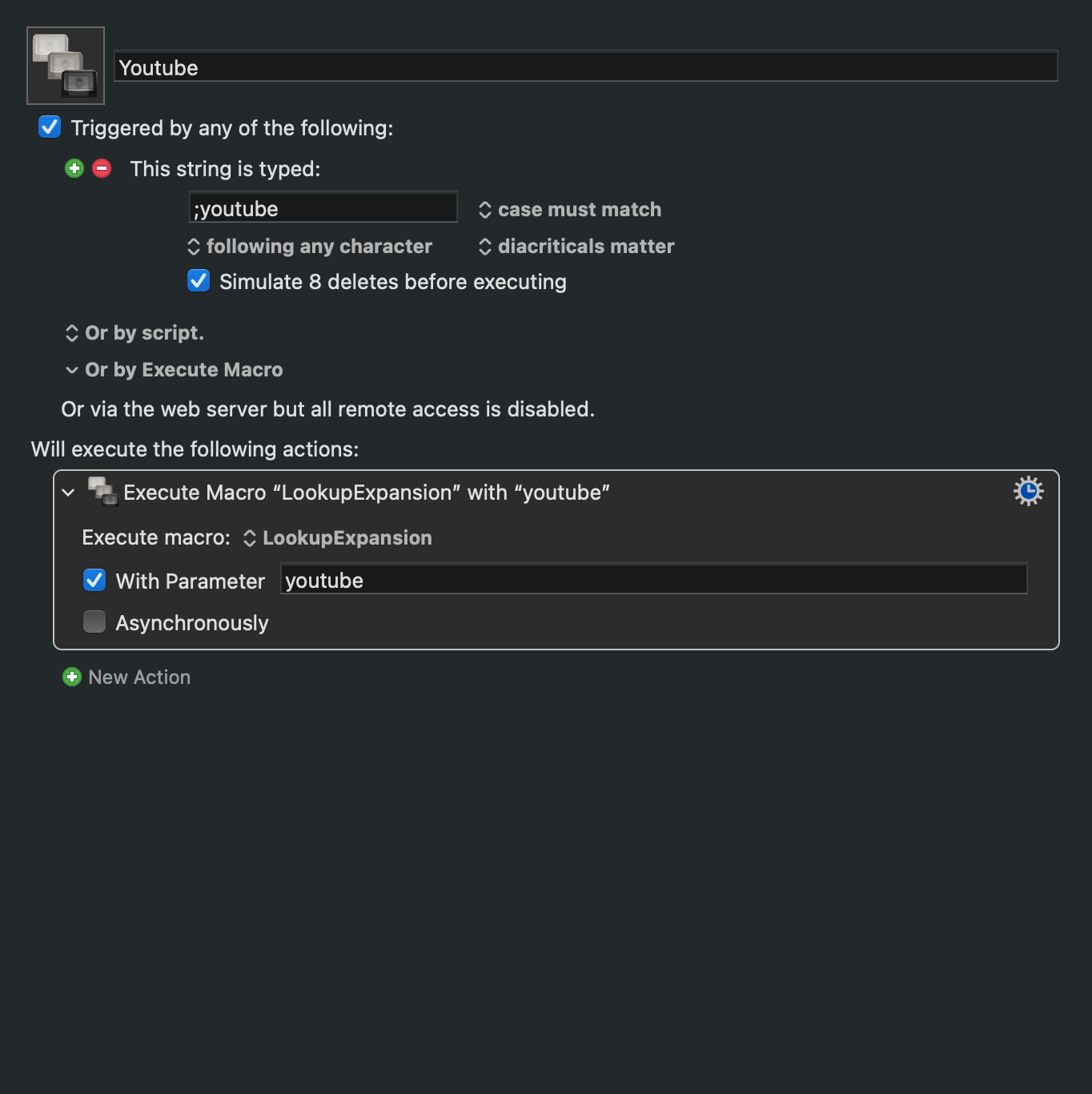
The problem is that as my help desk resources are updated overtime, I almost never remember to open Keyboard Maestro to change these links inside of all the macros. What I’d like is some kind of setup like this example:
I’d love some way to say “When I type in ;youtube, insert text by typing based on the “youtube” line of a document I reference” – I’ll have an easier time making updates to a document than I currently do updating the dozens of macros in my folder.
(And if there’s a way I’m not thinking of to make this only one action that references what I type in as the typed text trigger, even better!)
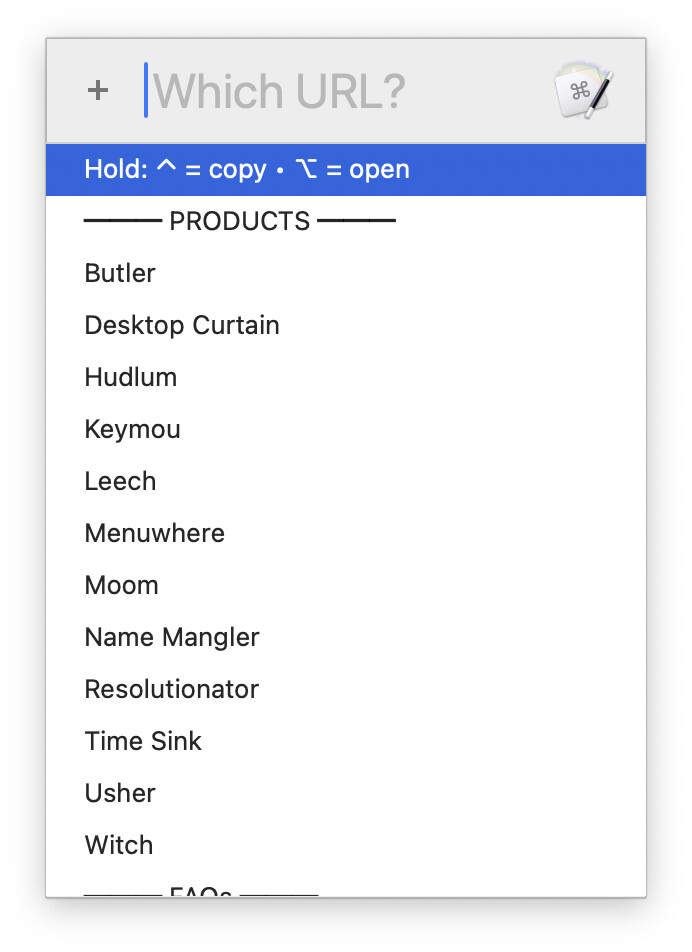
Are you set on typed string triggers? I have a ton of links I have to send out, and in a variety of formats (plain, HTML, brackets). I use a pop-up list of links, and then a second pop-up to choose the format (which you could skip). I hit my hot key, and see my links...
If I hold down Control (copy) or Open (copy) when I select one, then the raw URL is opened or copied. But if I just select one, then a second box appears, where I pick the format, and then the formatted link is inserted. If you never need different formats, you could skip the second step.
The reason I like this approach over typed strings is that it's just one hot key to remember ("Did I name that one ;;yt or ;;youtube?:), and it's easy to add new links to the box. Once added, they're available everywhere with no more work.
If you'd like this macro, just let me know and I'll post it. If you're set on typed string triggers, I think you'd be looking at making one macro with a ton of triggers, then use the %TriggerValue% token to compare what was typed with a large variable holding the trigger value (less the leading ;, probably) and the associated link as an array.
But that's just off the top of my head; there may be other ways to do it.
I completely agree with @griffman's approach as you use it the same approach myself (for a different purpose).
It will be extremely helpful for you to read the Prompt with List WiKi information to understand how to format the list (i.e., what appears in the list and what it references).
I'd highly recommend @griffman's method -- it's a lot easier than a "variable" typed string trigger, and often a lot less typing too!
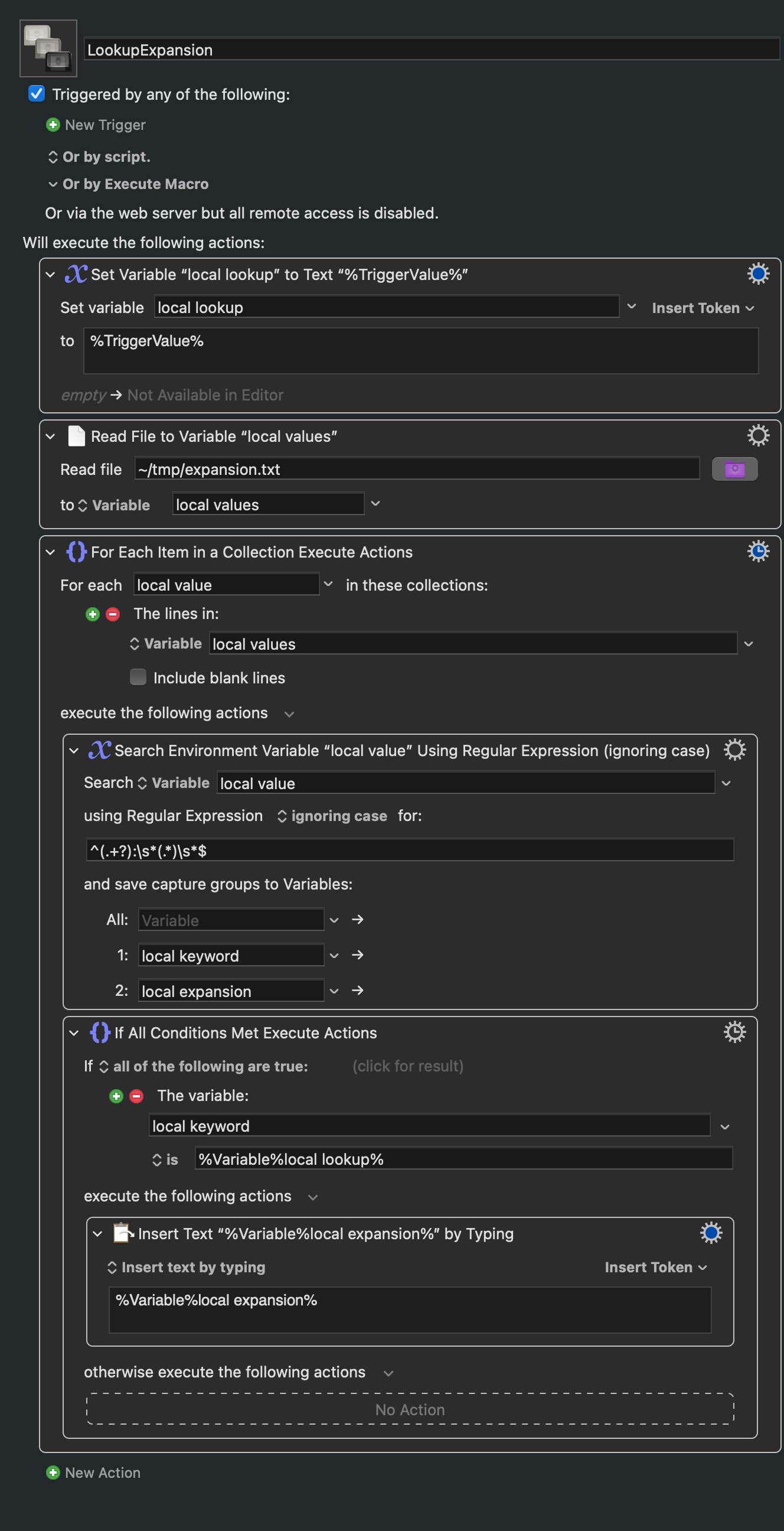
But if you do want to use a typed string you can do it via regex matching. This demo uses a list of completions stored in its first Action, but you could easily delete that and change the "Search" Action to target a file on disk instead of a variable.
Note that your typed string trigger would start and end with a ;, which makes it much easier to indicate "I've finished typing, now evaluate the trigger".