The Find Image on Screen action saves the coordinates of the found image in this form to the Local Image variable:
1704,145,41,38,3
The first is the horizontal position, the second the vertical one, etc. See the Wiki page for details.
The variable Local Image[1] in the example is 1704, Local Image[2] is 145, and so on. It separates the content of the variable, with the comma as default separator. Please see this Wiki article on how variables work, in particular the section on Variable Arrays.
You can always check the content of your variables by throwing in a Display Text action with the variable as content. Example:
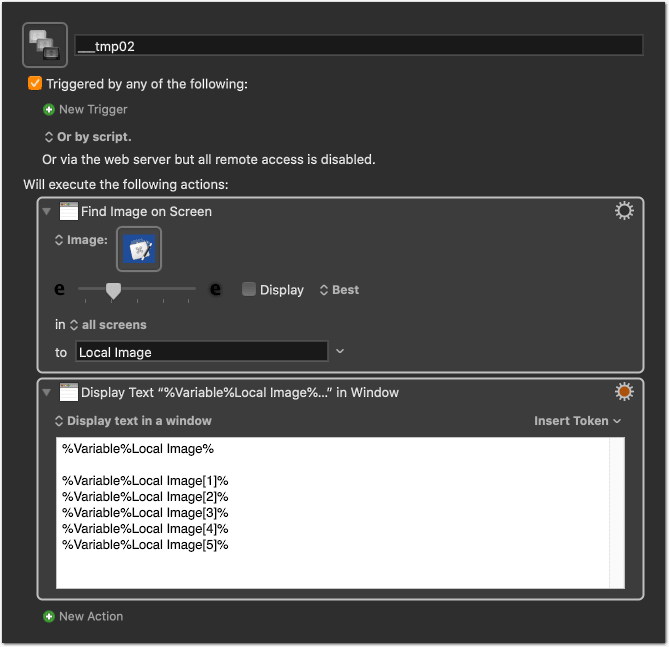
___tmp02 <2FC5 200223T190658>.kmmacros (25.9 KB)
You can do this at any point in your macro if you want to see the current value of a variable. Of course, this is only for developing or debugging a macro, not for the final one. (You can also use the Log action, if you prefer to see the info in the log instead of having windows popping up.)