2017-11-24 11:56:49 Invalid Plug In Action with Name Set Finder Label
I see a number of these in the engine.log -
I searched the macros for “Set Finder Label” found 3 macros and disabled them.
Will that do the trick ? Or is there a ‘best practice’ to eliminate that error.
I did quit the engine and the app, and restarted the app, and the error happened immediately.
thanx
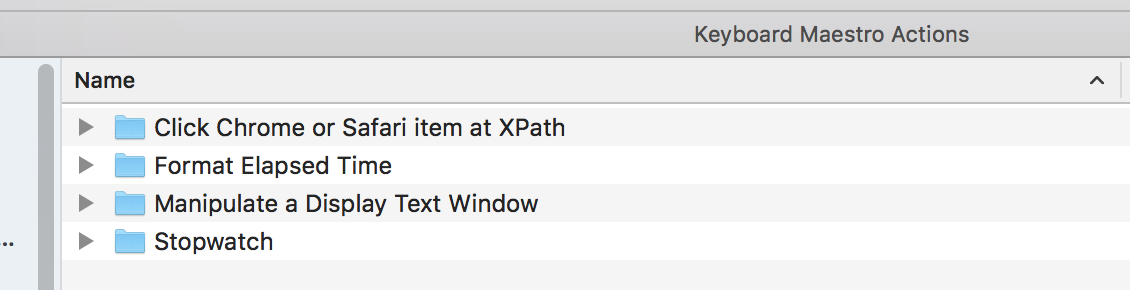
thanx for your time Chris - I only have 4 'action' folders there, -
I'm throwing out the Click Chrome or Safari item at XPath - don't think that one is used.
I threw that out, restarted KM and now I have two errors.
2017-11-24 21:00:55 Invalid Plug In Action with Name Click Chrome or Safari item at XPath
and
2017-11-24 21:00:55 Invalid Plug In Action with Name Set Finder Label
ARG =)
Where is the source of the 'call' that's making the error?
Yes, I did have disabled macros that had those actions in it.
I deleted those last 3 and all seems well.
Thank you [quote="ComplexPoint, post:4, topic:8669"]
[/quote]
and
Is there a way to "search" for code using a plugin?
I deleted my plug-ins (~/Library/Application Support/Keyboard Maestro/Keyboard Maestro Actions/) and removed some of the macros that had them, however I am still getting the error.