Is it possible to trigger a macro when the content of a.txt file changes?
Yes it is, but you'll need to run a command-line program in the background. One program which can do this is fswatch, which monitors a path and triggers an event when a change occurs. It's not the most user-friendly utility, but ChatGPT or Claude can advise on using it.
A basic setup would be something like the following:
fswatch -o a.txt | xargs -n1 -I{} echo "a.txt changed"
That doesn't do anything useful, so what you would need to do is replace the echo command with a call to the keyboardmaestro command-line tool, to trigger the macro you want.
2 Likes
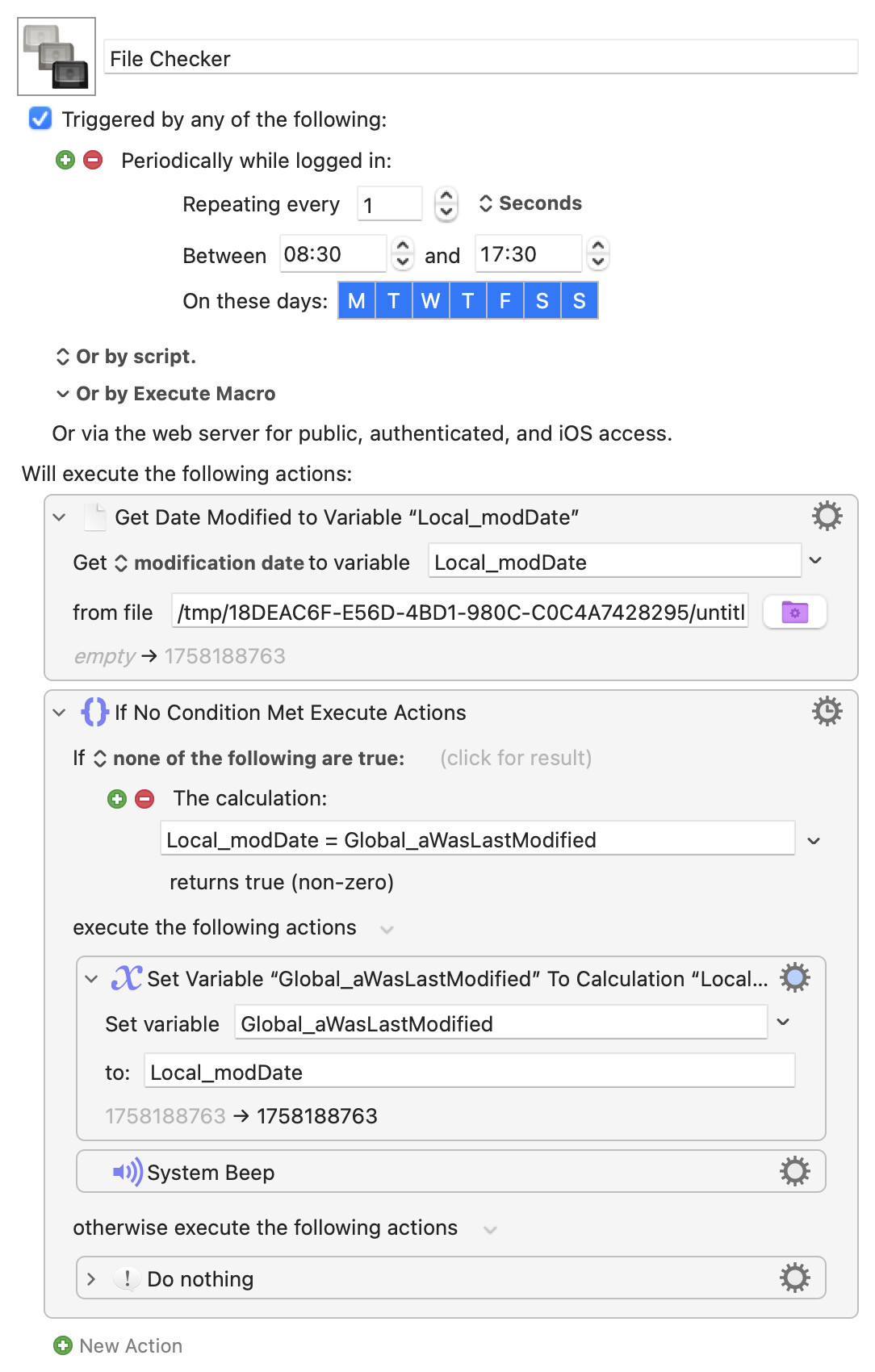
You can also roll your own simpler checker, using the file's modification date. This one uses a periodic trigger to check every second -- but you could also use a "background" macro that runs at login and contains an infinite loop, remembering to restart it after a "Cancel All Macros"!
Replace the "System Beep" action with "Execute a Macro" pointed at whatever you want to run, and point the first action at the file you want to monitor:
File Checker.kmmacros (3.9 KB)
In the new macOS 26 Tahoe update, there's an automation in the Shortcuts app that can trigger when a file is modified, you can then link a Keyboard Maestro macro to run with that.
1 Like
Since this is a common feature request, maybe Apple created a public API for it (for Tahoe) and then perhaps keyboard maestro will add this trigger to its list of available triggers.
The public API is available for long time, even two different APIs:
The second is more granular (file level) then first (directory level).
2 Likes
This could be wrapped into an Apple Script application for a nicer user interface.