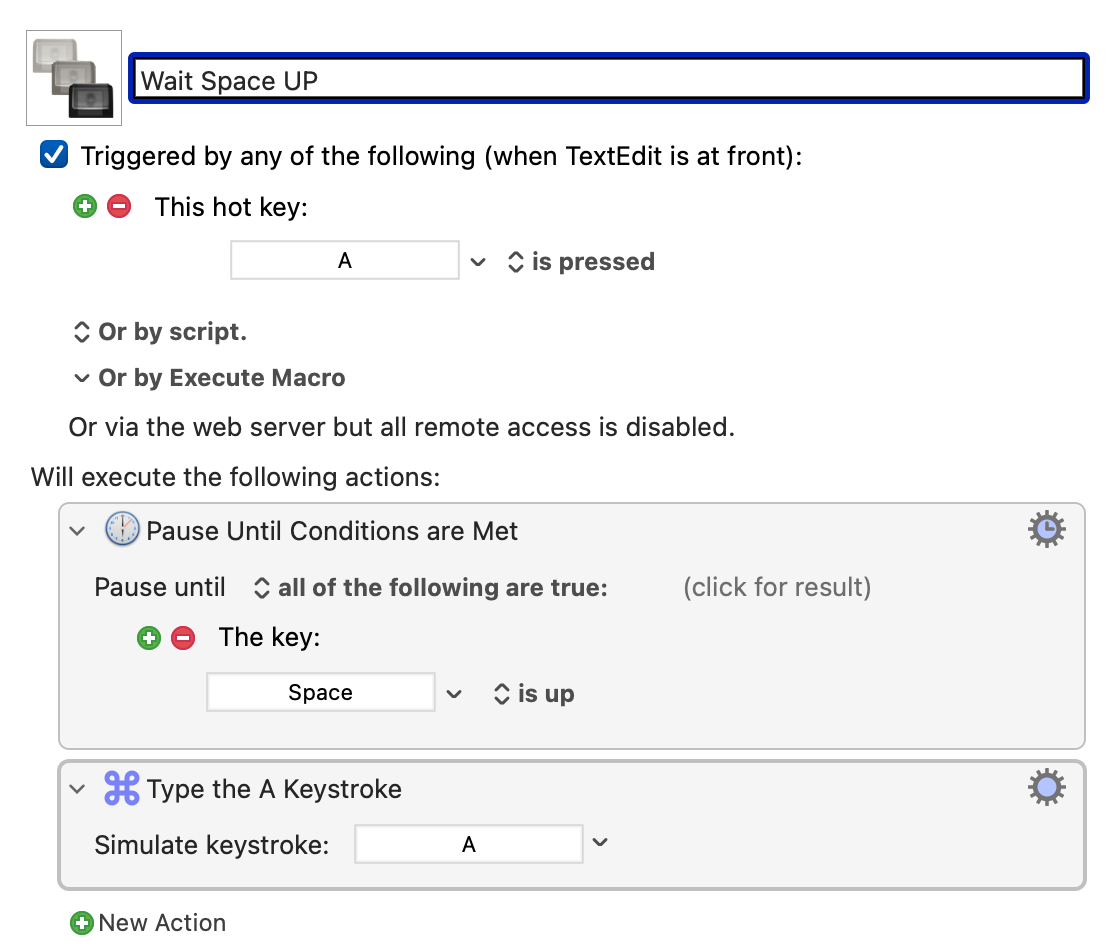
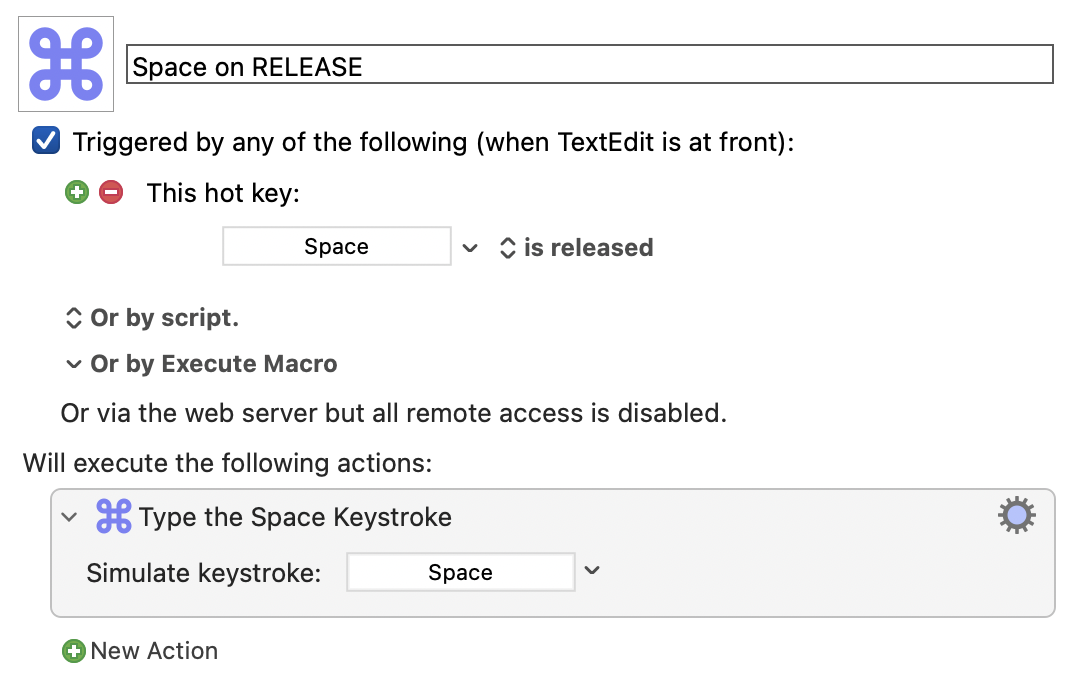
Below is a simple macro that types the letter “a” only after the space bar is released.
I'm happy to explain why this is useful for me if necessary.
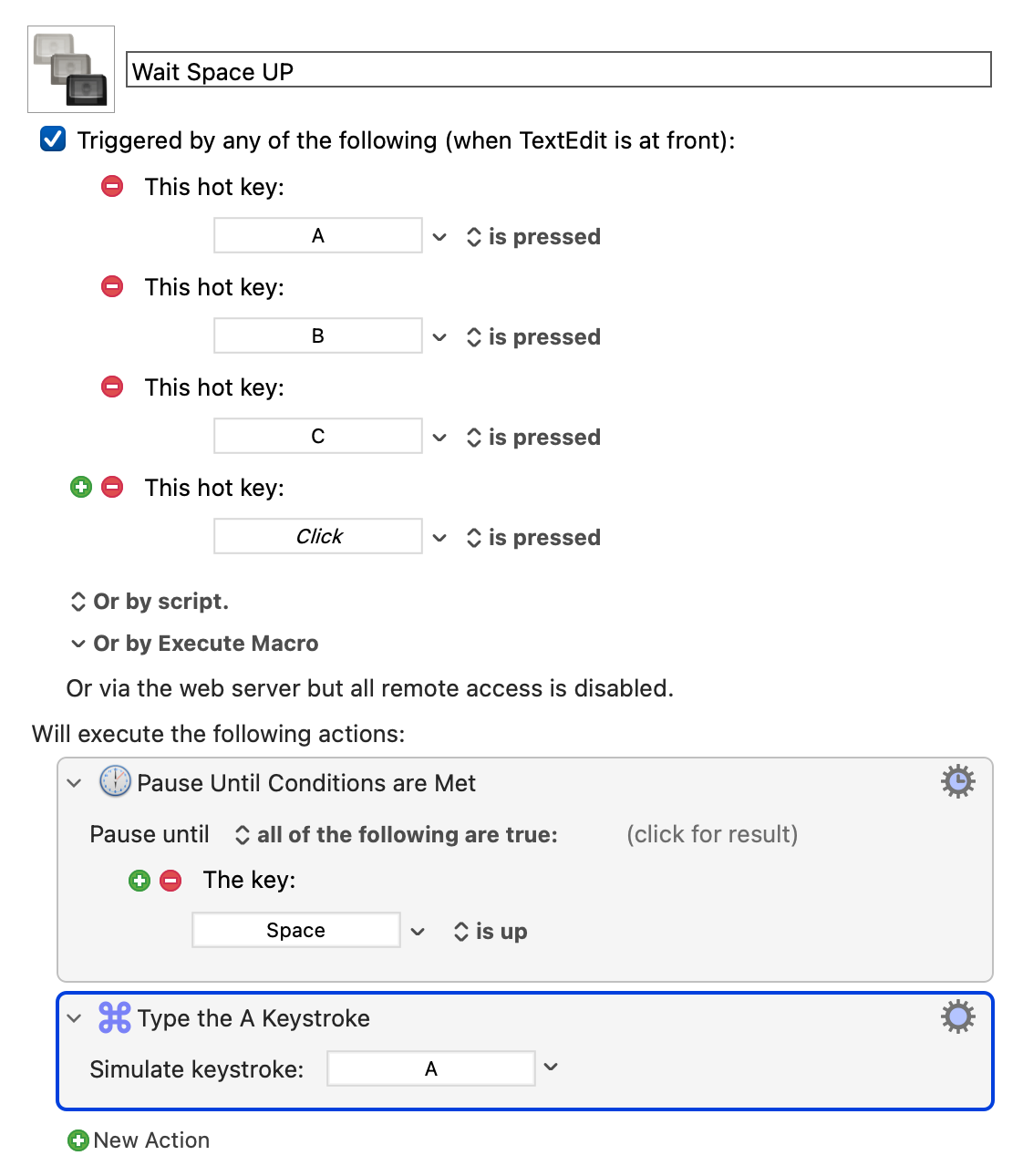
What I want to do is set up this macro for every letter. So, “b” is typed when the space bar is released... Every letter should be typed only when the space bar is released.
Does anyone know how to do this for all letters (a quick way) using one macro? Thanks!
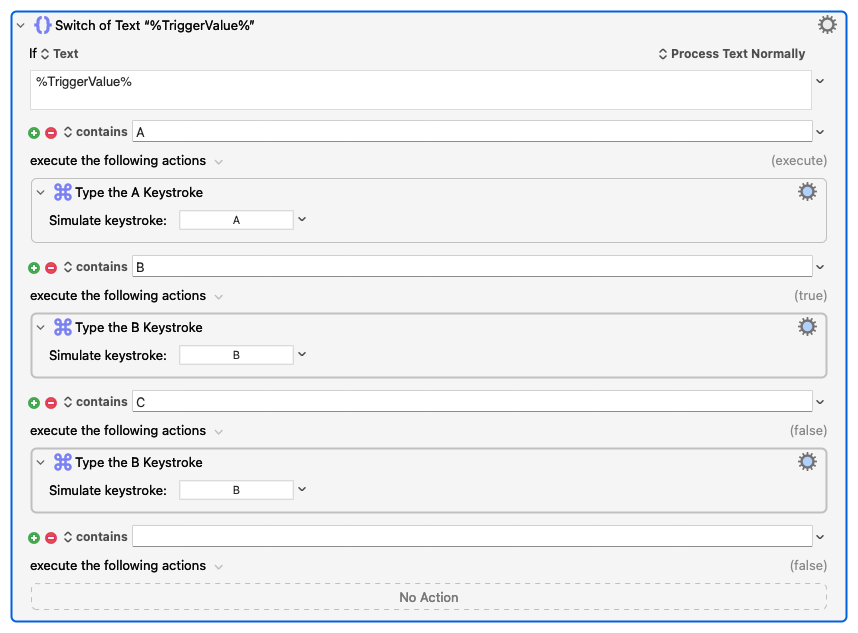
I don't know how quick this is to setup as it requires 26 actions but it will work (i.e., %TriggerValue% will take on the value of the trigger than launched the macro) and it will be in one macro.
Replace the Type A Keystroke Action in your macro with the below noting you need to continue on to Z.
What I'm not sure about is how well this'll work if the Space key is already down (which it must be since your macro waits for it to be up) -- but I can't see how your macro is working in that situation either
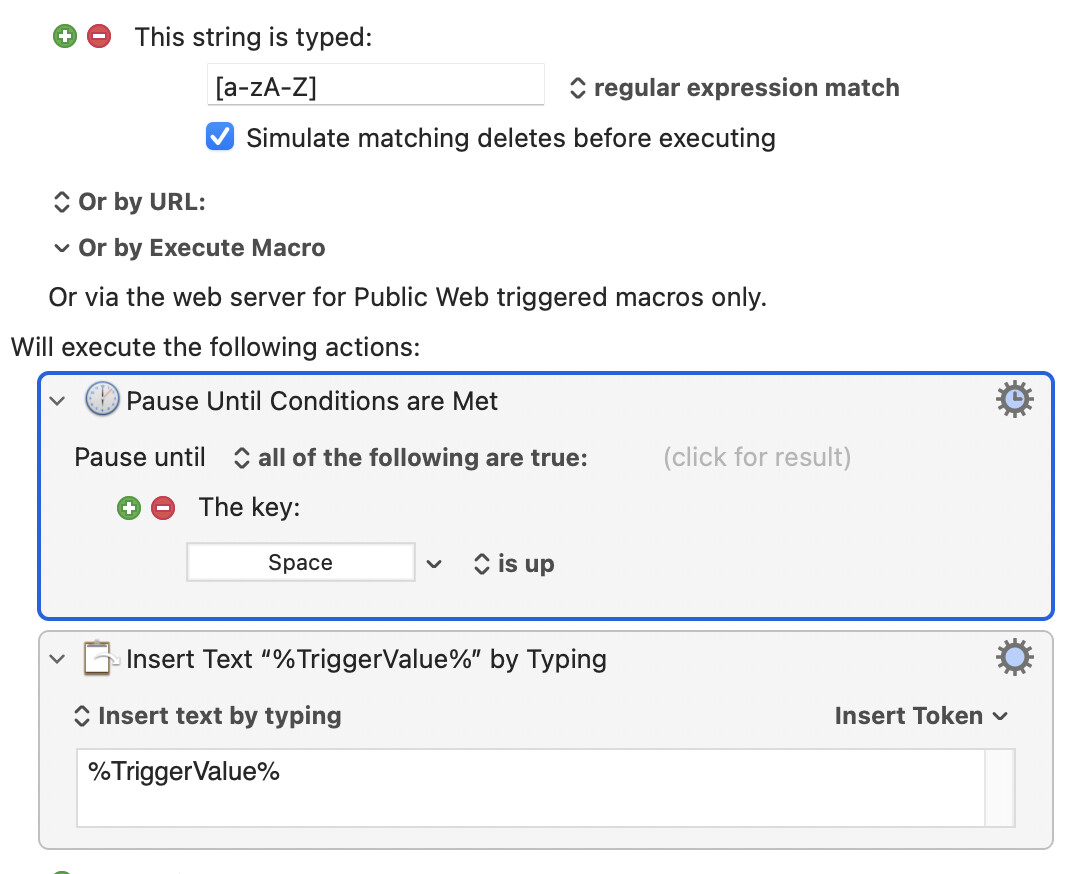
Can you confirm your attempt works for a couple of letters, ideally uploading a working version, and that you're just trying to avoid adding 26 triggers and a 26 entry "Switch/Case"?
Space is typed when the key is released. Normally, “a” would be typed before the space in this case if the keys are pressed in quick succession. ... because the timing is off.
With the “a” macro, KM seems to wait and types in the correct order. Does that make sense?