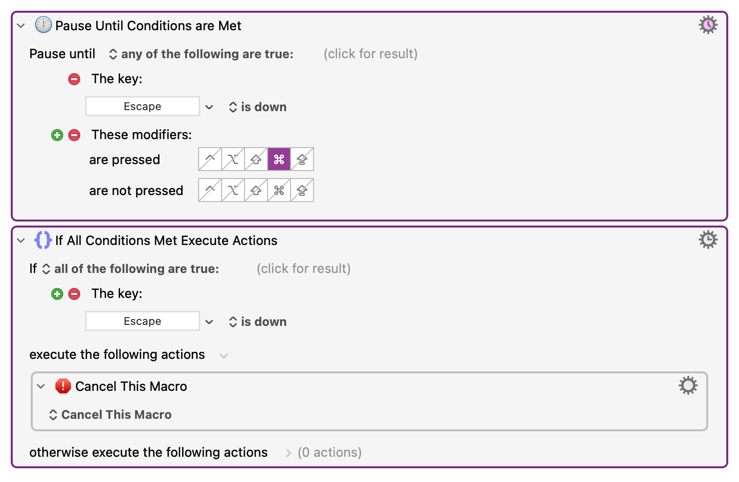
I'm creating a macro that waits for user input. If the user presses esc, it should cancel.
Otherwise, if the user presses cmd, it should perform some other actions.
However, with the two actions below, if the user presses esc, the macro sometimes runs too quickly (i.e. esc is already up) for the "if" to register that esc was pressed, and the macro continues to run.
Could you not just pop a dialog with "Continue" and "Cancel" buttons and follow the usual convention to use Return and Escape as the respective shortcut keys?
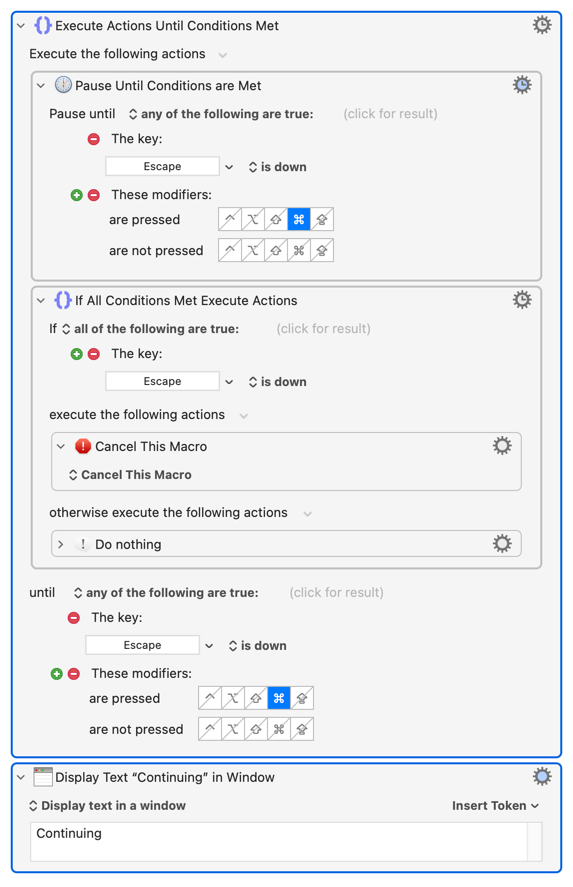
Otherwise you might be able to provide some protection by wrapping the lot in an "Until" that also tests for those key presses:
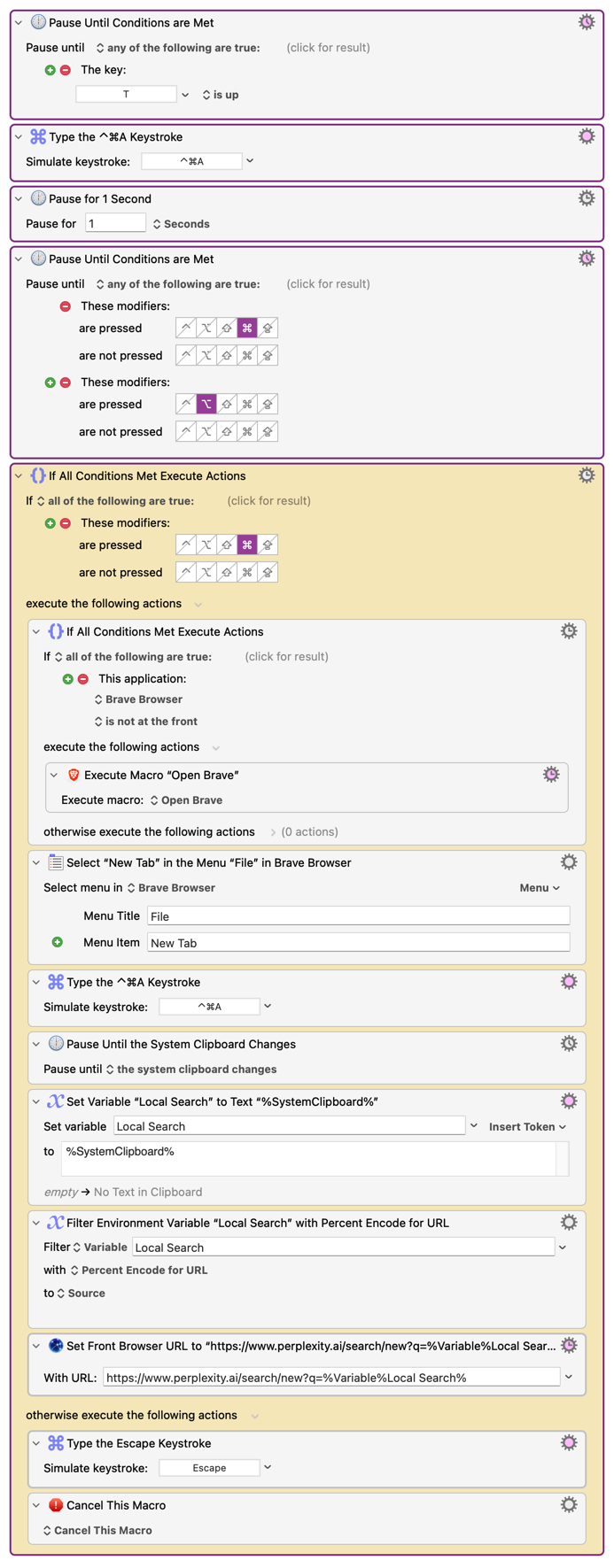
I ended up coming with this solution. The macro starts a dictation with Wispr Flow, then opens a Perplexity search with the dictation, but cancels if the user presses opt.