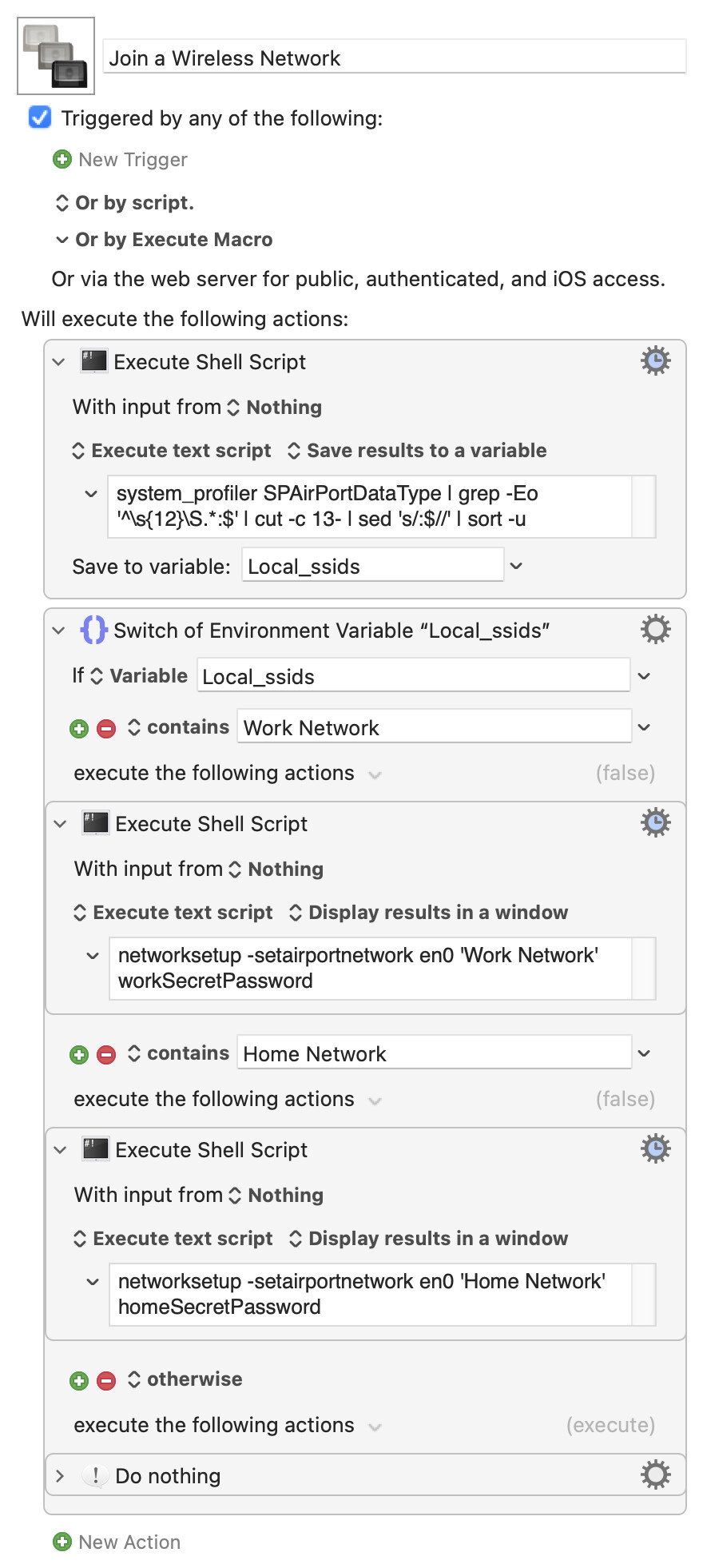
I have a macro that turns wifi ( en0 ) off and on. After I turn it on, I want it to attempt to connect to one of several wireless networks if they are available.
this is a work around for my macbook ignore "automatically join" setting in Wifi settings.
The logic is
Run command to turn en0 on.
if networkA is available, connect to it.
else if networkB , connect to it.
...
else do nothing.
I found wdutil , but it apparently only reports on the connected wireless networks, so it cannot list disconnected ones.
You could try the shell command networksetup -listpreferredwirelessnetworks en0 and save the results to a variable to test from. I tend to prefer a Switch/Case action for things like this, but an If/else would also work of course.
Are you saying your MacBook fails to automatically join WiFi networks? If so, a better option would be to fix that -- although it will probably involve completely nuking your Network Settings
If you're saying you want to use this instead of the OS's auto-join -- why? All you are doing is making the automation more difficult with no increase in functionality (connecting to SSID "A" between 8am and 6pm and SSID "B" outside that period would be a different matter).
Edit to add:
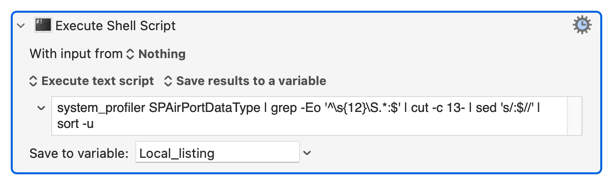
While getting a list of available networks then choosing between them is probably the worst option, if you really want to do it then this should get you started:
"Get every line of the output of the system_profiler SPAirPortDataType command that starts with 12 spaces then a non-space character, strip those leading spaces, strip the trailing :, sort and remove duplicates."
This will not list an SSID whose name starts with one or more spaces... I'll leave that as "an exercise for the reader"
The behavior is inconsistent. Sometimes autojoin works, sometimes is will automatically join my employers WiFi, sometimes it won't until I click on "connect" manually. In both cases auto join is checked.
So the goal is to test if the laptop is connected to employer WiFi. If not, verify the SSID is available and connect to it.
Unfortunately, this is my employer's laptop, so I have to get the IT Department involved to nuke and pave it with an approved configuration. That also means it won't be in my possession for quite some time. On the bright side , the warranty expires later this year, so they'll replace the M1 mbp with a M2/M3. I doubt that I'll get an M4.
Try the system_profiler command above -- that will give you a list of currently available SSIDs you can then test against.
That's not the same as networksetup -listpreferredwirelessnetworks, which does what it says -- it lists your preferred networks. If I run that command now, at work, the output will include my home network -- which is 20 miles away and definitely not available!
Yeah, by the time I found the system_profiler command, you had already posted about it. networksetup was the most common recommendation for replacing the airport command, which I think could do everything but has frustratingly been deprecated.