Hello, the Dropzone app has just been updated to version 5.
It brings the possibility to create on different grids. Dropzone allows the execution of Terminal scripts, including the command to switch between grids (dz switch-grid NAME) :
Last login: Wed Mar 25 11:35:28 on ttys000
____@__ % dz
Command line interface for Dropzone
USAGE:
Actions:
dz list List your Dropzone actions
dz run NAME EVENT [FILES...] Run a Dropzone action with optional files
EVENT must be either "dragged" or "clicked"
Grids:
dz list-grids List all available Dropzone grids
dz switch-grid NAME Switch to a Dropzone grid by name
dz create-grid NAME Create a new Dropzone grid
Drop Bar:
dz list-items [--json] List all items currently in Drop Bar
dz add [--stack] [FILES...] Add files to Drop Bar, optionally stacking them
dz rename INDEX [NEW_NAME | --reset] Rename or reset name of a Drop Bar stack by index (starts at 0)
dz remove INDEX Remove a Drop Bar stack by its index (starts at 0)
dz lock INDEX Lock a Drop Bar stack by its index (starts at 0)
dz unlock INDEX Unlock a Drop Bar stack by its index (starts at 0)
dz clear Clear all items currently in Drop Bar
UI:
dz open Open the Dropzone grid
dz close Close the Dropzone grid
dz open-dropbar Open the floating Drop Bar grid
dz close-dropbar Close the floating Drop Bar grid
dz help Show this help message
____@__ %
My question :
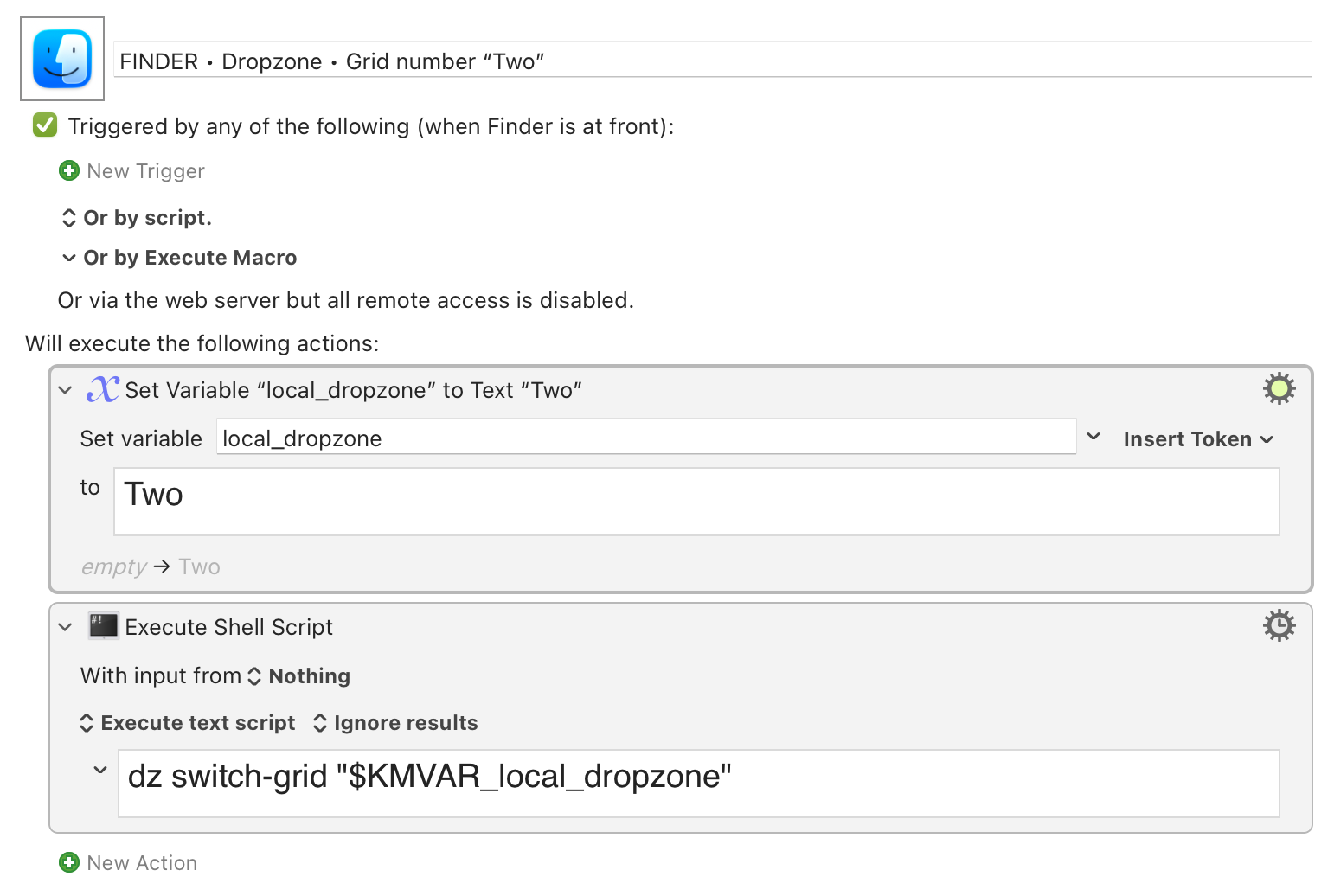
How to Write a KM Macro to use this Terminal Command “dz switch-grid NAME” ? I then plan to invoke this macro from the Finder, as a trigger or access to the menu, BEFORE dragging and dropping my selection.
I know nothing of the app, but it sounds like you'd just want to (a) set some variable to the NAME value you want to use, then (b) run a shell script action:
Hi Griffman, thank you so much for your feedback. Unfortunately, it doesn't work.
I'll also continue to search on the website and forum of the Dropzone editor...
Undoubtedly, the level of expertise required is far beyond me...
As @griffman said, you need the full path todz, in case it isn't included in your KM ENV_PATH variable -- your KM "Shell" Actions don't have the same info and customisations as your Terminal session does.
In Terminal type
which dz
...and hit Return. Copy that full path, for example /Applications/Dropzone/Contents/macOS/dz, and use that in your script instead of the bare dz you have now.
Many thanks to both of you, Griffman, Nige_S : I think I understood the principle.
The path to invoke the command is: "/usr/local/bin/dz".
The macro now works perfectly. I'm going to be able to choose the right grid before I drag and drop. This new Dropzone function would need a less restrictive and shorter procedure...