As some may have concluded base don my recent posts, I am mixing Keyboard Maestro and Python Script (that leverage LLMs) to refactor some macros to facilitate adding / deleting different files / sources of data.
As a result, I now have a "mix" of AppleScript and Keyboard Maestro i) notifications and ii) user prompts.
Is there a way to and if yes, how:
To get the AppleScript notifications to contain the Keyboard Maestro icon so that a) all notifications look alike and ii) all notifications are grouped together?
To get the AppleScript user prompts to look like teh Keyboard Maestro user prompt so that all user prompts look alike?
And KM "Prompt for User Input" dialogs are a lot more versatile than AppleScript dialogs.
AS code for the above:
display dialog "what's your name?" with title "Keyboard Maestro User Input" default answer "" with icon (POSIX file "/Applications/Keyboard Maestro.app/Contents/Resources/kmicon.icns")
As in other cases -- make your Action in KM, copy it as XML, strip off the lines before and after the outmost <array>, and pass that XML to the do script command in a tell application "Keyboard Maestro Engine" block.
For the KM dialog above:
set theXML to "<array>
	<dict>
		<key>Buttons</key>
		<array>
			<dict>
				<key>Button</key>
				<string>OK</string>
			</dict>
			<dict>
				<key>Button</key>
				<string>Cancel</string>
				<key>Cancel</key>
				<true/>
			</dict>
		</array>
		<key>MacroActionType</key>
		<string>PromptForUserInput</string>
		<key>Prompt</key>
		<string>Please enter the details for these variables.</string>
		<key>TimeOutAbortsMacro</key>
		<true/>
		<key>Title</key>
		<string>Untitled</string>
		<key>Variables</key>
		<array>
			<dict>
				<key>Default</key>
				<string></string>
				<key>Type</key>
				<string>Automatic</string>
				<key>Variable</key>
				<string>Local_test</string>
			</dict>
		</array>
	</dict>
</array>"

tell application "Keyboard Maestro Engine" to do script theXML
You'll likely want other Actions in there too, to get responses out.
It works great other than teh fact that do script appears to be asynchronous. Is there a way around this or do I need to build polling into my Python Script to capture the response?
No, it's synchronous -- it doesn't complete until the KM Action(s) you are performing in the XML have themselves completed. Whether Python's method of executing AS waits for the AS to end is another matter (but I suspect it does, or at least has the option to do so).
What it is is a separate executing instance, so you can't get Instance or Local variable values out directly. You could use Globals (shudder) but, better still, you know from what you were doing with subroutines that KM has a "Return" Action...
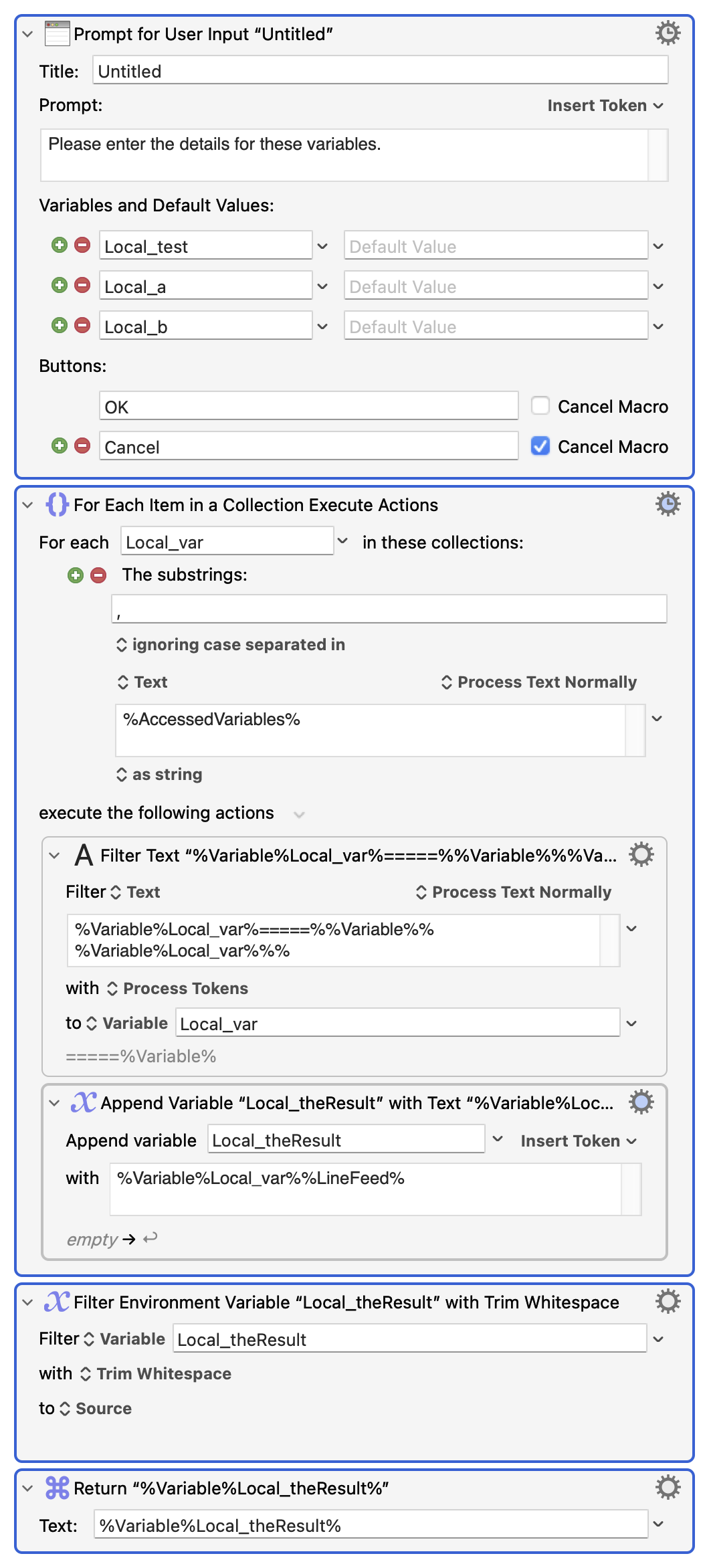
KM has the %AccessedVariables% Token. It returns a comma-delimited list of the names of all variables the macro has accessed up to the point the Token is evaluated.
That bit is important. Start your macro with the "Prompt" and immediately after evaluate the Token and you'll get a list of the variables used in the prompt (plus one other, which we'll get to in a moment).
Trick number two: In a "For Each" Action, the Collection is created before the iteration variable comes into existence. So if the Collection is created with the %AccessedVariables% Token the Collection won't include the integration variable.
Trick number three is the "one other" variable -- after you respond to the prompt there's an internal Result Button variable that's holds the same value as %PromptButton% evaluates to. And because that's brought into existence before we evaluate %AccessedVariables% it is included in the Collection.
Putting those together and adding some extra Token processing, you can have a routine that will return a list of the prompts variable names and values without hard-coding -- add more choices to the prompt and they'll automatically be included:
Put that XML into your AS and you'll get a Return-delimited list of variableName=====variableValue in the order they appear in the prompt, where the last line is the button pressed.
You could even take it further -- after all, the list of variables in the "Prompt" is just an array of dictionaries in the format
...so you could programmatically create your Prompt, complete with variables, types and defaults, in your AS or Python code. Mind you, if you're doing that you could just as easily generate the proper "Return" Action and skip the "For Each"ing
A a start, thank you for taking the time to respond to my posts and teach me. I really enjoy learning from you. You have been very helpful and a tremendous source of information.
As to your above post, it is very interesting as I did something similar but not nearly as elegant or sophisticated.
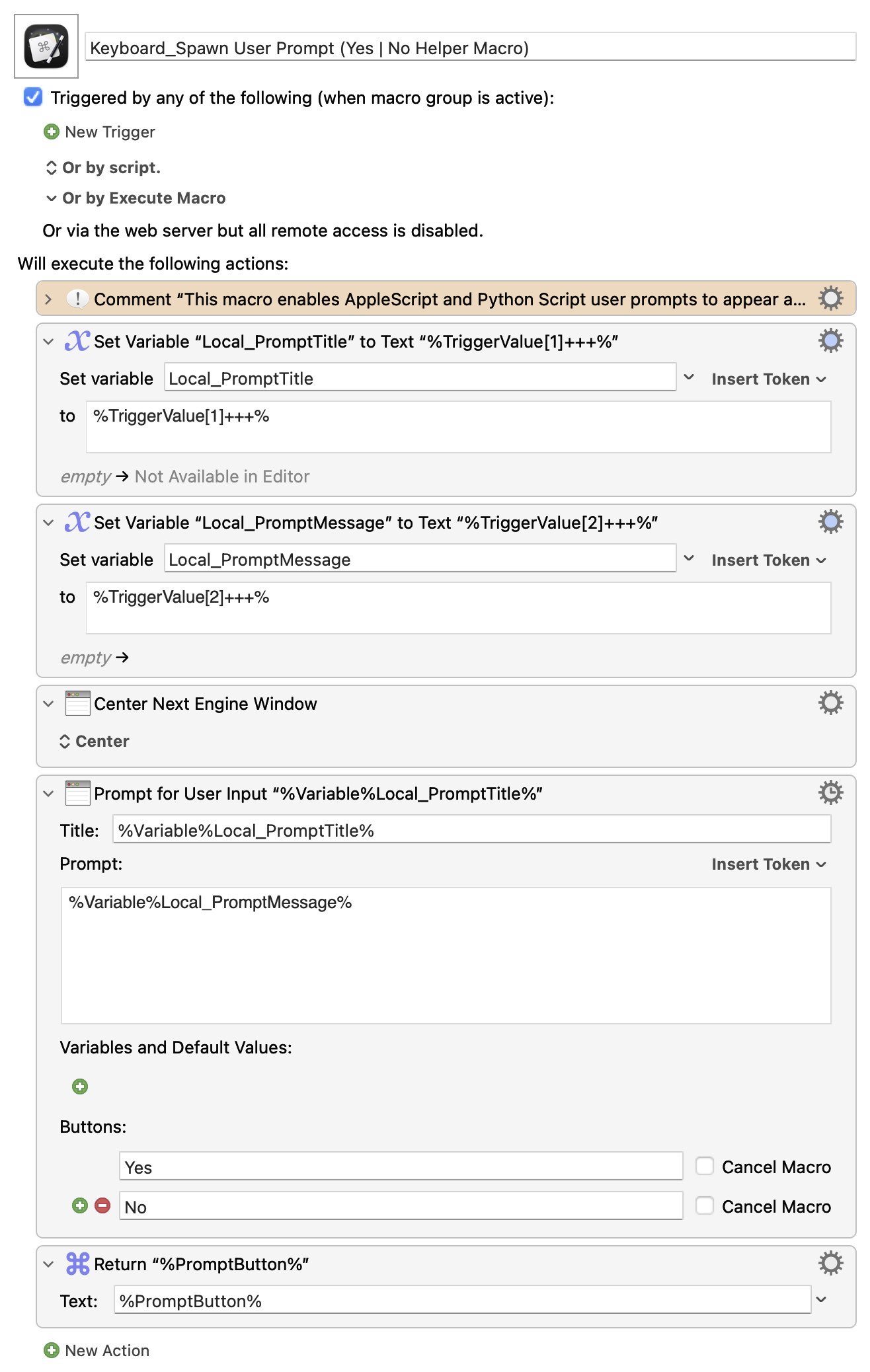
I concluded that I could not make the buttons dynamic but I could make the Title and Prompt dynamic so I had my Python Script set %TriggerValue% to a "+++" delimited array, change the %TriggerValue% as needed and it works. The resulting macro looks like this:
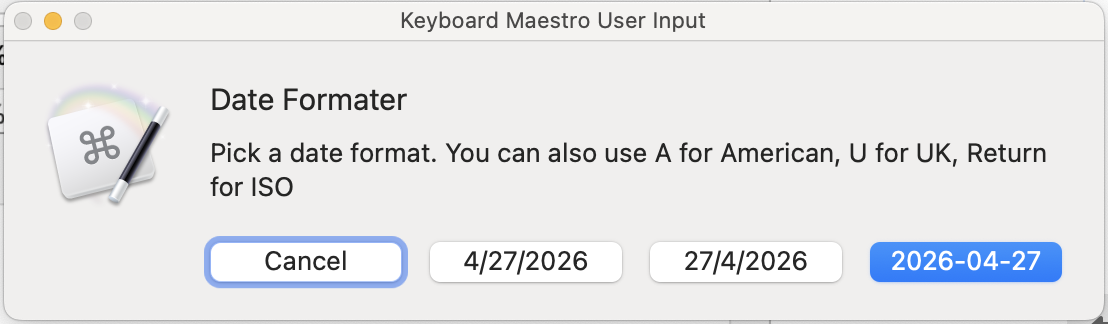
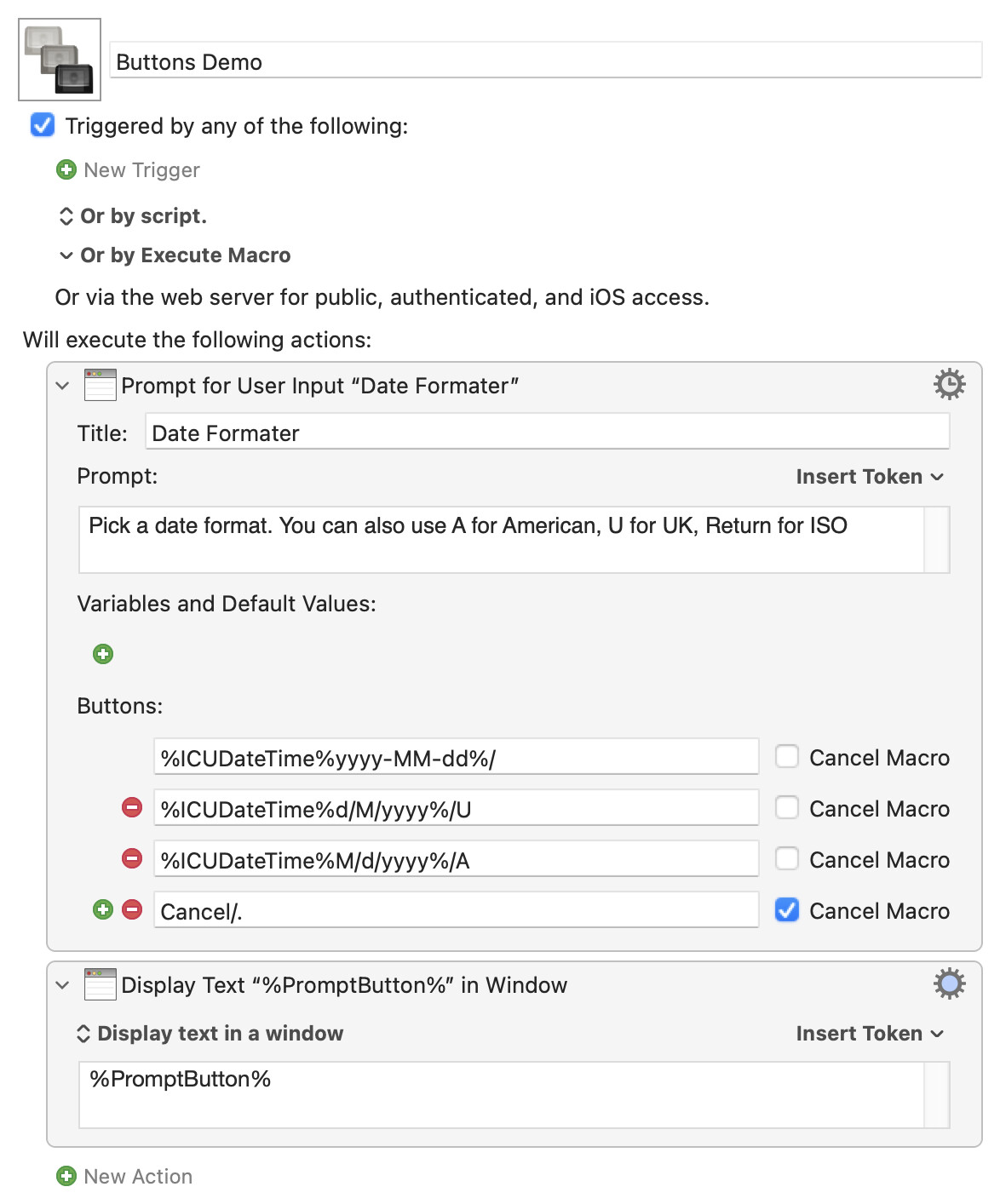
If you want to make the number of buttons dynamic, that's done exactly the same as the prompt's variable fields. It's just another array of dictionaries in the XML -- for the above macro that's:
...so, as before, you can build your XML programmatically then AS tell application "Keyboard Maestro Engine" to do script theXML to execute your prompting macro.
AS demo -- paste into a new Script Editor doc and run:
Script
set theAnimals to {"Cow", "Horse", "Goat"}

-- Start the button array
set buttonArray to "<array>"

repeat with eachAnimal in theAnimals
	set buttonArray to buttonArray & ¬
		"<dict>
			<key>Button</key>
			<string>" & eachAnimal & "</string>
			<key>Cancel</key>
			<false/>
		</dict>"
end repeat

-- Add the "Cancel" button
set buttonArray to buttonArray & ¬
	"<dict>
		<key>Button</key>
		<string>Cancel/.</string>
		<key>Cancel</key>
		<true/>
	</dict>"

-- End the array
set buttonArray to buttonArray & "</array>"

-- Templates
set preXML to "<array>
	<dict>
		<key>Buttons</key>"

set postXML to "<key>MacroActionType</key>
		<string>PromptForUserInput</string>
		<key>Prompt</key>
		<string>Pick a farm animal:</string>
		<key>TimeOutAbortsMacro</key>
		<true/>
		<key>Title</key>
		<string>On the Farm</string>
		<key>Variables</key>
		<array/>
	</dict>
	<dict>
		<key>MacroActionType</key>
		<string>Return</string>
		<key>Text</key>
		<string>%PromptButton%</string>
	</dict>
</array>"

tell application "Keyboard Maestro Engine"
	set theResult to do script (preXML & buttonArray & postXML)
end tell

display dialog "The animal chosen was: " & theResult
Note that the XML is not strict about levels of indent or new lines after tags -- those things make it more readable for us, but you don't need to match the "pretty-printing" version you get when copying from the KM Editor. So use indents and lines to make it easier for you in your script
I can now have both AppleScript or Python Script spawn customizable Keyboard Maestro Prompt User For Input Windows directly with no helper macros! Fantastic!