Is there something I don’t know about the KM Press Button action? Seems like about half the time I try to use it, it doesn’t work. Instead I have to use a Move and Click action or an Image Found action to get a button to work, most of the time in Macos 26 Safari.
Might it be that you're trying to press a button before it is enabled(pressable/detectable)?
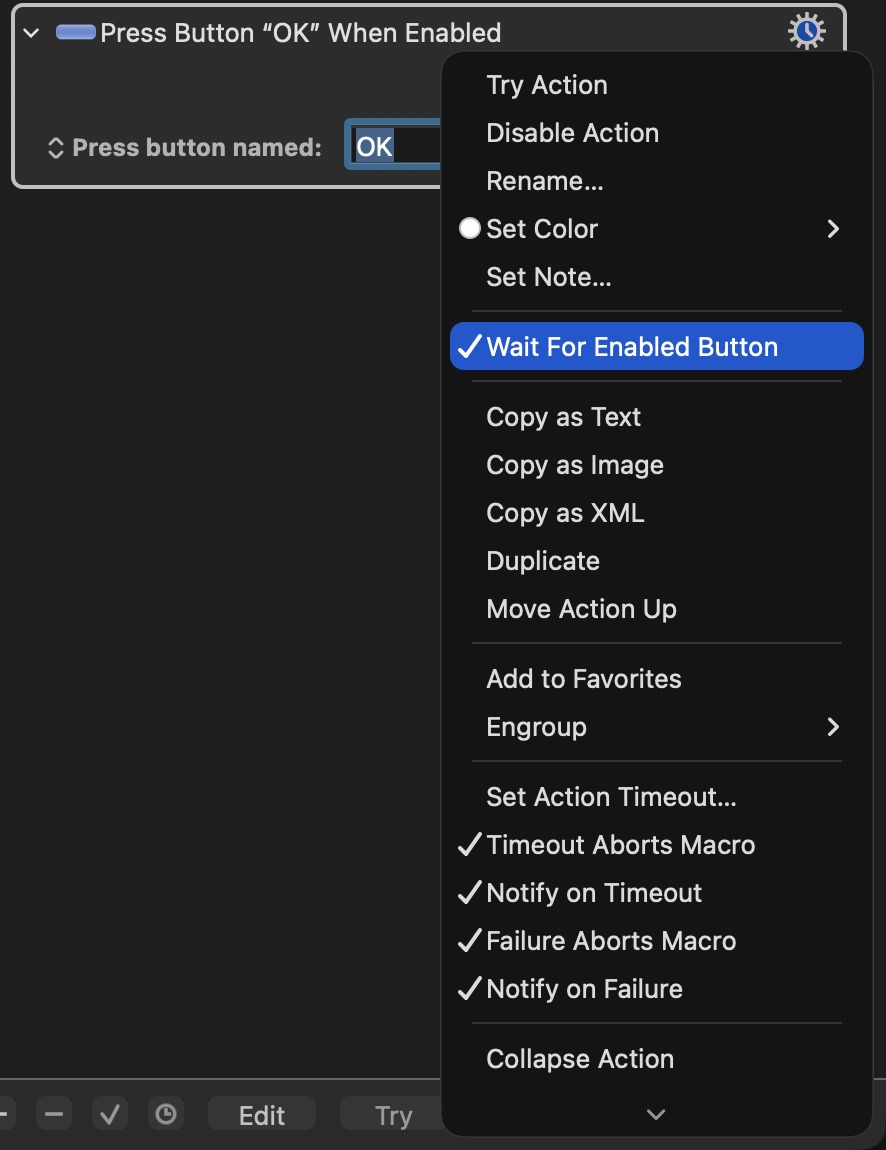
If you're on KM 10.2 or later I'd strongly advice enabling the setting Wait For Enabled Button from the gear menu, to see if this helps.
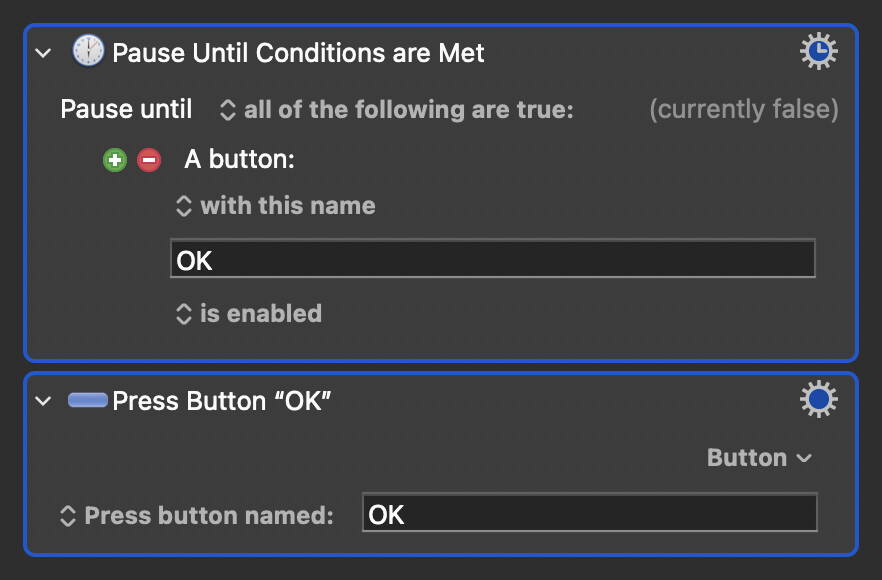
If you're on a version older than 10.2 you can still get the same result by preceding the press a button action with a Pause Until, set up with a Button Condition:
1 Like
Doesn't work how?
In addition to @Alexander's spot-on advice, not everything you think is a button is advertised as one for detection by KM. Particularly true in Safari where you are at the mercy of a site's web devs, and where even things that are declared as buttons may not have static IDs.
Thanks to all of you. Your support is superlative. I am running on KM 10.0.4. In 1 of 3 instances the suggestion
"Wait for Enabled Button"
worked, but not in the other two. At least now I understand that the Press Button action simply won’t always work–a frustration I can live with.
Merry Christmas!