thanks in advance for your time and help
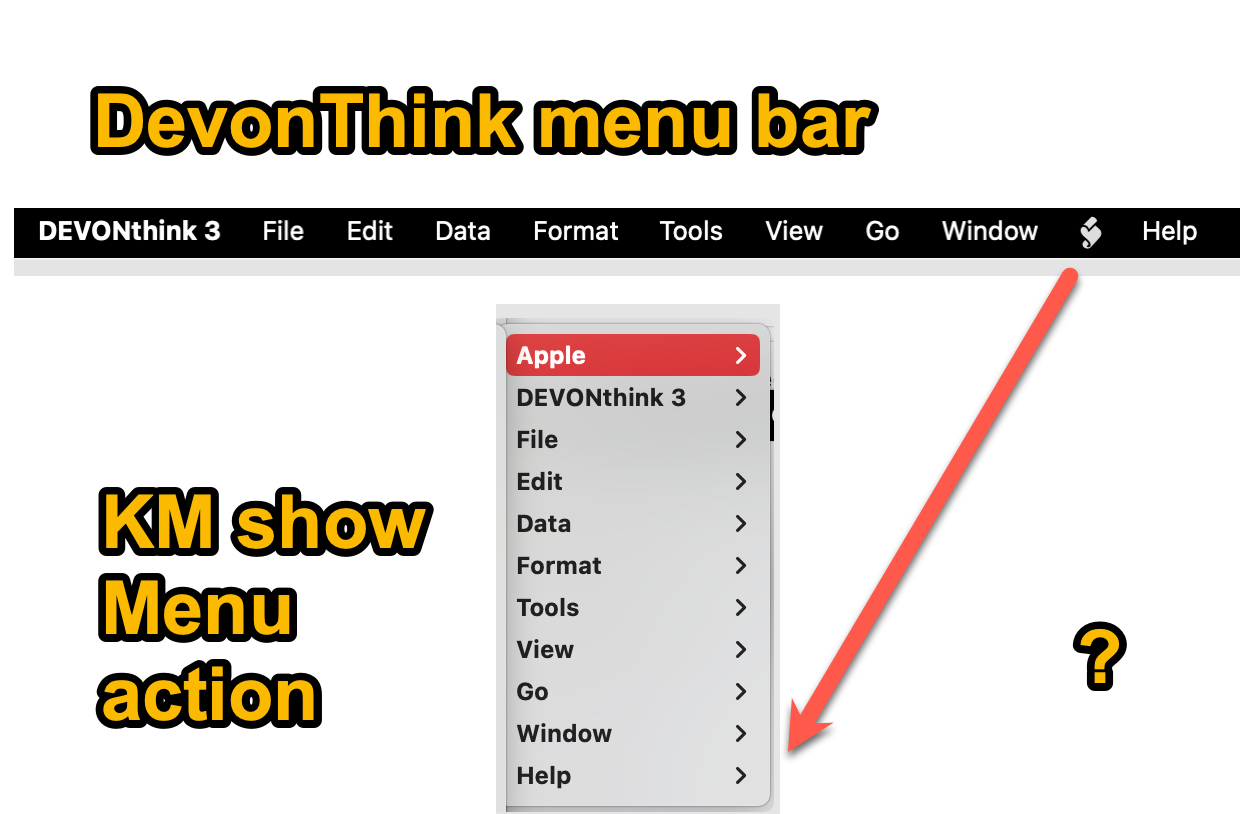
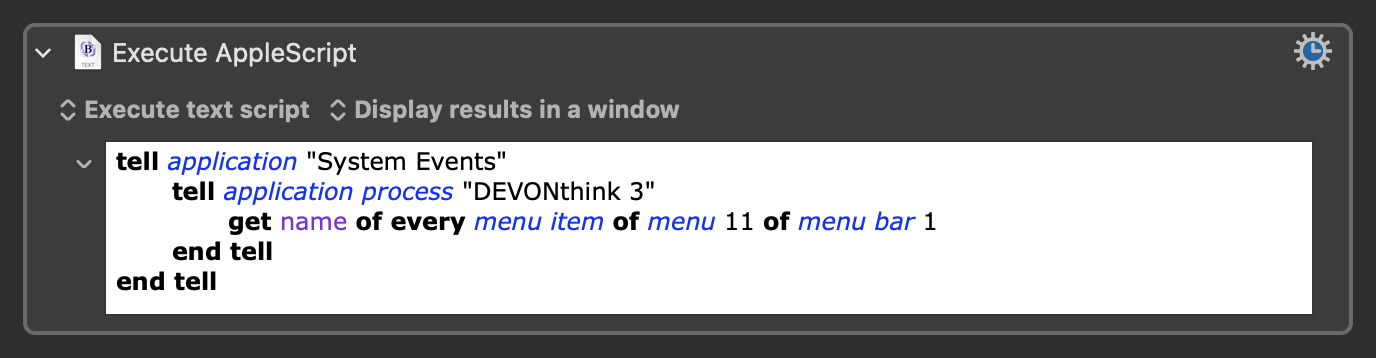
You can use Applescript to access menu bar items. This worked to get the names of all the menu items from the script menu for my version of DEVONthink. You should be able to adjust this script for the action you want by changing get name of every menu item to click menu item "[the name of the menu bar item you want]"
2 Likes
thank you for your reply and the script.
I tested it. It gives me the name of all submenu items under the symbol below, but not the symbol itself.

thanks again very much. I will ask on the DevonThink forum.
Hey @ronald 
Try running the script without the words of menu 11 and see what happens …
It should give you a list of all Main menu items.
On position 11 there should be an entry named something like Scripts or similar.
Greetings from Germany 
Tobias
Yes, that's what that script does. If you want to click on the image, you'd need to use the Click at Found Image action instead. You can use this script to select specific menu items in that menu since it isn't accessible via the Show Menu action.
Using get name of every menu of menu bar 1 gives the menu bar names, but the script menu returns 'missing value'. I could be wrong, but I think the only way to access the script menu is via menu 11.

1 Like
thank you for your posts and scripts @hemicyon @Nr.5-need_input
solution: simply to run the underlying scripts directly from KM
alternative: define keyboard shortcuts via Mac OS settings → Keyboard Shortcuts
what did not work
- @hemicyon 's script → menu item name is "non name" which did not work with KM menu action
- with UI browser → menu item name is "scripts" which did not work with KM menu action
-
- according to DevonThink developers, the menu item does not have a name and cannot be referred to

Just to clarify: It can be referenced with Applescript using menu 11. The script I posted was a starting point for you since I don't know which menu items you actually wanted to select. You'd either need to adjust the script yourself according to your needs or share additional information in order for me to write a more specific script.
2 Likes
As @hemicyon mentioned, you do NOT need the menu name to reference it in your AppleScript...
1 Like
yes, but missing value does not work with the show menu action
Correct. You need to use the Execute Applescript action instead of the Show Menu action in order to select the menu item you want from within the macro.
1 Like
could you give an example of a script ? thank you
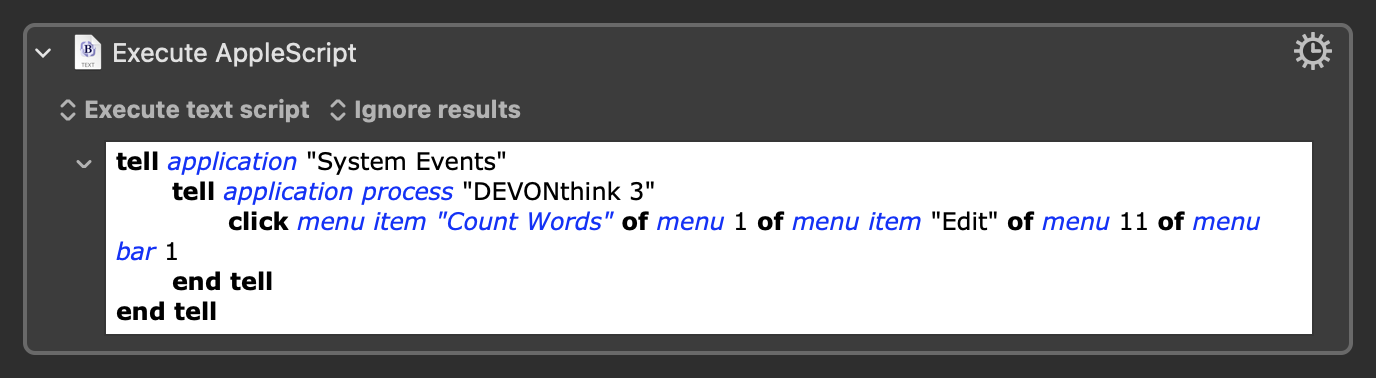
I still don't know what script you're wanting to select, but this works for me to count the number of words selected in a document. The Count Words script is under the Edit sub-menu in the script menu.
2 Likes
OK. thanks very much !
1 Like
I'm not exactly clear on what you're trying to do, but if it is to access the scripts under the "script symbol" menu, just use KM actions to keystroke Cmd-Shift-/ (which opens the Help menu) and then left arrow (which moves the cursor to the "script symbol") and then you can either arrow or type-select to the script folder and script that you want to run.
Can you select it from the menu popup in the action?
Keyboard Maestro can sometimes identify menus by other means.
1 Like
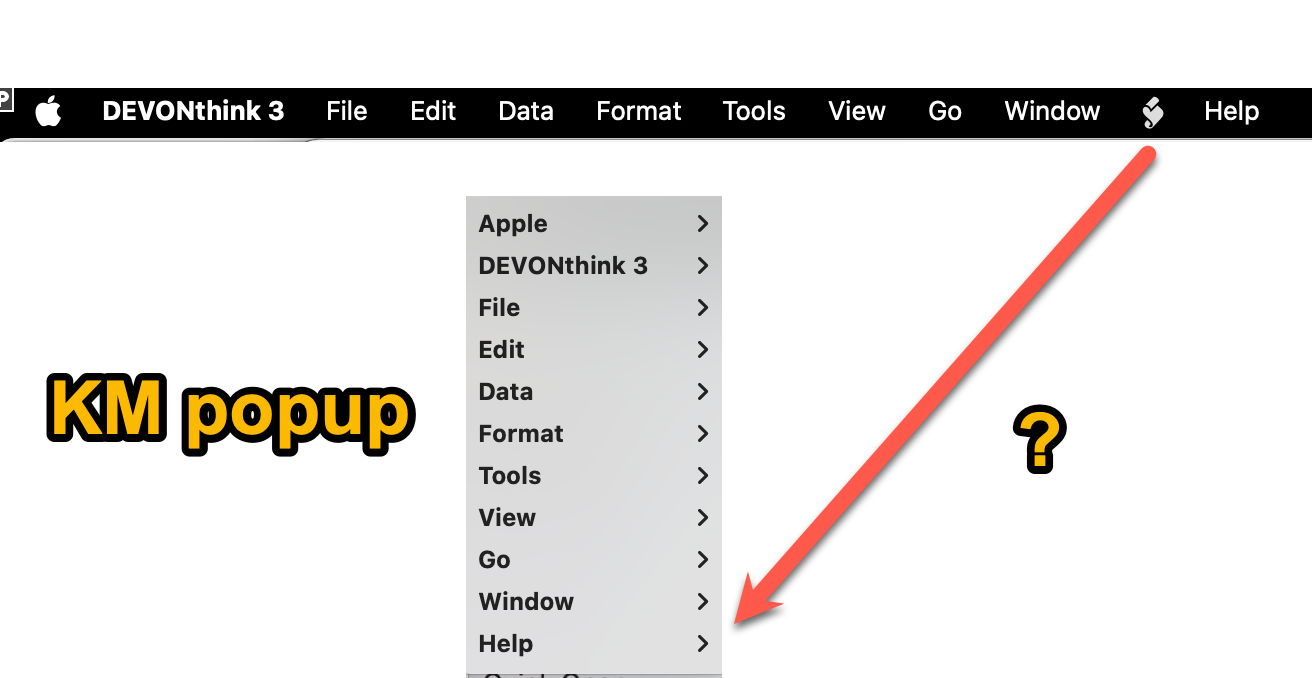
Looks like you are out of luck doing it the easy way.
If they set the kAXDescriptionAttribute on the menu title, then Keyboard Maestro might be able to detect it based on that name.
2 Likes