I'm running macOS Tahoe 26.6 and Keyboard Maestro 11.1.1, the Keyboard Maestro Engine has Full Disk Access
I have a macro which uses the KM Trash File action, the macro has been in use for over a year and I've had no problems with the trash file action. The problem began after updating to macOS 26.6 and KM 11.1.1., unfortunately I cannot determine which update introduced the change because both were installed before I next used the macro.
What I'm seeing is that if I use the KM Trash File action on a file which is located on icloud drive it fails with: "You do not have permission to move the file 'filename' to the Bin."
What works:
I can trash the icloud file in Finder.
I can use AppleScript in a KM Execute Applescript action to "Delete POSIX file 'full path to file' " and the icloud file is moved to trash.
The KM Delete File action works on the file on icloud drive, as do KM's move and copy file actions.
If I use the KM trash file action on a file on my desktop or on an external APFS SSD it works as expected.
So I'm only seeing the failure when I use the KM Trash File action on a file stored on iCloud Drive.
I'm suspicious that Tahoe 26.6 may have changed the behavior of that API that KM uses to trash files, but as I also updated to 11.1.1 around the same time I can't rule out KM regression with my testing, and I don't have access to another machine with earlier version of the software.
Sorry, that is likely just Apple being Apple (though traditionally trashing files on the non-main harddisk doesn't properly work anyway and so this may be an extension of that).
Keyboard Maestro uses the system API:
[[NSWorkspace sharedWorkspace] recycleURLs:…
to trash the file so aside from permissions there is nothing Keyboard Maestro can do differently.
You can report it to Apple I guess, though I'm not sure I'd hold out much hope.
Thank you Peter. It looks like something happened in Tahoe 26.6 then, as the action has worked for a long time.
Having reviewed the macro as a result of this problem I've decided I'll change the action to a Delete File (which still works without a problem on iCloud Drive) rather than work around it with an AppleScript - I can cope without that file going to the trash, there are backups of it in the unlikely event I need to restore it.
Just another data point. I'm running KM 11.1.1 on Tahoe 26.6.2 and also had failures with the 'Trash File' action removing files in iCloud Drive with a macro I've used for several years. I replaced the Trash action with a 'Delete File' action and my iCloud files were successfully deleted by my macro. Thanks for the suggestion.
Interestingly, I got a report from someone on Mastodon that says this:
Workaround: When I trash the file manually once, the macro seems to work after that.
So that might be something to try. Maybe there is the equivalent of an iCloud Drive trash folder that is not created by the API but the API works once it exists?
I actually had a problem with the "trash" action today as well, and I solved it using Claude's Code Opus 5 High... Afterward, I came across this thread...
Here's what Claude summarized for me:
Workaround that keeps the file recoverable
Same problem here on macOS 26.6.2 with KM 11.1.1: Trash File fails on iCloud Drive files. Instead of switching to Delete File, I replaced the action with Move File to %UserHome%/.Trash/ (trailing slash — the file keeps its name). That puts the file exactly where Trash File would have put it, and it can still be restored from the Trash. It has been running reliably for me since I made the change. The only thing you lose compared to Trash File is the automatic name collision handling, so if you move files with recurring names, add a timestamp to the destination.
Two observations that may help pin the bug down
It is not KM-specific. A script of mine calling NSFileManager trashItemAtURL: fails on the same file, while a plain mv to ~/.Trash/ succeeds. So it looks like the Trash API path in general, not just recycleURLs:.
The version alone does not trigger it — a restart does. 26.6.2 was installed on my machine on 22 Aug; trashing worked normally on 22–24 Aug. The first failure was on 25 Aug at 07:35, three minutes after a system start. That matches the reports here that deleting one file manually makes it work again for a while: it seems to be a state that gets into a bad condition, not a hard version boundary.
Side effect worth knowing
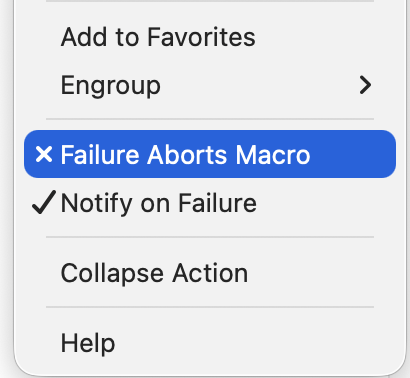
A failing action cancels the whole macro. In my case the macro also moved the file onward afterwards, so nothing ever left the source folder — and every subsequent run added a "destination already exists" error on top. The backlog blocked itself, and it stayed quiet for days because I was not watching the Engine log.