MacOS allows easy switching of the keyboard “input source” between different languages. For example:
- A menu bar item is available when more than one input source has been set up in System Settings > Keyboard.
- That part of System Settings also provides an option to use the caps lock key (and that key only, because Apple) to switch between languages.
Here is a macro that I find more convenient in use. Change it as you need to for the languages that you want to use.
Language switch.kmmacros (8.3 KB)
As it stands, this macro works like this.
Press ⌥ L to bring up this prompt:
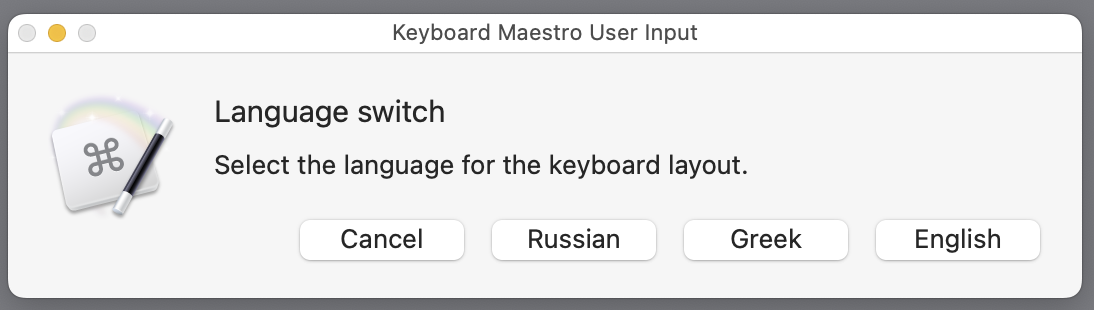
Then select the language. I use shortcuts for the buttons (e.g. G for Greek) so that the whole process can be quickly achieved with just two keystrokes (e.g. ⌥ L and then G).
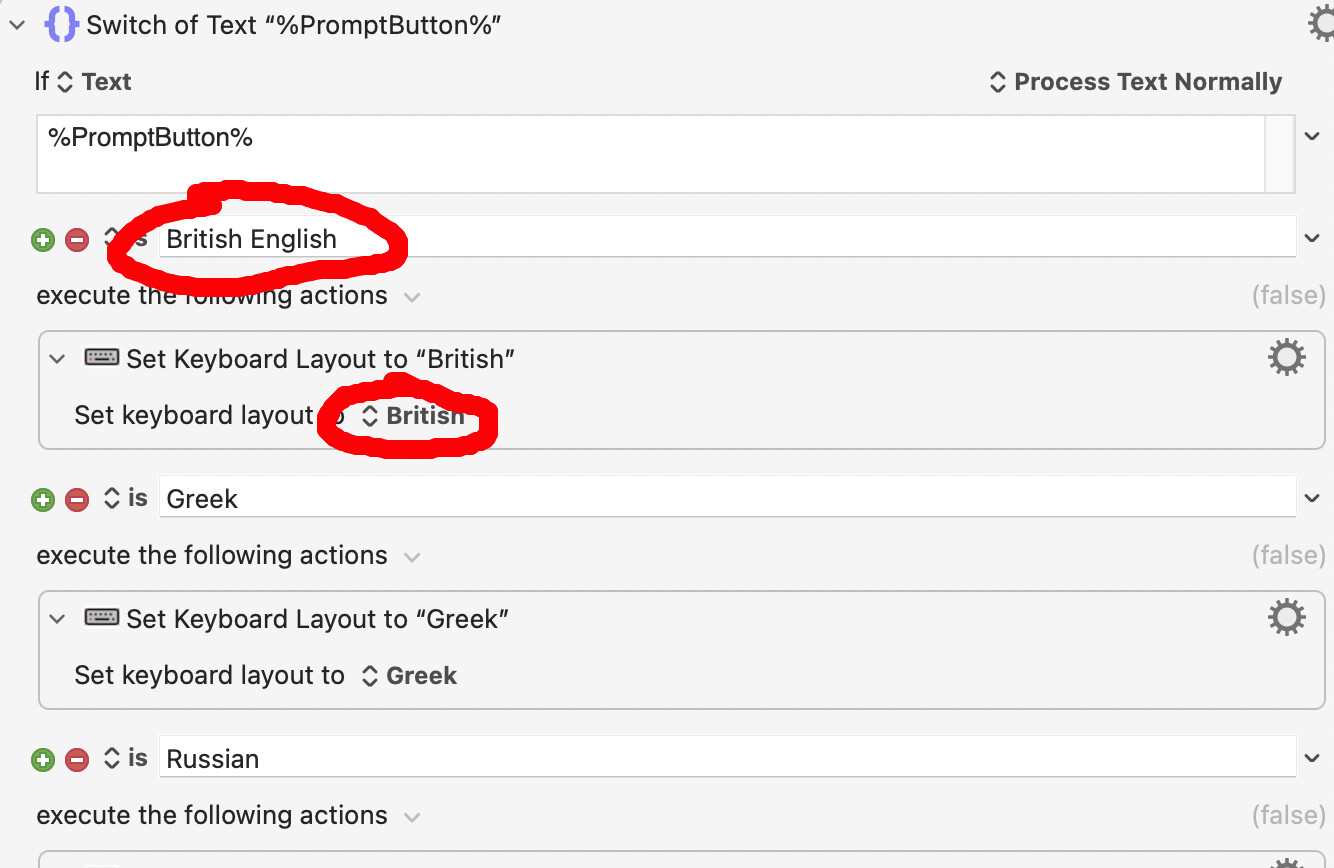
Note that I impertinently use the “English” button to switch to “British” keyboard layout, so if you use another dialect of English,, the first item of the first switch action will be the first thing that you will want to change!
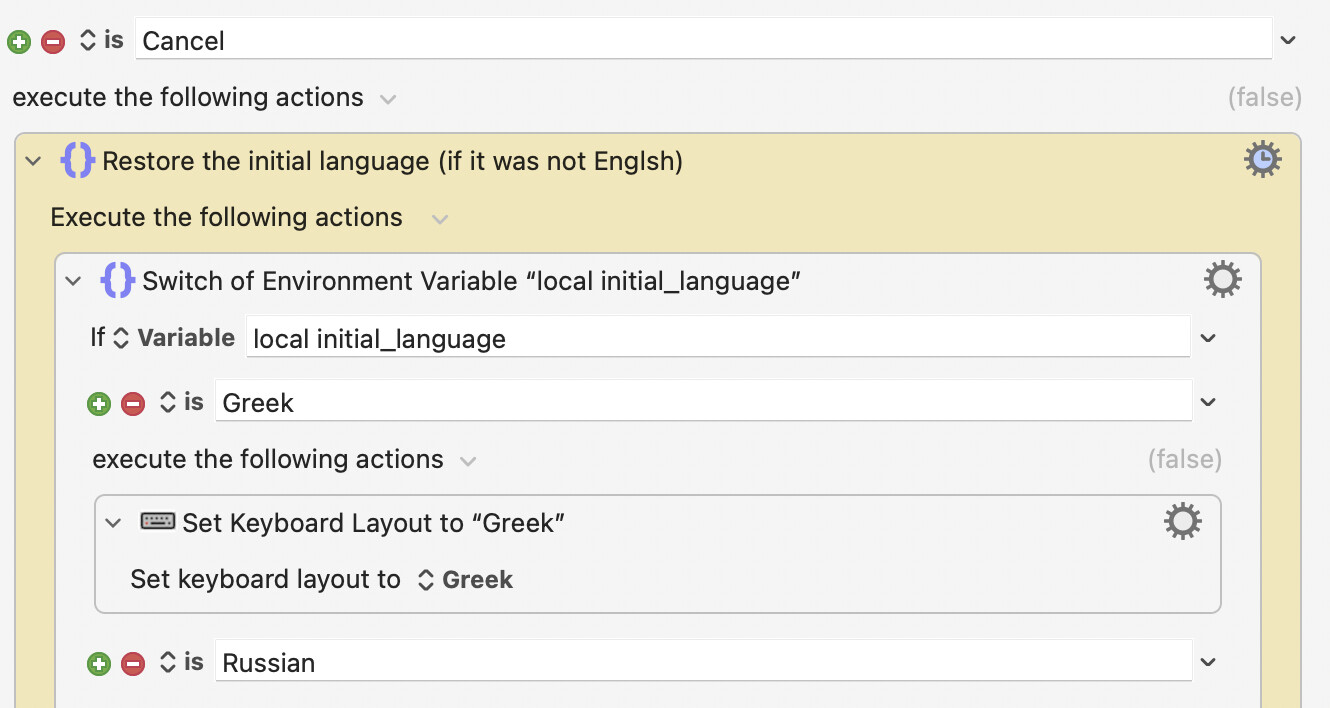
Oh, and note the switch action that follows from the selection of “Cancel”; you will need to include the languages that you use there too. That section of the macro restores the language that was in use when the macro was triggered.
The macro first of all saves to a variable the name of the language that is in use when the macro is called, but then switches the input source to English. That is so that the same English language letter shortcuts can be used, regardless of the current input source language.