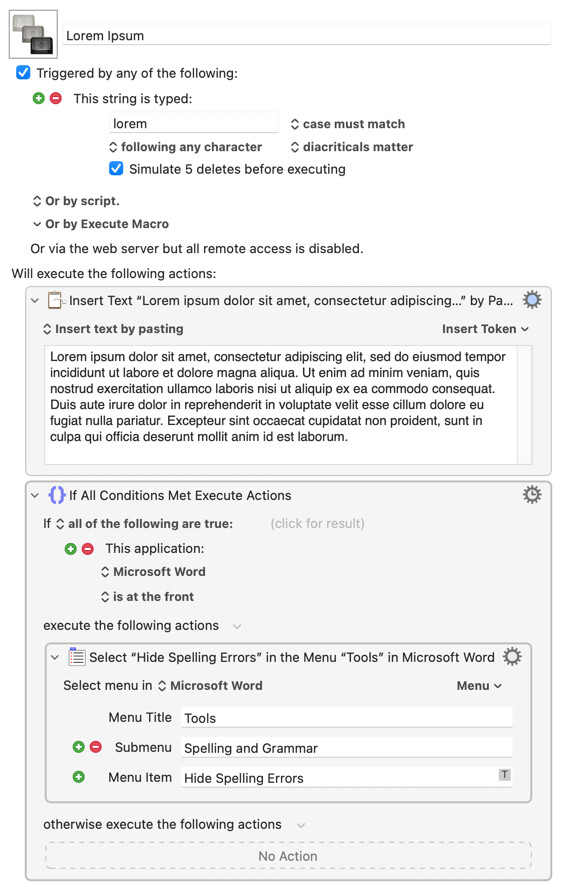
Lorem ipsum dolor sit amet, consectetur adipiscing elit,
sed do eiusmod tempor incididunt ut labore et dolore magna aliqua.
Ut enim ad minim veniam, quis nostrud exercitation ullamco laboris
nisi ut aliquip ex ea commodo consequat. Duis aute irure dolor
in reprehenderit in voluptate velit esse cillum dolore eu fugiat
nulla pariatur. Excepteur sint occaecat cupidatat non proident,
sunt in culpa qui officia deserunt mollit anim id est laborum.
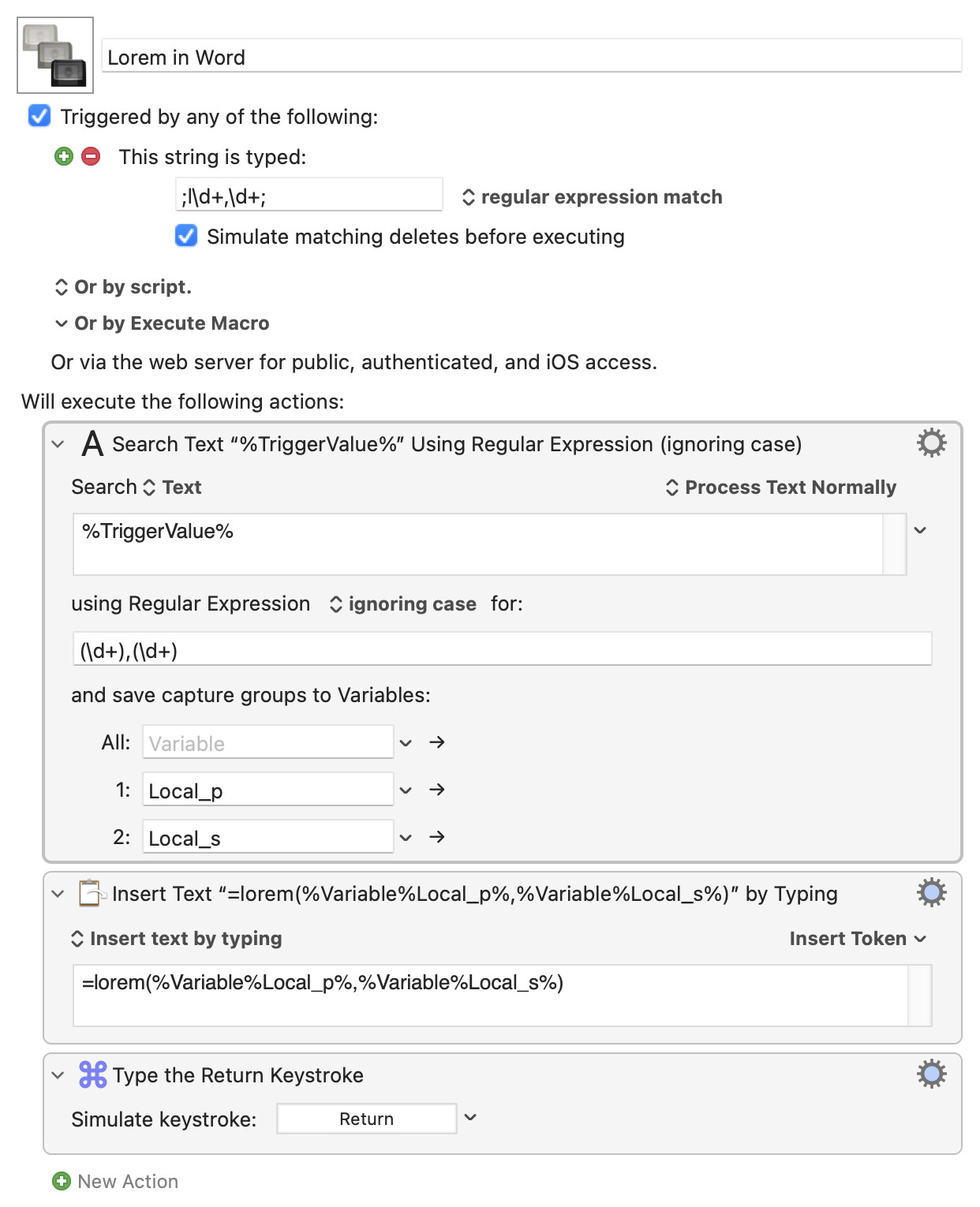
If you're in Ms Word, the red curly underlining to indicate spelling errors, is deactivated automatically.
I did wonder about using Siri AI for this, but wasn't impressed. I've used an online generator before, but that requires being... online.
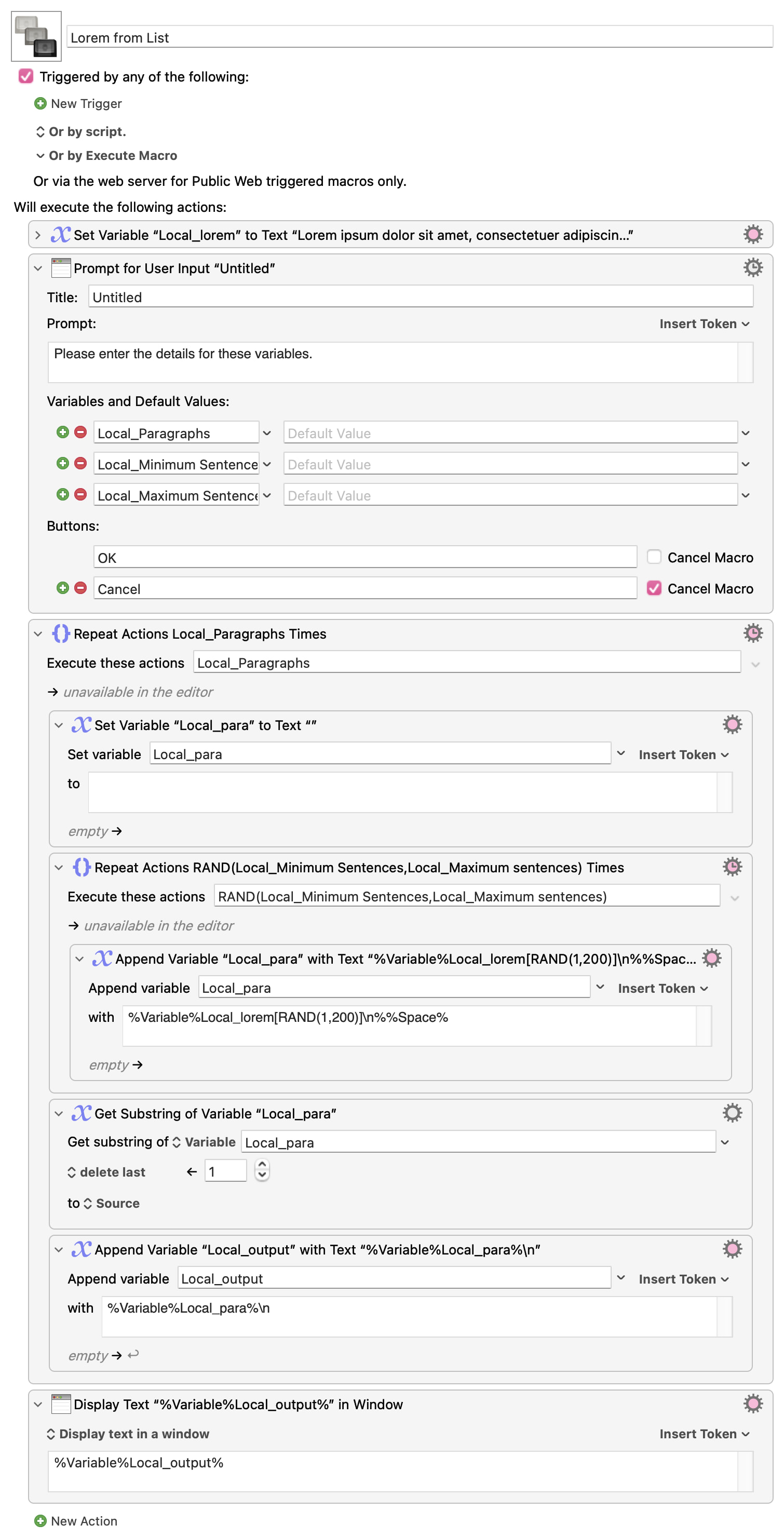
So here's something that will generate n paragraphs, each with from i to j sentences randomly chosen from 200 generated by Word. Displays the text for troubleshooting, but the last Action can easily be changed to set the Clipboard, Paste into the frontmost app, etc.