Yeah I make extensive use of the branch by %MacUUID% trick, for things like killing apps on some machines but not others. In fact, all machines load some global variables each day that, among other things, define machine names like “Matt”, so I can just say If %MacUUID% = Matt type stuff.
While I have you experts here there’s something else I ran into the other day. I tried to create a variable using a variable, while looping through all machine names:
ThisMachineShortName = %ThisMachine%_short
If I did an alert on ThisMachineShortName, it would display something like matt_short, so I thought things were working well.
But later when trying to compare stuff like, If %ThisMachineShortName% = matt_short the macro would fail.
Any idea what I was doing wrong? Thanks again very much for all the help!
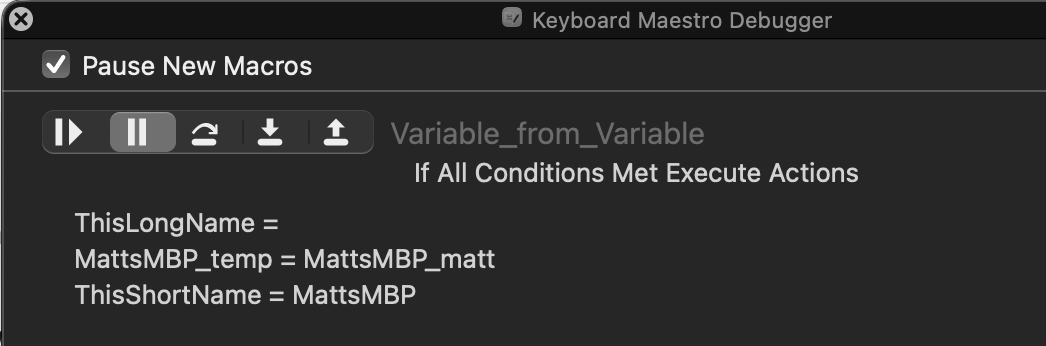
At no stage in that macro do you set the variable ThisLongName to a value, so the "If..." Condition is likely to be false.
Note the italics in that sentence. Because you've used Global variables you may have set that variable to "MattsMBP_matt" outside of this macro, so it might be true!
Other than that, I'm not sure what your logic is here.
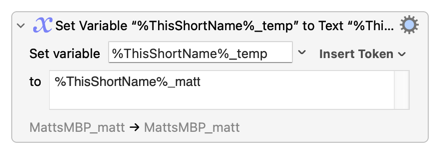
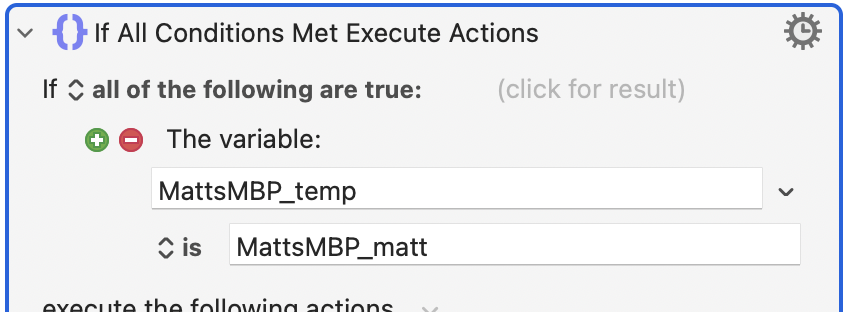
...first decides the variable to set by evaluating the text token %ThisShortName% and appending "_temp" to the result -- "MattsMBP_temp". It then evaluates %ThisShortName% and appends "_matt" to get the string "MattsMBP_matt". So it's putting "MattsMBP_matt" into the variable MattsMBP_temp.
So, if anything, your "If..." should be something like
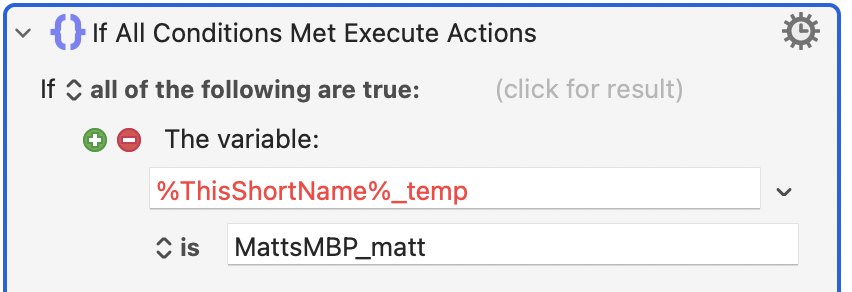
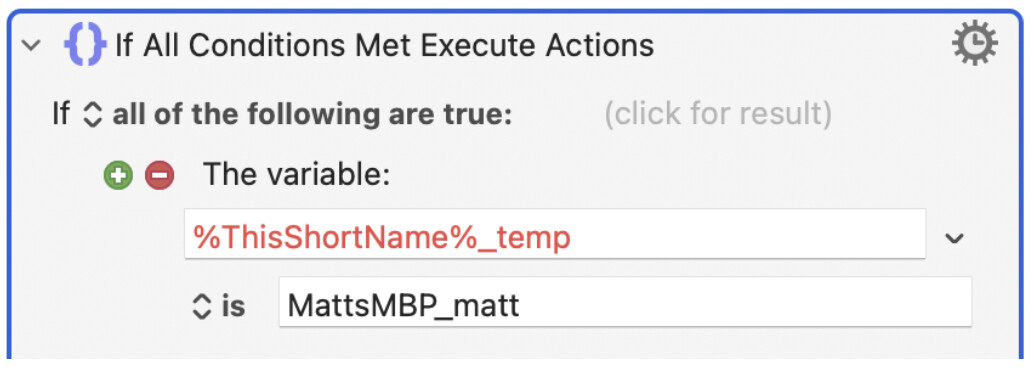
The above is the actual problem I’m having—i.e. it seems like something like %variable_name%_temp can not be used in an if/then/else comparison. It also shows as red in my own script, and I’ve tested that %variable_name%_temp does evaluate to something, i.e. if I display that, it shows something like MattsMBP_temp.
Yes, that shows it's "illegal" and cannot be used -- that value isn't even saved, and if you run the macro it will execute using the previous (valid) field value.
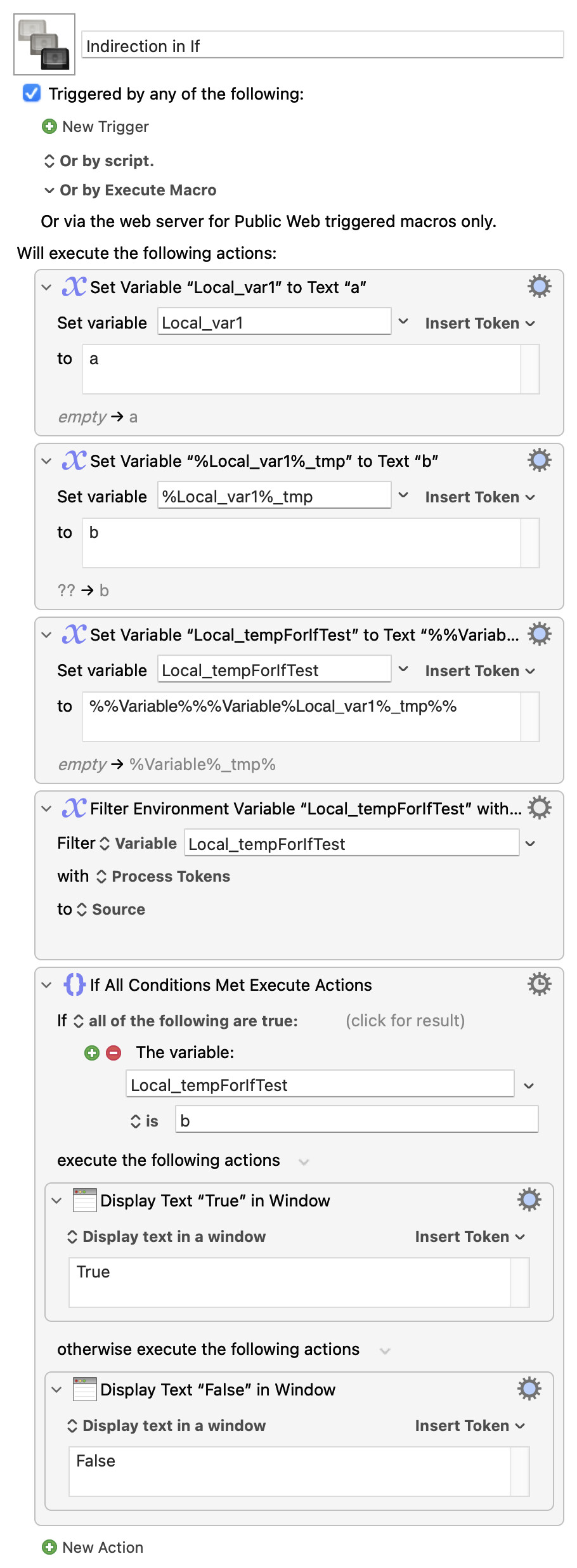
You can usually get round this by refactoring to use a different approach, but if you simply must use indirection in an "If..." you'll need to go the "Filter to a temp var" approach as shown on that linked Wiki page. See actions 3 and 4 in this demo:
Thanks again for the reply! Variable indirection sounds a bit above my pay grade and like you suggested, usually in these situations I get through them by changing approaches. So that’s what I’ll try here!
People often run into this when they want to store multiple, labelled, versions of a similar thing. An example might be IP addresses when they might think to use the variables:
 there’s something else I ran into the other day. I tried to create a variable using a variable, while looping through all machine names: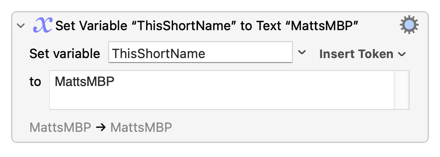
 and like you suggested, usually in these situations I get through them by changing approaches. So that’s what I’ll try here!