Yes, this is a post about AI, though there's no AI involved in the macro itself :). I have been using Claude Code to tackle some personal projects I've long wanted to do but lacked the expertise to build (a database to track the shows I'm watching or want to watch with a web front end, and a system to retrieve character information for books, movies, and TV series, to name just two).
As a (mostly) non-coder, claude has impressed me with what it has allowed me to do, but that's not the point of this post. When you work in claude, you use a Terminal window. And you can open many projects in many windows, all of which soon start to look the same. I have, more than once, asked for changes in Project A when I should have been changing Project B.
claude offers a way to make the sessions more distinctive, by renaming the workspace and assigning it a color, but both are "post start" tasks. I wanted to always set certain projects to certain names and colors. And that's all the first version of this macro did.
Update: I've uploaded a new version of the macro. Now it can optionally use a custom Terminal profile, and it (optionally) sets background colors in those Terminal windows to match the specified highlight colors. It also has a greatly-improved launcher, and I removed the Found Image action, so you need edit only one variable to use the macro.
Update 2: The code now uses @Nige_S' brilliant idea to check for the input prompt via AppleScript; this gets rid of any need to guess a delay. I also added a progress bar, so you can tell for sure when it's ready. Thanks, @Nige_S!
Here's how three of my projects look with this version of the macro:
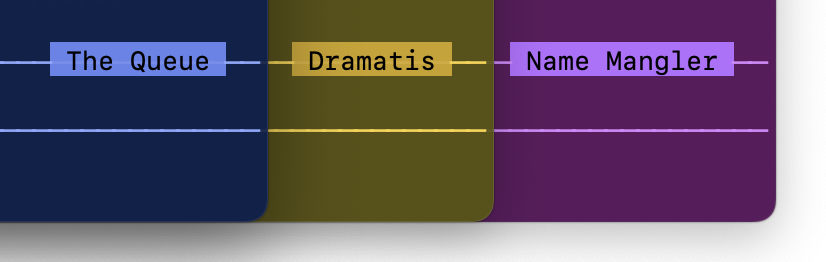
The macro automates the whole process: You select a project from a list, and the macro opens a Terminal window, activates the custom profile, changes the background color, moves to the proper project folder, launches claude, and then renames the workspace and sets the color highlight once claude is open.
The new demo macro is fully functional, and lets you open Claude Code in your Desktop, Documents, or Downloads folders, just so you can see how it works.
Download Macro(s): Claude Code projects - Generic.kmmacros (18 KB)

Macro notes
- Macros are always disabled when imported into the Keyboard Maestro Editor.
- The user must ensure the macro is enabled.
- The user must also ensure the macro's parent macro-group is enabled.
System information
- macOS 15.7.5
- Keyboard Maestro v11.0.4
To use this for real Claude Code projects, replace the text in the purple local_myApps variable action with the name, path, and color choice for each of your projects. To disable the custom colors and custom Terminal profile, just change those variable' values from TRUE to FALSE.
There's a delay near the end of the macro, colored red and set to three seconds. You may need to increase this to allow Claude to be ready before you send the commands that change the workspace name and prompt color.
This isn't a huge thing, but it saves me from having to remember to run two commands whenever I launch claude. Adding new projects is easy—it's just another row in local_myApps, with name, path, and color choice. I press my chosen hot key, pick my project, and off it goes.
And yes, I know I should be learning to code instead of relying on AI, but as they said in many a movie over the years, "I'm getting too old for this s....". claude helps turn my "I'd love to..." ideas into reality.
-rob.