Over the years, macOS has made it harder and harder to run apps that come from non-registered developers—unsigned apps, in other words. As of Sequoia and later, Apple doesn't even admit such apps can be run:
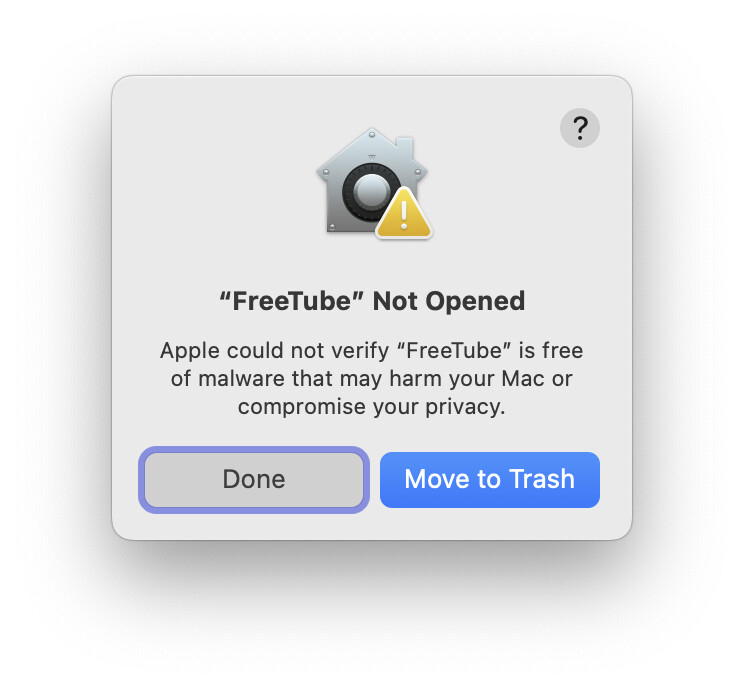
No text there at all explaining that you can, in fact, run such apps (depending on your security settings). To do so, though, you need to click Done, open System Settings, go to Privacy & Security, scroll to the end, find the entry for the app you just tried to launch, and click Open Anyway. That gets you another dialog offering to trash the file, but also with an Open Anyway button. Click that button, and you have to enter your admin password, and finally the app opens.
Ugh. I mean, it's good (to some degree) that Apple is trying to protect users, but there are a lot of really good unsigned apps out there. Bad of Apple to not acknowledge that, and at least explain that users can run such apps.
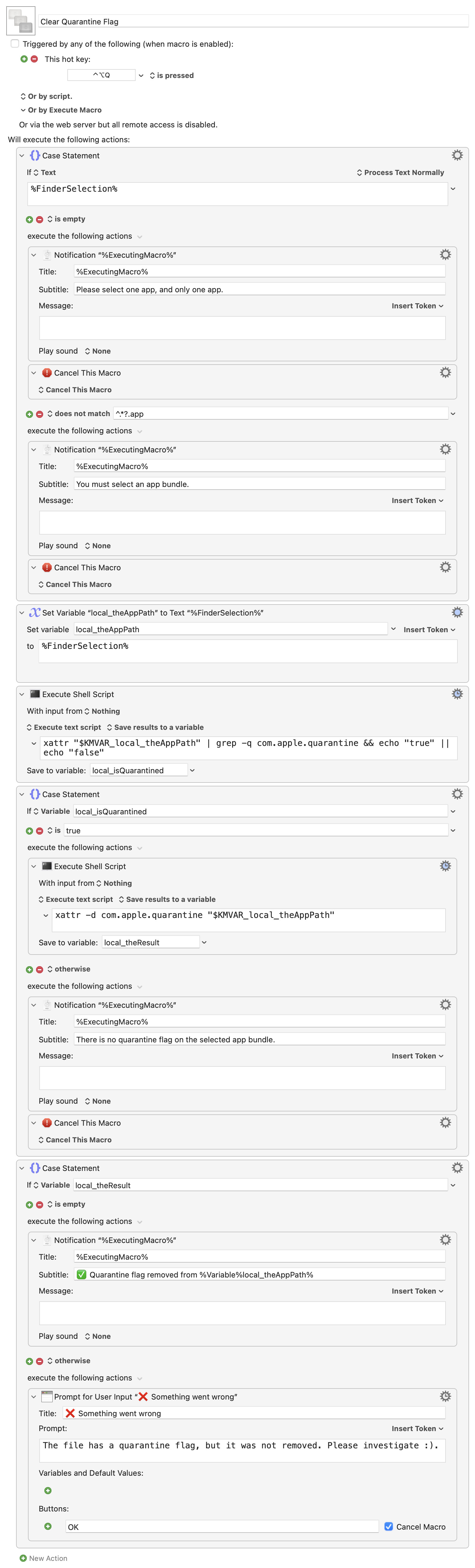
In any event, I got tired of all that mousing about, so I wrote a macro that clears the quarantine flag (which is what causes this behavior) on a selected app bundle in Finder:
Download Macro(s): Clear Quarantine Flag.kmmacros (9.7 KB)
Macro notes
- Macros are always disabled when imported into the Keyboard Maestro Editor.
- The user must ensure the macro is enabled.
- The user must also ensure the macro's parent macro-group is enabled.
System information
- macOS 15.7.3
- Keyboard Maestro v11.0.4
The macro, assigned to ⌃⌥Q by default, is designed to work with a single selected app bundle in Finder. Some logic at the top of the macro exits if you don't have a single file selected, or if you don't have an app bundle selected.
The macro then checks to make sure there is a quarantine flag on the file, and if there is, it clears it. If something goes wrong at that point, the macro simply tells you something went wrong and bails :). What can I say, I didn't want to spend a ton of time on making this thing incredibly robust.
I wish I'd written this thing years ago; one keyboard shortcut versus multiple dialogs and mouse clicks/movements is so much nicer when I want to check out some "illicit" Mac apps.
-rob.
