DESCRIPTION
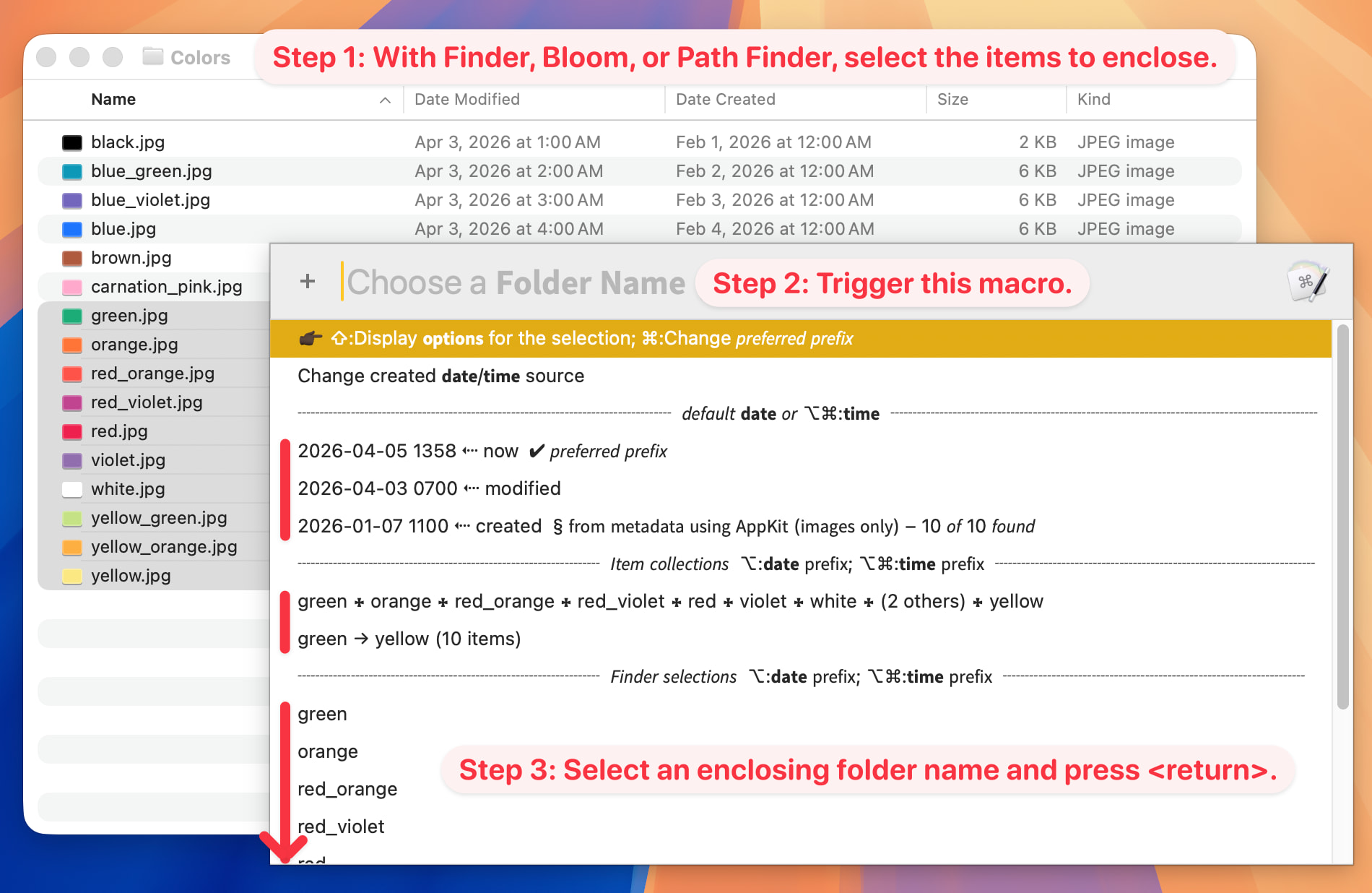
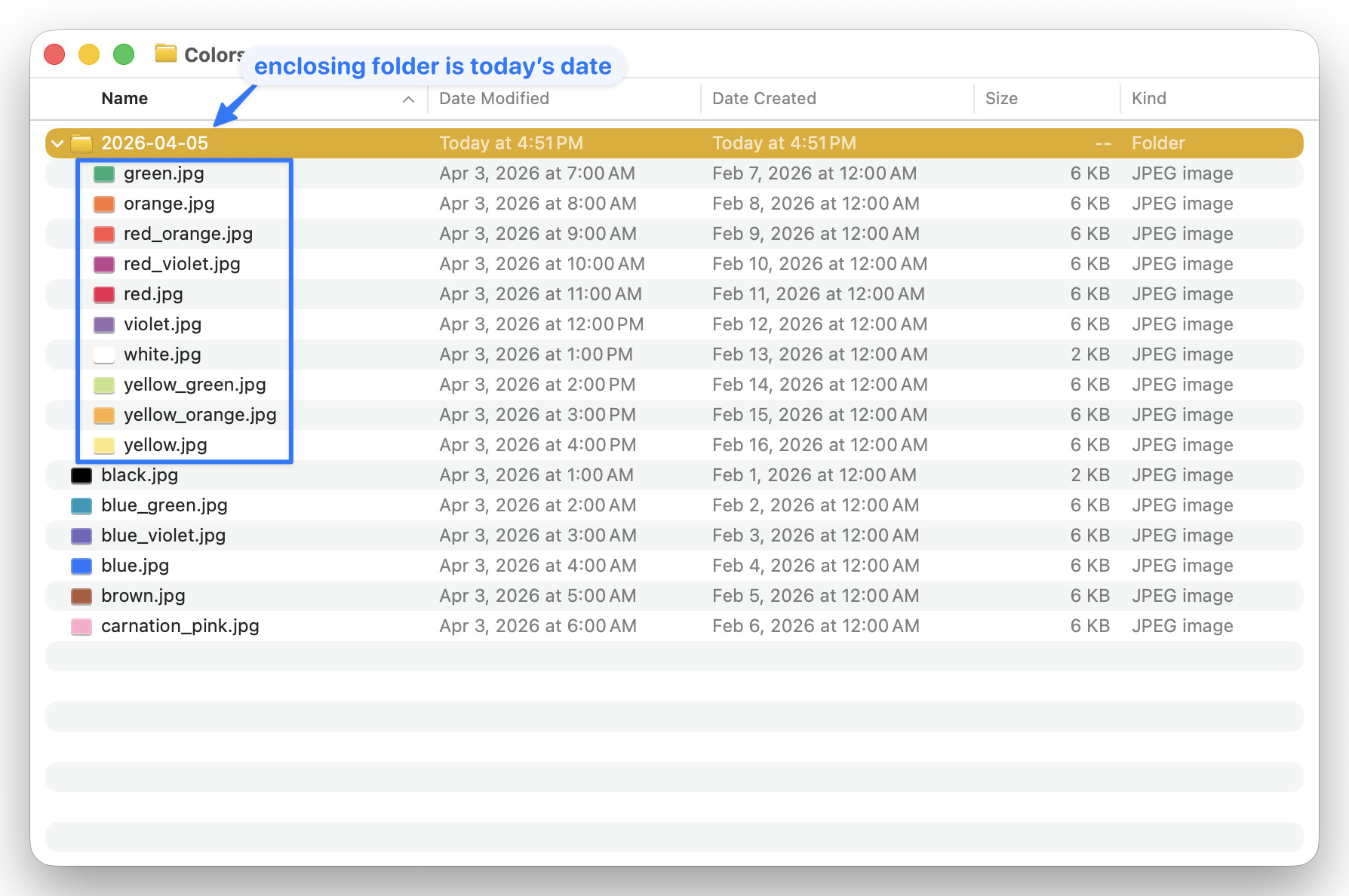
When working in Finder (or Bloom or Path Finder), I frequently need to enclose a selection of files and/or folders—referred to hereafter as items—inside a new folder and give that folder a meaningful name.
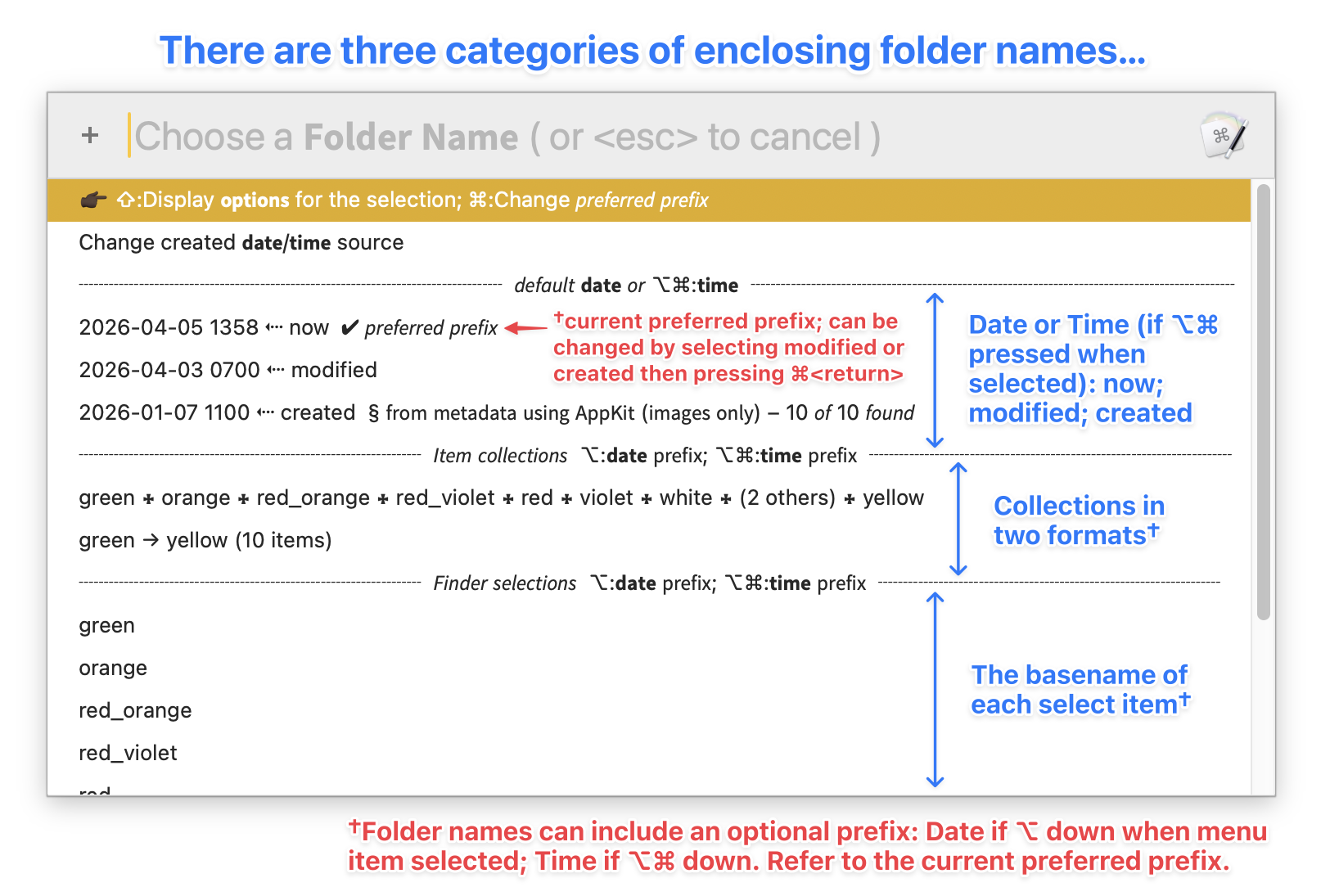
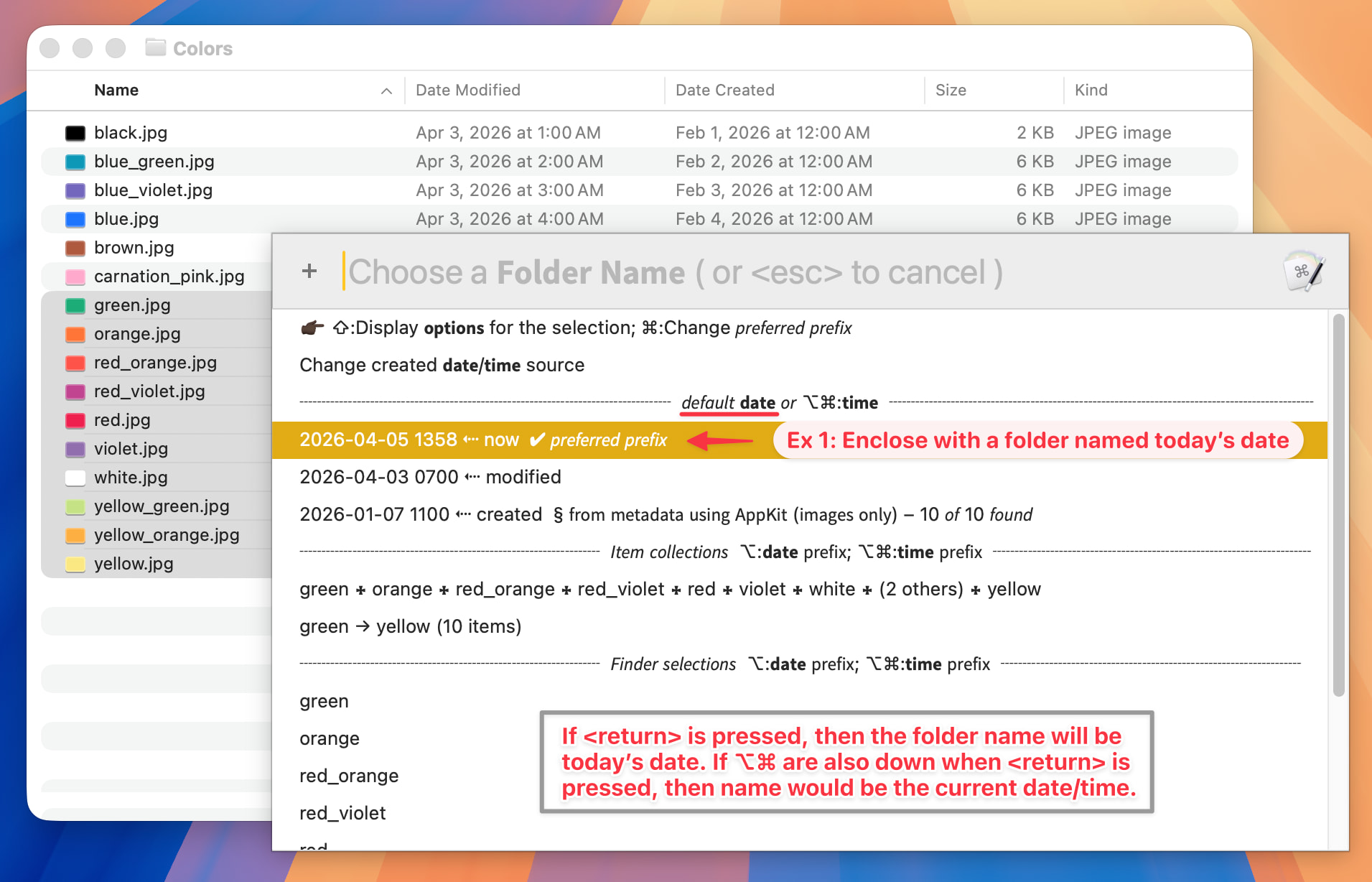
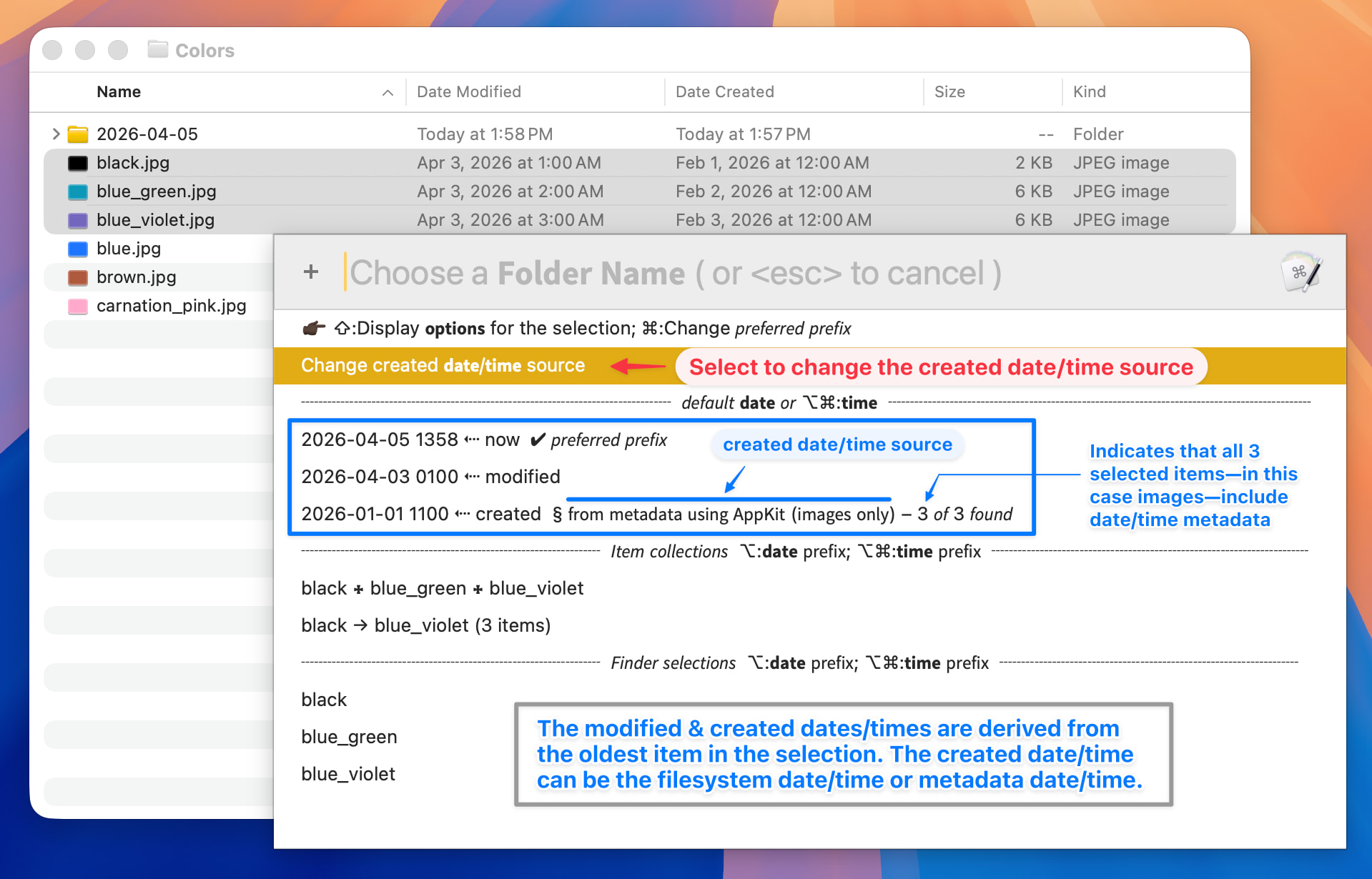
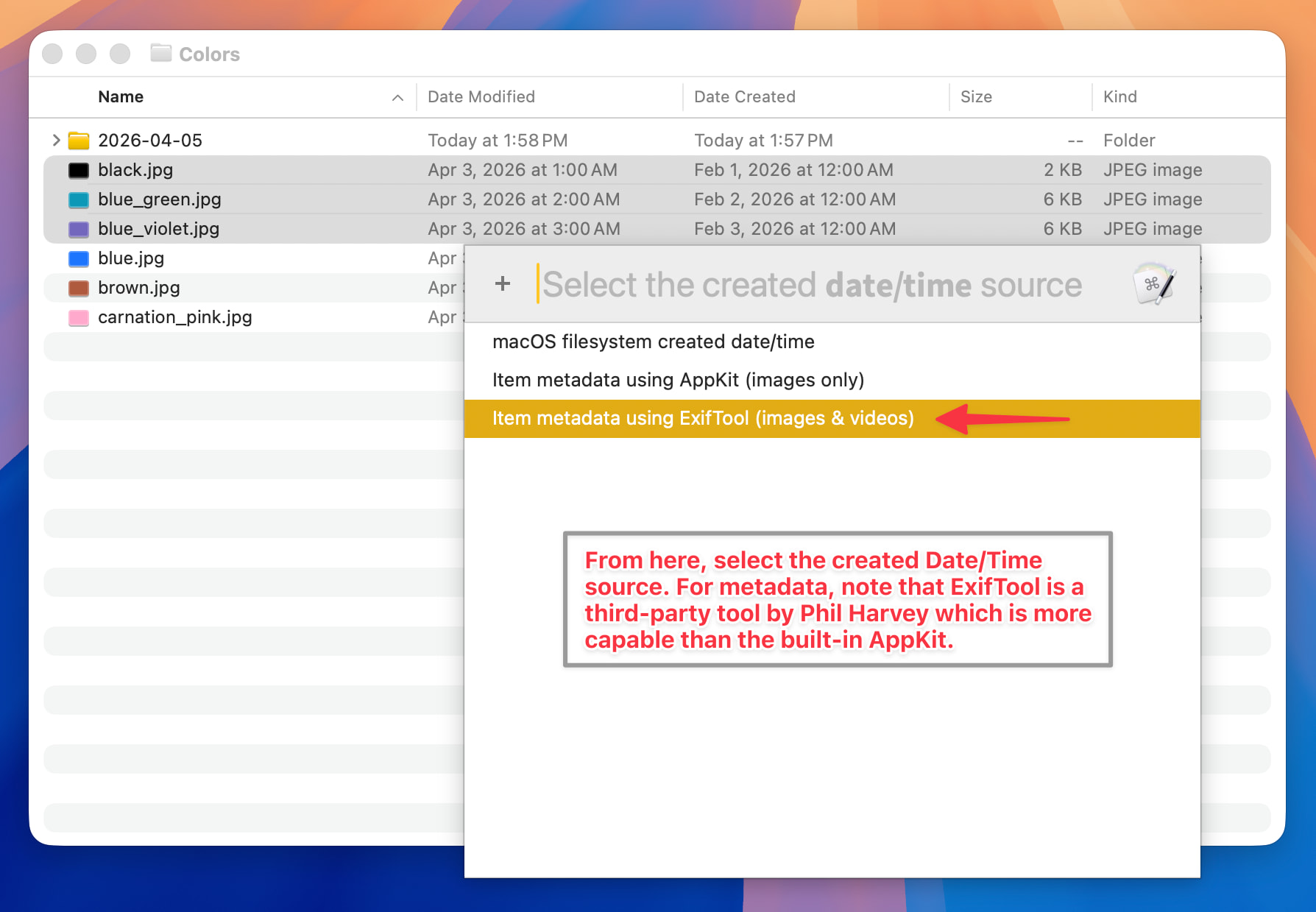
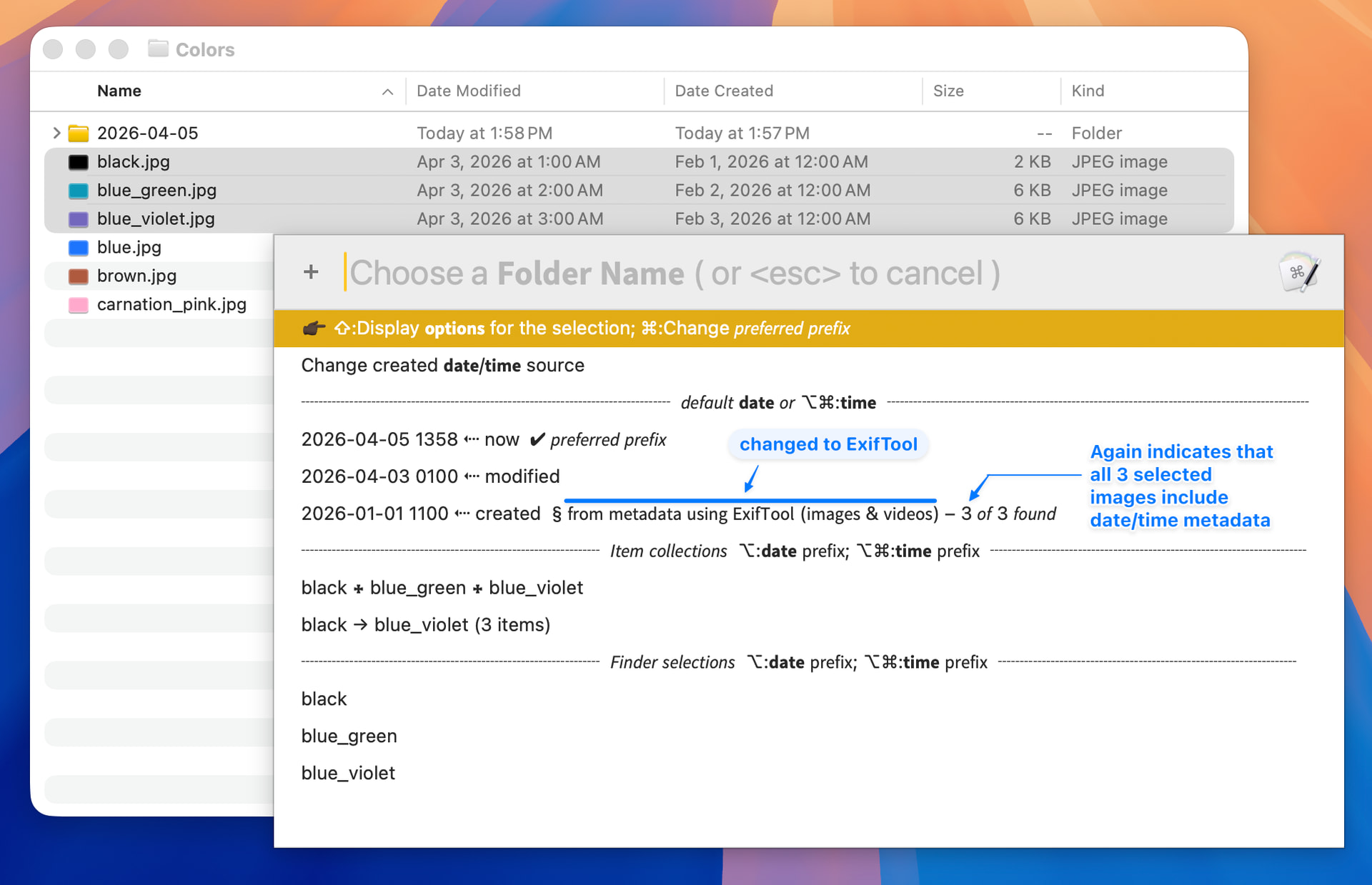
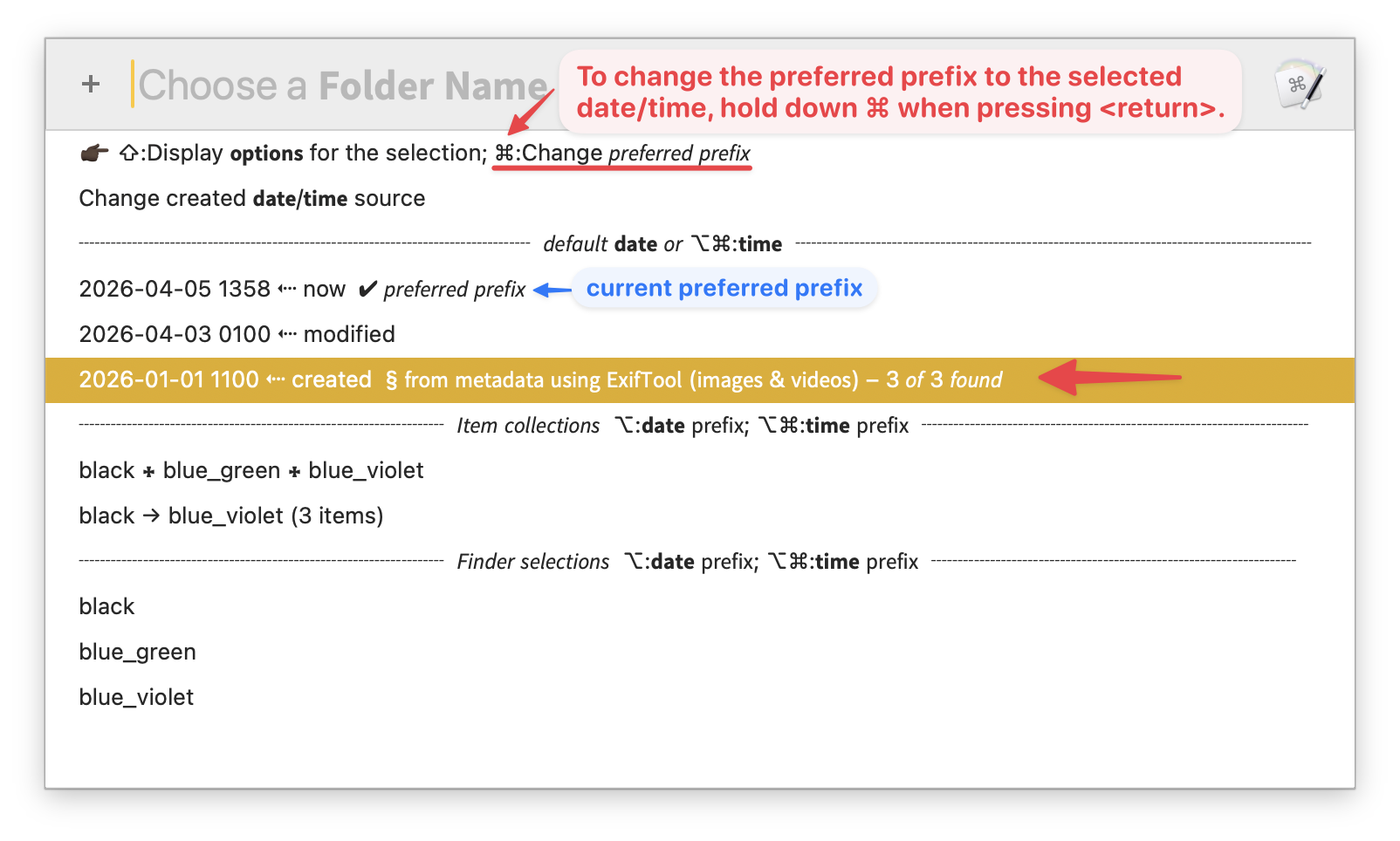
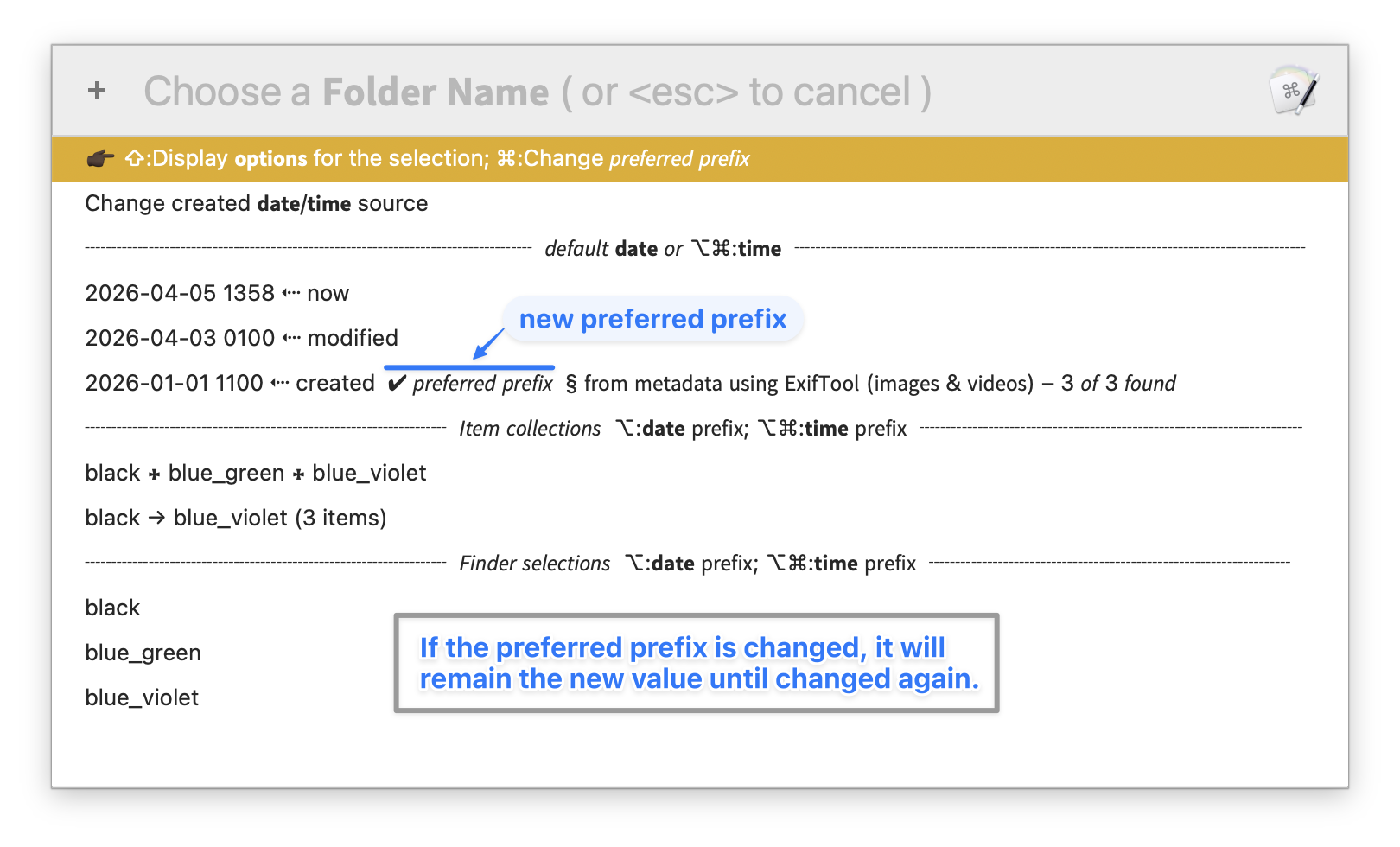
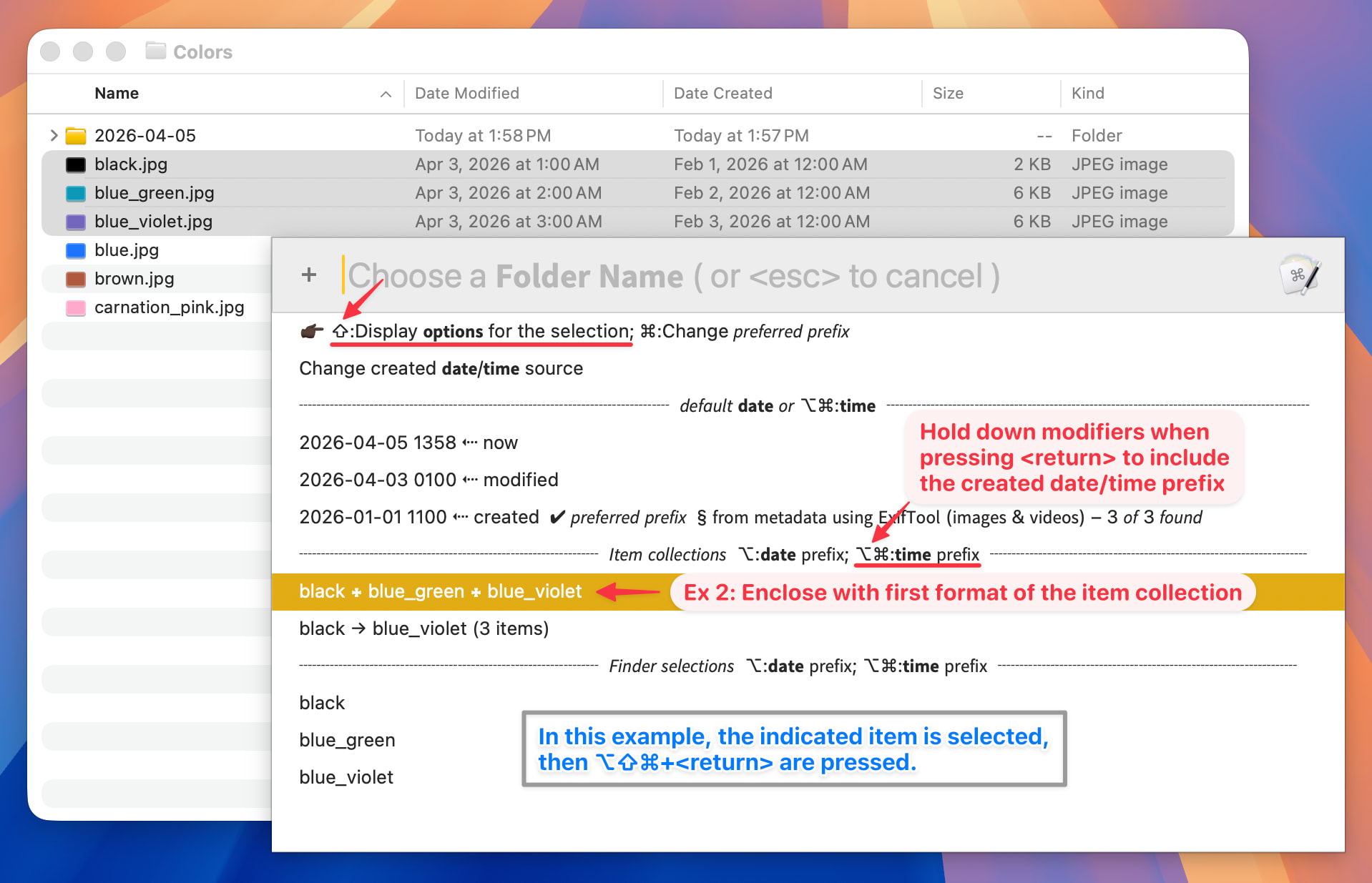
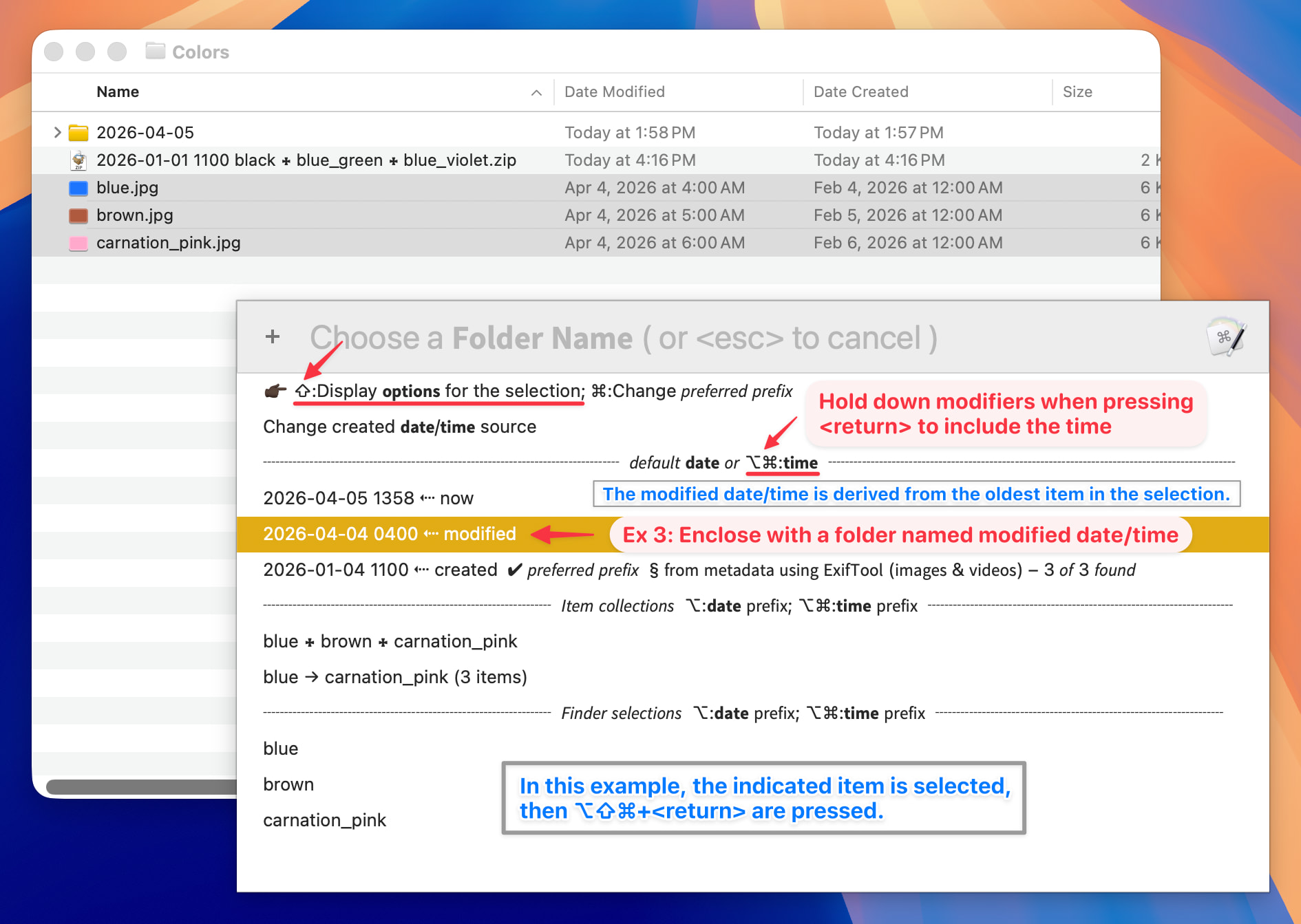
The enclosing folder name might be date-based: today's date, the current date/time, or an item's modification or creation date/time. Creation dates can come from the file system or from embedded image and/or video metadata, depending on the context.
Other times the name should reflect the enclosed items themselves—by name, count, or some combination. Often a blend of date and item-derived naming is helpful.
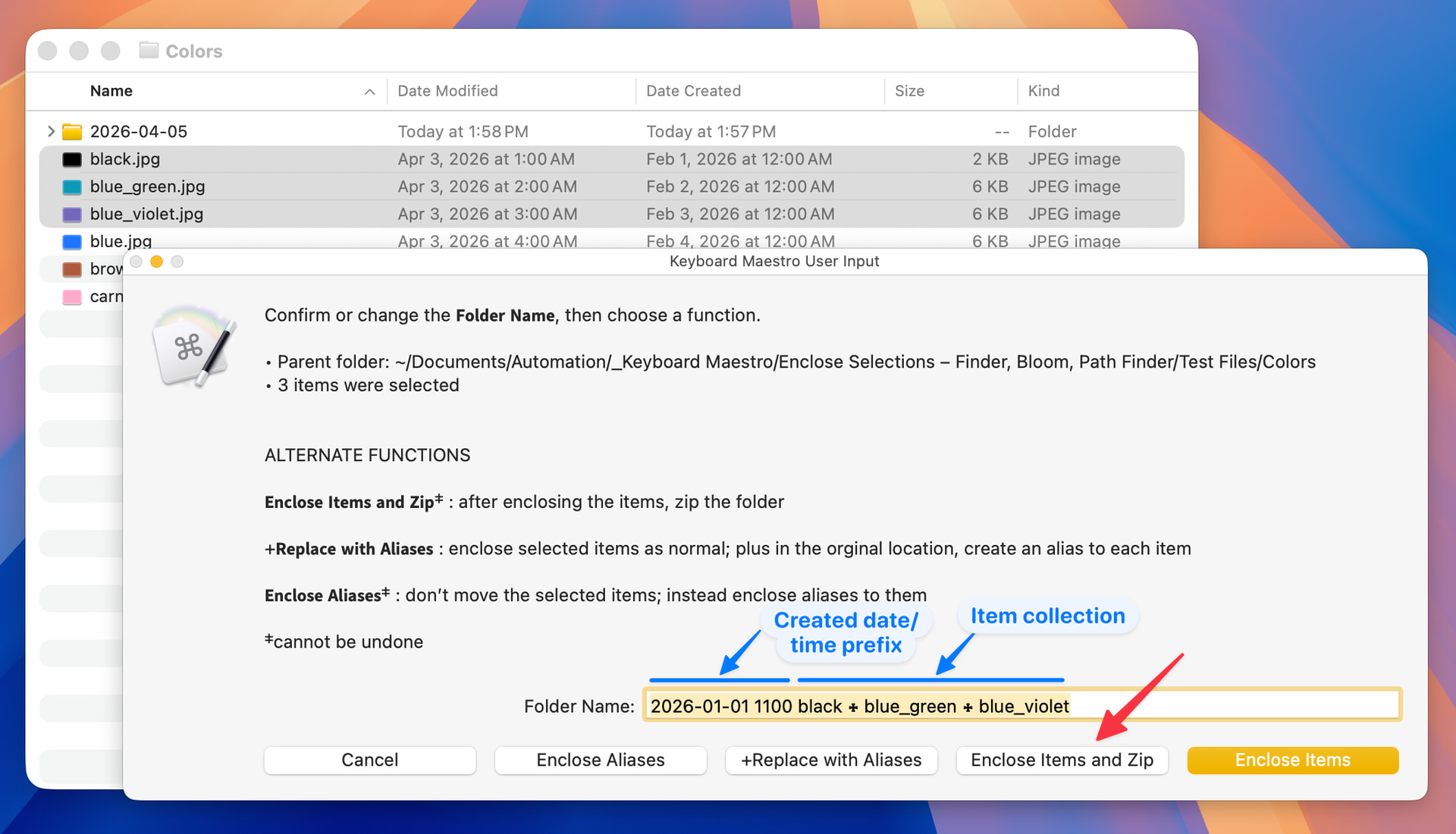
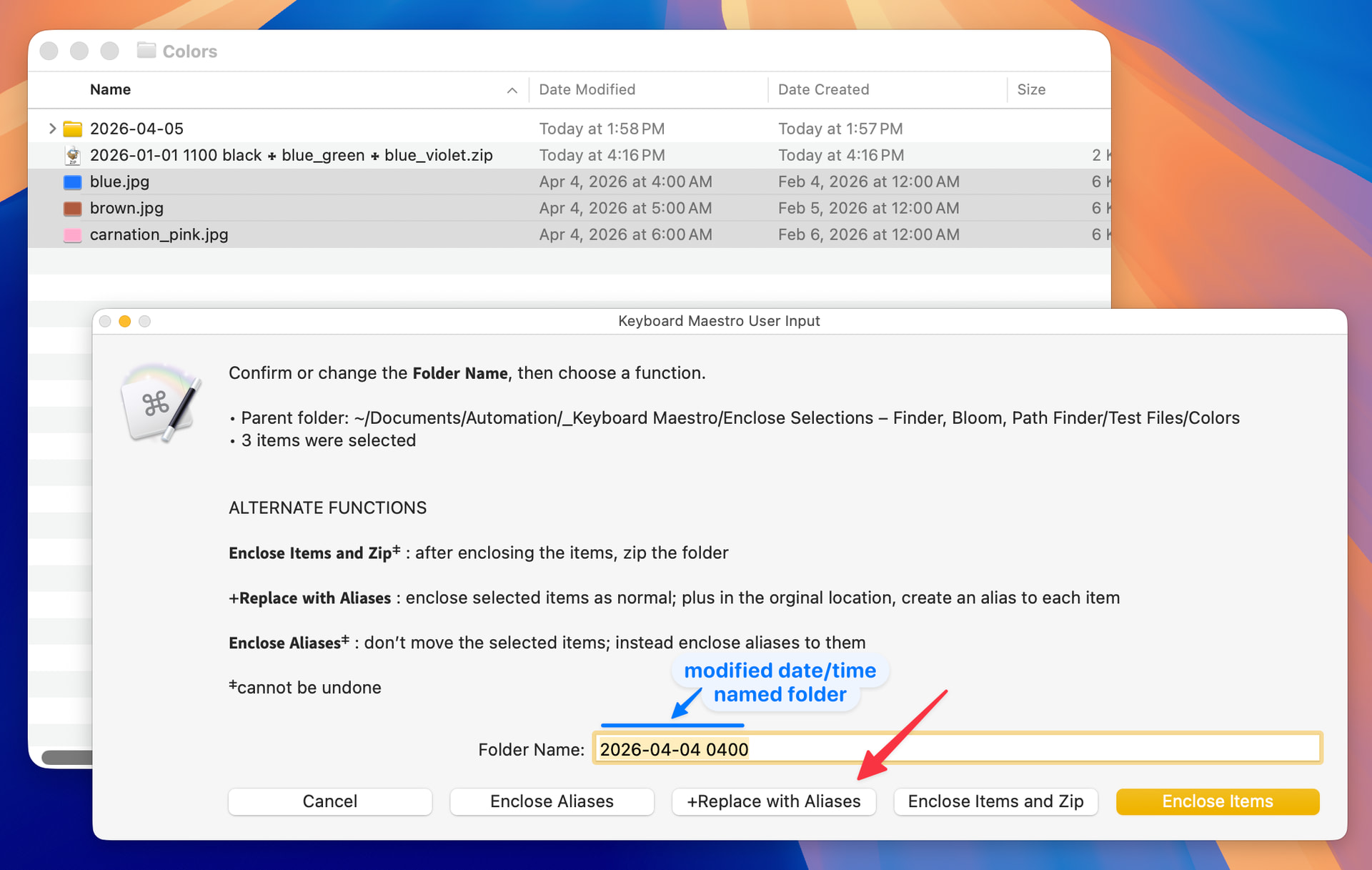
This macro provides a fast, convenient method to complete these tasks. For quick tasks the macro completes immediately with one of the suggested names. An optional dialog is available for name adjustment and access to some advanced modes described below.
Particularly important to me as someone who suffers from RSI caused by mouse overuse, the entire workflow can be completed without touching the mouse or trackpad. This combination of capability and accessibility is what motivated me to create the macro and share it here.
Beyond standard enclosing, the macro supports three optional modes:
-
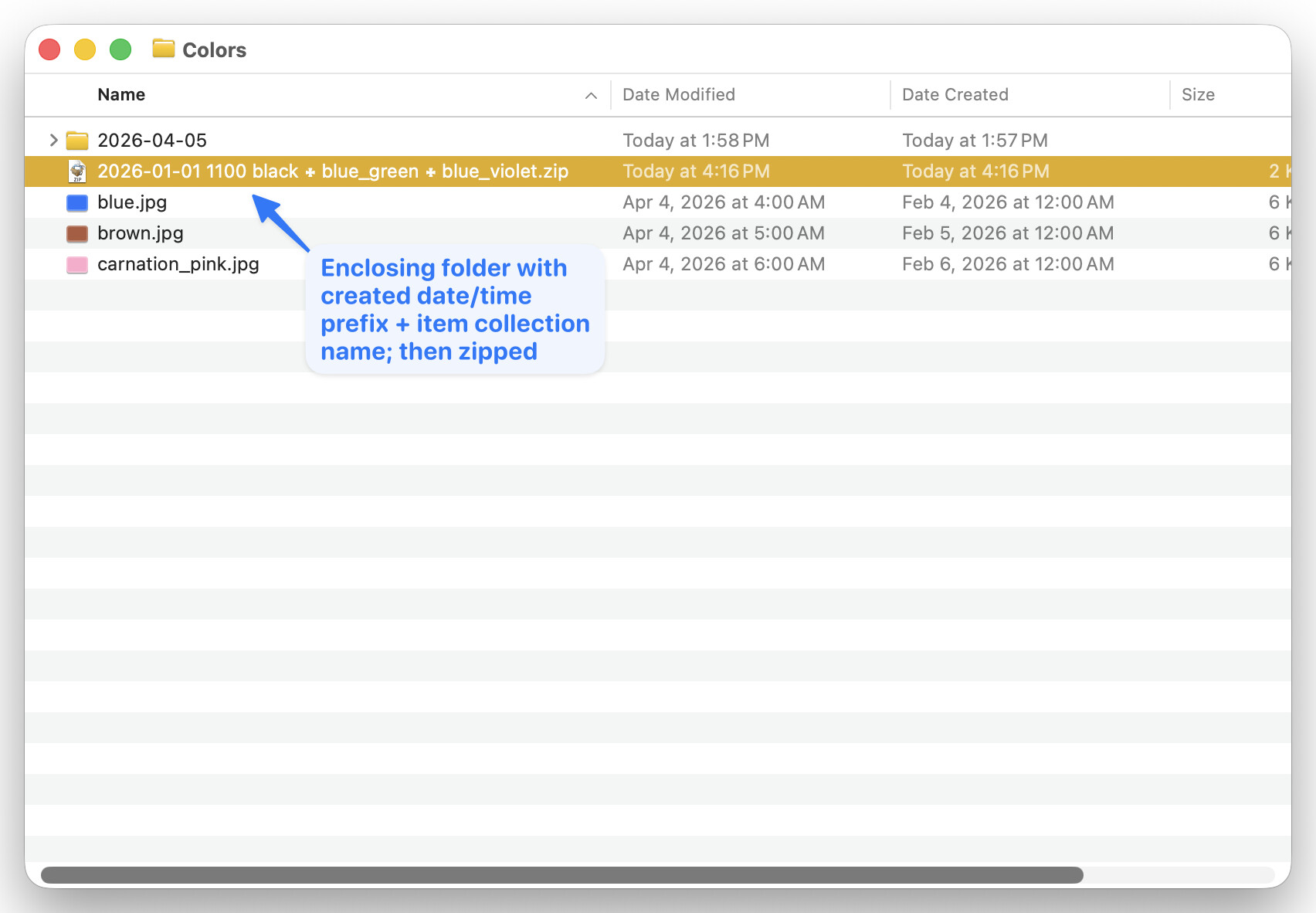
Enclose & Zip — enclose the selected items, then zip the resulting folder
-
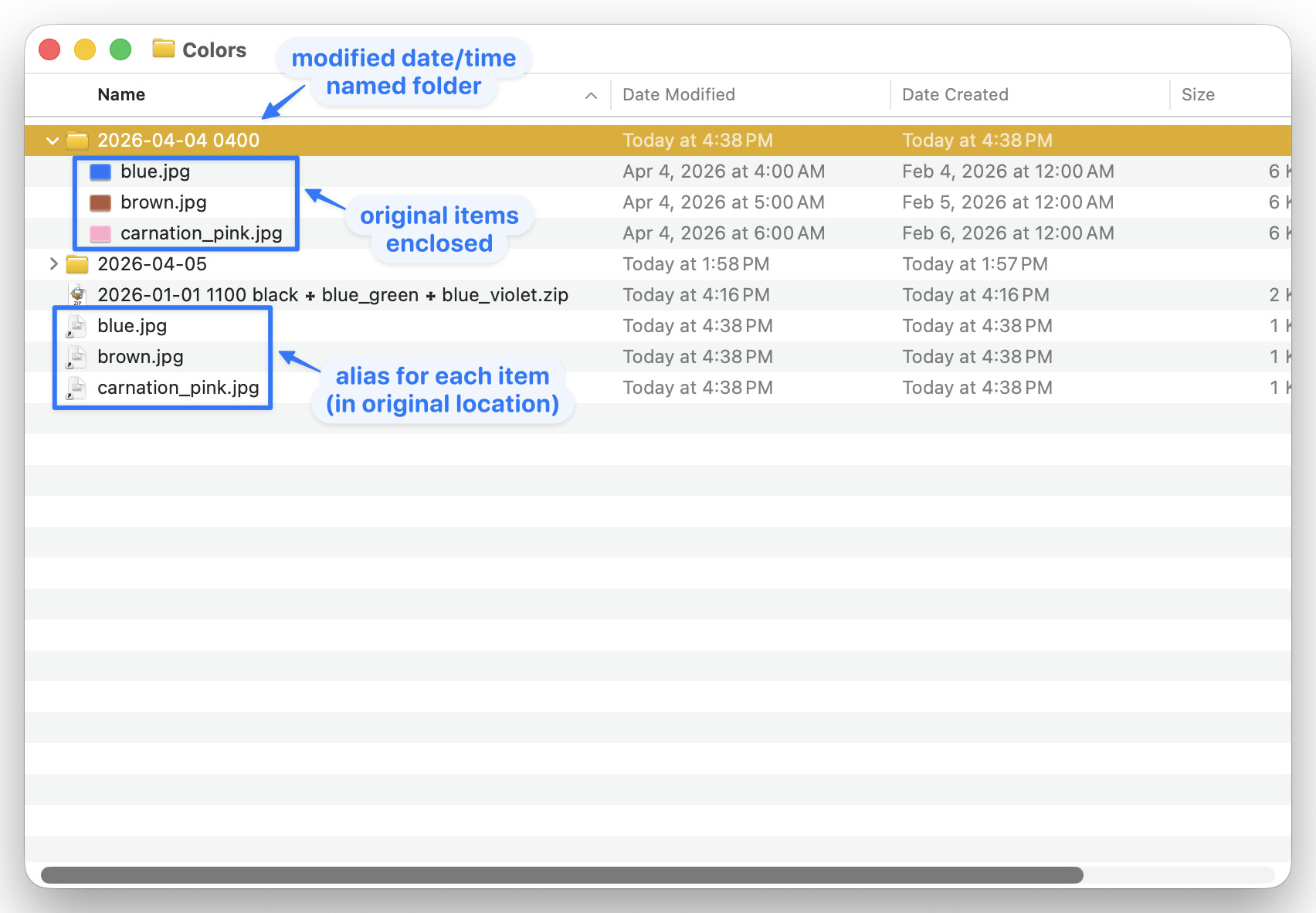
Enclose + Replace with Aliases — enclose the items normally, then place an alias to each item back in the original location
-
Enclose Aliases — leave the selected items in place; enclose aliases to them instead
The modes and related options are illustrated in the annotated screenshots below (click any image to enlarge).
SETTINGS
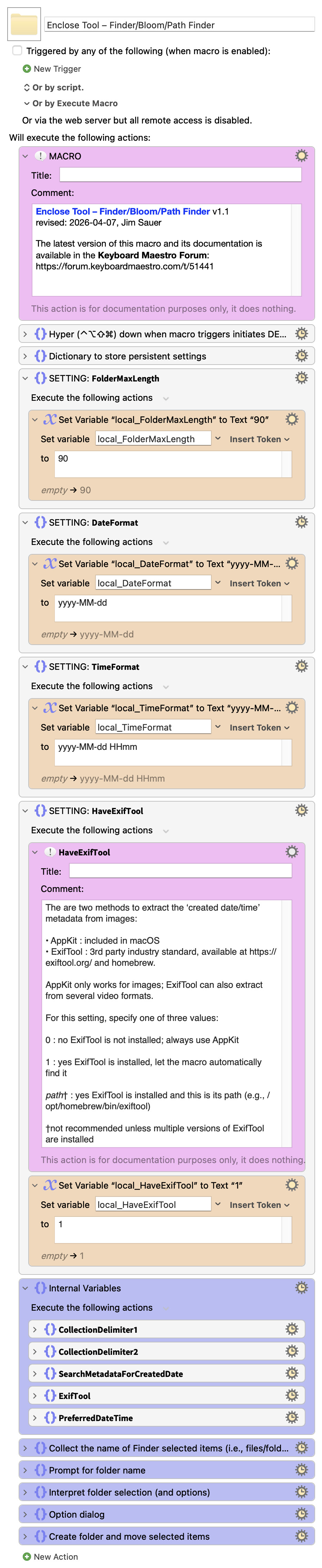
Refer to the top of this macro for a description of each setting. The default values are listed below.
-
local_FolderMaxLength :
90 -
local_DateFormat :
yyyy-MM-dd -
local_TimeFormat :
yyyy-MM-dd HHmm -
local_HaveExifTool :
1
TESTED WITH
• Keyboard Maestro 11.0.4
• Tahoe 26.4 (25E246)/MacBookPro18,2
VERSION HISTORY
( expand / collapse )
1.0 - initial version
1.1
a) Changed the name from Enclose Selections – Finder/Bloom/Path Finder to Enclose Tool – Finder/Bloom/ Path Finder
b) Improved the forum post to better describe the features
MACRO DOWNLOAD
Download: Enclose Tool – Finder-Bloom-Path Finder.kmmacros (148 KB)
Macro-Notes
- Macros are always disabled when imported into the Keyboard Maestro Editor.
- The user must ensure the macro is enabled.
- The user must also ensure the macro's parent macro-group is enabled.
System Information
- macOS 26.4 (25E246)
- Keyboard Maestro v11.0.4