MACRO: Engine.log Tool, v10.0

Here's a screenshot of my 13" width and at least to me, that wouldn't be a problem. I would rather have that button and having a wider window, than not having the button
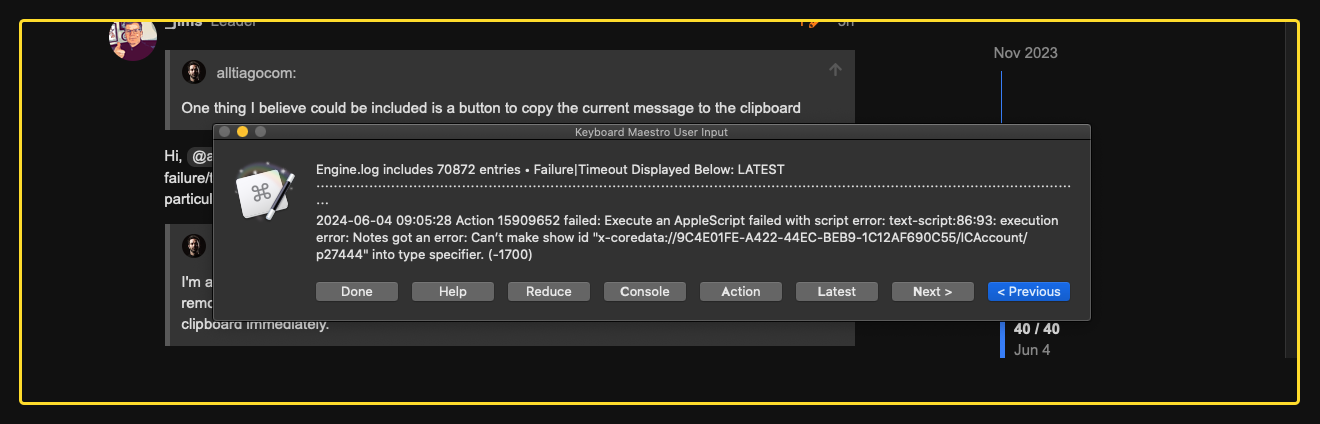
I mentioned the Console, because I noticed that it highlights the error and so we could then copy to the clipboard. I wasn't aware of the modifier key. I just tried it holding OPTION and clicking Done, but the current message wasn't copied to the clipboard. Not sure if being on Catalina makes any difference, but it's not working.

Maybe this helps:
When I have stuff being copied to the clipboard, I always like to see a notification mentioning it, such as the message I shared ":white_check_mark: XYZ copied to the clipboard".
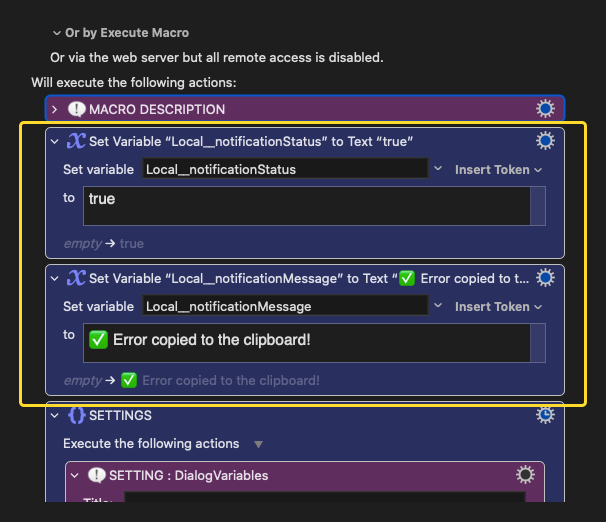
Some users may use that "method" as well, some don't, so the macro could include some kind of "setting" that could toggle that ON or OFF by simply using a variable at the top of the macro. If the variable "Local__notificationStatus" is set to "true" it shows a notification after hitting the "Copy to Clipboard" (or if the Option+Done is working as expected). If it's set to "false" then it won't show any notification.
That means that an extra action (Switch or If Then) needs to be added after the action that processes the "Done" button (or the "Copy to Clipboard" button).

Next "setting" is the message in the notification window. To avoid diving deep into the macro to customize the message, that could be added at the top of the macro as well, also with a variable (Local__notificationMessage). That way the user can decide if they want to see a notification or not and what message should be displayed.

Something along these lines:
image

Hope it makes sense.

Anyway, the Option+Done doesn't seem to be working on my end. Can you check if it's the macro itself or if maybe Catalina is the issue?

Thank you
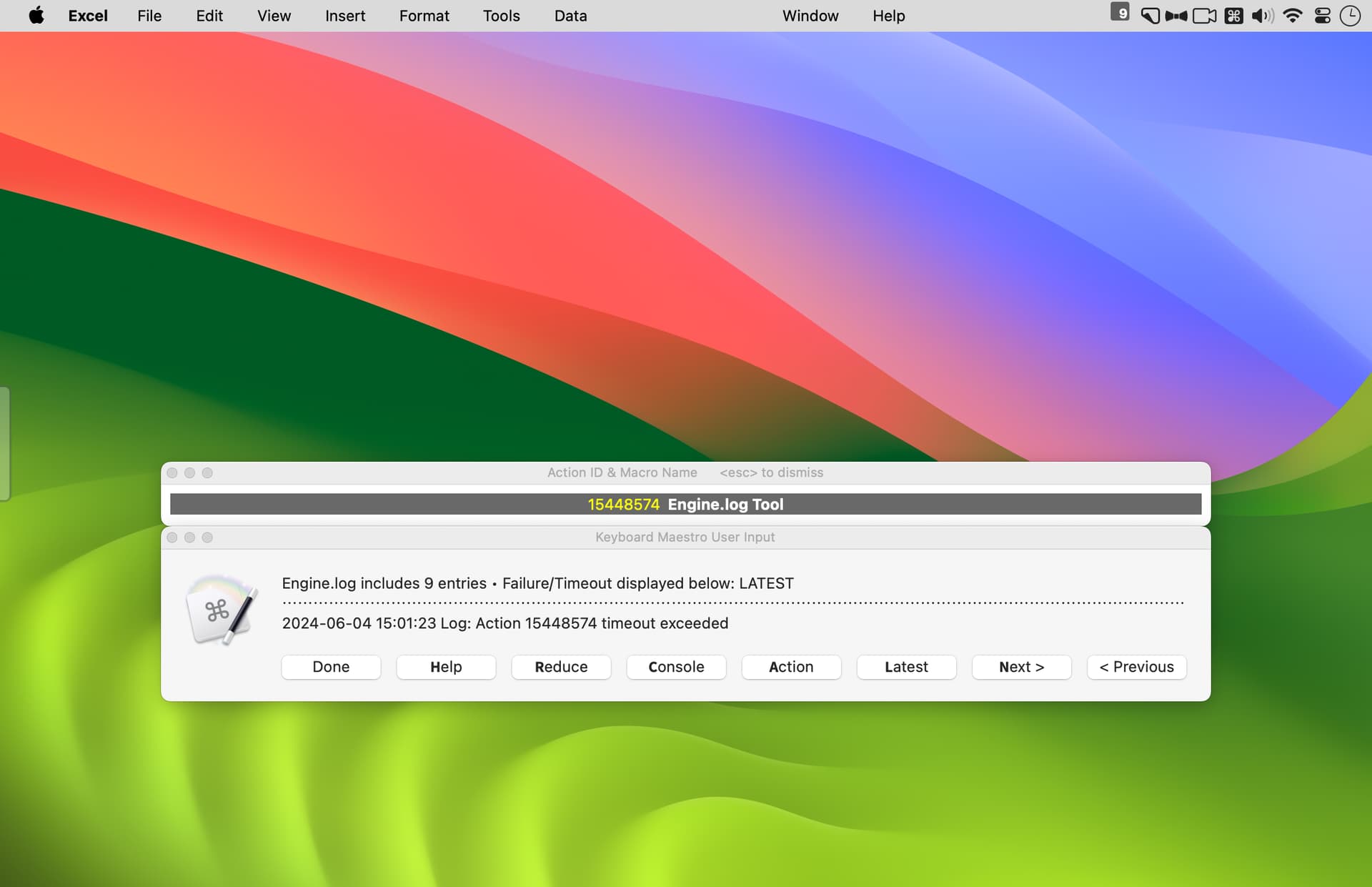
Looks like you are running your 13" at a relatively high resolution. My concern is for those that are using a 13" at a relatively low resolution.

I don't have a 13", but on my 16" at 1168x755 (a.k.a. Larger Text) you can see that the current dialog almost spans the entire width of the display.

If I were to add another button, I highly suspect the dialog would be too wide for those using a 13" at the Larger Text display setting.


What version of Engine.log Tool are you using? What version of Keyboard Maestro?

I have two older Macs and my M1 Pro MacBook Pro 16" running the latest version of Sonoma. Option (⌥) plus the Done button works as expected on all three. With the older two, one is running High Sierra and the other is running Mojave. Since those two predate Catalina and since I'm not doing anything exotic in the macro to achieve this function (just checking the state of the modifier key), I doubt if the source of your issue is Catalina.

Do all of the other modifier-plus-button combinations specified in the Help work as expected? If so, then you could try Command (⌘) plus the Done button. That should display the menu depicted in the sixth screenshot in the Engine.log Tool post. With one more press of <return> the displayed failure/timeout will be saved to the clipboard.


BTW, did you try the macro I shared in my previous reply? If so, did it properly update the clipboard?


Incidentally, I see in your first screenshot that the separator line wraps to the next line. That doesn't occur with Sonoma, but I had noticed the same issue with High Sierra and Mojave. I don't understand why the Prompt For User Input dialog gets rendered differently on the different macOS versions, but maybe @peternlewis could explain.

Anyway, since this isn't an issue with Sonoma and I had noticed the issue with Mojave (and since I didn't have any way to test Catalina, Big Sur, Monterey, or Ventura–the versions in between), I partially addressed the issue by inserting logic to conditionally shorten the length of the separator for Mojave and older. But based on your screenshot, I need to at least change that condition to Catalina (and older). I'll change that in the next version.

Keyboard Maestro Forum Community: If you are running Big Sur, Monterey, or Ventura and you are using Engine.log Tool, please let me know if the separator line wraps to the next line. Thanks!

Probably a different system font (or just minor changes to the system font or its characteristics).

1 Like

Updated to version 9 and this is no longer an issue

Holding OPTION while clicking Done, still doesn't copy to the clipboard.
Holding CMD while clicking Done, opened this empty window the first time I tried it:
image

I tried it a few times again, but now it doesn't show it anymore, and it doesn't copy anything to the clipboard. (neither Option or Command)

I have KM 11.0.3

Ah, thanks for that report. I forgot that I added this logic for all versions prior to Sonoma. The wrapping might not be an issue for versions between Catalina and Sonoma (Big Sur, Monterey, or Ventura) but I didn't have any Macs running those versions to test.


Hum, perplexing! I'm not seeing these issues with any of my three macs, including the two that run macOS versions before Catalina. Also, I've not had anyone else report this issue.

I wonder if you might have something on your system that's causing the issue. To help troubleshoot, I've sent you a PM with a test macro. Please reply via the PM. Thanks.


BTW, did you try the macro I shared in above? If so, did it properly update the clipboard?

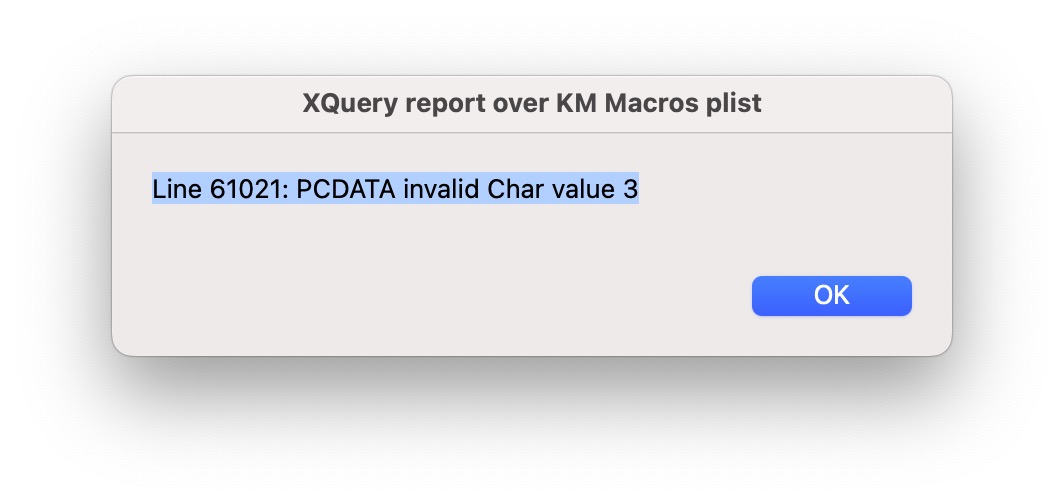
Any Idea what this error is everytime I run verion 9?

Hi, @skillet. Sorry that you've run into an issue.

I just deleted my installed version of Engine.log Tool and downloaded a fresh copy from above (just to check sure there wasn't an issue with the upload). The fresh copy is operating as expected for me.

I've not seen that error, and that message is very odd. I really wonder if it's related to the macro.

Have you successfully used previous versions of Engine.log Tool?

What version of macOS and Keyboard Maestro are you using?

I suggest you check the Engine.log the old fashioned way (Help > Open Logs Folder) and see if it includes any clues.

If nothing, I suggest you refer to the General Troubleshooting section of this wiki page: KM Troubleshooting

Thanks for taking a look at it and going the extra mile and deleting and downloading again. I deleted the log files and still got the same error. I have only tried version 9 and will have to look for older versions to download and try and see what happens as well as go through the General Troubleshooting section you posted.

1 Like

Hello @skillet :wave:

Maybe there is a chance I could help you with older versions of that Macro - but only maybe … also there is a chance that I don’t have all released Versions.

Greetings from Germany :de:

Tobias

I have clicked on several older versions of this through the forums and they all point back to version 9. Is there a place I can download earlier versions to test this out?

That would be great if you have them I would appreciate it. I have no idea how to troubleshoot this error or what it even means. I know my macros file is very large so and returns errors that failed to export macros when Keyboard Maestro refreshes so maybe it has something to do with that.

Yes, that's pretty much customary for this forum. Folks that share generally update the first post in the thread (a.k.a. OP == orginal post) since newer verions are normally better. Also, most don't have the time and resources to support old versions.

Yes, but it's not something I provided; it's a feature of Discourse:

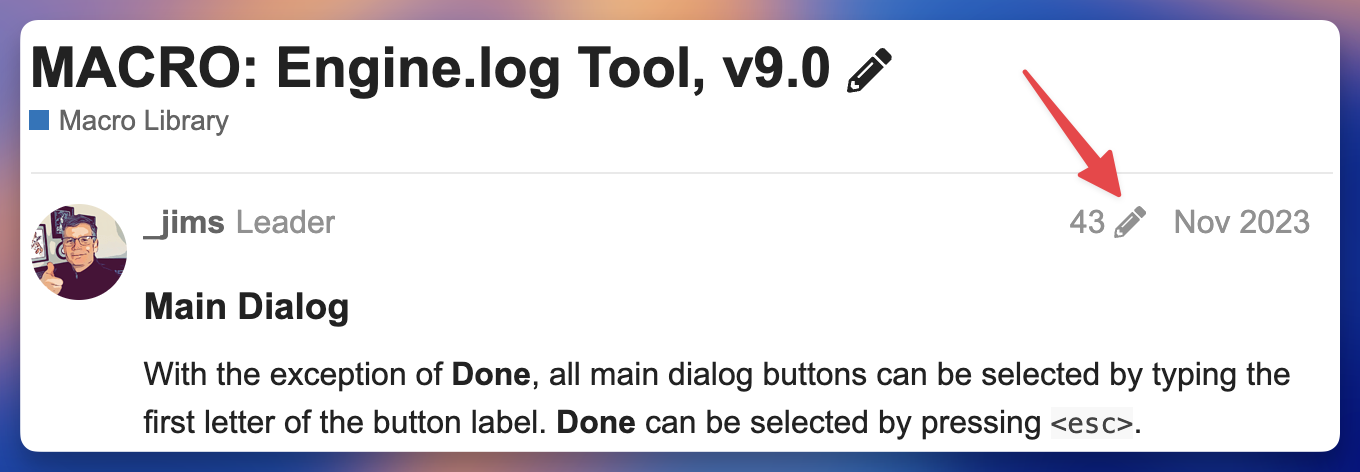
  1. Move to the top of this thread. For a long thread, the quickest way is to press Shift+3. When the Jump to... dialog opens, enter 1 and select OK

  2. Above the OP you will see a integer, a pencil icon, and generally a month and year. If you click on the pencil icon you can browse older versions of the post.

Hey Jim (@_jims) :wave:

While you’re right that it’s easy as this to browse the Post‘s History - there is no chance for him to get the older Macro Versions because he is

  1. not you (The Topic‘s Creator/Author) &
  2. He probably has no rights to modify any Post (missing Trustlevel based rights)

By the way, a very happy new year.

Greetings from Germany :de:

Tobias

1 Like

Bear in mind that this is all way over my head -- but it looks like your macro plist contains a character that Xquery considers to be invalid in XML. Specifically ASCII character 3.

If the ObjC routine parses the plist in the same way as the defaults command (@_jims?) then you might be able narrow things down by running:

defaults read ~/Library/Application\ Support/Keyboard\ Maestro/Keyboard\ Maestro\ Macros.plist > ~/Desktop/KM_plist.txt

...then opening the resulting text file in your favourite text editor to see what's happening around line 61021.

You could also set up KM in another account (or on another machine) then import your original macros one Group at a time until you can reproduce the error. Delete all but that Group then start deleting macros until the error goes away -- the last deleted will be the culprit.

2 Likes

Ah, thanks for the reminder. With my Discourse Trust Level I'm able to see that with the posts of others:


Same to you Tobias, although my greeting is from Indiana, USA. :grinning:

I hope your shoulder is feeling better.

I have the same trust level as you, Jim, and while I can "rewind" all your previous edits/versions of your OP, when I click the download link I get "page not found or is private", so not terribly helpful :thinking:

1 Like

Hi, @tiffle, thanks for the message!

Oops, lesson learned. I should not recommend something that I assumed would work; instead yield to the real experts. Maybe there are some Discourse experts that could advise. Or maybe there's no general way to access older versions.

My general practice is to delete older versions of macros once I'm confident that an updated version is working as expected. I'm sure that I could access older versions from my backups, but, of course, that's not a trivial process.

I just tried it using my other, dummy non-trusted user account and I can see all your previous edits but I get the same "page doesn't exist or is private" when I try to access your previous version uploads.

I was in the same boat as you until I tried it!!

1 Like

I'm pretty sure Discord doesn't keep no-longer-referenced attachments around—it'd be a huge use of space, for one thing. But that's just an educated guess, not knowledge :).

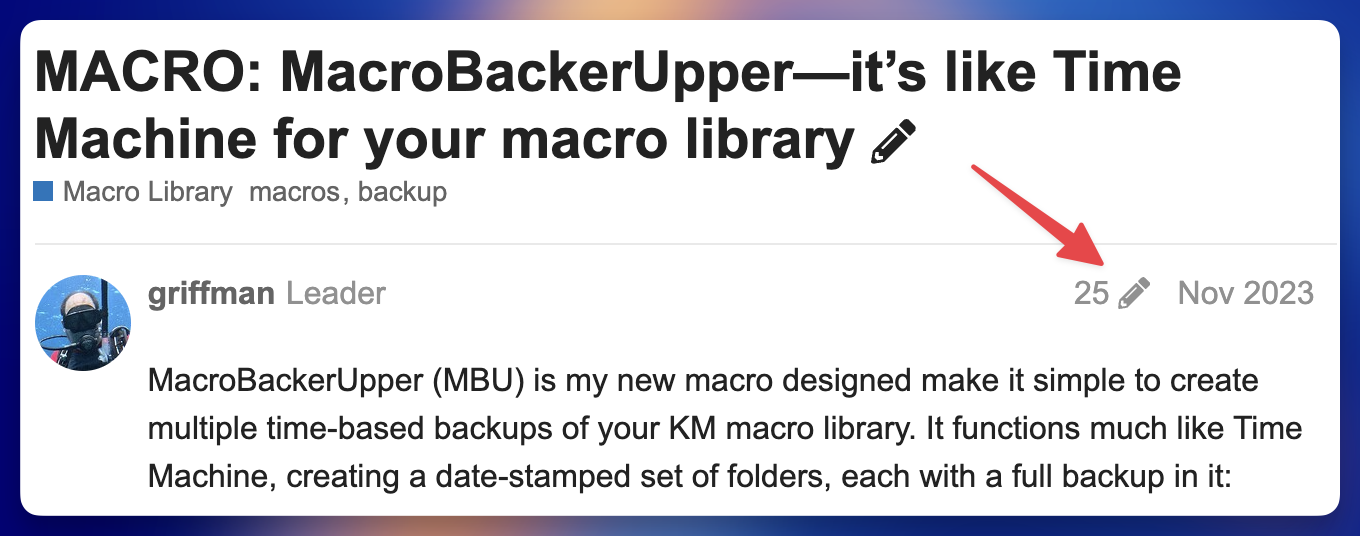
If only someone wrote a Time Machine-like macro backup utility that would make it easy to keep older versions ... says the guy who wrote such a thing but is horrible about keeping older versions as well!

-rob.

2 Likes

I was thinking the same thing.

I am glad you did and many might just stay totally silent and less would be learned. Thank you for posting what you thought might work and even helpful to know if things work for you since that is helpful knowledge too.

Thank you for that, hopefully I can figure out what is going on and not change anything if that will mess up my macros potentially. Still learning all the background stuff that goes on with Keyboard Maestro after all these years.

Good idea I have about 100 but I'll see what I can figure out when I have some more time.

1 Like

All you need to do is dig around and find the macro and action -- you'll then be able to edit it in KM. You could also search for the encoded version of the character.

Binary search time! Import half your Groups and test. If that doesn't show the error, delete this and import the other half and test. Keep halving/retesting the set that shows the error -- 7 tests and you should have it narrowed down to one Group. Then do the same with the macros in that Group.

You may have to do that again, but only on the half that errored the first time -- the reported error may not be the only occurrence of that character. Rinse and repeat until the errors are all fixed.

2 Likes