Anyone have any thoughts on how to acheive this? Figuring it would be best for SMPTE timecode of the playhead position to be what is copied. Ideally in hh:mm:ss:ff format.
This works for me:
Copy SMPTE.kmmacros (46 KB)
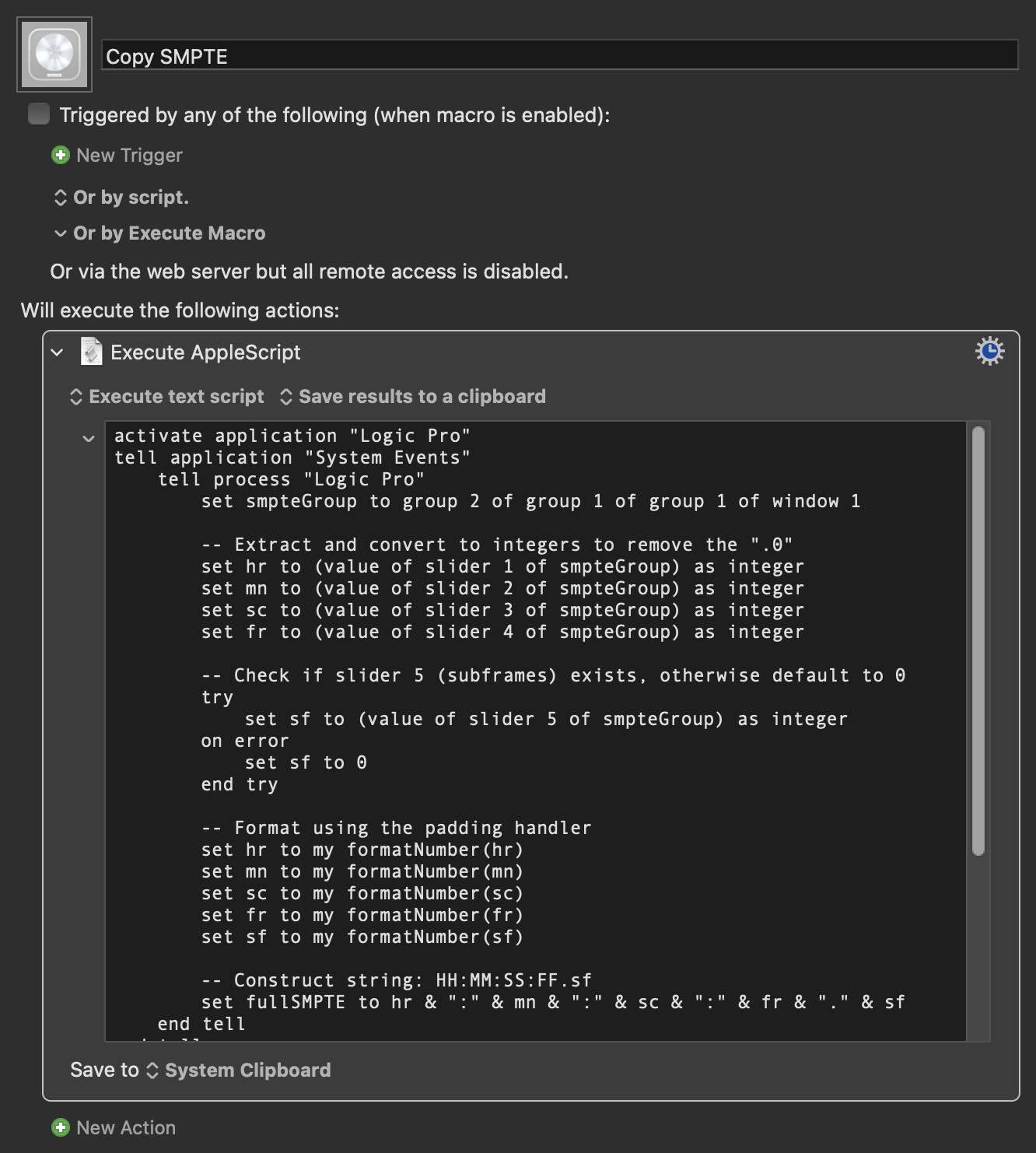
Differences in custom transport bar configurations tend to break AppleScripts in Logic. If this doesn't work for you, try THIS MACRO which should give you an idea as to what needs to be adjusted in the UI element hierarchy reference.
I wonder why you(?) are “figuring” that. Is the time at the playhead position what you actually want to retrieve, or are you presuming the best method to achieve some other final goal?
Thanks so much! I can tell this is a good start. Sadly I can’t get this to work – even running the macro on a new default project with what I’d imagine is a default transport bar configuration.
I’ve set a hot key to the macro and am running it in Logic, yet nothing seems to happen or be copied to my clipboard.
I grabbed your other macro as well, though am not sure the best way to use it. The main hiccup I’m seeing is how, in your SMPTE macro, you mention “window 1”, but what I see for the window when I run the macro is “…of window "Untitled 29 - Tracks" (i.e, each project window name will be different). Not sure if that’s a culprit here or not.
Any thoughts to help troubleshoot?
Window 1 will still work if the Tracks window is frontmost.
Run the other macro, copy the script it spits out and paste it here. Make sure your mouse is on top of the SMPTE display when you run it, of course.
I would also ask, what is the ultimate purpose of copying the SMPTE value?
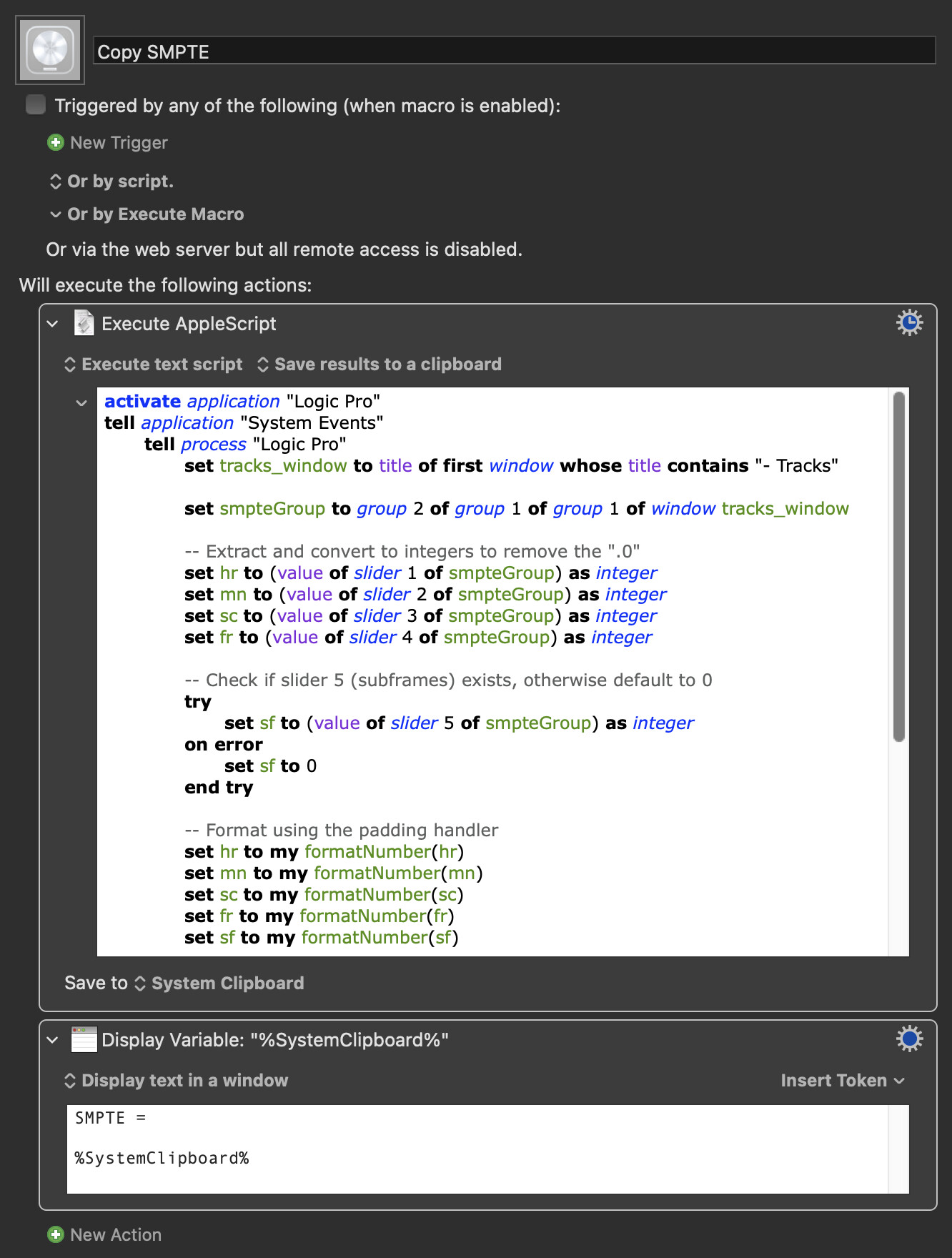
In fact, I just tested by messing around with my transport bar arbitrarily, and this still works:
Copy SMPTE.kmmacros (47 KB)
@KeyFinder, I think that @noisneil may be asking for the same reason that I did: it is not obvious what use it would be to copy the time value at the playhead, the position of which will frequently change. You don’t have to say why, of course, but if you do, that might help provide you with the most relevant suggestions. I can imagine why you might want to do this as an end in itself, but let’s make sure that this is isn’t one of those “XY problem” situations that can easily occur.
1 Like
Of course! Here it is:
activate application "Logic Pro"
tell application "System Events"
tell process "Logic Pro"
click slider 3 of group 2 of group 1 of group 1 of window "Untitled 29 - Tracks"
end tell
end tell
I often have to write in TC for cue delivery purposes, and currently have to do this manually. My goal is to quickly be able to grab it to clipboard, and accurately, or even eventually, find a way to add it into filenames and bounces.
Indeed - my thought here was more for customization and control purposes. Usually I would likely grab from bar 1, but some projects have offset start points.
Did you try the new version I posted earlier? The AppleScript matches the UI element hierarchy you just gave me. That version targets the "- Tracks" window explicitly, so I can't see why it would fail. If it does fail, are you seeing an error notification pop up?
Here are a couple of other ideas:
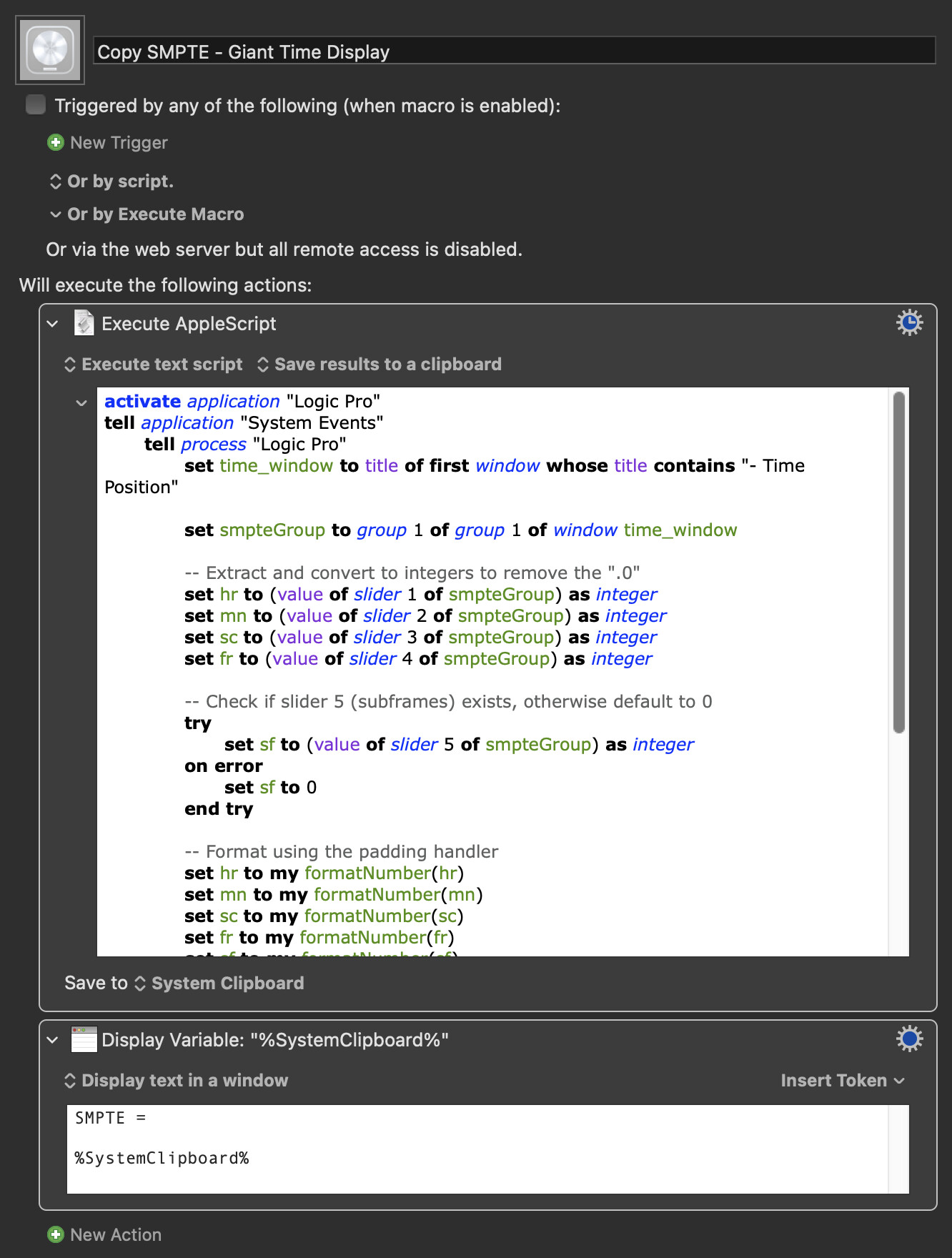
If you open the Giant Time Display via the little down chevron at the right of the transport display...

...you can try this version:
Copy SMPTE - Giant Time Display.kmmacros (47 KB)
Another idea might be OCR the SMPTE display manually whenever you need its value. It's still quicker than typing. This is what I use for that:
OCR Area.kmmacros (24 KB)
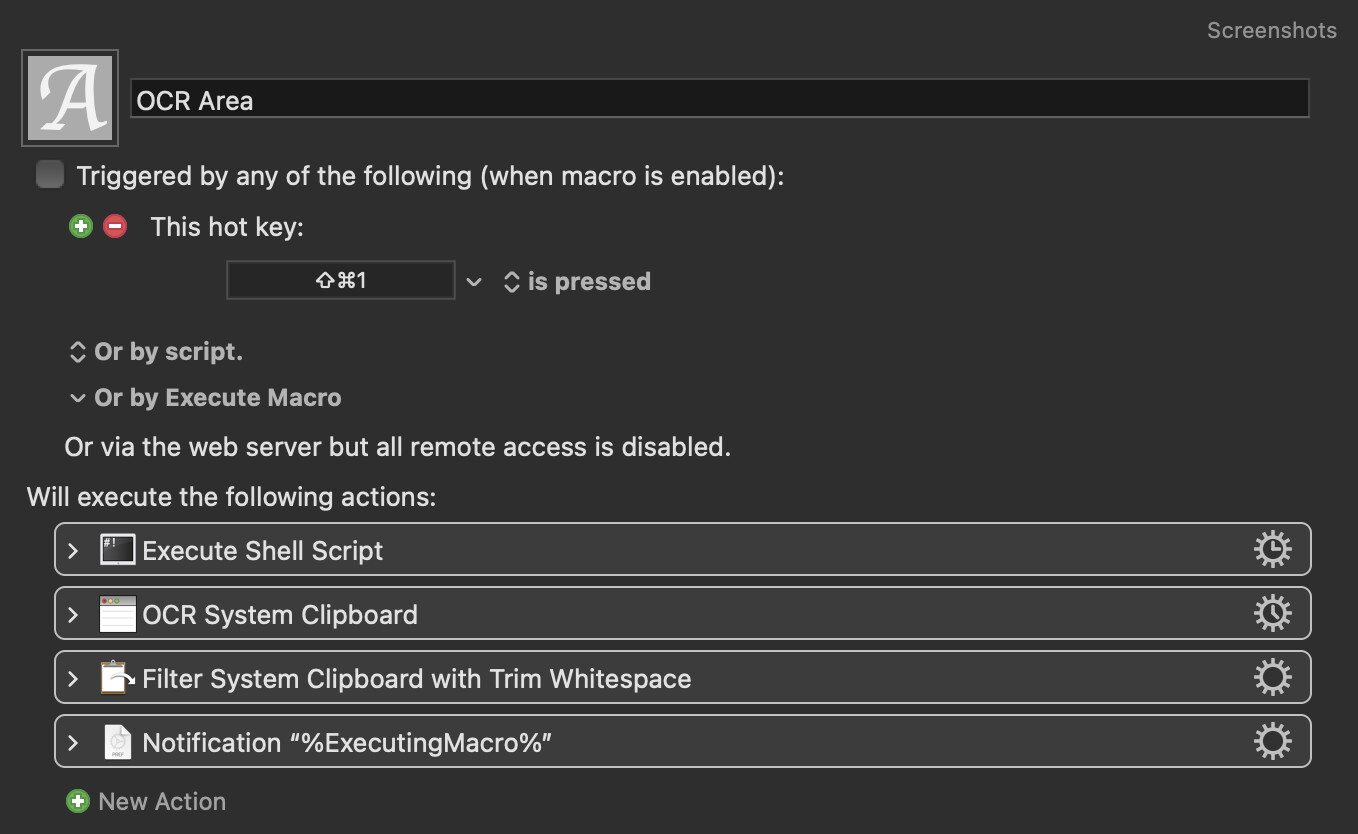
If this ends up being your preferred method, we could refine it to remember the OCR area each time.
Did you you know you can adjust SMPTE offsets per-project?
Project Settings → Synchronization
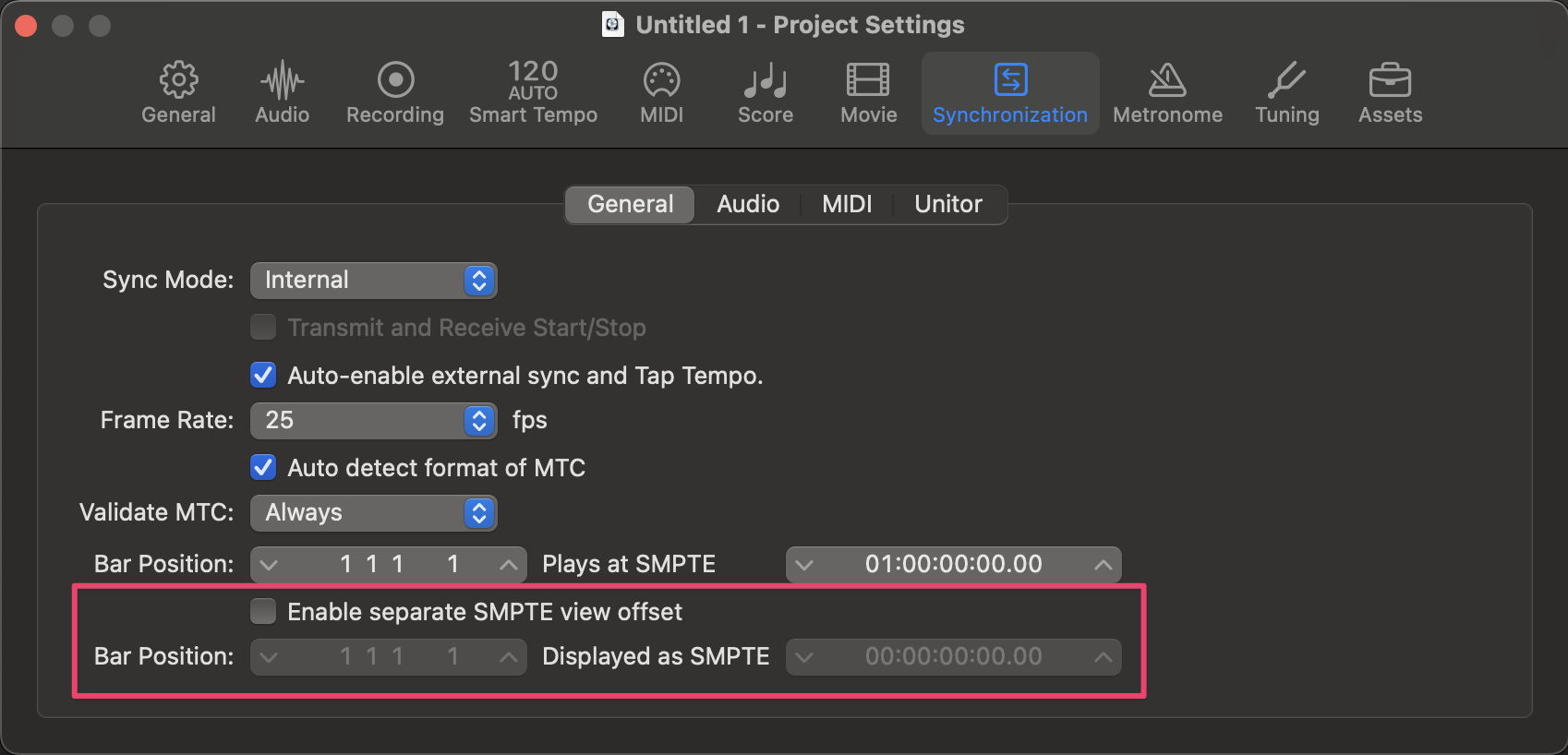
If I understand your workflow correctly, you are not using a large number of regions and @noisneil’s tip about SMPTE offsets per project may well be the missing part of the puzzle.
I make regular use of a macro that I wrote some time back to list the start times of regions in selected tracks, but it seems to me that that is not the sort of solution that you need here.
1 Like
Off-topic, but while we wait for @KeyFinder to reply....
Have you ever found a good way to measure the number of samples between two points? Perhaps within a marquee selection? Would be very handy for bringing drum mics into alignment.
I have never needed to do that, but I believe it should be possible using ideas taken from my macro that lists regions. I’ll get back to you.
1 Like
@noisneil Please see the new topic Measuring the number of samples between two points in a Logic Pro project
1 Like
Ah! My apologies, yes this newer version worked. Incredible job!
You nailed it. Someday I’d love to learn more about this kind of scripting to figure it all out myself!
My only two, optional, additional requests if these are quick: I usually find myself writing tc into file names in the hh.mm.ss.ff format (note ‘.’ instead of ‘:’, and the final sub-frame value is removed). Wondering if it’s easy to add a toggle to this macro that copies it in that format? So for example, instead of:
01:00:13:12.30
It copies as:
01.00.13.12
(The ‘:’ –> ‘.’ switch is because, as you may know, ‘:’ isn’t too friendly when typed into file names, but I’m also open to alternative ideas here!)
… I’m actually examining your script more and it’s giving me more insight to the questions I just asked. For replacing ‘:’ with “.”, I believe I see where that can be set differently (the set fullSMPTE to hr & ":" & mn & ":" & sc & ":" & fr & "." & sf). And I imagine subframes can be removed too by simply removing the “set sf” lines here?
Just double checking with you first though, if any alternative approach comes to mind.
I'm out and about at the minute but yes, you can replace the delimiter in the script. Try it.
Or... Use the KM Search and Replace action to replace : with . if you prefer.
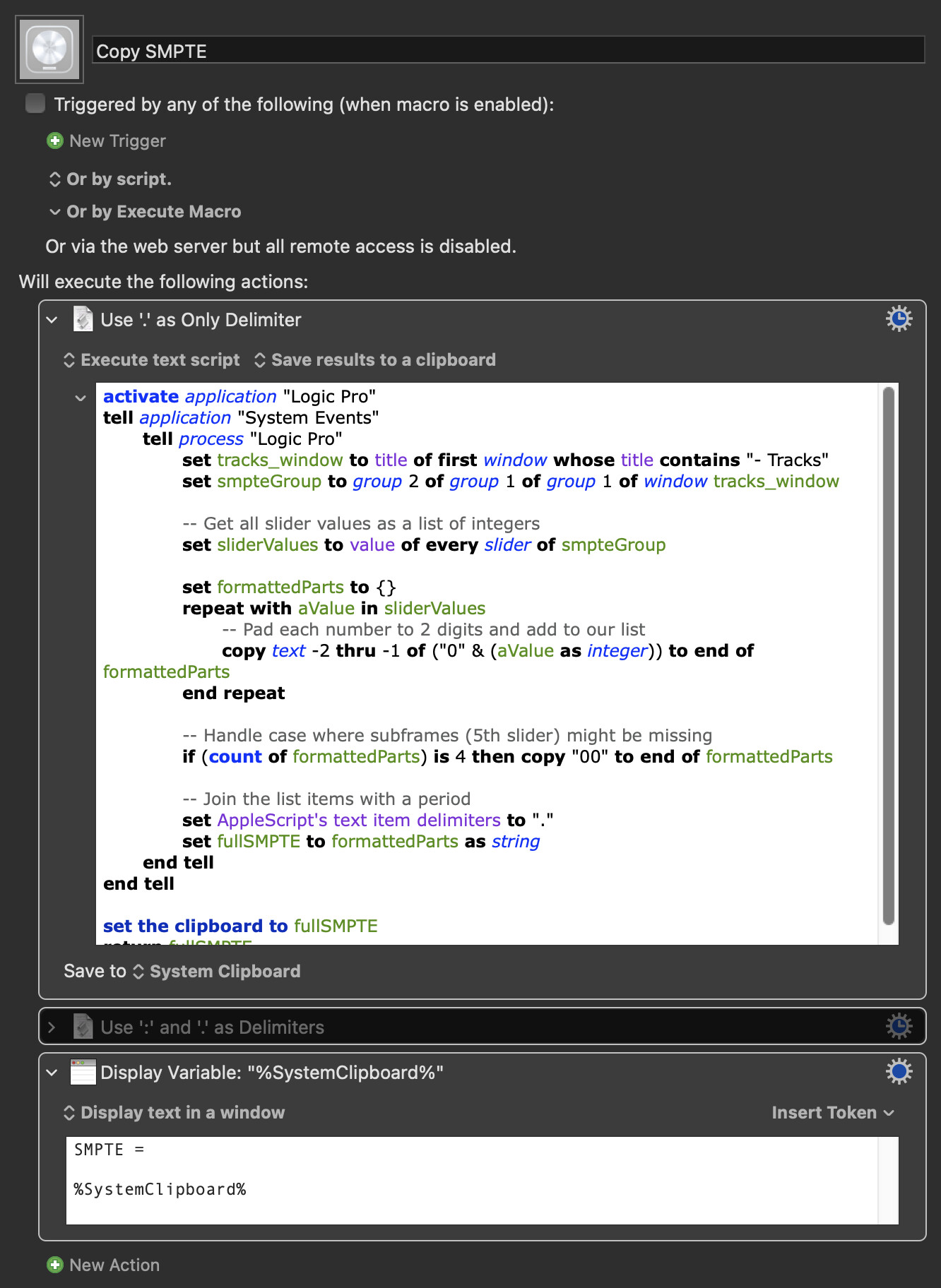
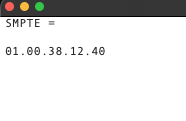
Sorry, I missed the subframe bit as I read your last post while I was at a football match.
This version of the AppleScript will omit them:
activate application "Logic Pro"
tell application "System Events"
	tell process "Logic Pro"
		set tracks_window to title of first window whose title contains "- Tracks"
		set smpteGroup to group 2 of group 1 of group 1 of window tracks_window

		-- Grab all values, but we will only use the first 4
		set sliderValues to value of every slider of smpteGroup
		set formattedParts to {}

		-- Loop specifically from 1 to 4 to omit subframes
		repeat with i from 1 to 4
			set aValue to item i of sliderValues
			copy text -2 thru -1 of ("0" & (aValue as integer)) to end of formattedParts
		end repeat

		-- Join with colons
		set AppleScript's text item delimiters to ":"
		set fullSMPTE to formattedParts as string
	end tell
end tell

set the clipboard to fullSMPTE
return fullSMPTE
Perfect! Resolved!
1 Like