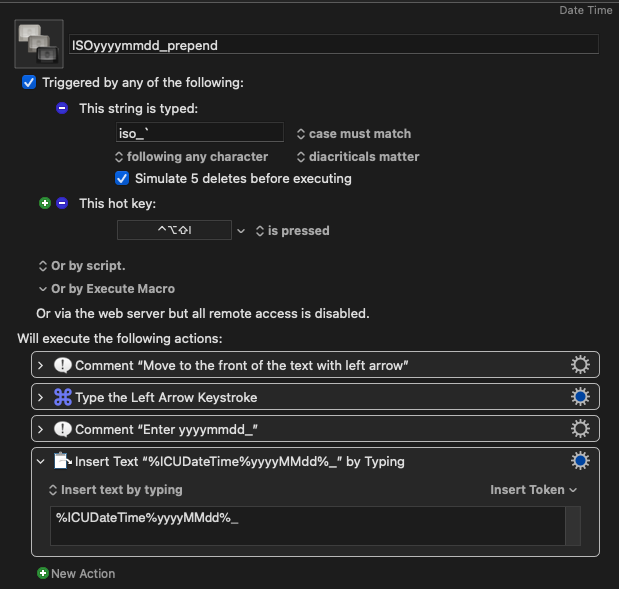
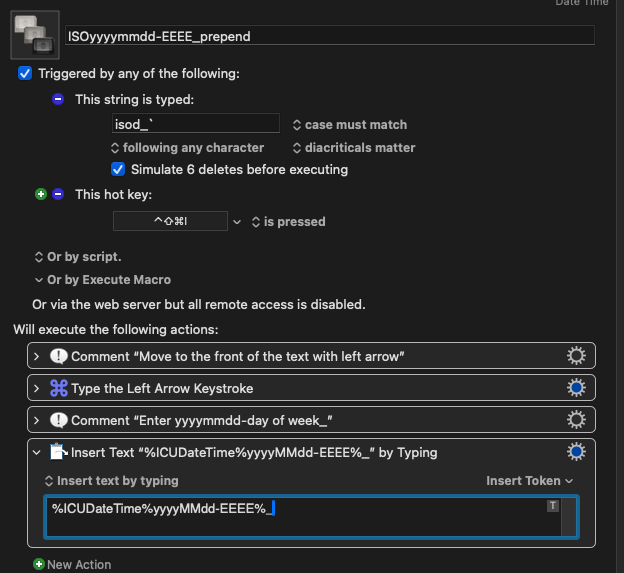
I save files daily and I need to append to the file name as the first characters the present year and date in this form 20260126 for the year 2026, January the 26th. Is there such a macro or any ideas how to do this? aka YYYMMDD_myfilename. I don’t care about the path because the path/directory will already be active in the file save as dialog box and I want to activate the macro to pre-append the YYYMMDD_myfilename.
The ICUDateTime token is what you need here (see also Dates and Times). The format to get what you want here is: %ICUDateTime%yyyyMMdd%.
For improved readability, I prefer to use %ICUDateTime%yyyy–MM–dd%, which today gives the result “2026-04-13”. I mention that just as an option.
So you could just position the cursor at the start of the filename and then trigger a macro that contains an action to insert the string that is produced by the %ICUDateTime% token. You could use either an Insert text by pasting action (this would normally be the better choice) or an Insert text by typing action.
 )
)