In Mac OS Tahoe (26.2) the shortcut Command-Option-left/right arrow no longer shifts over the weekly calendar view by one day.
How can I make a macro to recreate this functionality?
I noticed that holding Option and pressing the left or right arrow buttons in the top right of the calendar shifts it by one day, but I couldn't recreate this using the click mouse action holding the Option modifier, for some reason.
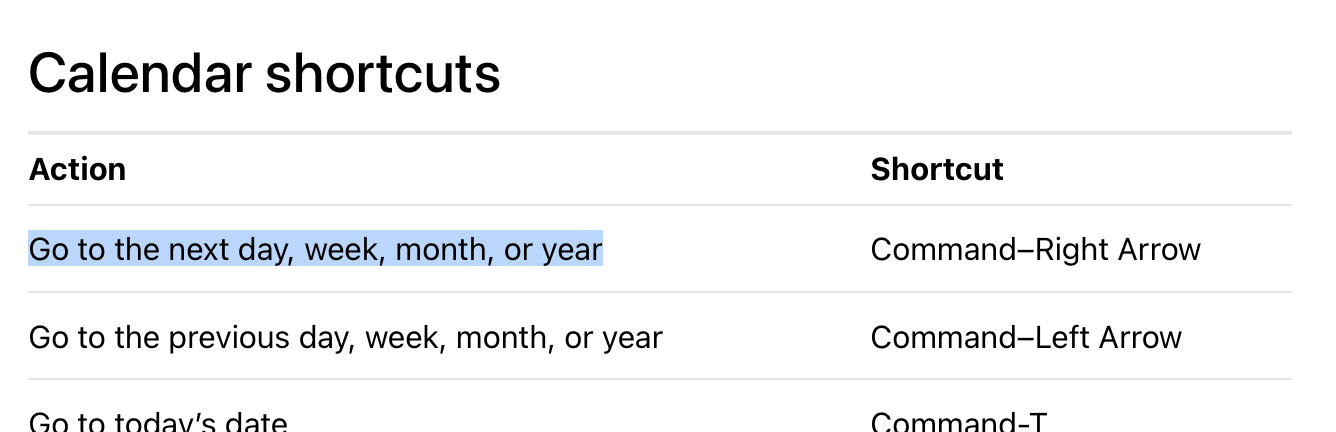
Are you sure it worked that way in prior releases? According to help in macOS Sequoia, it shouldn't have worked there either:
That's the same help in both Sequoia and Tahoe, and for me, it behaves the same in both systems: If in week view, Command and arrow key shifts the view forward or backward one week at a time.
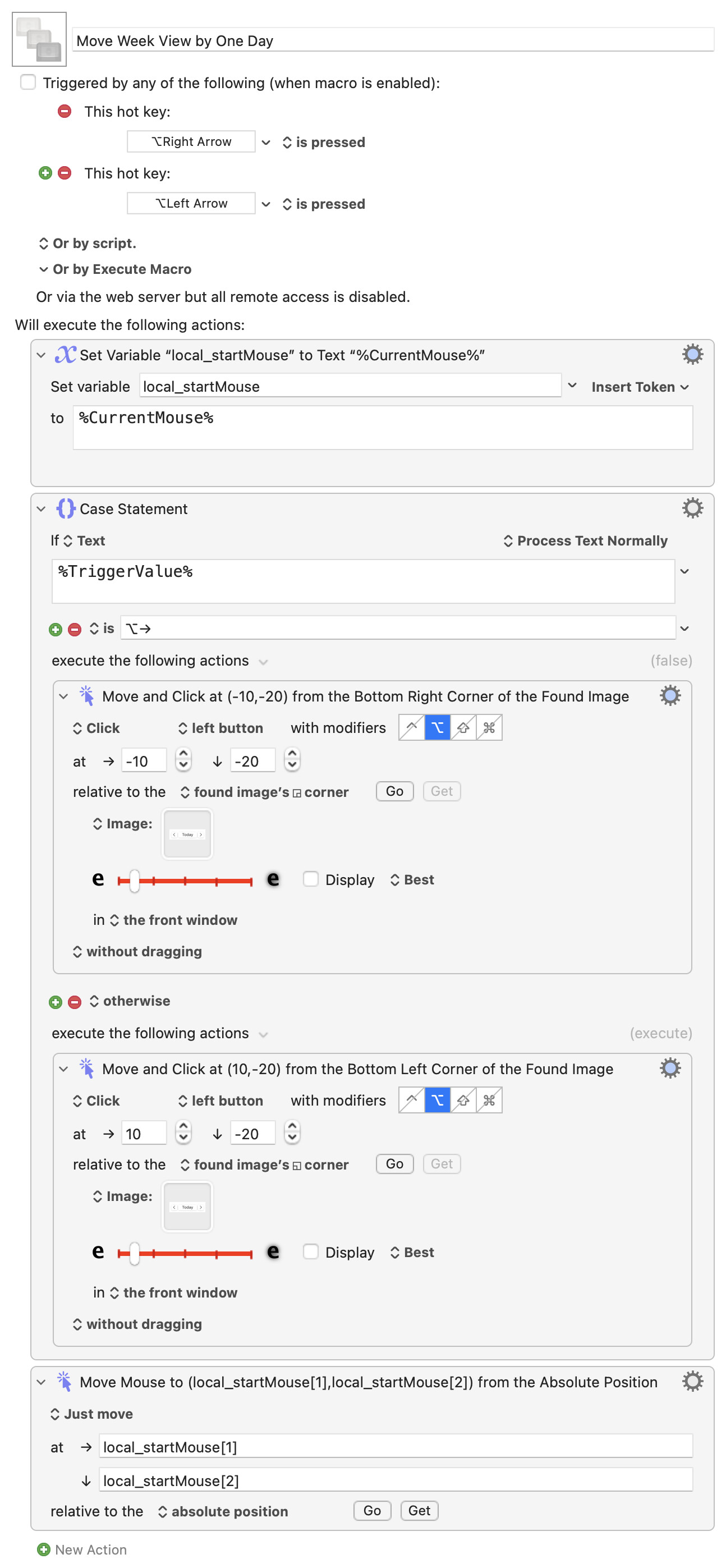
And I found the same as you, that using a simulated Option key click at the button location doesn't work. But what does work is to Option-click on a found image:
Download Macro(s): Move Week View by One Day.kmmacros (47 KB)
Macro screenshot
Macro notes
- Macros are always disabled when imported into the Keyboard Maestro Editor.
- The user must ensure the macro is enabled.
- The user must also ensure the macro's parent macro-group is enabled.
System information
- macOS 15.7.3
- Keyboard Maestro v11.0.4
You'll probably have to experiment with the slider in the Found Image actions, and you definitely have to grab your own image screenshot. Here's what I used:

I assigned the macro to ⌥→ and ⌥←, but you could change these to whatever you want—just remember to change the condition in the Case statement to match the new trigger. This works quite well in my testing, with no lag—there's a very very brief cursor flicker as the cursor moves and then returns, but that's it.
-rob.
1 Like
Thanks!
The shortcut that worked for me previously was cmd+opt+arrow.
1 Like
Whoops, missed that completely! Yea, works in Sequoia, not in Tahoe. In Tahoe, it jumps between the events in the current week, so looks like Apple repurposed it.
-rob.
1 Like