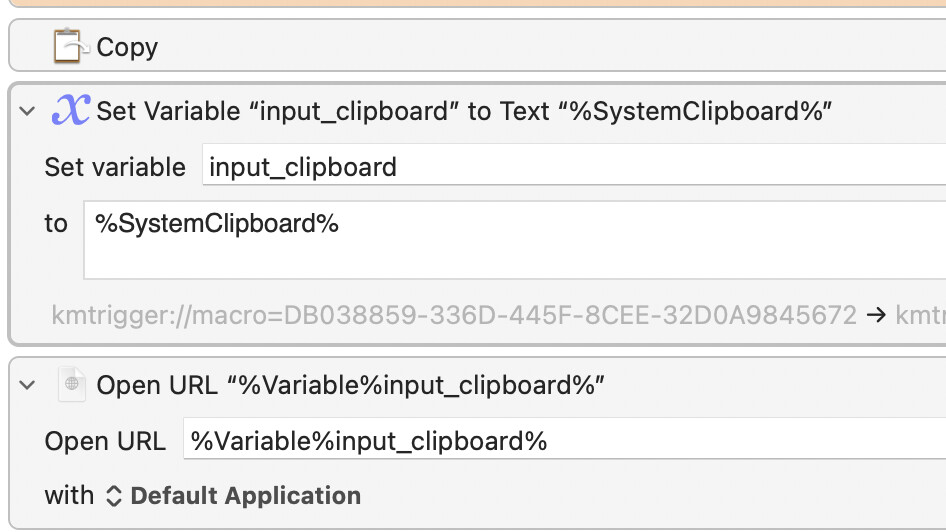
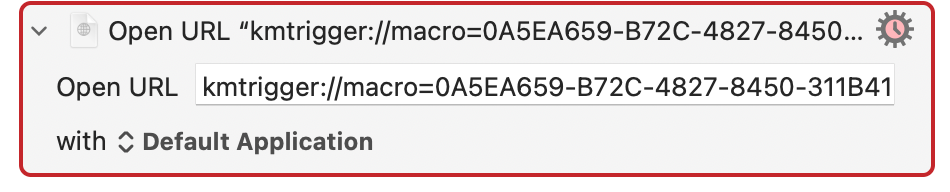
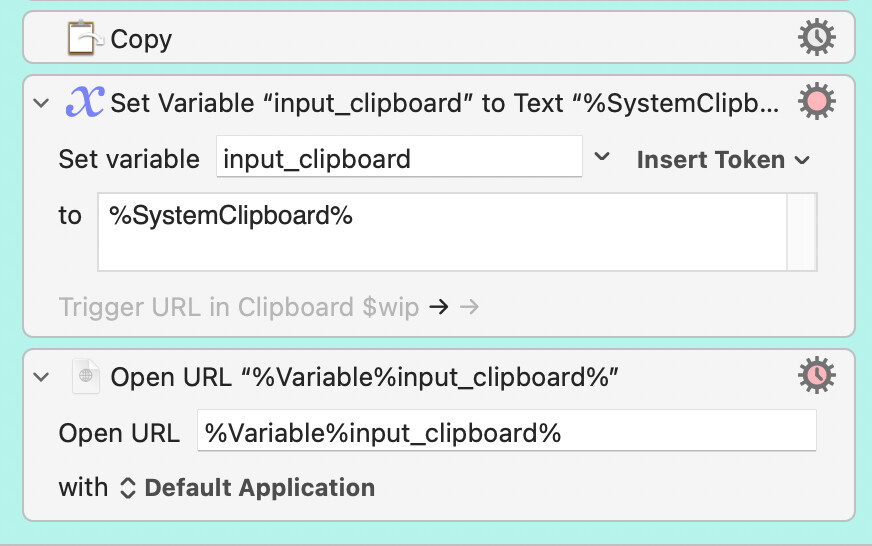
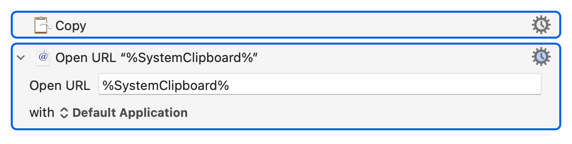
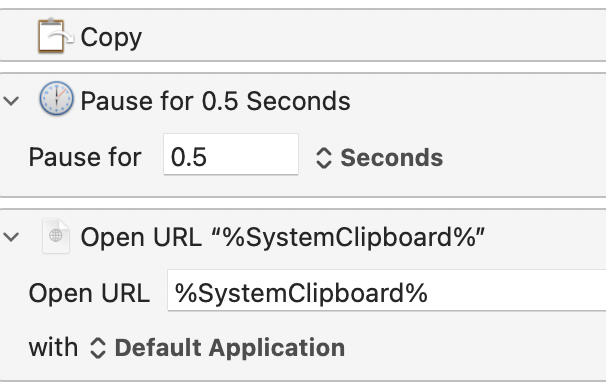
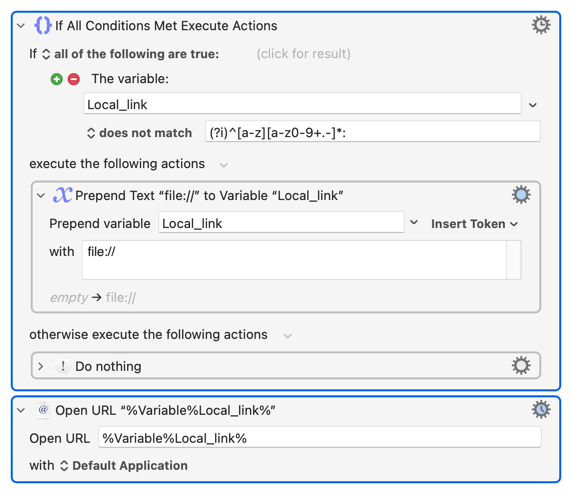
The simple macro below works very well with browser URLs, Bear CallbackURLs, DevonThink deeplinks, file/folder path URLs but it does not work if I want to trigger a KM macro with its URL, for example
Is the macro you are trying to trigger by URL both Enabled and Active in that context? What happens if you paste the URL into Safari's address bar and hit return? Any clues (like an "invalid URL message") in the KM Engine log?
yes, the macro is enabled and active in my global macro group and I can run it from anywhere no problem. The issue is limited to copy the KM URL from gdoc and trigger the macro.
same error if I run the URL via safari
to keep it as simple as possible, I started with the URL action alone
if I copy paste the KM URL from gdocs into the action, it does not work
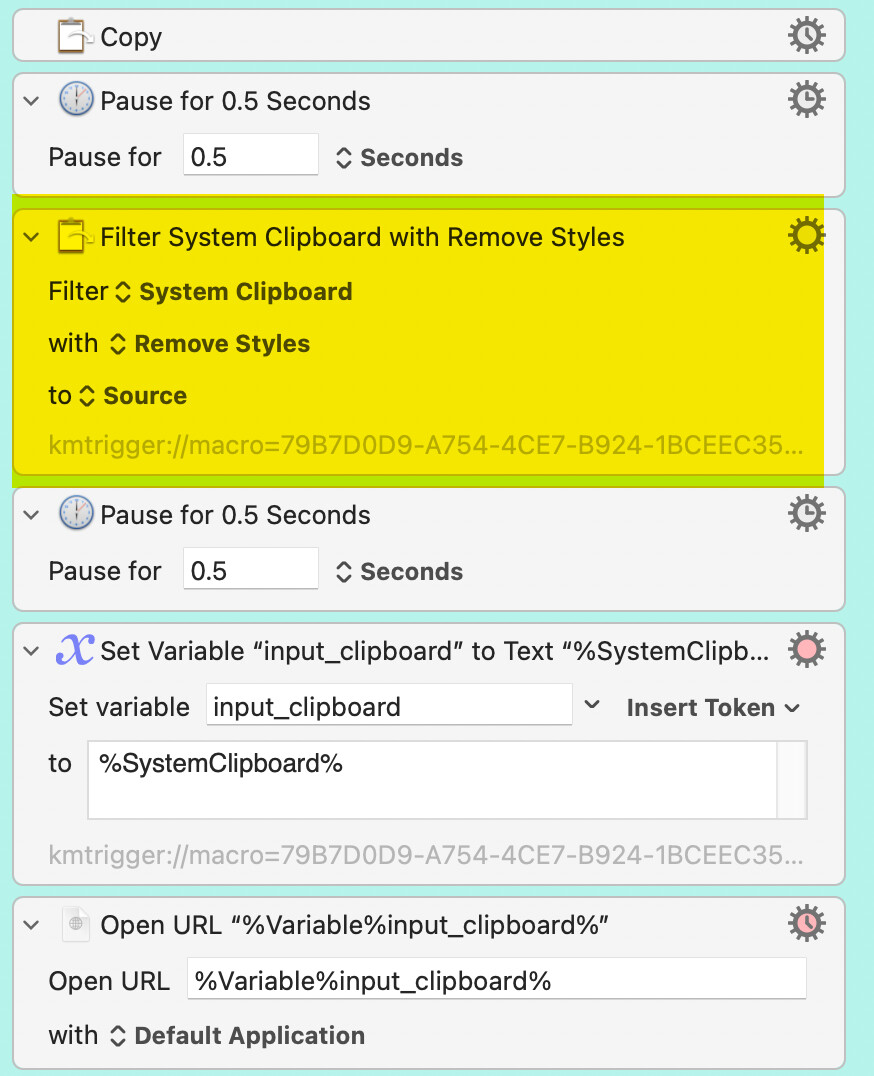
if I copy from gdoc → paste as plain text into the KM action, it works fine. This makes sense if I think about it because gdocs are in a bizarre format and there are many forms of "copy" as was discussed a few months ago in a TidBits forum. What is strange is why other types of URL work.
my problem now is how to incorporate paste as plain text into the original macro
2026-04-24 05:08:15 Execute macro “Trigger URL in Clipboard $wip” from trigger Editor 2026-04-24 05:08:15 Action 100362377 failed: Open URL failed with invalid URL “%Variable%input_clipboard%” 2026-04-24 05:08:15 Open URL failed with invalid URL “%Variable%input_clipboard%” in macro “Trigger URL in Clipboard $wip” (while executing Open URL “%Variable%input_clipboard%”).
The macro discussed above which works well with browser URLs, Bear CallbackURLs, DevonThink and other types of deeplinks, file/folder path URLs and now thanks to you with KM trigger URLs
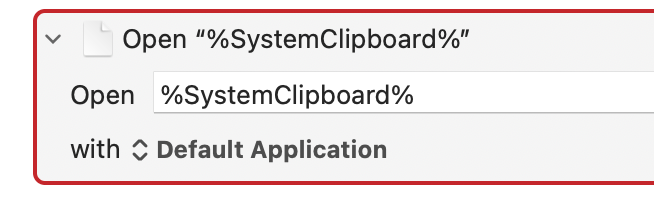
I have another simple macro which opens the file/folder whose UNIX path in the clipboard.
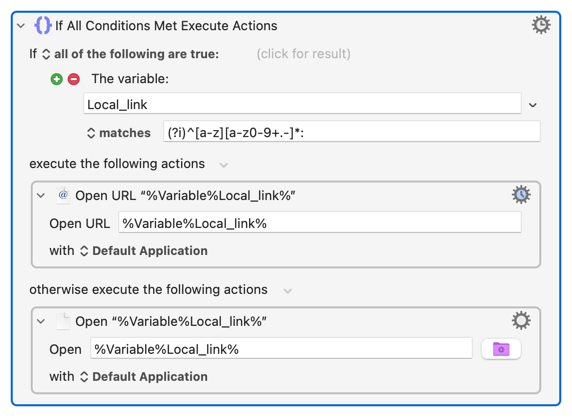
I would need to (I think) use a conditional type macro (If then else or other type)
The question is how to formulate the condition the if so that it recognizes the UNIX type path as opposed to other types of URLs.
example of a unix on my mac (open file action)
/Users/ronald222/Downloads/iPad touch ID not working $gem.pdf
as opposed to a file URL which works with the open URL action
file:///Users/ronald222/Downloads/iPad touch ID not working 22 Apr 2026 $gem.pdf
I can’t use file:/// as a distinction because I have to include all other URLs
I think I'd use the first method, if only because it would also allow me to use ~ paths like ~/Desktop/Test Folder/test.txt without further messing around.
For completeness -- the regex in the images is (?i)^[a-z][a-z0-9+.-]*:, conforming to the URI format discussed here.