Hi all,
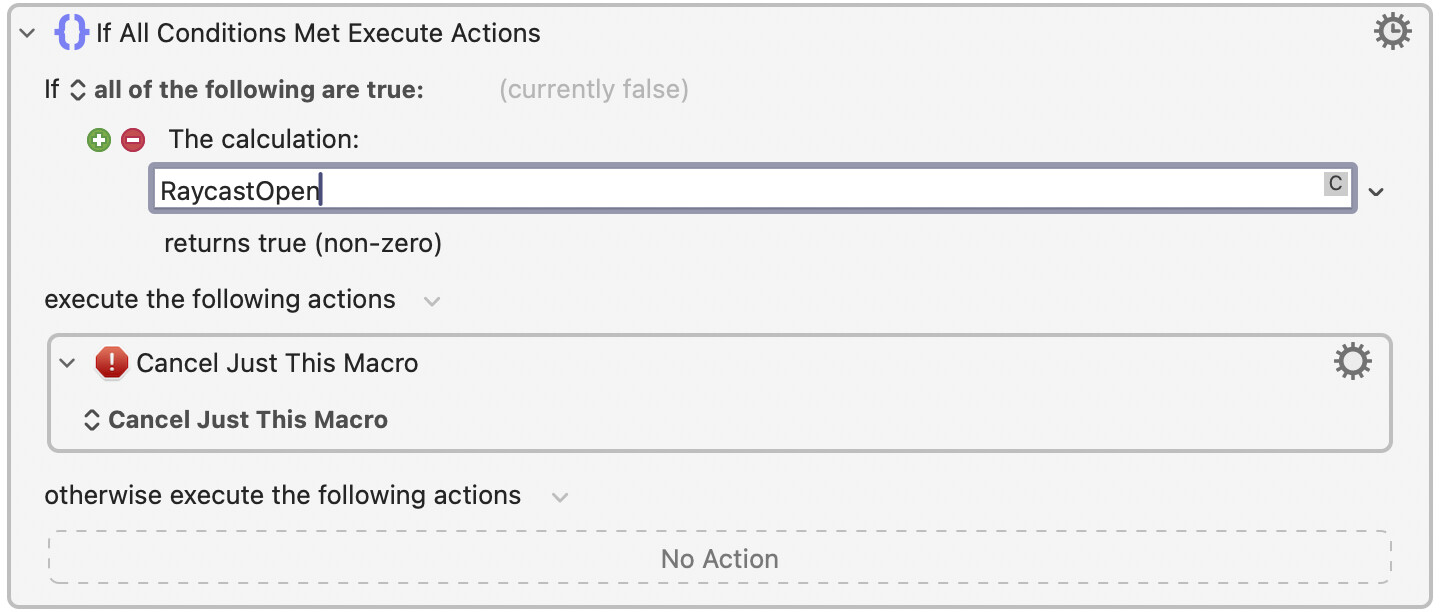
I’ve run into an odd problem with my Pro Tools macro group and Raycast.
- Setup:
- macOS 14.4, Keyboard Maestro 11.0.3
- Macro group: available in Pro Tools, restricted to windows with titles containing “Edit:”
- I also use Raycast (launcher, Spotlight-like).
- Problem:
When I bring up the Raycast panel and start typing in its search field, some of my Keyboard Maestro macros still trigger. It feels like KM doesn’t recognise that I’m in a text field in Raycast, so it keeps interpreting my keystrokes as hotkeys. - Expected:
While the Raycast pop-up is open and focused, I’d like KM to not fire my Pro Tools macros — I just want to type in Raycast without triggering anything. - What I’ve tried:
- Limiting the macro group to Pro Tools windows with “Edit:” in the title (doesn’t help, macros still fire).
- Excluding Raycast from the group (but Raycast never becomes the “front application” when its panel is open, so KM doesn’t see it as frontmost).
- Checking Secure Input status — that’s not the issue here.
Question:
Is there a recommended way to stop KM macros from firing while typing into apps like Raycast that don’t take frontmost-app status, but do grab keyboard focus? Should I be using “Focused field is a text field” conditions, or is there a cleaner group-level solution?
Thanks in advance — any tips appreciated!