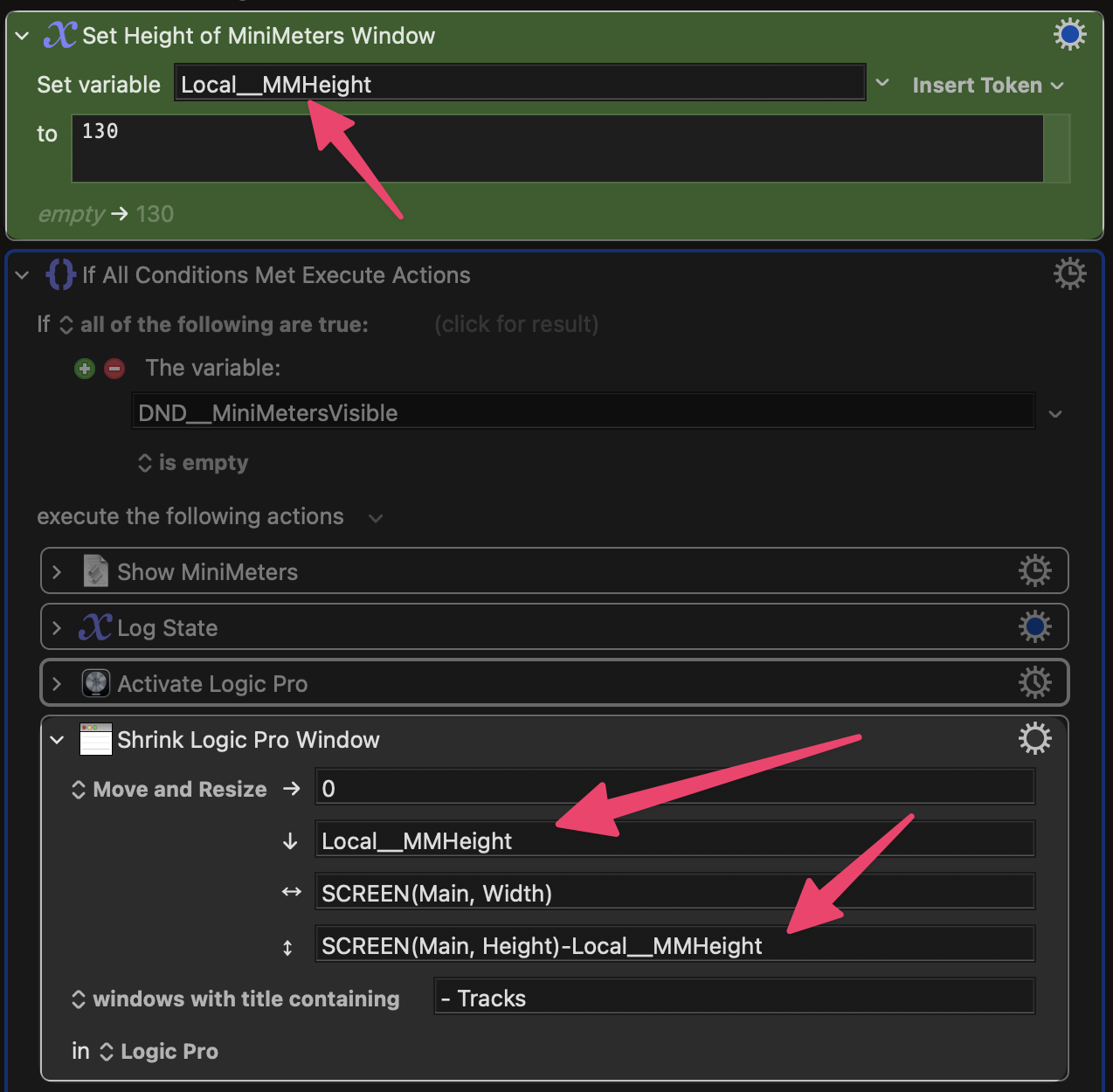
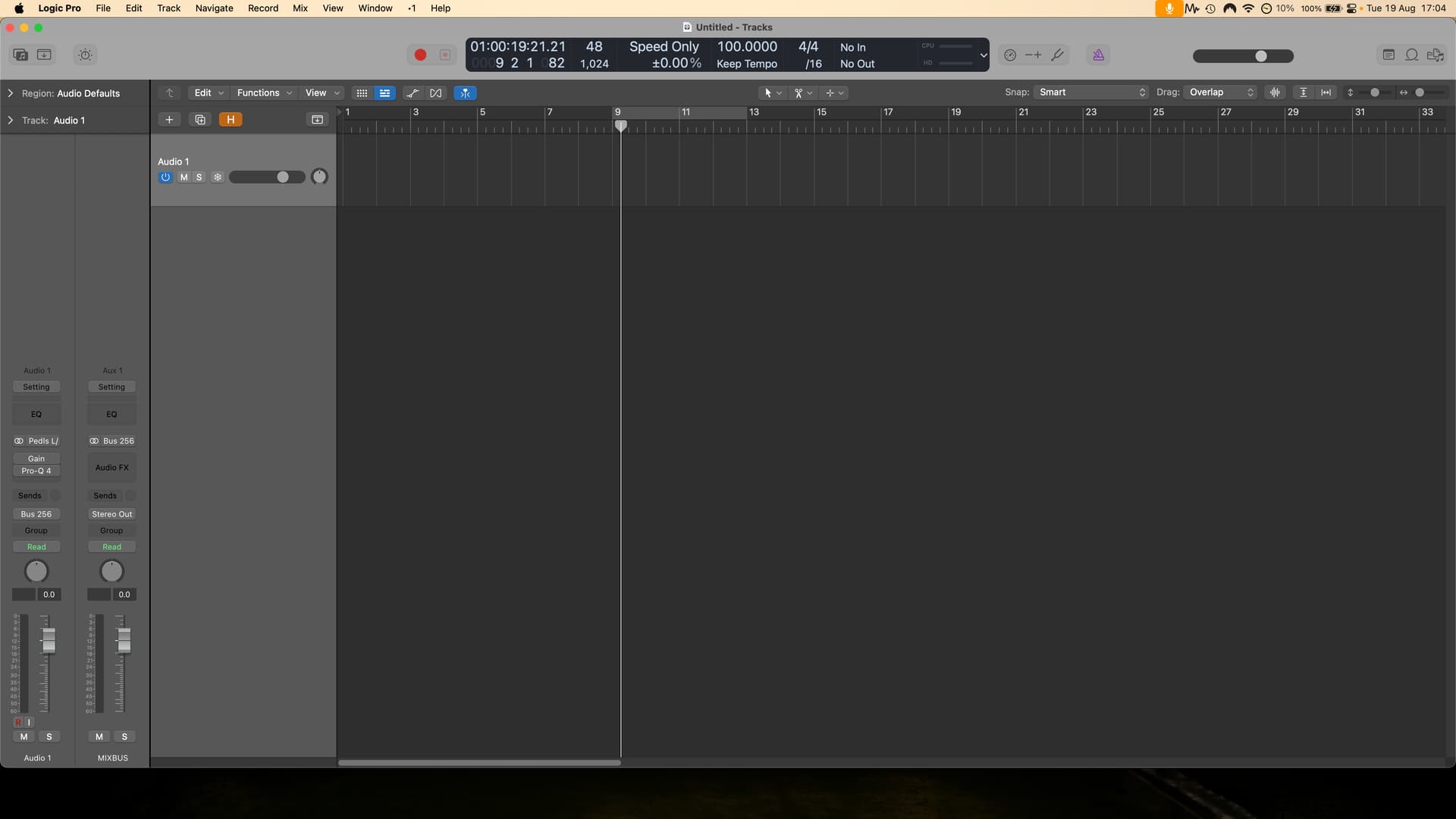
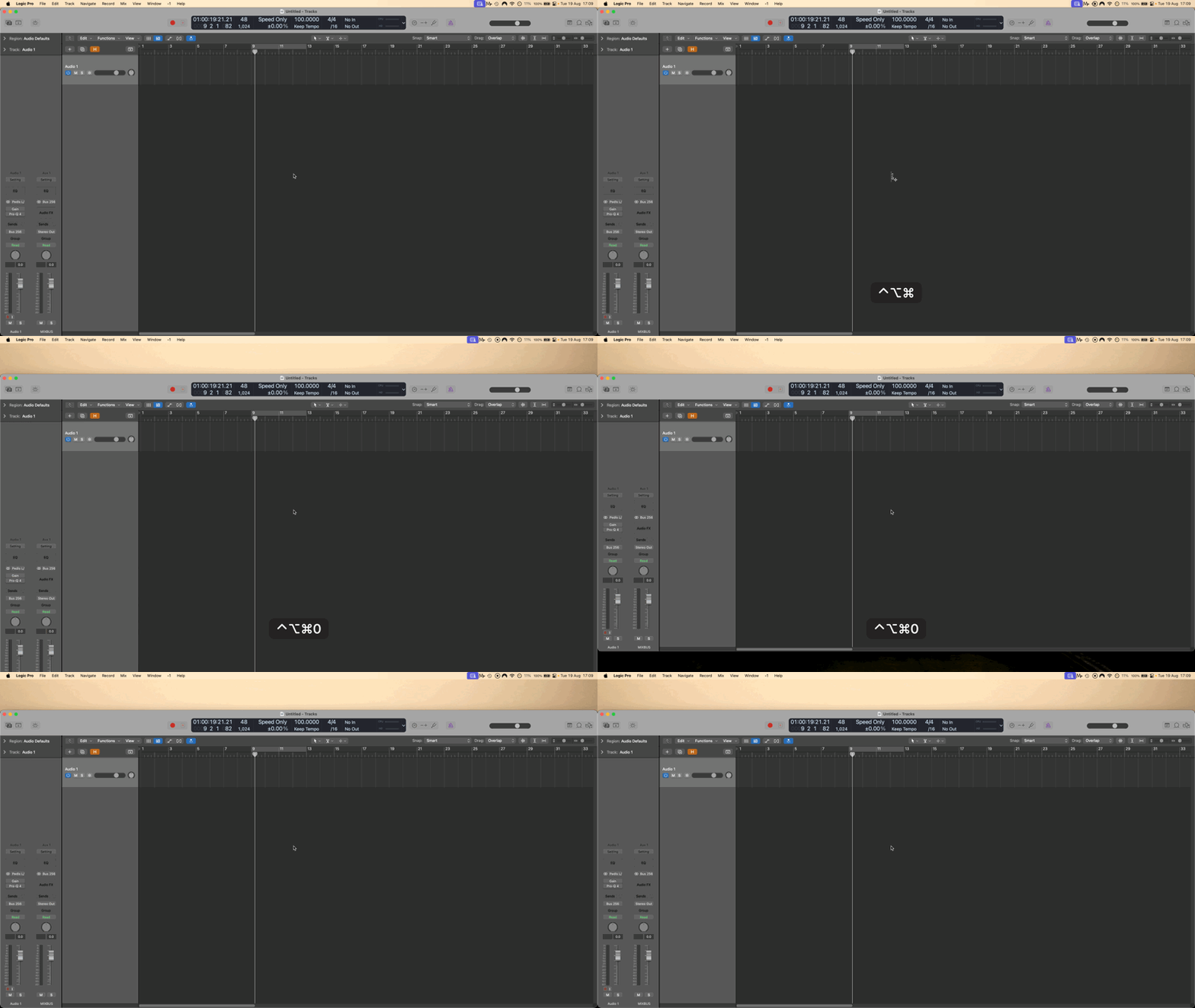
It moves it down but the height remains the same. If I input the number 130 explicitly, I get the same result. I can keep increasing the number and nothing happens at all until 154 for some reason. At that point, the window is resized slightly too small.
That very much depends on the initial height and position of the window! Assuming it starts tight against the menu bar and extends to the bottom of the screen, the "Move" works fine with a KM window -- maybe the Logic window has a stepped resize? And some "row-based" apps don't like the height to be changed by a small amount -- you could try overshooting then compensating, eg -200 then +70.
Interesting that you're on the "Main" screen and 154 - 130 is usually the height of the menu bar -- that might have some bearing...
Good shout. That does work, although it's a bit laggy.
That does seem relevant, but I'm still a bit confused as to why. I'm going to come up with an alternative solution for my particular goal. Cheers for having a think about it Nige.
That's embiggening, isn't it? I was thinking the other way -- we've had problems before with apps like Mail where the UI reflows at a certain size. When making the window smaller you have to push past that then expand again.
So for the Logic window, try making it 200px shorter then, in a single action, move it down 130px and make it 70px taller.
Did you try in KM, Finder, etc to confirm it's a Logic thing?
It should move the window to a position that has top left of 0,130 (left edge of the main screen, 130 down from the top of the main screen), and the width of the window will be the width of the main screen, and the bottom of the window will be the bottom of the main screen (the height will be Main Screen Height - 130).
However, the API will not resize a window off the screen, which includes under the Dock or any other prohibited areas. And the resize and position movement happen separately, and that independence can cause problems. Keyboard Maestro repeats the sequence (move, resize, move, resize) to mitigate this.
Ensure that the resulting position and size of the window is such that the window is entirely in the usable part of the screen and that should minimize any issues.
That makes perfect sense. For it to work most reliably, I should resize the window (reduced height) first, then move it down so that it doesn't ever encroach on the screen below. I'll try when I get to the studio. Thanks Peter.