I am reading through the Wiki to better understand things and would like to confirm or correct my understating of what these terms mean in the context of Keyboard Maestro.
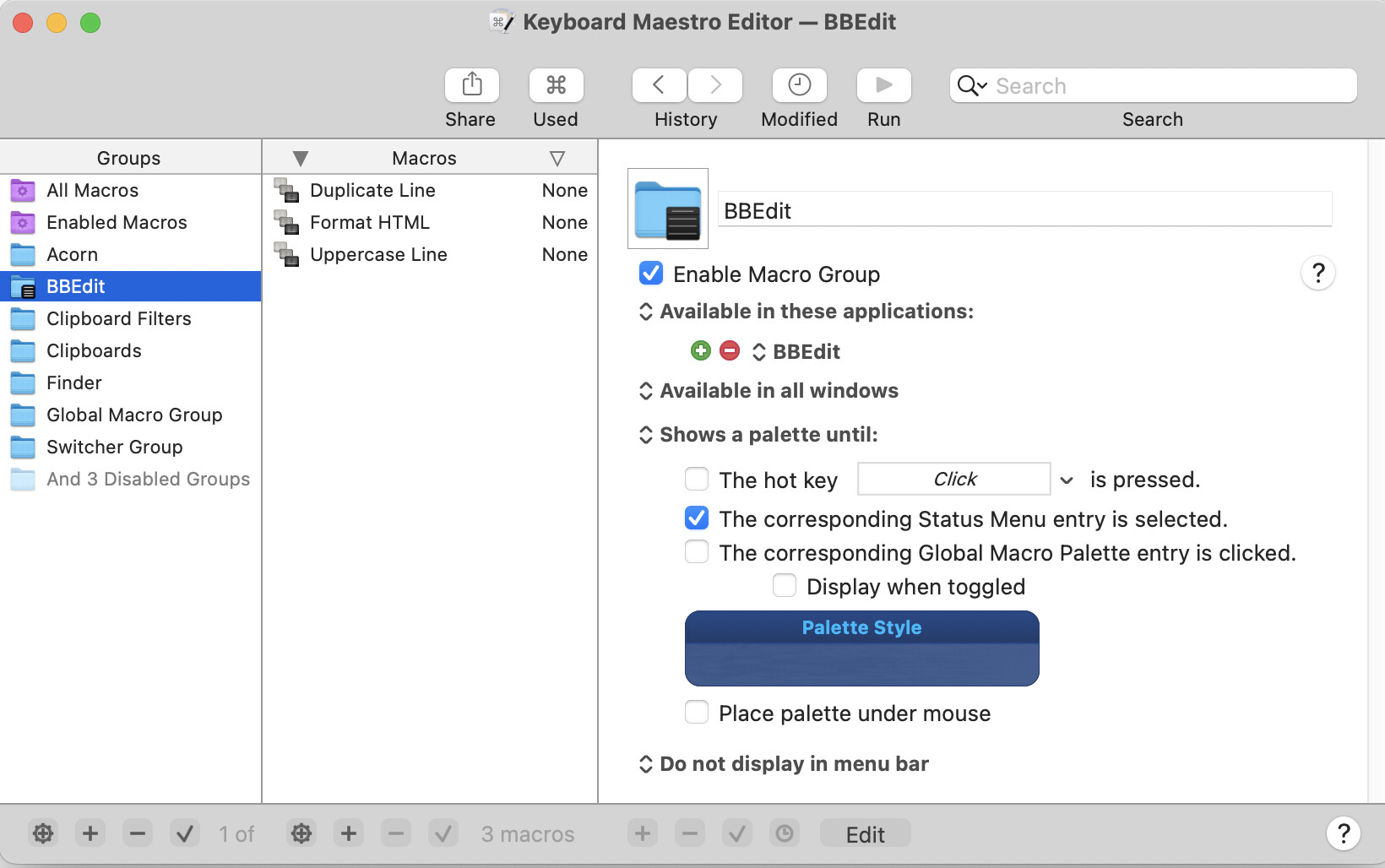
In order to make the conversation easier to follow, I will use the below image as a reference point.
For a macro within the BBEdit macro group to be Enabled, the BBEdit macro group must be in enabled (i.e., blue tick mark beside Enable macro group).
For a macro within the BBEdit macro group to be Active it must meet the conditions of the macro group which in this case is that BBEdit be frontmost (based the "Available on these conditions" setting).
For a macro within the BBEdit macro group to execute it must be Enabled and Active meaning the BBEdit macro group must be Enabled (as defined above) and BBEdit must be frontmost.
Please confirm / correct my understanding.
PS. The confusion comes from the ability to disable / enable macros themselves which is I understand is separate as a disabled macro in this context would never execute.
You need to be clear on the difference between Enabled/Disabled and Active/Inactive.
Enabled/Disabled is controlled in the editor, and is very clear and generally semi-permanent. A Macro Group can be disabled, which implicitly disables all of its macros. And a Macro can be disabled.
Active/Inactive is a transient state, controlled by the settings in the macro group and managed by the engine. This is a transient state and there is no direct visible sign of its state. Restarting the engine would reset any activation states. A macro group must be enabled to be active. And a Macro must be enabled, and its parent macro group must be enabled and active for it to be active.
Yes and no. A Macro and a Macro Group each have their own Enabled/Disabled. For a Macro to be Active, the Macro must be enabled, the Macro Group must be enabled and the Macro Group must be active.
Yes and no. A macro doesn't meet the conditions of anything. The Macro Group must be enabled and active, and the macro must be enabled.
For a macro’s triggers to be available to execute the macro, the macro must be active. The macro must be enabled, the macro group must be enabled, and the macro group must be active, in this case that happens when BBEdit is at the front.
Generally, yes.
You can disable a macro and that disables all its triggers.
You can disable a macro group and that disables all the triggers of all the contained macros.
For macro groups that are enabled, for macros that they contain that are enabled, their triggers are active (detecting their events) when the macro group is active (its conditions met).
Allow me to try in my words to make sure I understand.
i) Enabled
Controlled manually by the user within the editor.
For Macro Group, it is controlled by the blue tick mark.
For Macro, the Macro Group must be enabled and the Macro itself must be enabled which is controlled by right mouse click → enable / disable macro (i.e., the macro is not greyed out).
ii) Active
For Macro Group to be active it must be enabled (as define above) and its "available conditions" (i.e., Available in all applications, Available in these Applications, etc.) must be met.
For a Macro to be active the Macro must be enabled and the Macro Group must be Active (i.e., Macro Group enabled its "available conditions" must be met).
tell application "Keyboard Maestro" to set enabled of macro "Scratch 2" to true
...although that does require the Editor to be running. But if you want to as AS to enable without opening the Editor you can use the "create macro on the fly" trick:
tell application "Keyboard Maestro Engine" to do script "<array>
	<dict>
		<key>Action</key>
		<string>Enable</string>
		<key>MacroActionType</key>
		<string>SetMacroEnable</string>
		<key>MacroUID</key>
		<string>B16F7032-516D-405E-ADAC-FC274CED2486</string>
	</dict>
</array>"
Another way to phrase all this is that:
Enabled/Disabled is persistent and deliberately set, whether manually or programmatically
Active/Inactive is transient, constantly re-evaluated against current state, but can be overridden with the Macro Group Activation Action
For a macro to be triggered:
The macro's Macro Group must be enabled. If so then...
The macro's Macro Group must be Active. If so then...
The macro must be enabled
@peternlewis will probably tell me that 2 and 3 are in the wrong order, but I find this mental model easier than a Group/macro/Group ordering.