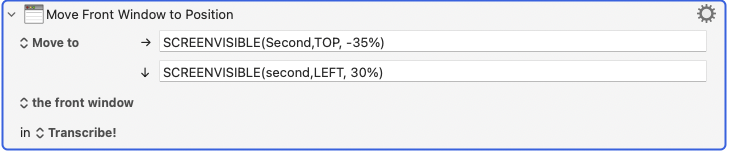
I’ve got a macro going to set up all my work apps in the AM.
I’m trying to find the correct syntax or commands to move an app window to an extension display - an iPad connected by Luna Display. The window opens at the right size - I just want to center it on the Luna display.
I also have a second extended display. In Settings, I see the 3 displays listed left to right - in that sequence, the Luna (iPad) display is the second one.
KM appears to “see” the Luna Display - it’s listed in the Window menu with the other 2.
I was asking Google Gemini, and it came up with some non-working suggestions.
I’m wondering what to put in the 4 fields to make this work?
Hi @jonburr
These wiki pages may prove helpful.
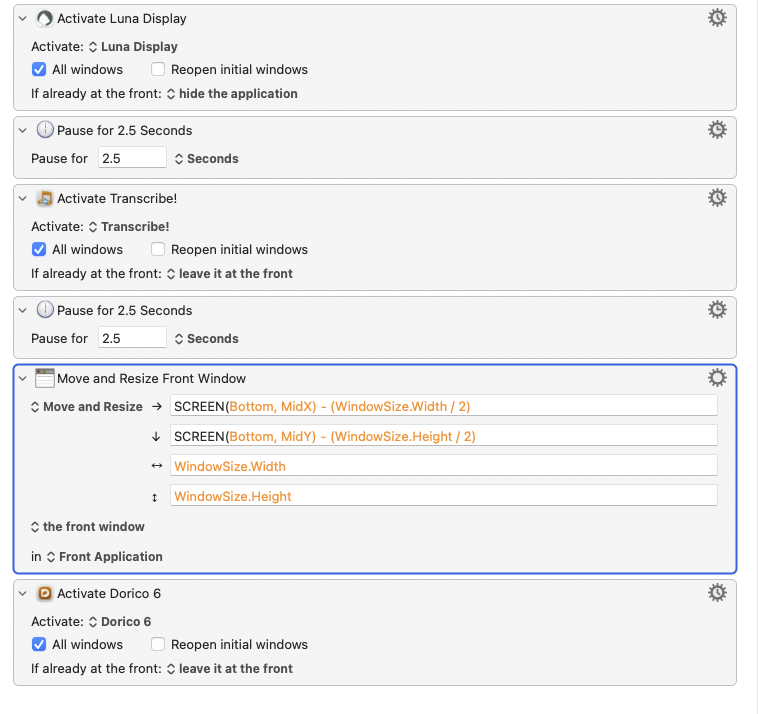
I created a macro to validate what I understand as your request.
Activate an application and move it to an external screen, then center that window into the visible portion of that screen. I guessed at the proportions of the screen to make it "centered".
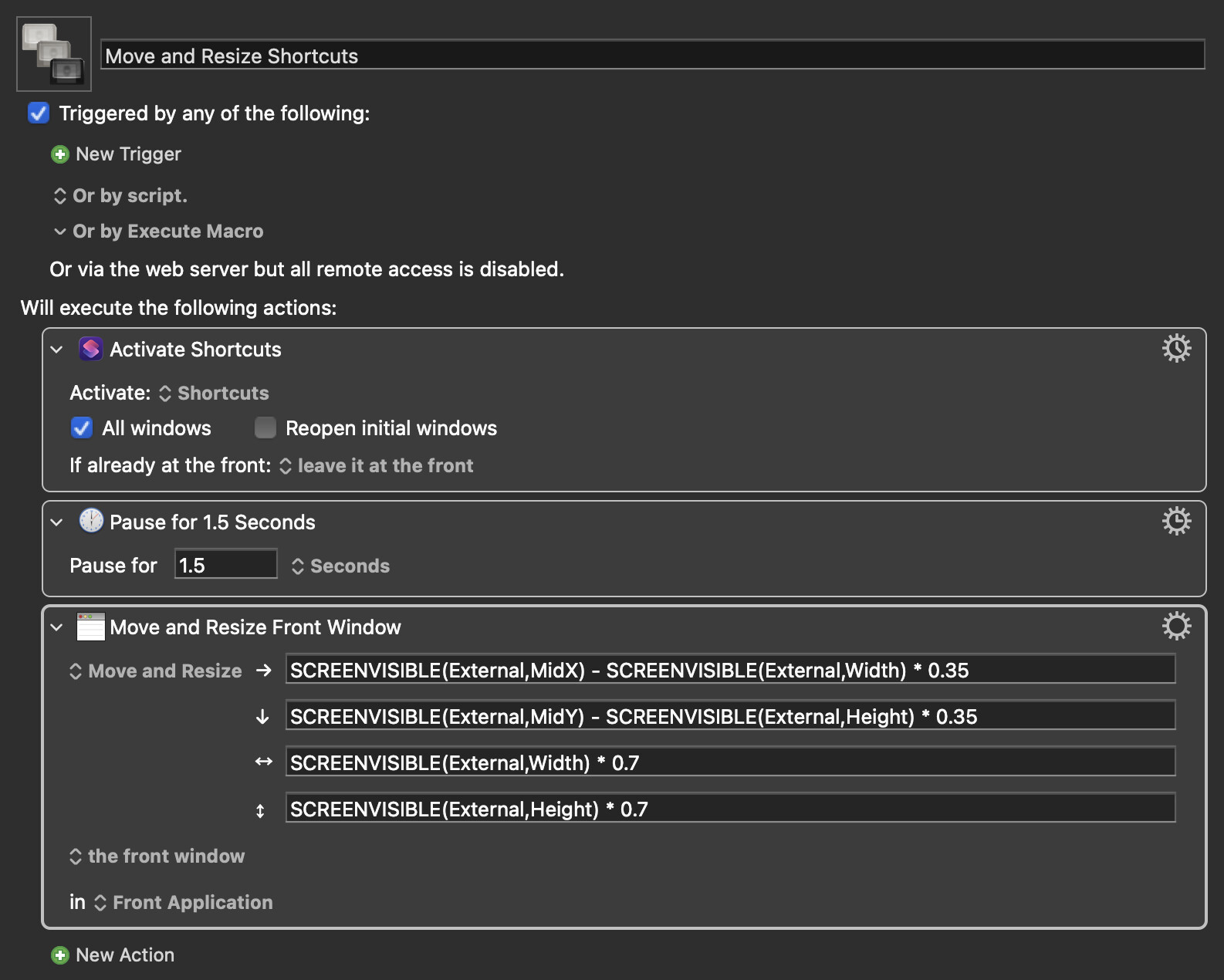
There are four dimensions to the move and resize action. Let's call them:
X
Y
Width
Height
X == SCREENVISIBLE(External,MidX) - SCREENVISIBLE(External,Width) * 0.35
I am using SCREENVISIBLE() because it refers to the visible section of the screen, excluding the menu bar and the dock.
The "External" word tells the action to use the screen that is "the first from the left which is not an internal screen." I have two monitors so this screen is not my MacBook Pro screen.
MidX is the middle point in the "X" dimension so the first part of this "X" coordinate is the middle of the visible portion of the external display.
Then I used "SCREENVISIBLE(External,Width) * 0.35" to calculate the dimension of the external screen's width and then calculate what 35% of that is. (I chose 35% for grins, you be you  )
)
The result is to first find the middle "X" point and then move to the left the "35%" of the visible screen. Set this to the starting "X" point of the window.
For the "Y" dimension, the logic is the same but up and down vs. left and right.
For the "Width" dimension, the logic is to calculate 70% of the visible screen width.
For the "Height" dimension, the logic is to calculate 70% of the visible screen height.
hope this helps