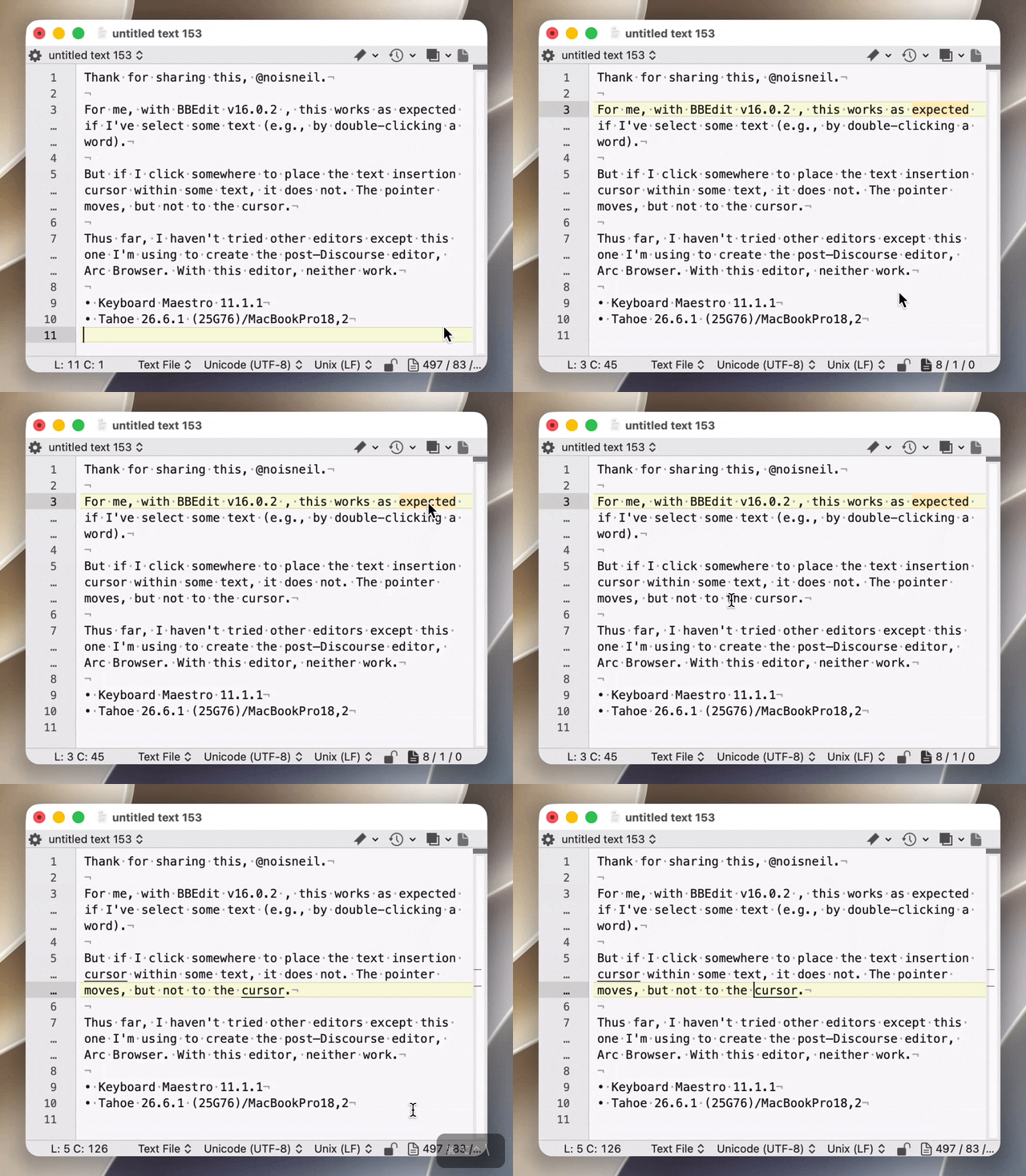
Script
#!/usr/bin/swift
import ApplicationServices
import AppKit
import Foundation
import CoreGraphics
// Move the pointer to the currently selected text in the front text editor.
// If nothing is selected, moves to the insertion point (caret).
//
// Works in AppKit / TextKit editors that implement AXBoundsForRange:
// TextEdit, Mail, Notes, Stickies, Pages, Xcode, BBEdit, many NSTextView fields.
// Does not work in Electron / custom editors (VS Code, Cursor, Slack, Sublime, etc.).
func fail(_ message: String) -> Never {
fputs(message + "\n", stderr)
print("ERROR: \(message)")
exit(1)
}
func axCopy(_ element: AXUIElement, _ attribute: String) -> CFTypeRef? {
var ref: CFTypeRef?
guard AXUIElementCopyAttributeValue(element, attribute as CFString, &ref) == .success else { return nil }
return ref
}
func axString(_ element: AXUIElement, _ attribute: String) -> String? {
guard let ref = axCopy(element, attribute) else { return nil }
if let string = ref as? String {
let trimmed = string.trimmingCharacters(in: .whitespacesAndNewlines)
return trimmed.isEmpty ? nil : trimmed
}
return nil
}
func asAXElement(_ value: Any) -> AXUIElement? {
let cf = value as CFTypeRef
guard CFGetTypeID(cf) == AXUIElementGetTypeID() else { return nil }
return (value as! AXUIElement)
}
func axElement(_ element: AXUIElement, _ attribute: String) -> AXUIElement? {
guard let ref = axCopy(element, attribute) else { return nil }
return asAXElement(ref)
}
func axList(_ element: AXUIElement, _ attribute: String) -> [AXUIElement] {
guard let ref = axCopy(element, attribute) else { return [] }
if let array = ref as? [Any] { return array.compactMap(asAXElement) }
if let array = ref as? NSArray { return array.compactMap { asAXElement($0) } }
return []
}
func axRange(_ element: AXUIElement, _ attribute: String) -> CFRange? {
guard let ref = axCopy(element, attribute) else { return nil }
let value = ref as! AXValue
var range = CFRange()
guard AXValueGetValue(value, .cfRange, &range) else { return nil }
return range
}
func axRect(_ element: AXUIElement, _ attribute: String) -> CGRect? {
guard let ref = axCopy(element, attribute) else { return nil }
let value = ref as! AXValue
var rect = CGRect.zero
guard AXValueGetValue(value, .cgRect, &rect) else { return nil }
return rect
}
func axParent(_ element: AXUIElement) -> AXUIElement? {
axElement(element, kAXParentAttribute as String)
}
func parameterizedNames(_ element: AXUIElement) -> [String] {
var ref: CFArray?
AXUIElementCopyParameterizedAttributeNames(element, &ref)
return (ref as? [String]) ?? []
}
func boundsForRange(_ element: AXUIElement, _ range: CFRange) -> CGRect? {
var range = range
guard range.location >= 0, range.length >= 0,
let axRange = AXValueCreate(.cfRange, &range) else { return nil }
var ref: CFTypeRef?
let err = AXUIElementCopyParameterizedAttributeValue(
element,
kAXBoundsForRangeParameterizedAttribute as CFString,
axRange,
&ref
)
guard err == .success, let ref else { return nil }
let value = ref as! AXValue
var rect = CGRect.zero
guard AXValueGetValue(value, .cgRect, &rect) else { return nil }
return rect
}
func intersect(_ a: CFRange, _ b: CFRange) -> CFRange? {
let start = max(a.location, b.location)
let end = min(a.location + a.length, b.location + b.length)
guard start < end else { return nil }
return CFRange(location: start, length: end - start)
}
func usableRect(_ rect: CGRect?) -> CGRect? {
guard let rect, rect.width.isFinite, rect.height.isFinite else { return nil }
guard rect.width > 0 || rect.height > 0 else { return nil }
return rect
}
func caretRange(_ selected: CFRange) -> CFRange {
if selected.length > 0 { return selected }
if selected.location > 0 {
return CFRange(location: selected.location - 1, length: 1)
}
return CFRange(location: selected.location, length: 1)
}
func selectionRect(on element: AXUIElement) -> CGRect? {
guard parameterizedNames(element).contains(kAXBoundsForRangeParameterizedAttribute as String),
let selected = axRange(element, kAXSelectedTextRangeAttribute as String) else {
return nil
}
let target: CFRange
if selected.length > 0, let visible = axRange(element, kAXVisibleCharacterRangeAttribute as String),
let visibleSelection = intersect(selected, visible) {
target = visibleSelection
} else {
target = caretRange(selected)
}
if let rect = usableRect(boundsForRange(element, target)) {
// Tall multi-line selections: aim at the first visible line, not the middle.
if rect.height > 36, target.length > 1 {
let first = CFRange(location: target.location, length: 1)
if let line = usableRect(boundsForRange(element, first)) { return line }
}
return rect
}
return usableRect(boundsForRange(element, caretRange(selected)))
}
func role(_ element: AXUIElement) -> String {
axString(element, kAXRoleAttribute as String) ?? ""
}
func lookupSelection(from start: AXUIElement) -> (AXUIElement, CGRect)? {
var current: AXUIElement? = start
for _ in 0..<16 {
guard let node = current else { break }
if let rect = selectionRect(on: node) { return (node, rect) }
current = axParent(node)
}
return nil
}
func isRunnerApp(_ app: NSRunningApplication) -> Bool {
if app.processIdentifier == ProcessInfo.processInfo.processIdentifier { return true }
guard let bid = app.bundleIdentifier else { return false }
return bid.hasPrefix("com.stairways.keyboardmaestro")
}
func runningApp(for axApp: AXUIElement) -> NSRunningApplication? {
var pid: pid_t = 0
guard AXUIElementGetPid(axApp, &pid) == .success else { return nil }
return NSRunningApplication(processIdentifier: pid)
}
func movePointer(to point: CGPoint) {
CGWarpMouseCursorPosition(point)
CGAssociateMouseAndMouseCursorPosition(1)
let source = CGEventSource(stateID: .hidSystemState)
if let move = CGEvent(mouseEventSource: source, mouseType: .mouseMoved, mouseCursorPosition: point, mouseButton: .left) {
move.post(tap: .cghidEventTap)
}
}
guard AXIsProcessTrusted() else {
fail("Grant Accessibility permission to the app running this script (Keyboard Maestro Engine or Terminal).")
}
let systemWide = AXUIElementCreateSystemWide()
var found: (AXUIElement, CGRect)?
if let focused = axElement(systemWide, kAXFocusedUIElementAttribute as String) {
found = lookupSelection(from: focused)
}
if found == nil, let axApp = axElement(systemWide, kAXFocusedApplicationAttribute as String),
let app = runningApp(for: axApp), !isRunnerApp(app),
let focused = axElement(axApp, kAXFocusedUIElementAttribute as String) {
found = lookupSelection(from: focused)
}
if found == nil {
let apps = NSWorkspace.shared.runningApplications
.filter { $0.activationPolicy == .regular && !$0.isTerminated && !isRunnerApp($0) }
.sorted { ($0.isActive ? 1 : 0) > ($1.isActive ? 1 : 0) }
var caretFallback: (AXUIElement, CGRect)?
for app in apps {
let axApp = AXUIElementCreateApplication(app.processIdentifier)
let focused = axElement(axApp, kAXFocusedUIElementAttribute as String)
?? axElement(axApp, kAXFocusedWindowAttribute as String)
guard let start = focused, let hit = lookupSelection(from: start) else { continue }
let selected = axRange(hit.0, kAXSelectedTextRangeAttribute as String)
if let selected, selected.length > 0 {
found = hit
break
}
if caretFallback == nil { caretFallback = hit }
}
if found == nil { found = caretFallback }
}
guard let (element, rect) = found else {
fail("No selected text (or caret) with a screen position. This editor may not expose AXBoundsForRange.")
}
let point = CGPoint(x: rect.midX, y: rect.midY)
movePointer(to: point)
let selectedText = axString(element, kAXSelectedTextAttribute as String)
if let selectedText {
let snippet = selectedText.count > 80 ? String(selectedText.prefix(77)) + "..." : selectedText
print("\(Int(point.x.rounded())),\(Int(point.y.rounded())) \(snippet)")
} else {
print("\(Int(point.x.rounded())),\(Int(point.y.rounded()))")
}
Them's the breaks. Given that you have numerous groups, I'm sure you've downloaded macros before. Not much anyone can do about that, I'm afraid.
 )
)