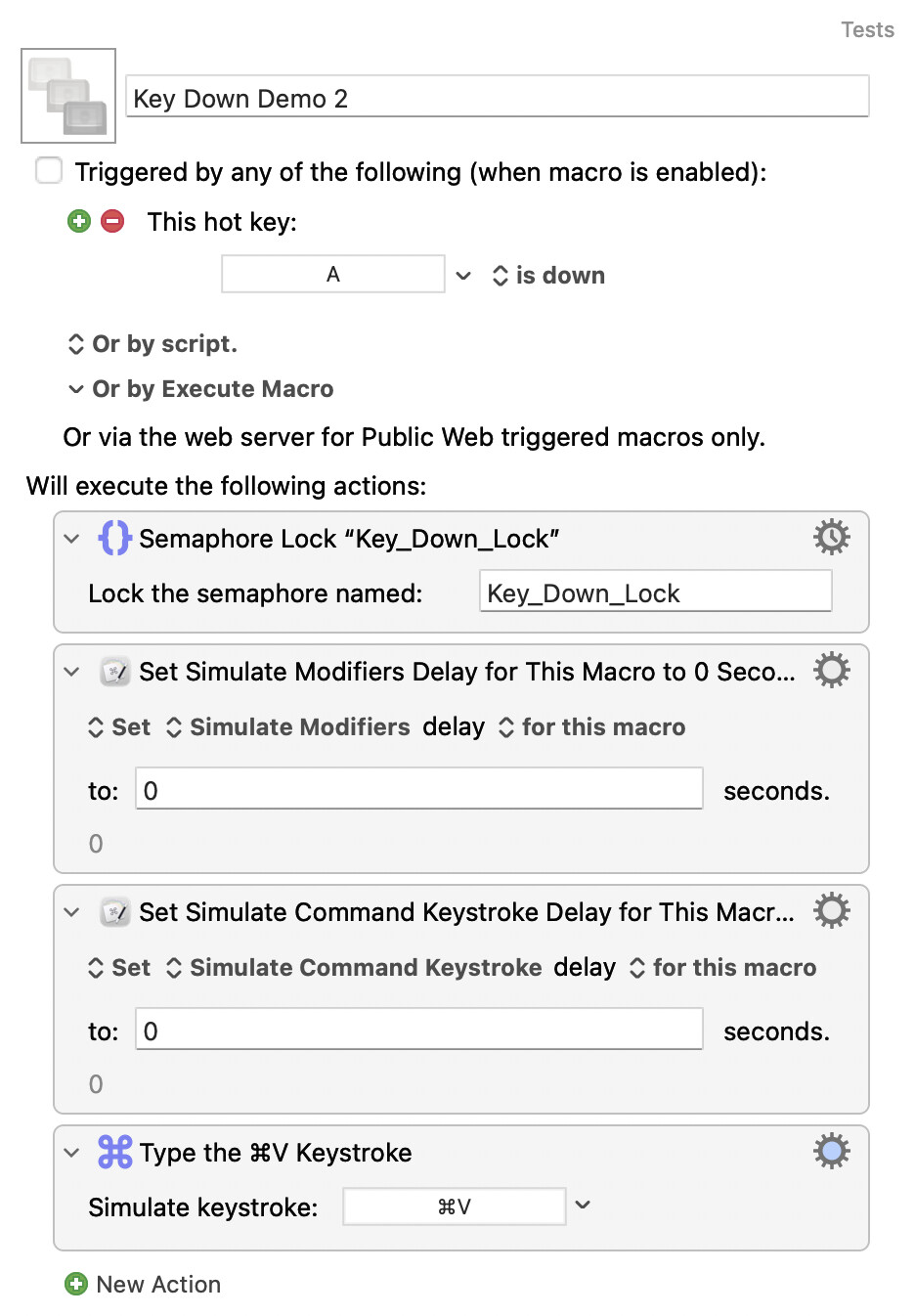
Instead of doing the actual thing you are attempting, try the same with a simulated ⌘V. You can then test in a text editor, answering some of the "is this a Cubase issue?" question.
If you see the same problem in TextEdit you'll then be able to upload your test macro for other people play around with, particularly those of us who don't have Cubase!
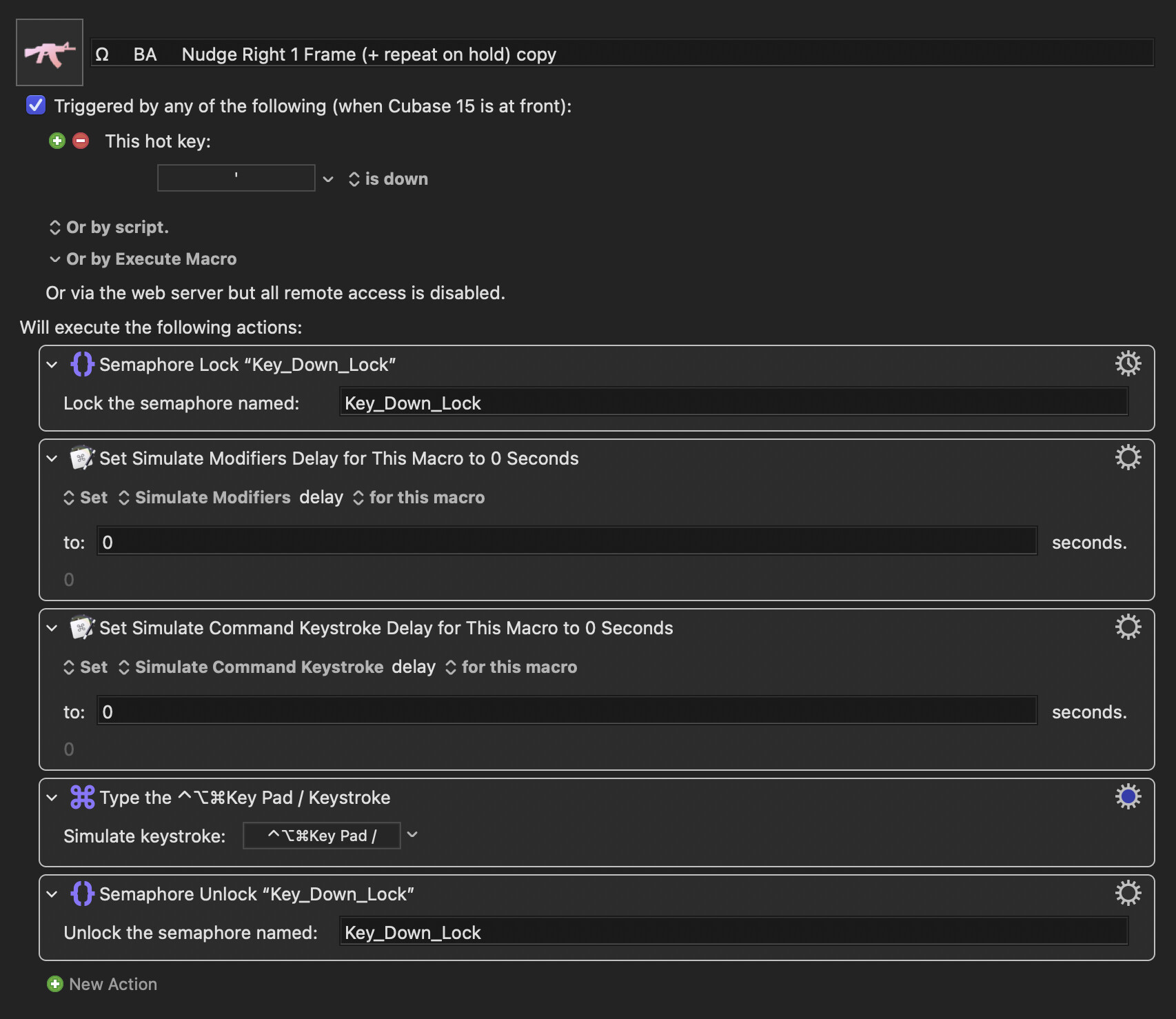
You could also try another approach -- instead of deciding to keystroke based on a variable (which, if I'm understanding @noisneil's macro correctly, it's a method of doing "if an instance of this macro is already running then exit without typing") you could use a semaphore lock to insta-kill an instance if another instance is already running:
@Nige_S THANK YOU!!! This Semaphore Lock action did the trick! Works just as if I were pressing the hot key itself. Gotta say this forum is awesome. Always above and beyond. And once again thanks to @noisneil for the help and the referral
I’ve added a semaphore unlock at the end just for good measure. Is this best practice? Or semaphore reset action?
The semaphore lock is automatically released when the macro that invoked it finishes, so there's no need.
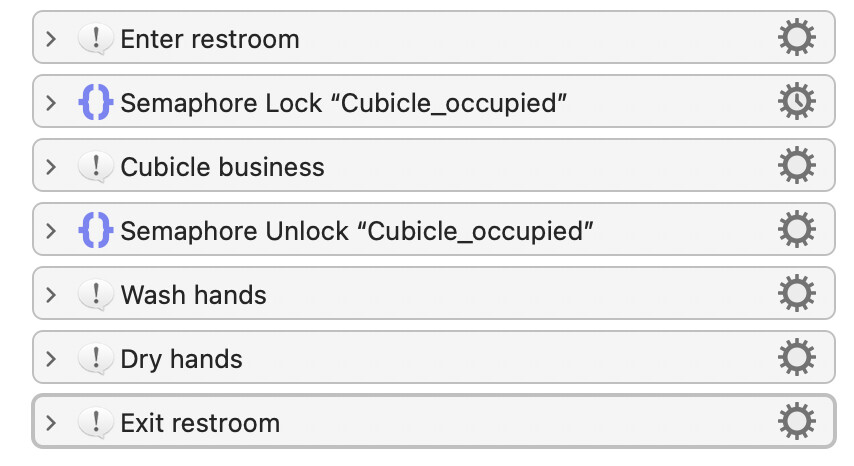
"Unlock" comes into play when only a section of your macro involves a contended resource. For some reason semaphore examples usually involve restrooms, so...
The "contended resource" would be the cubicle -- only one person should use it at a time, so you'd enter-and-lock/business/unlock-and-exit. But you can have multiple people queuing, using the sink, drying their hands, and so on. So your "Using the restroom" macro might include:
Sorry if I've missed a crucial detail in this exchange, but is this solving a new challenge? I thought the idea was to repeat the same key combination as the macro trigger, with an interval...? That remains unsolved, right?
The semaphore/action delay idea is nifty, and seems to basically swap one key for another, so you get the same natural key repeat behaviour, but that's not what @fossie seemed to be asking about.
Perhaps this solves the original problem in a new way?
OP found that, with your multipress macros, using the same key combo for both trigger and simulated keystroke resulted in a lot faster repeat speed than for different trigger/simulated combos. They wondered why, and wanted the faster speed when using different combos.
It appears the speed difference is because using the same combos for trigger and simulated aborts KM's "is down" trigger as soon as the first simulated combo is sent -- with no subsequent "key press" to re-initialise the trigger the still-pressed keys are instead handled by the OS at the normal (faster) key-repeat speed.
Setting a "Simulate modifiers delay" to 0 and doing the same for the "Pause" got your macro to run quickly for me, but didn't work for OP.
So the semaphore lock version was a hacky solution to OP's need for speed -- and not to be recommended over your (IMO) better and more reliable multipress routines.