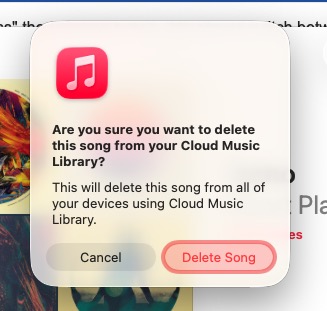
I had a great macro, but new OS Apple now its forcing a final mouse click to delte the song, any ideas what I do? Before it just deleted, was nuked, but now this, and enter not ever dismiss it, have to mouse it..
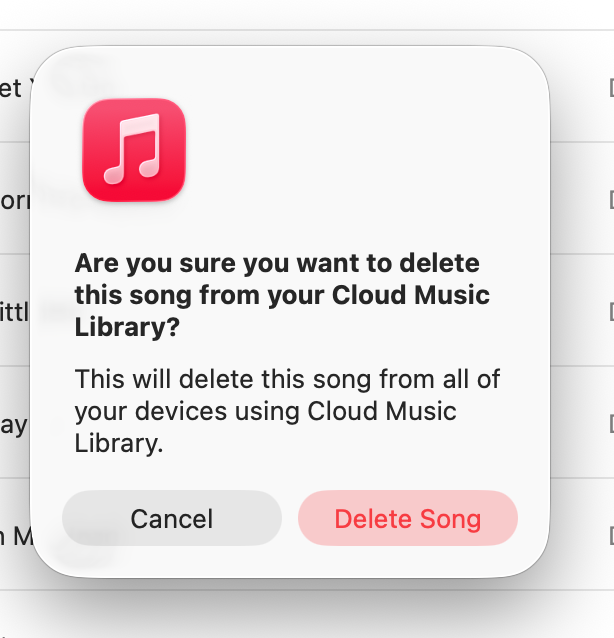
That looks to be a pretty clear image for image detection to find in Keyboard Maestro. Screenshot the "Cancel" and "Delete Song" buttons to the clipboard (⇧⌘⌃4 for region capture to clipboard), then paste that into the image well of a "Click at Found Image" action—specify the location as some distance back from the right top/bottom corners to click within the Delete button's area.
I don't use a Cloud Music Library, so I can't write a test macro for you, but this should work.
-rob.
1 Like
Another possible solution is just pressing CMD+DELETE from within the macro. This shortcut works across many macOS dialog boxes with a similar prompt. He may not even need to put a Pause before the keystroke.
3 Likes
While it's worth a try, this similar Music dialog
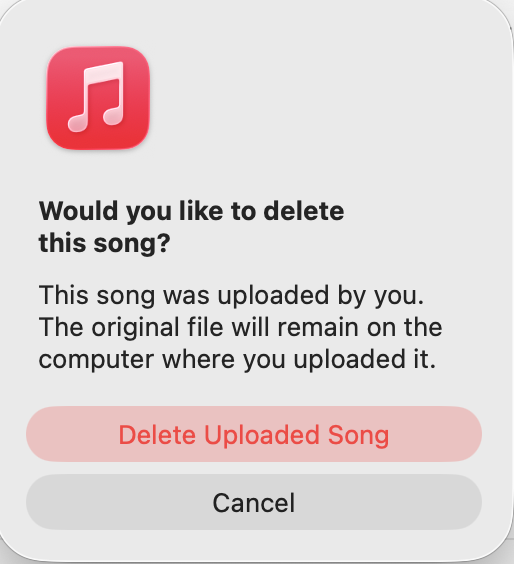
...doesn't respond to keyboard input.
Luckily these are detected as buttons by KM's "Press a Button" Action, so that'll be a good way forward.
4 Likes
I can’t remember off the top of my head where the preference is, but you should enable the system setting for ‘tab navigates dialog boxes’. If that doesn’t work for that dialog, then it’s a bug and Apple needs to know.
If you mean "Keyboard navigation" (System Settings->Keyboard), it's already on.
It's a buggy dialog -- Return/Enter should "press" the selected button, Tab should switch between buttons, and those work for that dialog in Sequoia but not Tahoe.
1 Like
It's almost like it's not true macOS code, and was written in Catalyst or something … oh, wait.
</rant>
-rob.
2 Likes
You can use the keyboard to hit the “Delete Song” button if you have enabled Keyboard Navigation in settings.
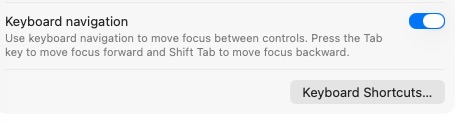
Once you have enabled this, when the dialog pops up, the Cancel button will have an outline. That indicates you can execute the cancel by hitting your spacebar or enter.
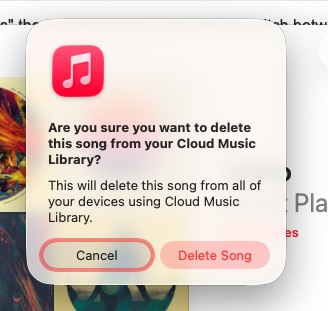
You can navigate to “Delete Song” by tabbing over to it, then hitting spacebar or enter. These actions can all be automated via KM.
1 Like
Nope, still doesn't work for me in Music on macOS 26.1 -- the same works fine in other apps' dialog. What version are you running?
KM's "Press a Button" Action is still a better option, IMO. You can wait for the button to be there as part of the Action rather than rolling your own pause, it's one Action rather than two, and it's self-documenting.
1 Like
Sorry to hear that. I am also running Tahoe 26.1
1 Like
Thanks guys, sorry for delayed response. I got zero email replies so assumed the post was ignored. Is there a way to get email replies?
That said I unnderstand not one word. KM is totally greek to me, like trying to understand Chinese Japanese text. Should I try to explain this again. Was in clear? Did someone have a solution? I’ll try again if needed.