Thanks for sharing your feedback.
As with any App, you generally need to spend some time to learn even the basics of it.
Take MS Word or Excel. Of course with both you can immediately start typing, but who knows what the myriad of menu items and toolbar buttons really do at first.
Having said that, a well-designed app should be fairly intuitive to most users. While all Action names are not obvious, I would hope these (and many others) are:
- Set Clipboard to File Reference
- Set Clipboard to Variable
- Execute a JavaScript in Front Browser
Of course, it depends on your personal experience on a Mac. What makes an app intuitive is when it uses terms and methods that are commonly used in other apps, like "Copy", "Cut", "Paste", etc.
A lot of KM users, who don't have any programming experience, do find understanding Variables a challenge. And even if you are a programmer, KM Variables do NOT behave entirely like variables do in other languages. To help clarify this, we wrote this KM Forum Tutorial:
TIP: Understanding KM Variables, Tokens, & Functions
Getting Help for Actions
Understanding what an Action does by its name has little to do with being a "pro" or not. No one brand new to KM would instantly know what any of those Actions do, although several have very descriptive names, which should be a clue.
IAC, KM Help readily available from a variety of means:
- If you goto menu Edit > Insert Action > and hold down OPT key, then you can get help on the selected Action:
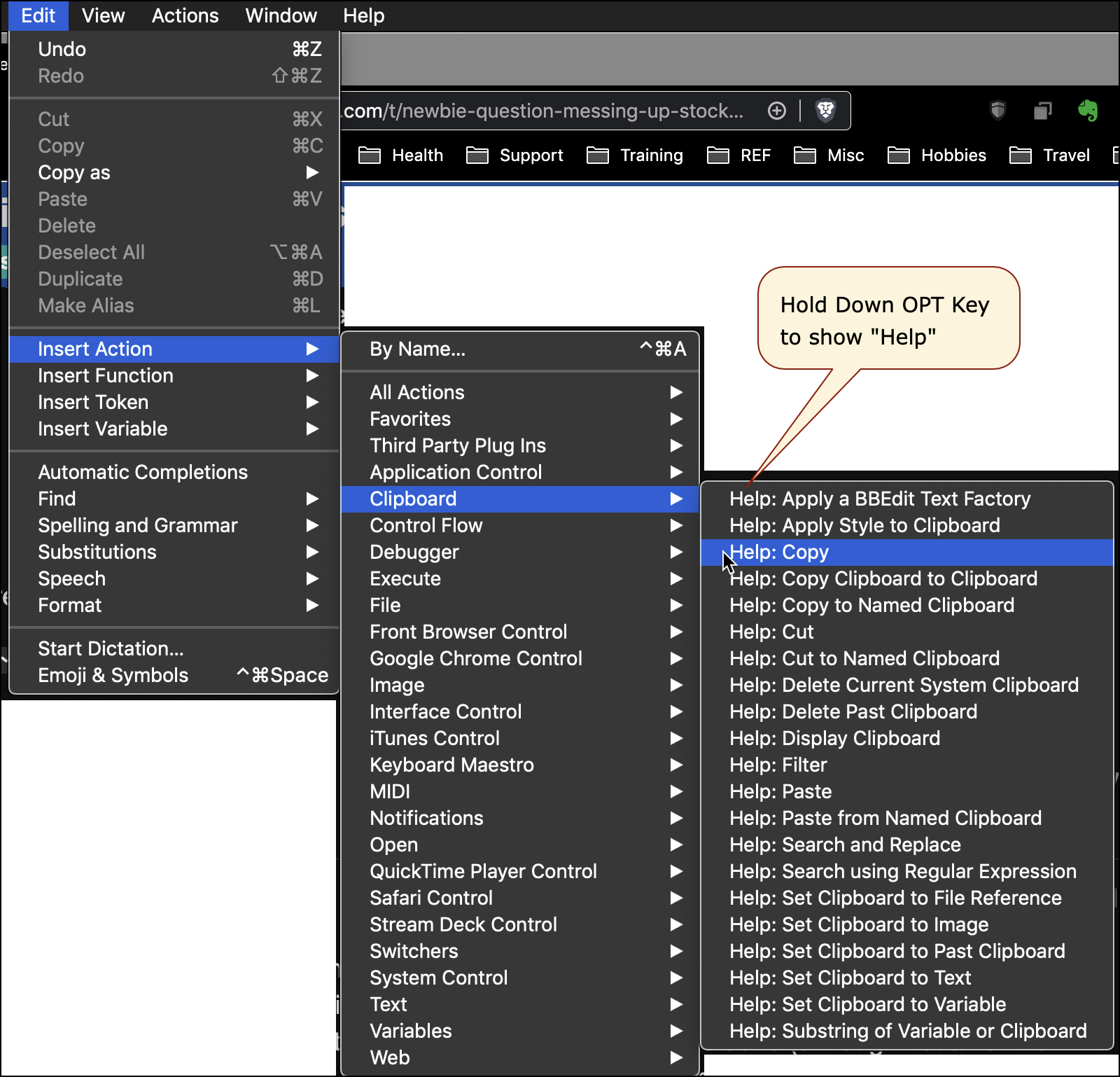
- For an Action already in your Macro, just click on the Gear menu of the Action and select "Help":

- Most Actions have a keyword in its name, or a synonym for it, that makes it easy to find when using the Insert Action by Name (⌘⌃A) from the Edit > Insert menu.

.
- From the KM Wiki page on Actions , click on any Action to see details.
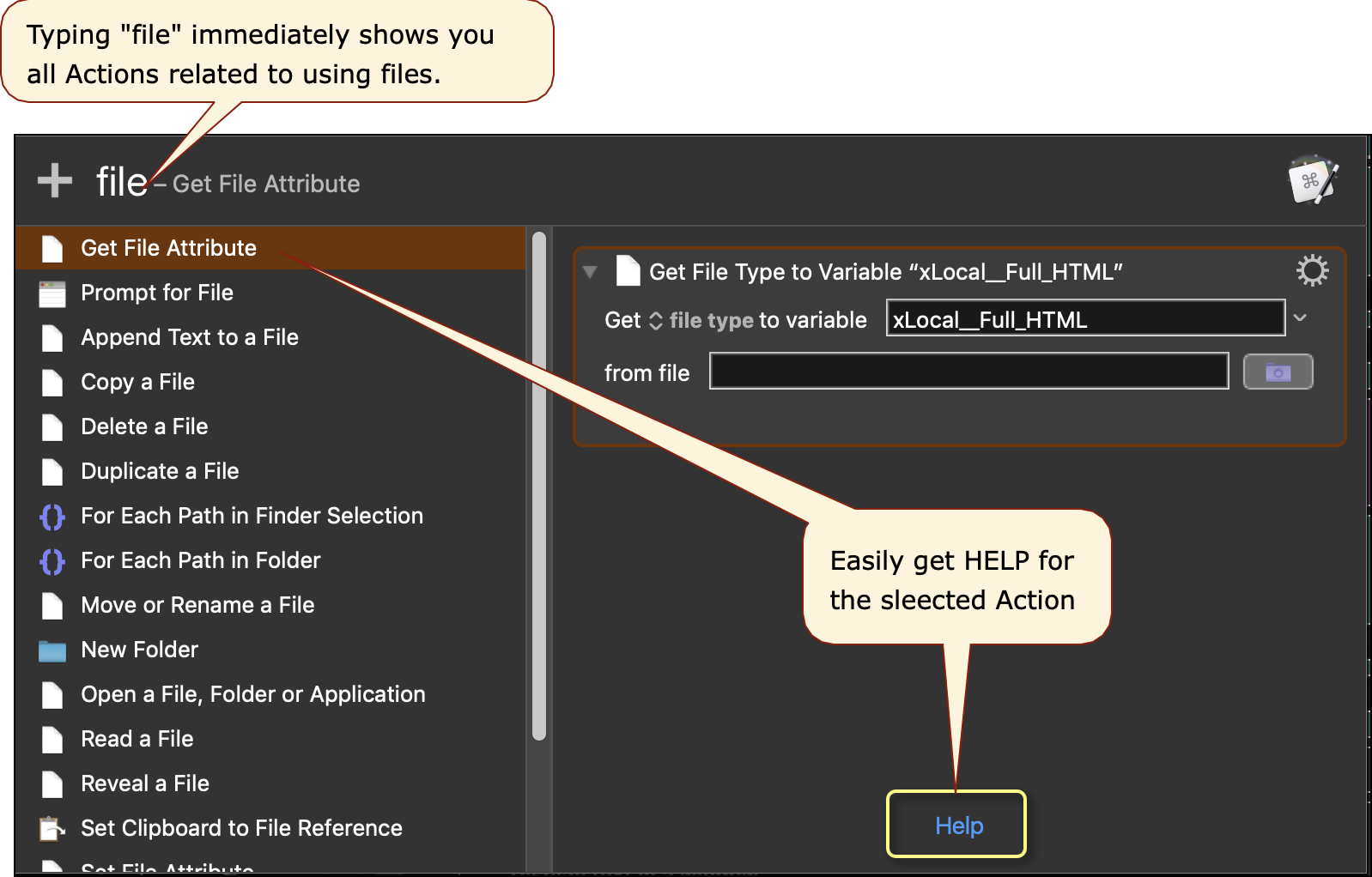
If this high availability of Help was not provided to you in any of the intro, getting started documents, please let us know. It needs to be there.
Please feel free to post any other comments and/or questions you have.