My work life forces me to use a Chromium-based browser. I have configured my Mac to use the Chromium-based browser as the default as this Mac is used for work most of the time.
My personal preference is to use Safari. I am looking for a way to open a URL in Safari from the Apple Mail app without having to use the "right click" "Open with Safari" option. I use Apple Mail to read my personal email.
I see there are at least two products I could buy to help with this but I am wondering if there is a way I can do this with Keyboard Maestro.
This is not a question about expense but my preference is to use Keyboard Maestro. Also, having one fewer app/processing running on my Mac is a good thing.
Any ideas on how I could use Keyboard Maestro to do this?
The challenge here is that you can't capture a mouse click in Mail with a macro—even setting the USB Device Key trigger to left click, the click is still sent to Mail. Your macro will run, but so will the click in Mail.
I can't think of any way to do this strictly within Keyboard Maestro, short of an ugly hacky solution:
Have a macro set to activate when Chromium becomes frontmost. Then check what the second-most-frontmost app is. If it's mail, copy the URL in Chromium and open in Safari.
Hacky as heck, and visually annoying, but it's about all I can think of.
I wouldn't worry about that here. Decent "opener" processes are really light-weight, all they do is register themselves as your default browser then act as a traffic cop, redirecting every URL you open according to the rules you set.
Honestly, they probably use fewer resources than a right-clicking KM macro! And a lot easier than keeping the pointer in the right place while running a macro...
If you are still on macOS 15 or earlier then give Velja a try -- it's free for older OSs. And Sindre is a well-respected developer, his many utilities getting frequent mentions on the various Mac podcasts. And if you are running Tahoe then it's easily worth 8GBP, IMO.
That depends on the source, surely? Which reminds me...
I get email notifications from a next-gen firewall when a device gets quarantined, and I've set it up to include a link to the appropriate page on the firewall's web UI. No hesitation clicking that link, but the page only works in Chrome and I prefer Safari.
Solution? Drag the link from Mail and drop it on Chrome's Dock icon.
Thanks everyone for your responses. I have gone with @Nige_S ‘s suggestion and am trialing Velja. Thus far, it is performing well and required minimal configuration to achieve the desired results.
Obviously. But that's basic email triage, whether or not you are clicking a link, and I'd differentiate between the actual source and the "From" attribution.
It would be almost impossible to spoof the firewall email I described in a way that wasn't immediately obvious, hence my trust of the enclosed link. But something sent by my boss from a non-work account and with an unusual tone to the writing? That'll just get deleted.
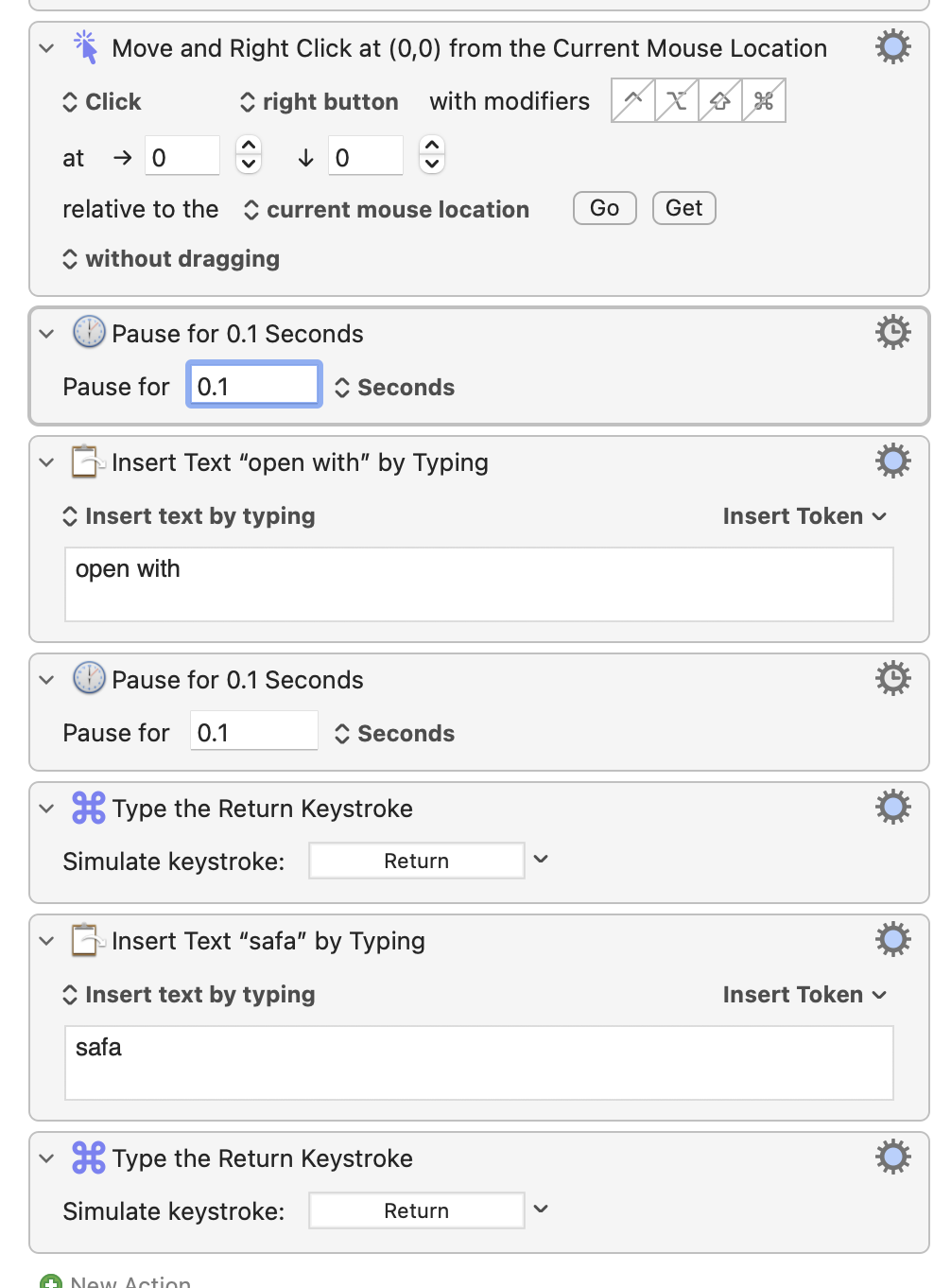
 . I was stuck on trying to use the normal mouse click.