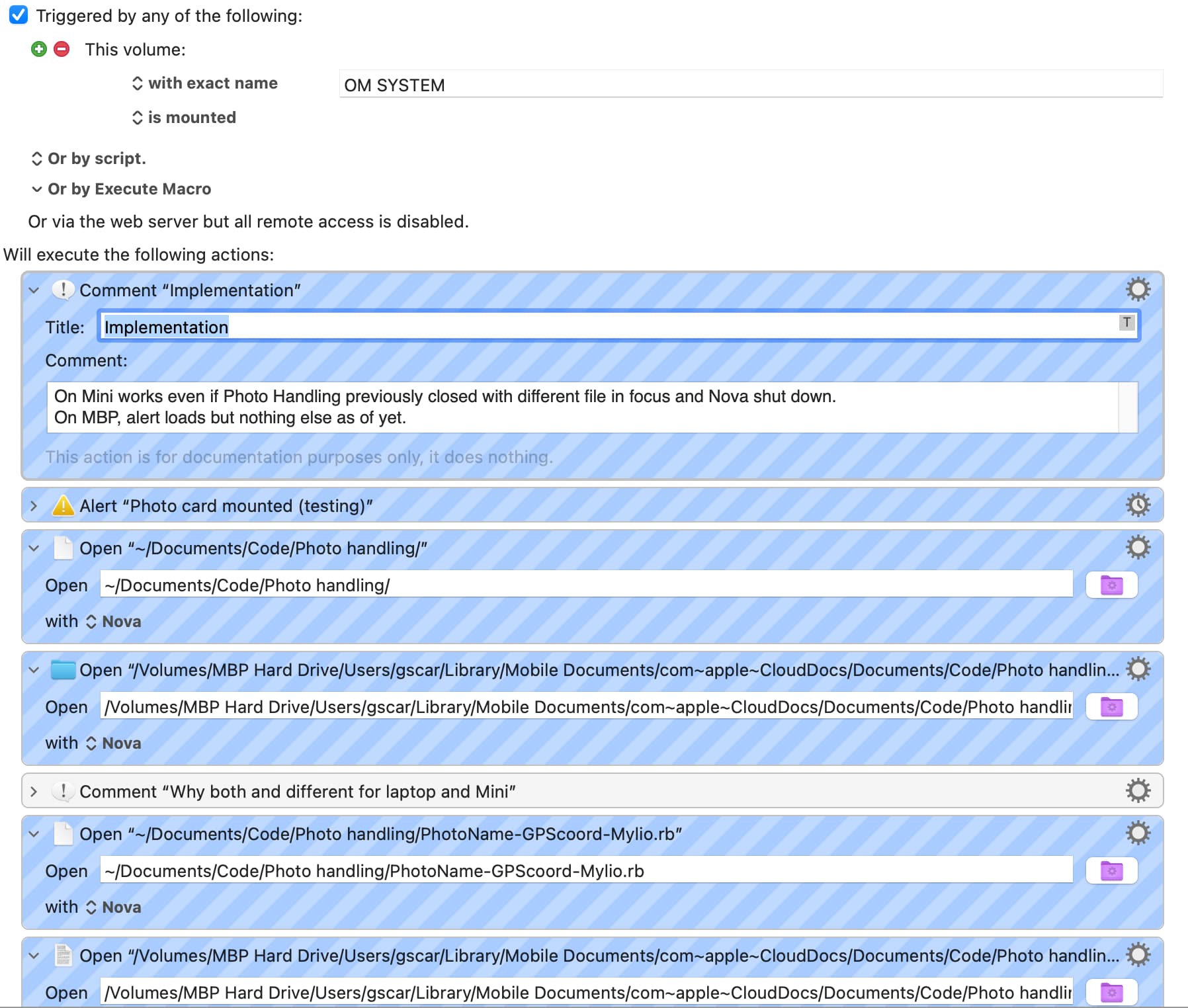
I’m trying to load a file when I insert an SD card. Got help from forum and this works fine on my Mini. But not on MBP. Tahoe.
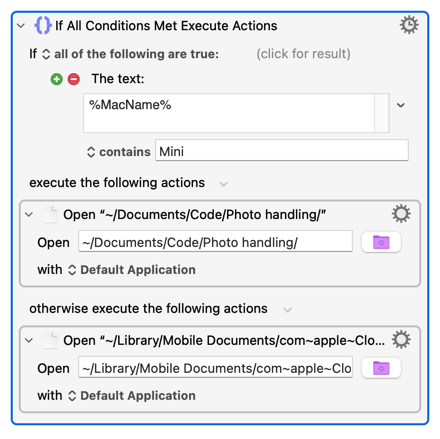
I admit I don’t understand file paths with iCloud. But it didn’t work with the paths that work on Mini, so I added the paths on MBP.
The alert is to confirm card mounted since files weren’t opening. I open the Ruby project folder first since if I just load the file the project doesn’t open and I prefer to have the whole project opened in case something doesn’t work right or I want to change something.
Are you trying the macro exactly as posted? (Note: it makes it easier if you pst the actual macro, not just an image of it, so people can dig into the various Action options and so on.)
Have you allowed Notification from Keyboard Maestro and Keyboard Maestro Engine?
If the third Action fails on your MacBook Pro because the path ~/Documents/Code/Photo handling/ is invalid then your macro will error and exit and not attempt the iCloud Action. You'll get a Notification of the error if Notifications are allowed.
@Nige_S Thank you. I had Notifications for them off (force of habit to not grant Notifications unless I know I need them). I fooled myself because it still worked on Mini. And thanks for the hint on the easy way to fix it.