I have a very particular use case I cant find a way to solve myself. I like to create a Macro that does the following:
Reply all to an e-mail I received (easy)
Delete all “To” recipients
Move the CC recipients to To
Enter a text (easy)
Send (easy)
Can you think of any way to achieve the deletion and move of the e-mail addresses? i was looking into keyboard shortcuts for Outlook but didn’t find anything. Only thing that I can think of is create an image of the “to” and “cc” fields but images are always tricky for these kinds of things. Change the resolution of the monitor or the screensize and it likely wont work anymore.
Use the below actions to get to the TO field where the number of repeats depends on where the cursor is when you implement the action. The following assumes you are "below" the TO field.:
Is this Outlook on the web (OWA) or Outlook the email client application? Legacy Outlook or New (and greatly hobbled) Outlook?
See if you can do it yourself using only your keyboard. If you can, replicate those keystrokes with KM Actions.
For me (Legacy Outlook app), a new "Reply" starts with the text insertion point in the body of the mail. Shift-Tab five times takes me back to the "CC" field (that'll depend on your setup -- whether you have "the "BCC" field showing, for example). Command-A selects all the "CC" addresses, Command-X Cuts them.
Two more Shift-Tabs take me to the "To" field, Command-A selects everything, Command-V Pastes in the previously-cut "CC" addresses, replacing the old "To" addresses.
Seven Tabs take me back to the message body, ready to enter text.
thank you so much for your replies. With your help, I managed to get the Macro done. I wish you know how much time and frustration you are saving me What did the trick was the Shift+Tab keystroke. I didnt know that you can move fields like this.
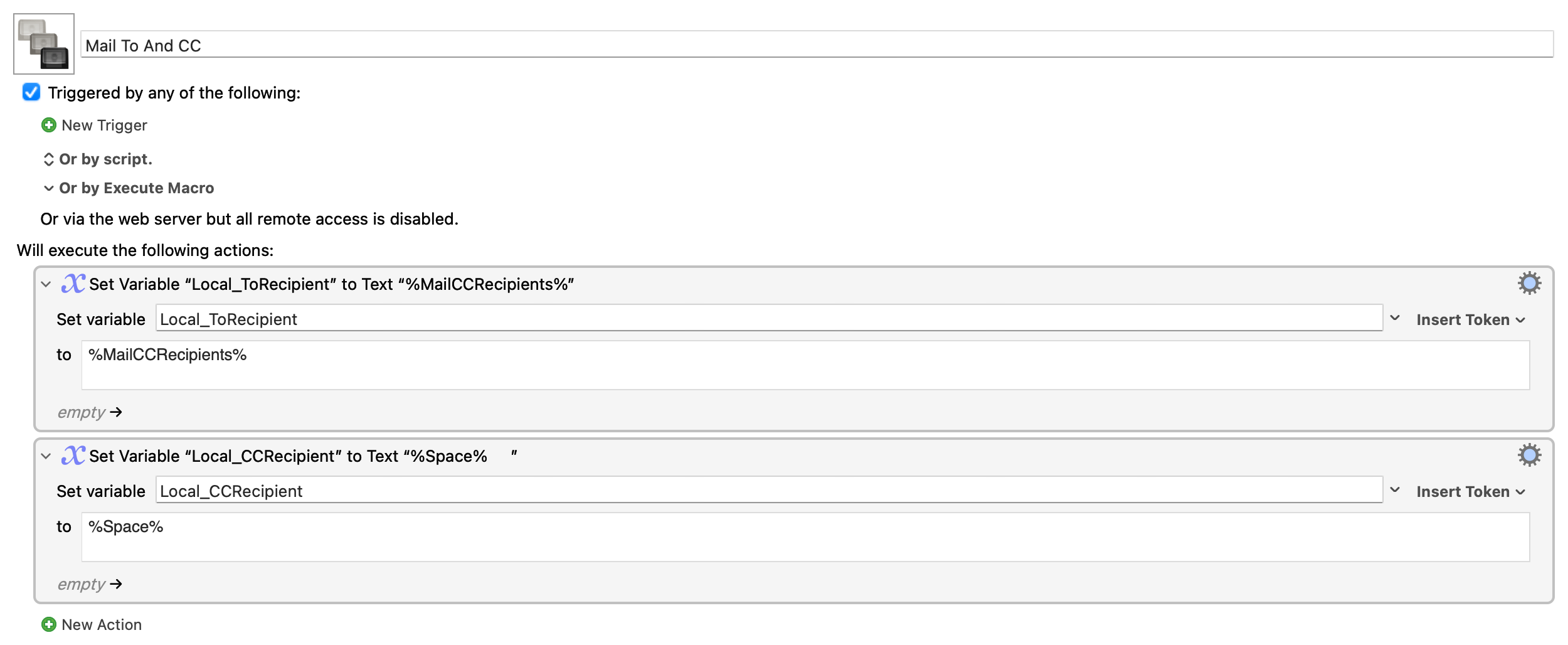
@Joel: I was also trying to rebuild what you shared with the variables. I havent worked with variables before. Would I have to change some of the values you entered in your example? I didnt see any reaction from Outlook. Speaking of the Legacy Outlook app.


 What did the trick was the Shift+Tab keystroke. I didnt know that you can move fields like this.