This macro is only semi-automated because I need to select images and their names from an image on a PDF file page. I am manually selecting the image to create a file (command-shift-3). The places the file on the desktop. I want to copy the file name from the page and paste it into the file name. Also, it would be better to place the file (image) in a project folder. That path is '/Users/ellenmadono/Downloads/4 elements icons/temp_mappa'
I am pretty sure there is a better way than using Command-Shift-3 to make the image into a file, but I am a novice.
My poor macro only leaves an unnamed image on the desktop. I want the copied image title on the image and to be found in a designated project file.
It looks like you were almost there, except you weren't creating your file paths correctly.
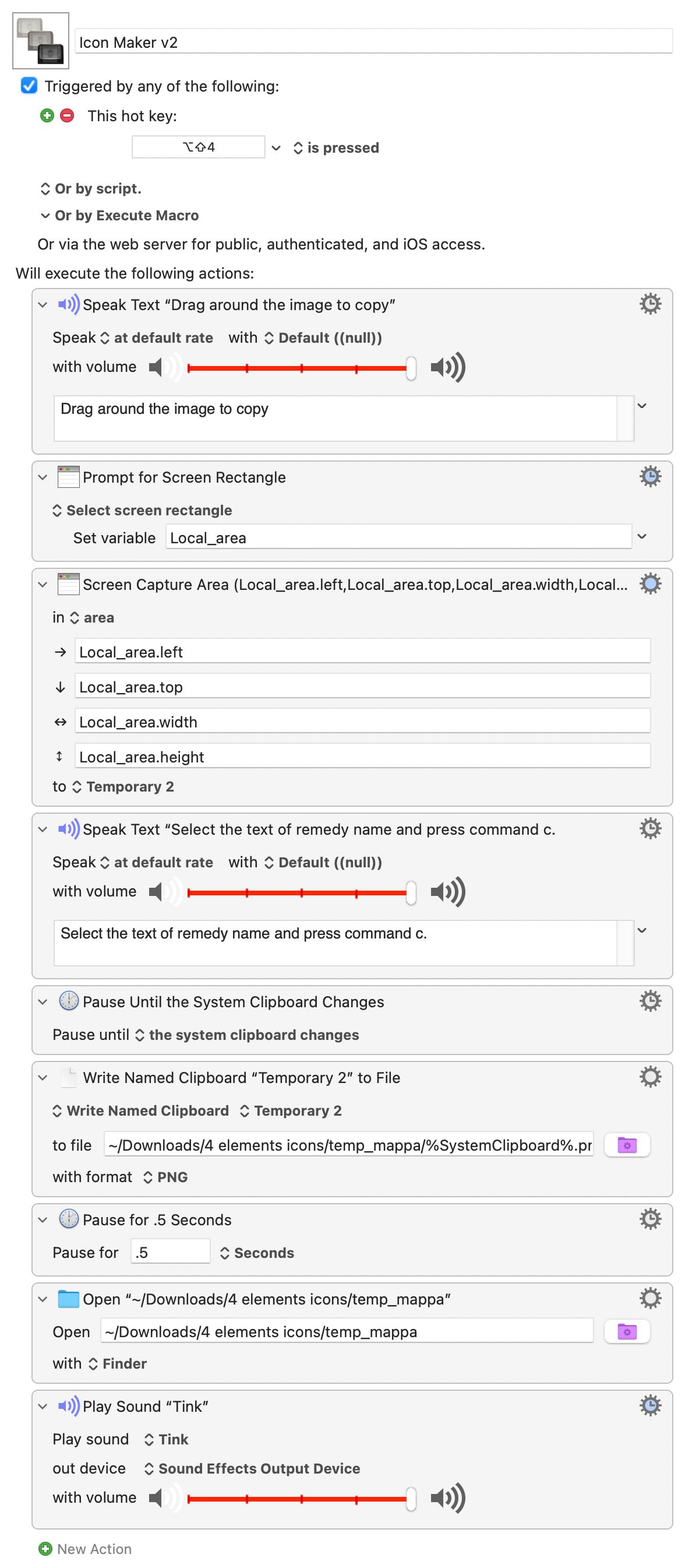
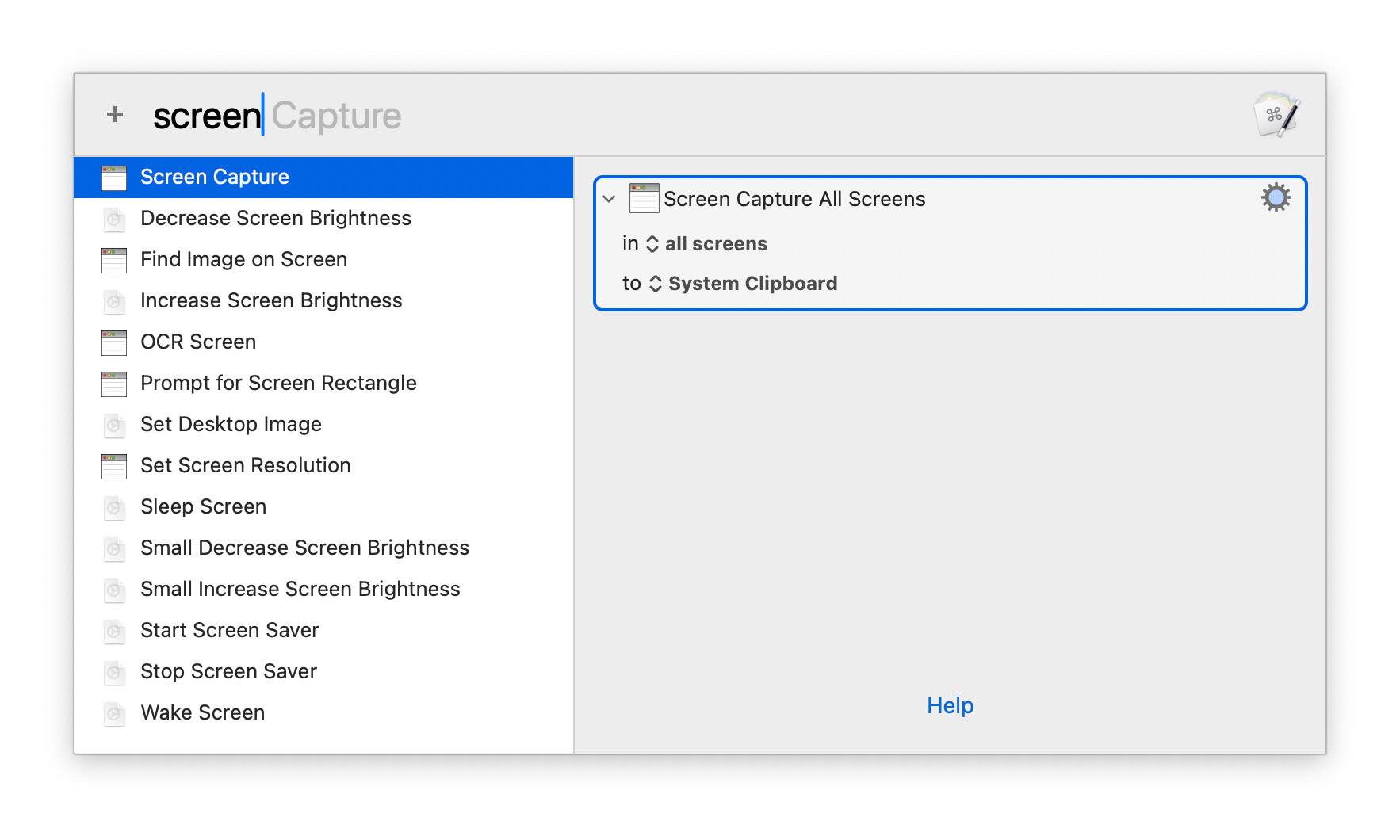
However, there's an easier way. Keyboard Maestro has an Action that lets you drag a rectangle on your screen ("Prompt for Screen Rectangle") and another that let's you capture an area of your screen ("Screen Capture"). If you use those you don't have to do so much Clipboard management.
Try this, and ask if you've any questions about how it works:
I've taken out the Typed String Trigger as it's generally not a good idea to use that outside of text input situations -- you can't be completely certain of what might or might not get deleted!
And I'd recommend that you change where you are keeping your project folder -- macOS treats "Downloads" specially in some cases, so best to keep that for downloads and store "real work" elsewhere.
I don't think that second pause (0.5 seconds) is necessary.
The Write to a File action should be synchronous, so the file should be fully written when it completes.
And then you are opening a directory that already exists, so even if it weren't, that action should work fine and the folder should open and update anyway.
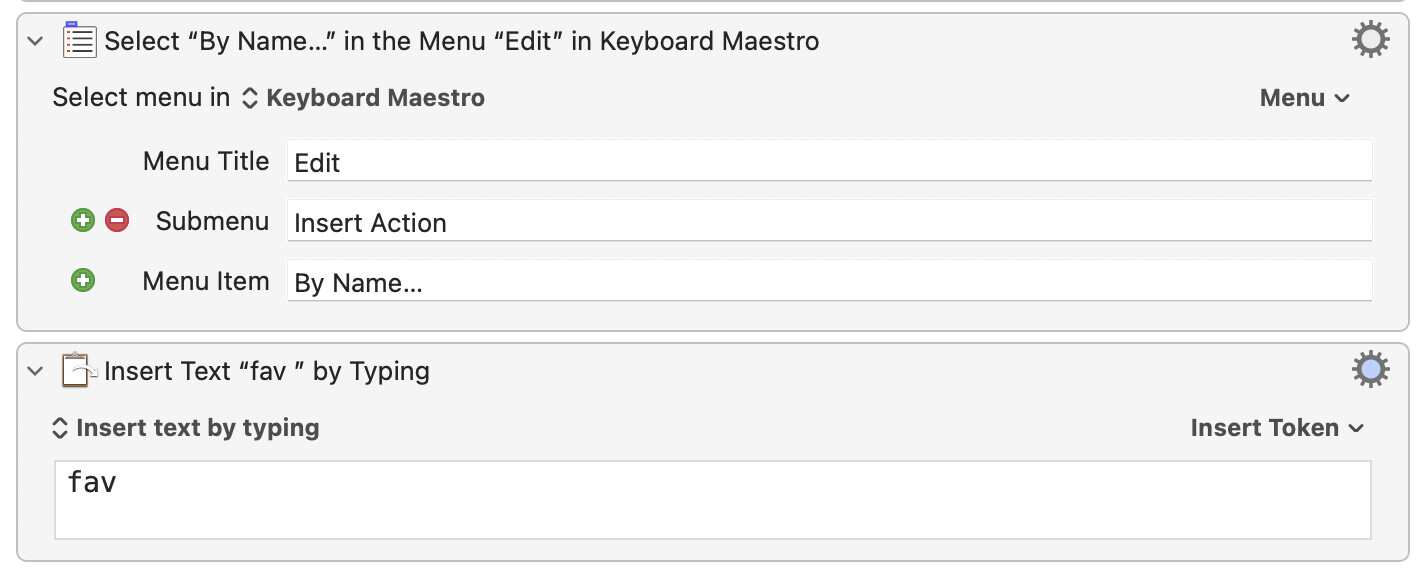
Seriously, though, Edit → Insert Action → By Name is a great memory aid and timesaver, especially if you combine it with Keyboard Maestro's favorite actions feature. Mark one (or more) actions as a favorite, and then type fav (and then a space) in the Insert Action By Name box, and all your favorites pop up.
I actually have that combination of steps saved as a macro as a super-quick way to insert actions:
Insert Action By Name (which is the only way I insert actions).
Favourite actions (which include the ones I use a lot and others like these screen capture that I would forget). I make them easy to access by prefixing their name with "" so typing "" in the prompt brings them all up!
WiKi, specifically the macro you developed which in my case is 80% screen in Keyboard Maestro Editor and 20% is the WiKi.
Etc.
I lack the comfort, ease, and knowledge base that you and others have. I will keep at this and will hopefully get there in time.
You'll get there -- it just takes some knowledge of Keyboard Maestro and, importantly, some practice in breaking down your problem into a series of steps KM can perform.
Don't spend too long banging your head against a not-working macro! There's lots of friendly, clever, people on the Forum who are vey willing to help. If you then ask questions about the parts of their answers you don't understand you'll soon bootstrap yourself to being a Keyboard Maestro maestro
I have only been here for a 3 or 4 months (and while far from an expert), he and others have assisted me to the point that I am far more comfortable with Keyboard Maestro and can build much (but not all) of what I would like.