How to arrange Keyboard Maestro macro for DEVONthink which named Safari Save PDF to DEVONthink.kmmacros.
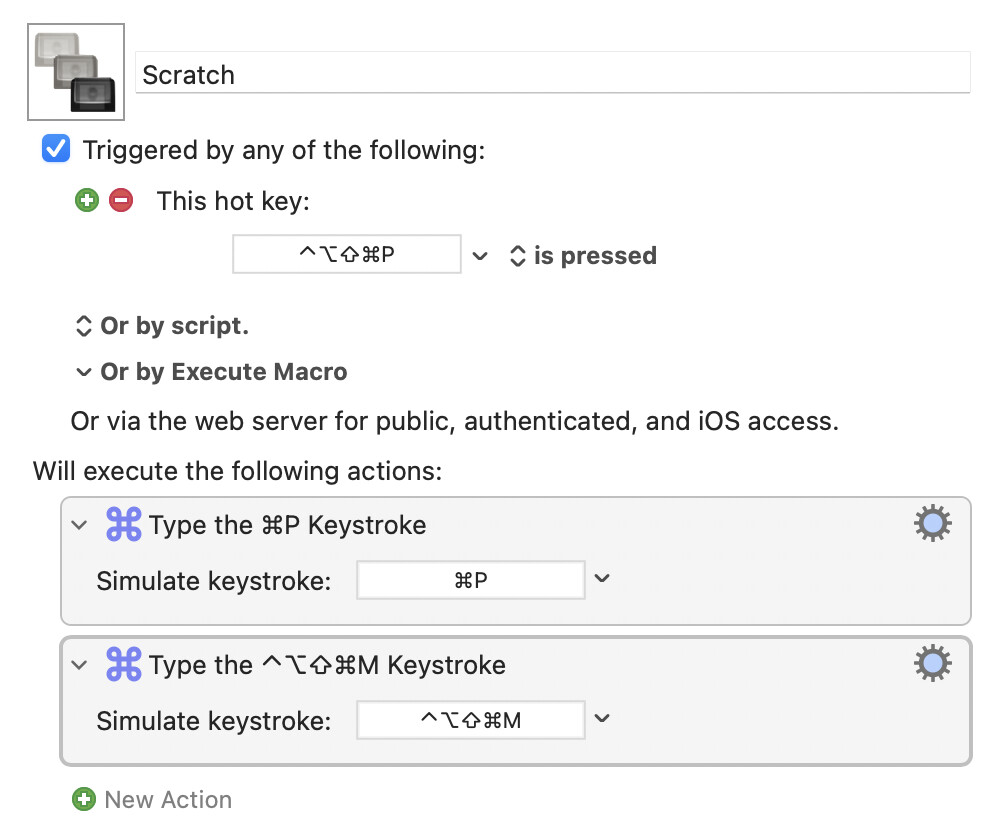
Follow the instructions in the macro to specify the Safari page using opt+cmd+P, then use cmd+P, then use cmd+P.
Implement the instruction to save to PDF.
A preview screen will appear before printing, and I will see the print content,
In the center down Print content shows PDF menu selection button in the bottom center, I would like to Identify "Save PDF to DEVONthink"
How can add this Identifying the content in Keyboard Maestro macro ?
I want to automate with this macros. Safari Save PDF to DEVONthink.kmmacros (49.6 KB)
P.S
Thanks a lot. But I do not want to use mouse cursor Identifying and Select Save PDF to DEVONthink.
Dear Juhak,
I do not know how to use "Find image" and identify "Click at Foun Image".
I took screenshot for Save PDF to DEVONthink.png.
Could you drive me how to use it ?
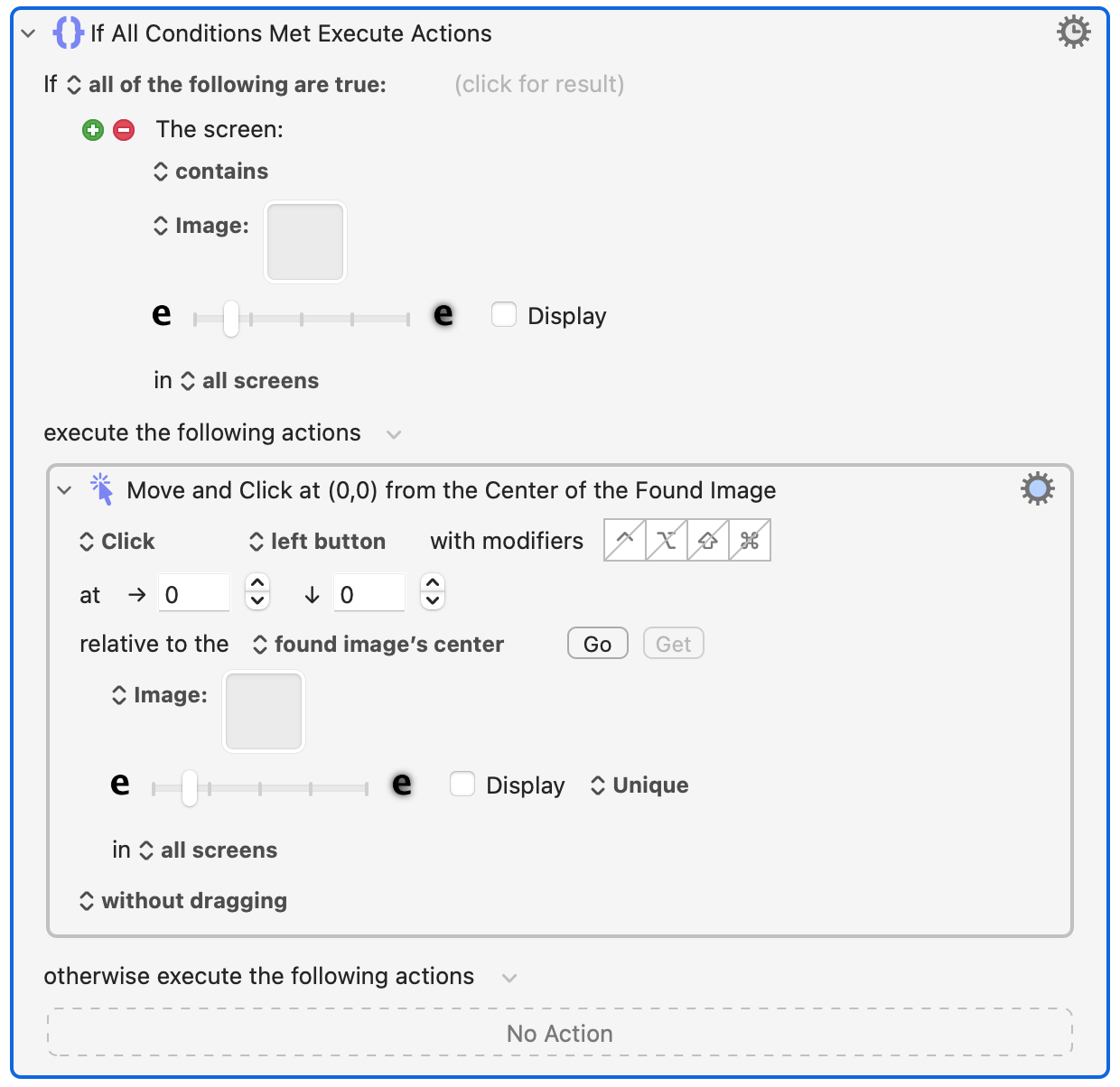
Here I embedded the Action of clicking on the image as a criteria of an If-statement in order to be able to handle possible error states, if the expected object doesn't appear on the screen for some reason.
When you have copied into the clipboard a screenshot of the part of the screen you are looking for, you can paste it into the squares titled "Image" and adjust, how precise the visual match should be. Instead of searching for the image "in all screens", you can also limit the search just to a certain area of a screen.
When you activate the square by clicking on it, you can press the space bar to see a magnified picture of what it contains.
I add to my macros what same as your explanation on.
But I do not know yet, how to use this.
Please give me your advices
Which png should copy in ?
Yours, WAKAMATSU アーカイブ.zip (110.5 KB)
The best thing would be to copy the area which you are looking for into clipboard (CMD-CTRL-SHIFT-4) and pasting it into the square directly, without saving it into a file first.