Hi Fokke, thank you for your reply
Since I'm a beginner in KM I found an 'easy/amateur' way of achieving the same results but in a slightly different way. As I said I don't have knowledge in Tokens and Variables yet, I'm still learning.
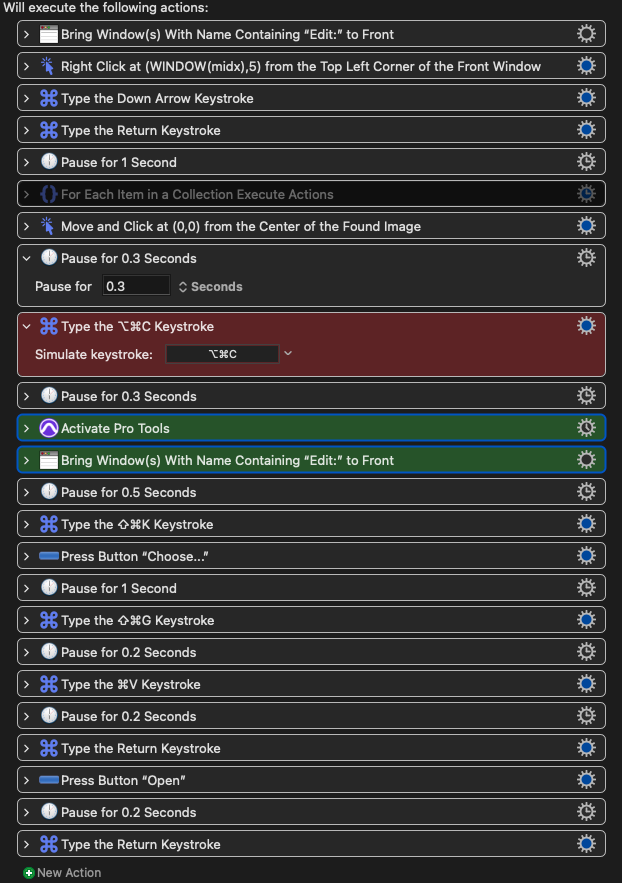
So the way I did was to click at found Image (Bounced Files folder) and hit ⌘+⌥+C (I just discovered this today. This shortcut copies the selected finder path).
When the action “Type the ⇧+⌘+G” appeared I just told KM to paste the path.
You can see it in the picture in red.
One other thing I was having trouble: After copying the path, Activate Pro Tools was acting in a weird way. I couldn’t hit the ⌘+⇧+K. So I had to test some things in order to achieve that (green color)