KBM 11.0.4, Sonoma
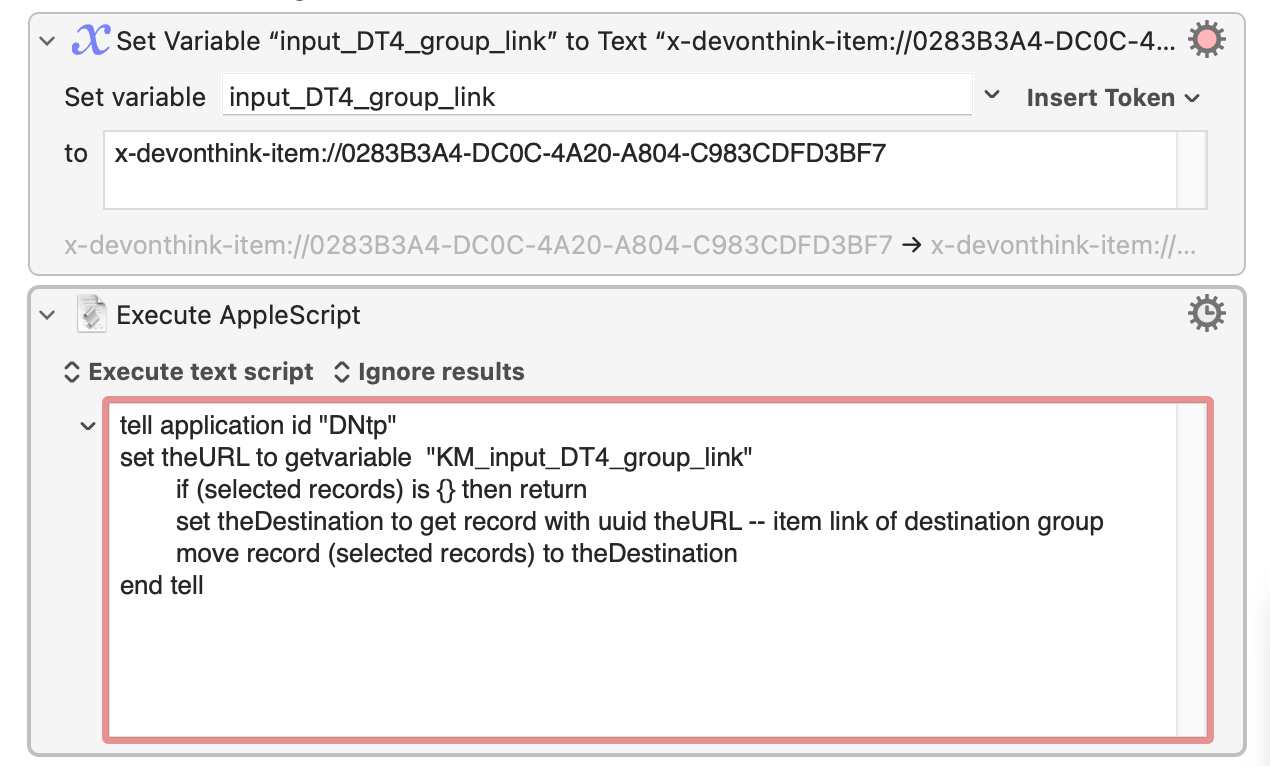
objective: move notes around in DevonThink.
Very simple 2 action macro.
I tested the link and it works.
There must be something obviously wrong with the AppleScript syntax.
thank you very much
tell application id "DNtp"
set theURL to getvariable  "KM_input_DT4_group_link"
	if (selected records) is {} then return
	set theDestination to get record with uuid theURL -- item link of destination group
	move record (selected records) to theDestination
end tell
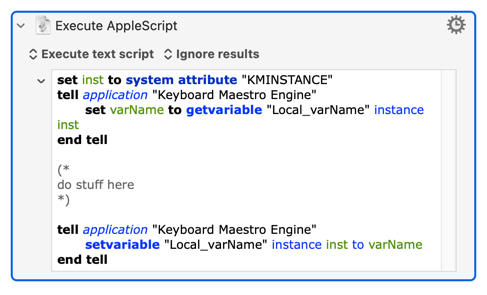
No, the first line is to show how to "GET" variables from KM, and the second is how you can SET (change) them using AppleScript. This is independent of whether you decide to "ignore results" or save them to a variable in your KM "Execute AppleScript" action.
If the DevonThink part of your script is correct, then this is how you can pass your "input_DT4_group_link" variable to AppleScript:
tell application "Keyboard Maestro Engine"
    set theURL to getvariable  "input_DT4_group_link"
end tell

tell application id "DNtp"
	if (selected records) is {} then return
	set theDestination to get record with uuid theURL -- item link of destination group
	move record (selected records) to theDestination
end tell
That way I don't forget the magic needed to get and set local KM variables (and there's no problems caused if you include the instance reference when working with globals).
Answered in the other thread and it's probably best to continue this over there.
But, for completeness:
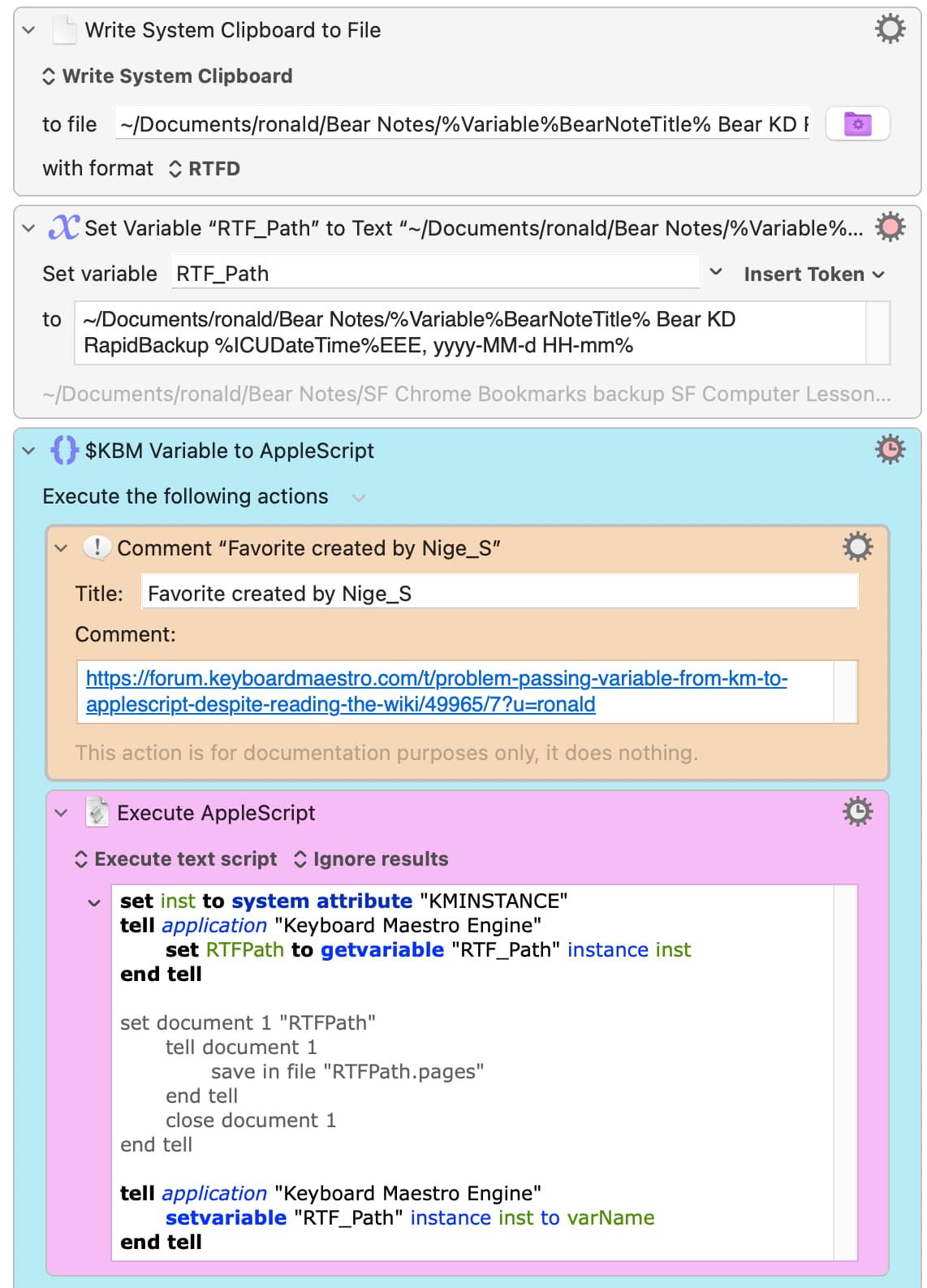
This is not how you concatenate strings in AS -- you use the & symbol. So if you want to add ".pages" to the of myVar it would be
set myVar to (myVar & ".pages")
But using the ~ symbol for "starting at my home directory" doesn't work in AS. The easiest way round that is to "Filter: Standardize" your path in KM to give an absolute POSIX path -- and you might as well add ".pages" to the KM string before you do that then pass the complete absolute POSIX path to your AS.