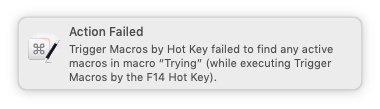
And, again, Obsidian doesn't sound an alert for an invalid hotkey. So the fact that you're hearing one suggests both that the key is being simulated and that it isn't an Obsidian problem.
You could try something like KeyCue to see if you've any F-key conflicts. You could try setting up an F-key shortcut in something like TextEdit, maybe use your Bluetooth keyboard to set Paste to F14, then run your macro.
That sending the AS key code command works is interesting. System Events key codes and KM simulated keys are inserted at different levels in the OS Event hierarchy -- that may give someone a clue as to what's going on.
Yes -- I set Obsidian to use F14 as a hotkey for "Search current file" (screenshot above), and when I run your macro with Obsidian at the front it opens the file search dialog.
So everything works as intended for me. Which suggests it's something particular to your setup.
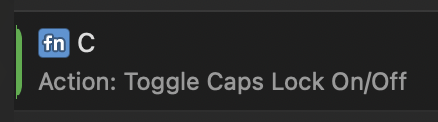
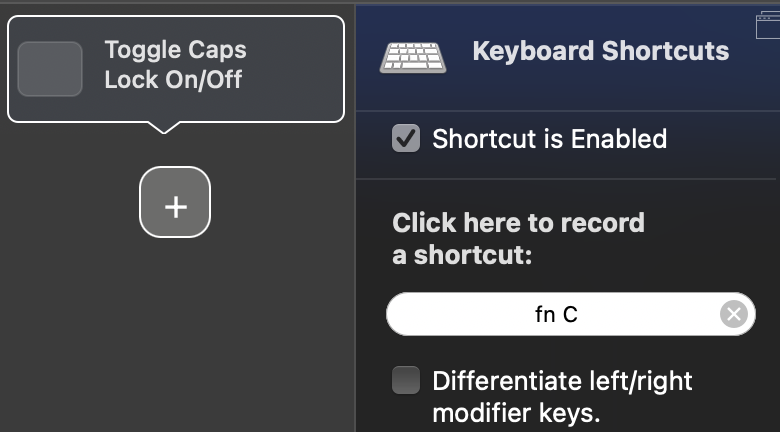
I'm not sure that this is strictly true. BetterTouchTool is somehow able simulate the Globe key as a modifier. I have a Globe-C hotkey in there for toggling CAPSLOCK since I remapped that key to be ⌃. I just tested using a Globeless hotkey to simulate my Globe-C hotkey, and that also worked. No idea how Andreas does it.
There's always, always, a chance that I'm wrong. But I just asked AI whether what I said was true, and it said the following. (Also, I seem to recall Peter saying it, and he is rarely, rarely wrong.)
...
macOS does not allow:
• generating a synthetic fn key press
• converting another key into a simulated fn key
• creating keyboard shortcuts that include a virtual fn key
This is a known limitation. Even powerful tools like:
• Karabiner-Elements
• Keyboard Maestro
• Hammerspoon
• HID-level virtual keyboard drivers
cannot generate a fake fn key event, because macOS simply does not support it at any level.
Oh, yeah, I understand what you're saying; and, that the key's function is only at the hardware level; and, that it shouldn't be possible... And, yet... BetterTouchTool is able to do it. I don't know how Andreas makes it work, but I have hotkeys using the Globe key as a modifier that I use regularly, and I tested and confirmed BTT can also send simulated Globe-key-as-modifier keystrokes. Maybe it's sorcery.
Well, I do appreciate your actual evidence to disprove me. When I'm wrong, I learn something, so I like finding out that I'm wrong, as it means I'm getting more right.
Just read your last replies about Andreas’s work on BTT with the Globe/Fn Key.
I’m sorry but you’re misinterpreting that completely… He makes it possible to use as a Trigger with usage of undocumented Private API‘s like the Developer of KE (Karabiner Elements) also is accomplishing this.
As far as I’m aware of - Airy (@Airy) is absolutely right. The only thing by using the other two tools alongside KM, that you can do is conditionally scripting for a change detection on the Keymask of the Globe/Fn Key by using AppleScript, JXA or Python with Apple‘s Objective-C API‘s inside a Macro, Script or Complex custom Applet.
I‘m sadly out of power - a ton of sleep is absolutely needed on my side so I’m not able to take on this conversation any further for today.
But I hope that everything is more clear now than before.
Which part? I did say that I didn't know how it was happening. I only know that BTT can use the Globe key as a modifier, when it „shouldn't” be able to, and send a simulated keystroke with the Globe key as a modifier, when it „shouldn't” be able to.
I'm afraid I don't understand how both of these can be true at the same time. I have no doubt Airy is supposed to be absolutely correct, but BTT performs these functions, even though it isn't „supposed” to. So, if private APIs exist that can control, or otherwise access the Globe key at the software level, then doesn't that indicate that it isn't „physically impossible to use any code inside the Mac to simulate the Globe key as a modifier”? Even if that isn't what it's technically doing, that is what it's functionally doing. Or, is this the part I'm misunderstanding?
My apologies to everyone for inadvertently hijacking the thread, I only wanted to make mention that BTT is capable of using/sending the Globe key as a modifier in case that's helpful to anyone.
You have at least learned that there is a way to use and send the Globe key as a modifier, just not in KM. Hopefully, that is some consolation.
Are there any sides to be taken? I really don't have a position because I don't actually know what's going on. I know only that BTT allows me to make hotkeys with the Globe (well, fn) key as a modifier, which is a boon for all those regularly, yet infrequently used macros/actions that one wants fast, hotkey access to without sacrificing any of the finite ergonomic primary global hotkey combinations.
I don’t know which part it was that I found but there’s somewhat of a misinterpretation again in your Reply I quoted. You’re saying that you’re aware of the possibilities using the Globe/Fn Key as a Modifier - something I didn’t know until now, what leaded to these words from me:
I need to make absolutely clear that these words were meant to be “He makes it possible to use as a Modifier (part of a Hotkey Trigger)“.
That’s the only way. There is no thing such as a Simulation of a Hot Key Event - neither in KM or BTT. The Type Keystroke Actions in Both Applications aren’t simulating the Key combination they will be typed because of a simulated HID event, I think.
I think that’s basically the same thing that the AppleScript keystroke & key code commands are doing but it’s different because of the AppleEvent Architecture that’s bound to these commands.
Based on all of that you should be able to set up a Type Keytroke eventonly in theory - but not in practice.
Since there is nothing I’m aware of that would catch up the Globe/Fn Key beeing pressed in Fields for Hotkeys because Apple makes that impossible.
Also something for you to consider:
Using Type a Keystroke inside KM does not work to trigger Macros with Hotkey Triggers (when it tends to work, there is maybe something weird happening), because the action is designed to trigger Application specific Hotkeys as well as Global Hotkeys. Maybe the Send to Application option is capable of doing it, pointing to KMEngine, but I don’t really know (never tested this myself).
Using AppleScript that calls a Macro with Hotkey trigger thou will trigger the Macro by using the key code command.
Using the Hotkey Action of BTT will maybe Act the same way but is maybe also able to trigger Macros with the Hotkey trigger (I don’t know that).
Conclusion:
If you’re looking for triggering a Macro that Acts on a Hotkey combination including the Globe/Fn Key, then trigger it via KE or BTT when you decide to use the Trigger activation directly using your Hands.
A additional tip: When you decide to use also Hotkey triggers without using the Globe/Fn Key or want to use the Macro from another Macro (as SubMacro), then you should find a way to make this/these Macro/s accept Parameters as well as making sure it/they also act(s) based on a scripted condition, talking to Apple‘s Objective-C API‘s to verify that the Globe/Fn Key is or isn’t in use and use the branching logic based on this Verification.
What I for example do is setting up a Macro that gets triggered directly from KE or BTT using the detection logic to combine the necessary information and bundle it into a Single Parameter, which then is used to call a Macro (the Core Macro) that acts based on the Parameter‘s Information.
That was a very long but hopefully useful and accurate (as based of my Knowledge) information.
I'm not sure if I'm still not understanding, or if we're talking about different things.
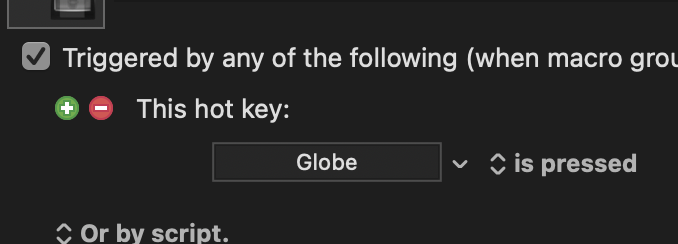
Keyboard Maestro can use the Globe key as a hotkey, but only by itself. The single key is the hotkey because, while it can't use the Globe/fn key as a modifier, it can detect when it's pressed.
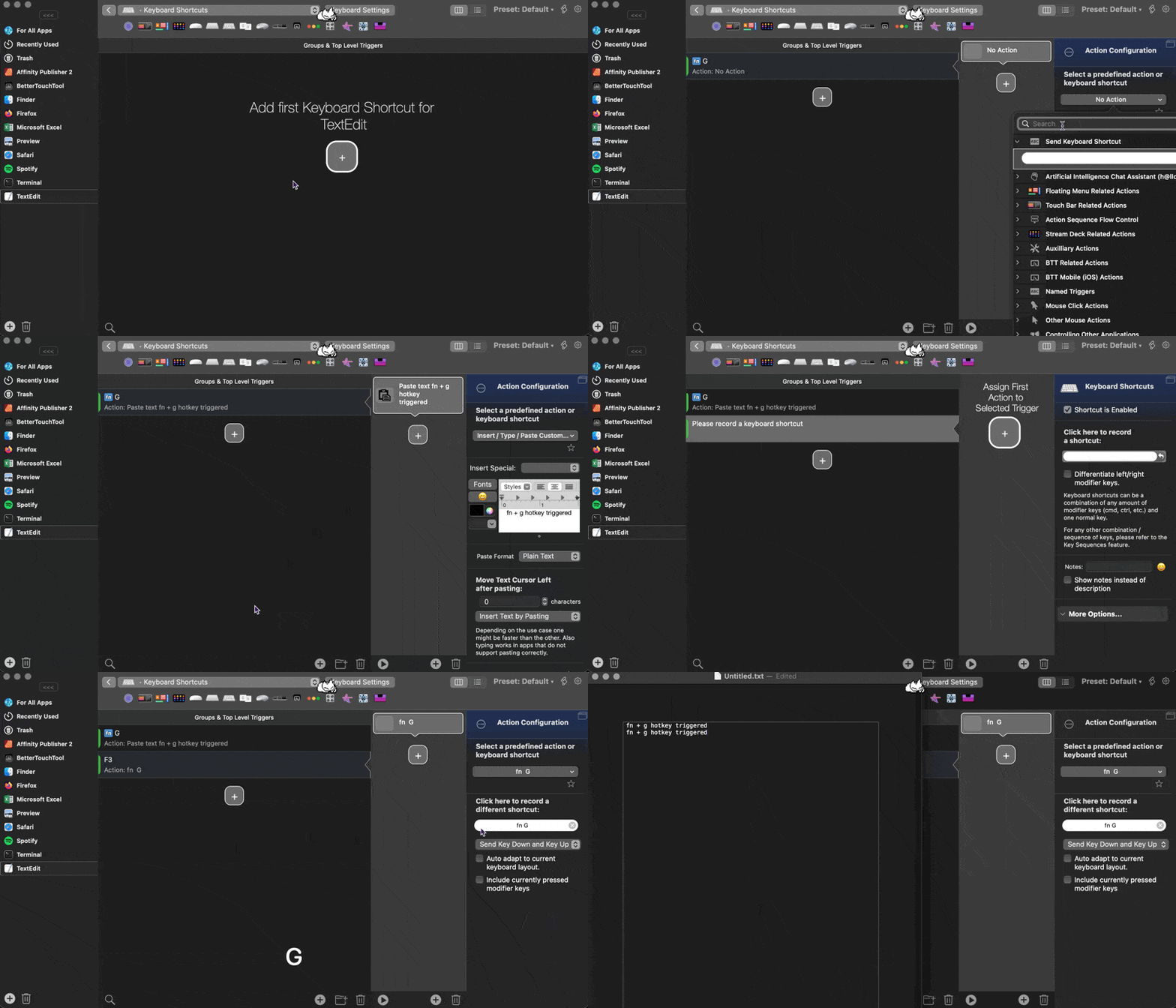
Whereas BetterTouchTool can use and, to the best of my understanding, simulate the Globe/fn key as a modifier. I don't know how else to describe what's happening here. According to the documentation and Airy's AI, this should not be possible, and yet...
Well … based on my Quote and what you’re replying I think I was absolutely right. Why the Globe/Fn Key alone gets caught and accepted as a Trigger in KM is a mystery to me but this answer maybe only can Peter (@peternlewis) give us.
Well the trigger/modifier part already should be
Left of since it’s clear that Andreas has used Private API‘s to make this possible.
Thank you for the GIF. Its interesting to see that Andreas maybe has found a way using Private API‘s to even let Fields for Physically pressed Hotkey combos accepting Hotkeys that use the Globe/Fn Key as Modifier. This is outstanding work. I didn’t even know this until now.
Maybe you should get the idea now, why I was saying what I said about this. I absolutely had no clue that this is even possible.
But Andreas is known for making great Hacks by incorporating Apple‘s Private API‘s into BTT to provide his users a better experience on macOS if they use it with BTT installed.
Yes, I know I’m repeating myself here, but note that this is only possible using Apple‘s Private API’s. Also note, that - again - this is no Simulation at all.
Fn is an immortal topic ... although I don't know exactly what the topic is in this case.
If anyone wants to use fn as a modifier with KM (without BTT), then in macOS it is sufficient to switch fn to control. This makes fn the physical right control key, which most keyboards do not have.
This allows for two shortcuts with the same letter. For example:
Left control (normal control key) + A = select all
Right control (previously fn) + A = something else.
Sorry if this has already been noted, but I've gotten similar behavior when I've tried to trigger a macro by simulating its assigned hotkey trigger--just a beep and no response.
In this post, simulating a keystroke with System Events is mentioned as a workaround for doing this and includes a request for a "Trigger Macro By Hot Key" action.
The "Trigger Macro By Hot Key" action now exists.
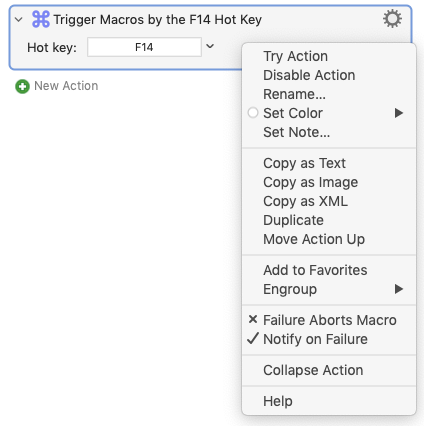
You might try the action with the "Failure Aborts Macro" option in the drop down menu unchecked.
Or, if there is an active macro that uses the trigger, the macro should fire and--if it's not apparent which macro it was--you can find it the Engine.log description of the last macro triggered.
...as Obsidian had been set to treat F14 as a hotkey, via its settings. If it is indeed the hot key for a KM macro that uses actions to launch a search in Obsidian...



 ... although I don't know exactly what the topic is in this case.
 drop down menu unchecked.