Have you tried the Interactive Help feature of the KM Editor? It's under the Help menu.
If nothing is executed, that suggests that either the macro(s) or the group(s) are not enabled in some way. Did you look at the group's settings? That's the first place I'd look.
Thanks for your response
but that's not the case.
I recreated and tested the two dummy macros separately.
They work fine...
but when I activate them together, it no longer works
Then I suppose you could upload your macros, including the group that they are in, so we can figure out what's wrong by looking at the group settings and the macros. Or you could try the Interactive Help feature I mentioned.
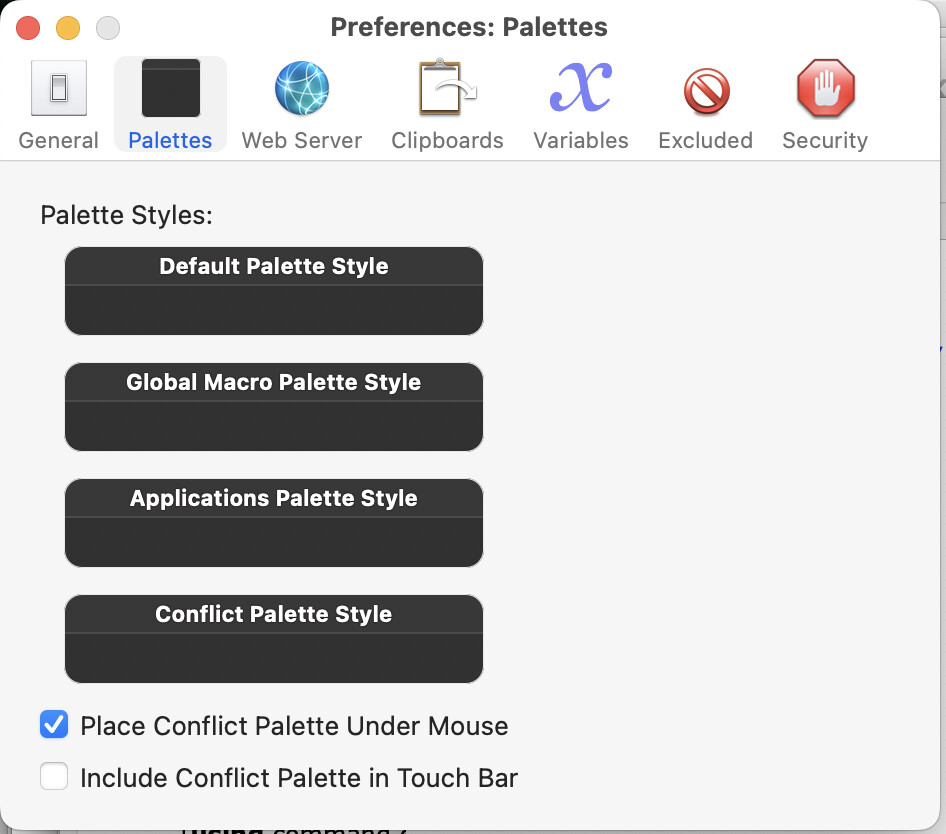
There's a chance that your Conflict Palette has somehow managed to be positioned off-screen. Try changing KM's Settings so that it appears "Under Mouse" to reset the positioning:
Did what? @Nige_S’s solution sounds the most likely. I can't see why else the conflict palette would not appear.
You could try this: press the hot key to trigger the macros, then assuming the conflict palette is there but invisible somehow, press the first letter on one or other of the macros and see if it executes as it would if the conflict palette was happening.
The other option is that the conflict palette is being immediately dismissed because of some other macro executing continuously or some other perceived event that Keyboard Maestro Engine is seeing to dismiss the conflict palette.
There is not a lot of debugging available in the conflict palette but you could try:
and then relaunch the Keyboard Maestro Engine (Quit Engine/Launch Engine) and then check what shows up in the Engine.log file when you try to trigger the macros.
I did ... "changing KM's Settings so that it appears "Under Mouse" to reset the positioning"...
Nothing changed BUT the idea was a good one.
After that, I tried your suggestion: I pressed the hot key and the first letter of one of the macros
and it worked ! without seeing the palette.
I tried again and the palette has reappeared "miraculously".
I don't understand but it's now ok.
Thank you all for your help.
It all seems very weird, given the palette should generally force its way back on to the screen at all times, but I'll guess something was interfering with the palette which is now resolved.
I installed (and uninstalled) ReiKey ( Objective-See ) to detect and monitor malware that intercepts keystrokes. Could that be the cause of the problem?
bottom = 793;
left = 1330;
right = 1597;
top = 439;
I have 2 screens : the internal one of the MBP and an other via the HDMI port, in copy mode.
value of the token %Screen%Main% is 0,0,1920,1080.
”Place Conflict Palette Under Mouse” in the Palettes preference was already enabled.
After reading a response to my another problem ( Problem simulating a keystoke - #3 by kevinb ), I went to read ‘Troubleshooting [Keyboard Maestro Wiki] in the wiki.
KBM is effectively launched as Hidden by my system (via the application Startup Manager Pro), II tested to unhide it and bingo ! the conflict palette is now displayed …
The wiki says that “This appears resolved in Mavericks”.
And indeed, I had never had this problem.
It comes back with Tahoe… Thank you Apple !