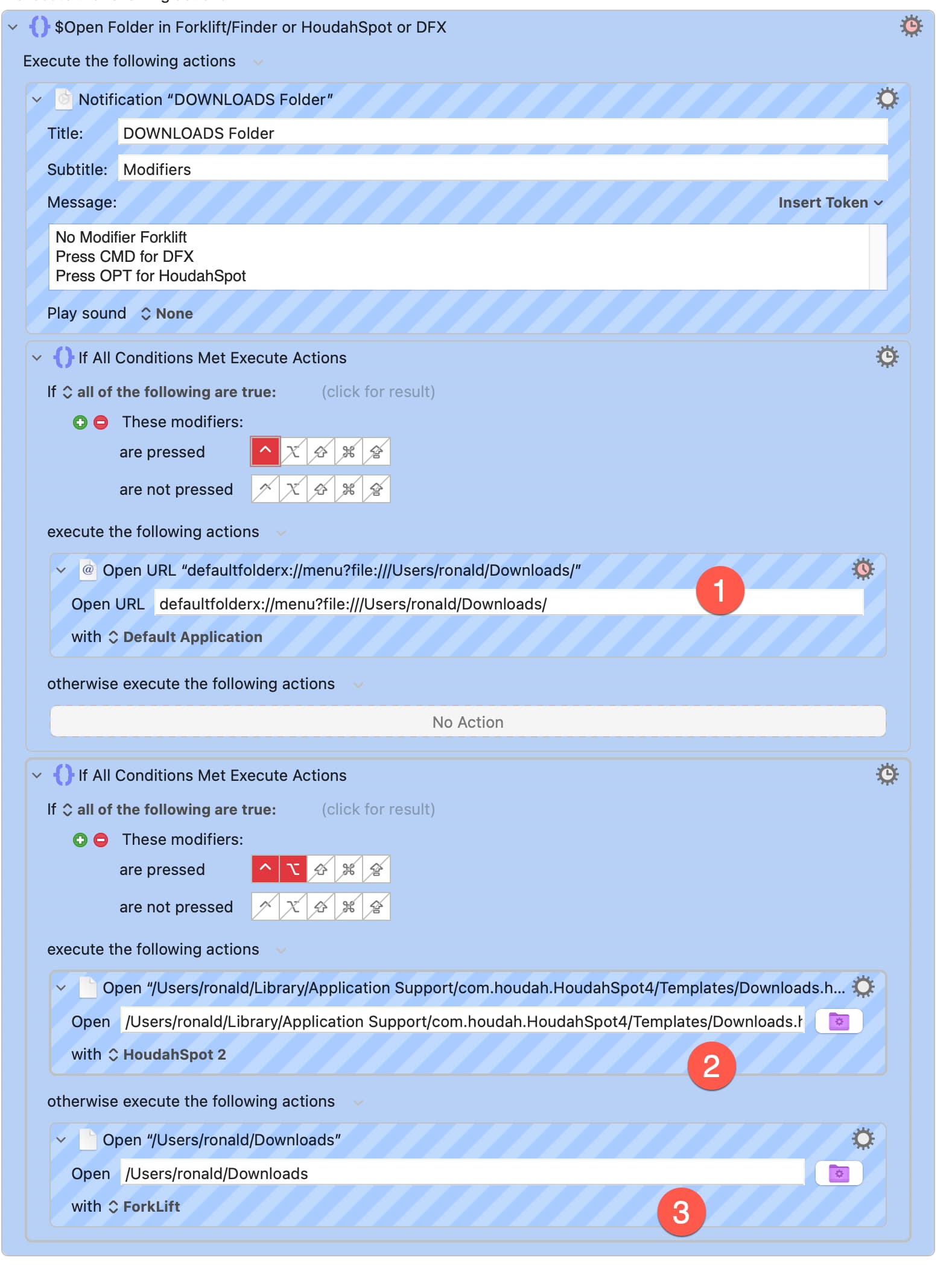
My objective is to open a folder one of 3 ways depending on which modifier is pressed
no modifier: open folder in Forklift - works fine
ctrl opt open in HoudahSpot Search Pane
ctrl alone open with default folder X
Each one of the 3 action annotated below work individually when I trigger the action within Keyboard Maestro by right click on the action → try action, which means that the problem does not lie with the Default Folder X and HoudahSpot URL scheme actions.
Please ignore the notification which contains errors (cmd instead of ctrl, opt instead of ctrl opt which I forgot to correct)
The engine log is non contributive
I think that there is an error in the logic but can’t figure it out after a frustrating day of testing.
How do you intend to trigger your macro? I see no clue…
Once the macro is running, it is to check for the modifiers, but it’s a bit late by then. Would it not be better to have three separate macros, each with a unique trigger that incorporates the modifiers that you wish to use?
The macro is part of a palette, triggered by pressing "k".
Good point. I thought that forum members had found a workaroud because I have many other folders to covers and I would have to duplicate each of the 3 macros instead of one and the resulting palette would be 3 times the size.
Having now looked at the macro, I'm with @kevinb: How were you intending to trigger this macro? Perhaps a better question, though, given your response to Kevin, is ... what are you trying to accomplish? You mention having to duplicate this macro many times. Can you explain what you're trying to do, such that you need multiple copies of this macro?
I have a folder, for example downloads which is one of multiple macros inside a "folders" palette. With one macro and using different modifiers I want to be able to either open the folder in forklift, open the folder as a HoudahSpot search or open the folder in Default Folder X.
@kevinb very astute observation: once the macro is triggered, it’s too late.
I simply
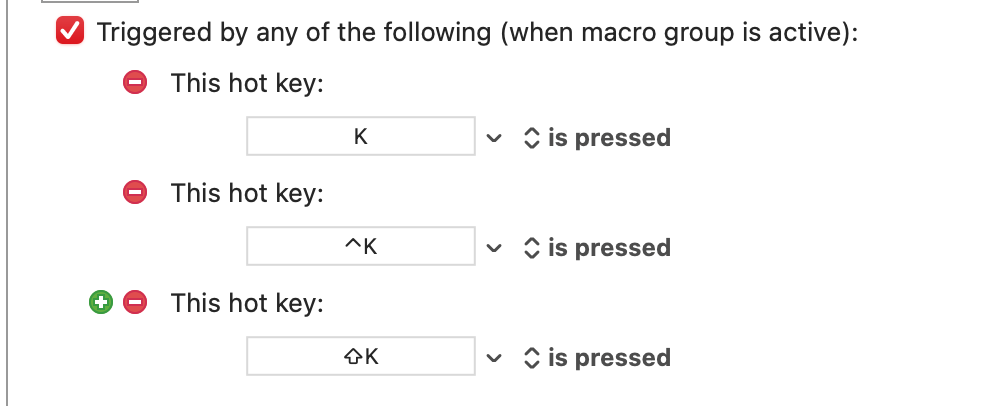
created 3 triggers for a single macro,
changed OPT (which is reserved by KM to edit macros) for SHIFT
nested the if all conditions are true actions
and all works perfectly.
thank you @kevinb for giving me an insight into the solution and thank you both very much for taking the time to think about my problem, and happy new year.
 .kmmacros|attachment (30.4 KB)