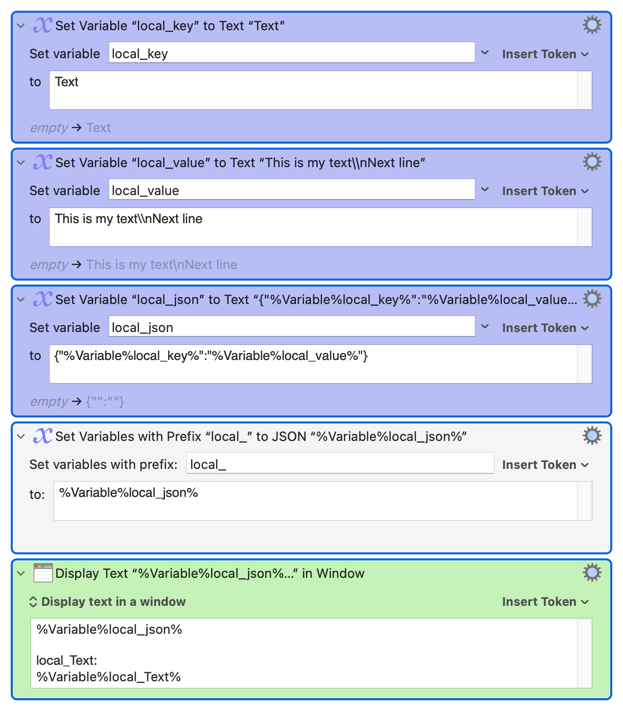
How can I avoid the error with "\n" in values?
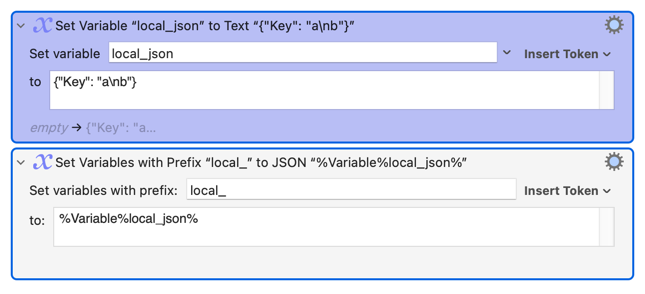
With this second step it works:
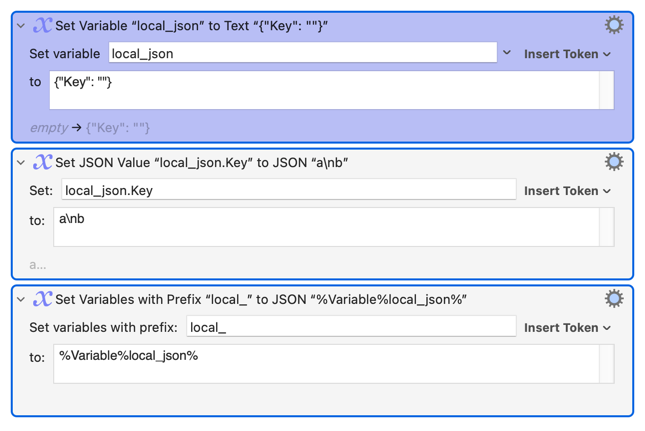
What am I misunderstanding?
How can I avoid the error with "\n" in values?
With this second step it works:
What am I misunderstanding?
In JSON, the newline character \n is a special escape sequence. If you want to represent it literally in a JSON string (instead of it being interpreted as an actual newline), you need to escape the backslash itself. That means writing \\n.
{"Key": "a\\nb"}
Thank you. That sounds logical.
But:
After
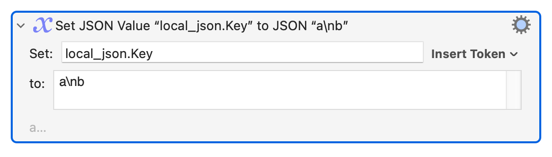
we get a value, which in "Display Text" looks:
{"Key":"a\nb"}
which seems to be identical to the first declaration. I don't understand why the first version triggers an error, but the second does not.
In any case, your explanation helps me to solve my problem.
first one is because \n is a newline as part of string value in JSON so it need to be handled specially.
second one is Set JSON Value action already treat \n as newline since the action accept string as default, so no need to escape it (if escape it (\\n), it will treat \n as literal text not newline)
In the first action, by default (check the gear menu), the Set Variable to Text action is configured to Process Normally, that is it will process text tokens and \ characters, so what you have is basically set the variable to:
{"Key: "a
b"}
which is not valid JSON.
Turn off processing so that the JSON is {"Key: "a\nb"}.
Thanks again!
I don't want to bore you, and I've found a solution for my specific problem.
To explain: I generate local variables for all keys and actions from the XML of an action. That's why it's necessary to process the tokens. So the solution is to escape the backslash.