Problems with macro to convert clipboard→ RTFD → Pages format

Sequoia 15.7.2 KM 11.0.4

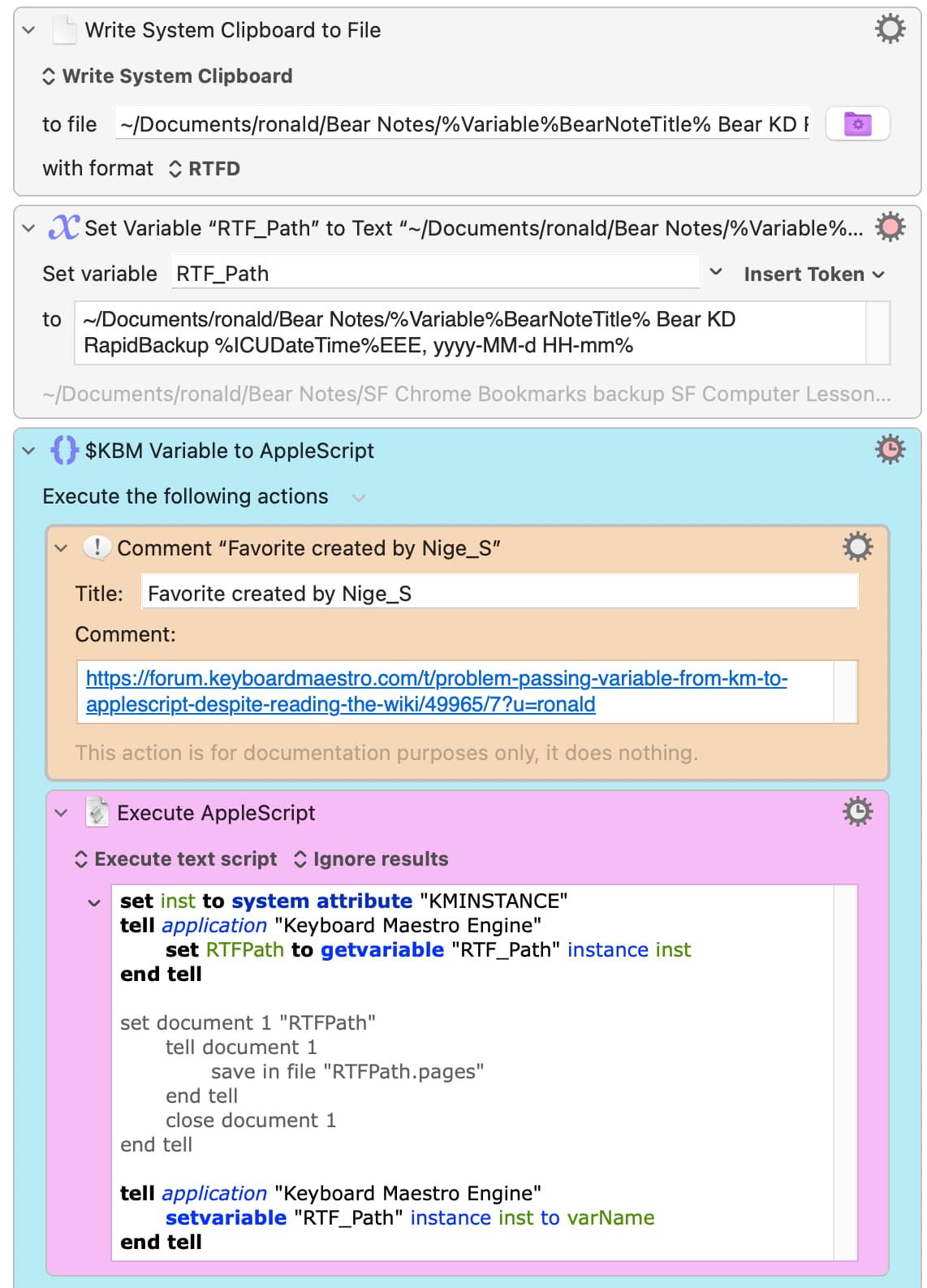
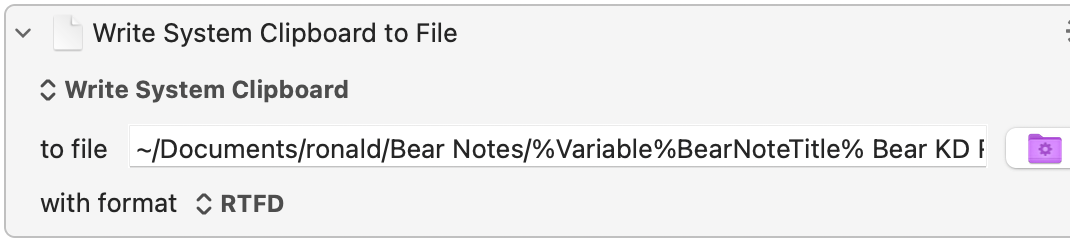
The attached macro successfully converts the clipboard→RTFD file, which I would like in turn to convert to a Pages document.

I searched the forum and adapted a working script by the excellent @Nige_S , to which I added a single line (the set document 1 line) which caused the macro to crash

Please note that I must use .RTFD as an intermediary (no images when I convert first to .doc)

thank you very much

2025-11-08 15:19:23 Execute macro “Conversion from RTFD  to Pages $wip” from trigger Editor
2025-11-08 15:19:23 Action 100060865 failed: Execute an AppleScript failed with script error: text-script:13:16: script error: A “"” can’t go after this number. (-2740)
2025-11-08 15:19:23 Execute an AppleScript failed with script error: text-script:13:16: script error: A “"” can’t go after this number. (-2740). Macro “Conversion from RTFD  to Pages $wip” cancelled (while executing Execute AppleScript).
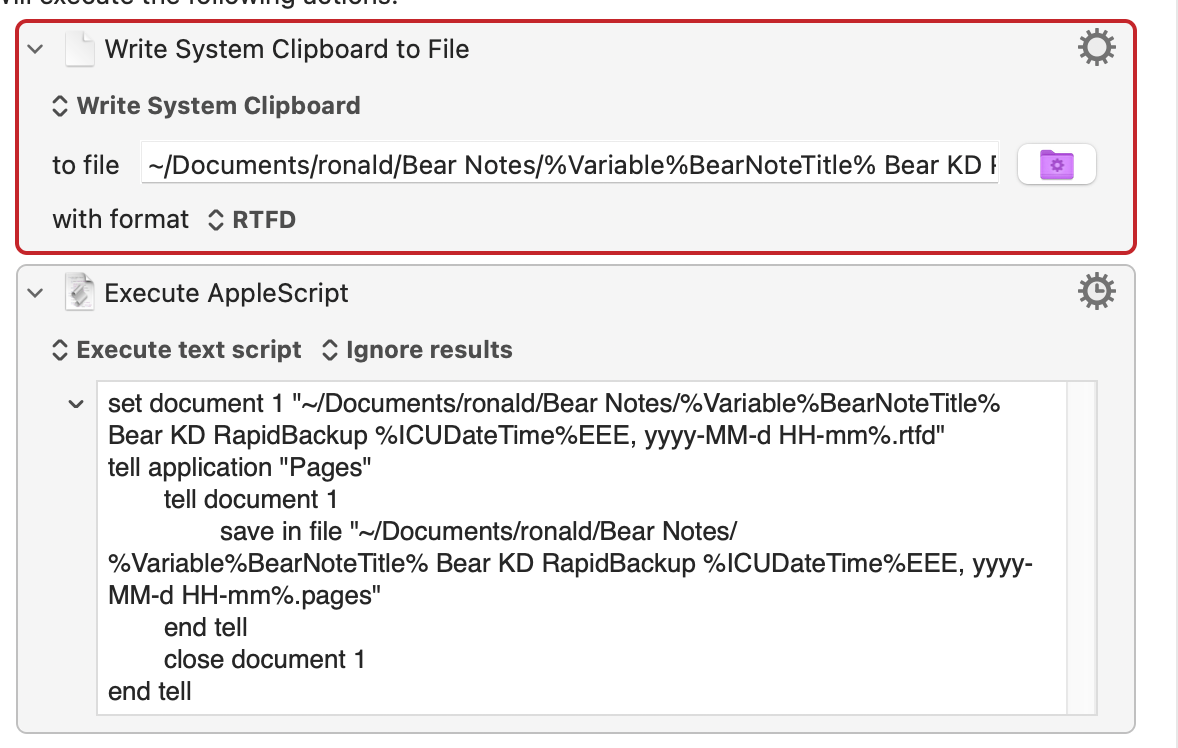
Conversion from RTFD to Pages $wip.kmmacros (24.7 KB)

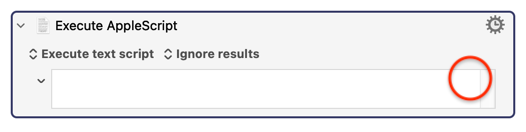
The Execute AppleScript action cannot accept tokens. You have to pass variables to AppleScript using a different method, as described here:

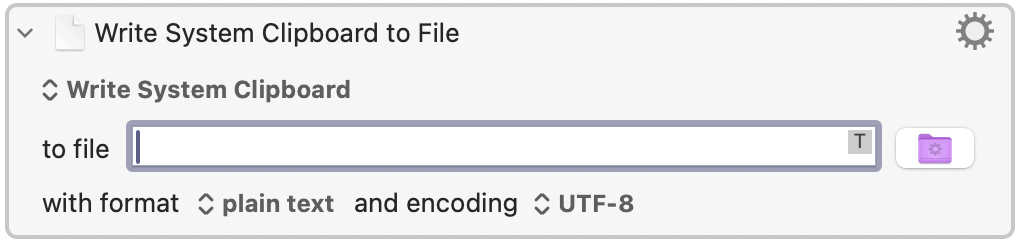
You can tell that the AppleScript action cannot accept tokens since there is no letter T in the upper right corner of the box when you click in the box. This is the tip that tells you that you cannot use tokens. Some other actions also cannot accept tokens, and they likewise are also missing the T.

2 Likes

thank you very much. I will give it another try and report back

You are welcome. Just for comparison, there is a T in the Write action that you use tokens in, so that should be okay...

1 Like

Ok thank you.

Unfortunately, ver 2 does not work either

Conversion from RTFD to Pages $wip ver 2.kmmacros (27.7 KB)

I am not an AppleScript programmer, but I think I can see you have an unbalanced "tell" block in the middle of your macro. I can't help you fix it, because I don't program in AppleScript.

It also looks like you didn't refer to the variable as a variable in the middle of your code - you put quotes around it which makes it a constant.

1 Like

Thank you very much.

Ô @Nige_S where art thou when my AppleScript fails ?

Hello @ronald :waving_hand:

Look at your first attempt of the AppleScript where you had a tell block for Pages.

Try to use everything despite the KM Variable string garbage inside the quotes but leave them behind, too - instead use your AS Variable in this text area of your AppleScript code and everything should be fine. Please be aware of the fact that I haven’t written any AS for Pages since nearly 2 years so I’m not sure if the terminology is correct.

The last bit of the Script (AS Variable to KM Variable Convention is not really needed if you’re not doing any more work on that file with your Macro.

For more help (if the code might not compile) there should be someone else to help you out on helping with getting the syntax right.

Greetings from Germany :germany:

Tobias

1 Like

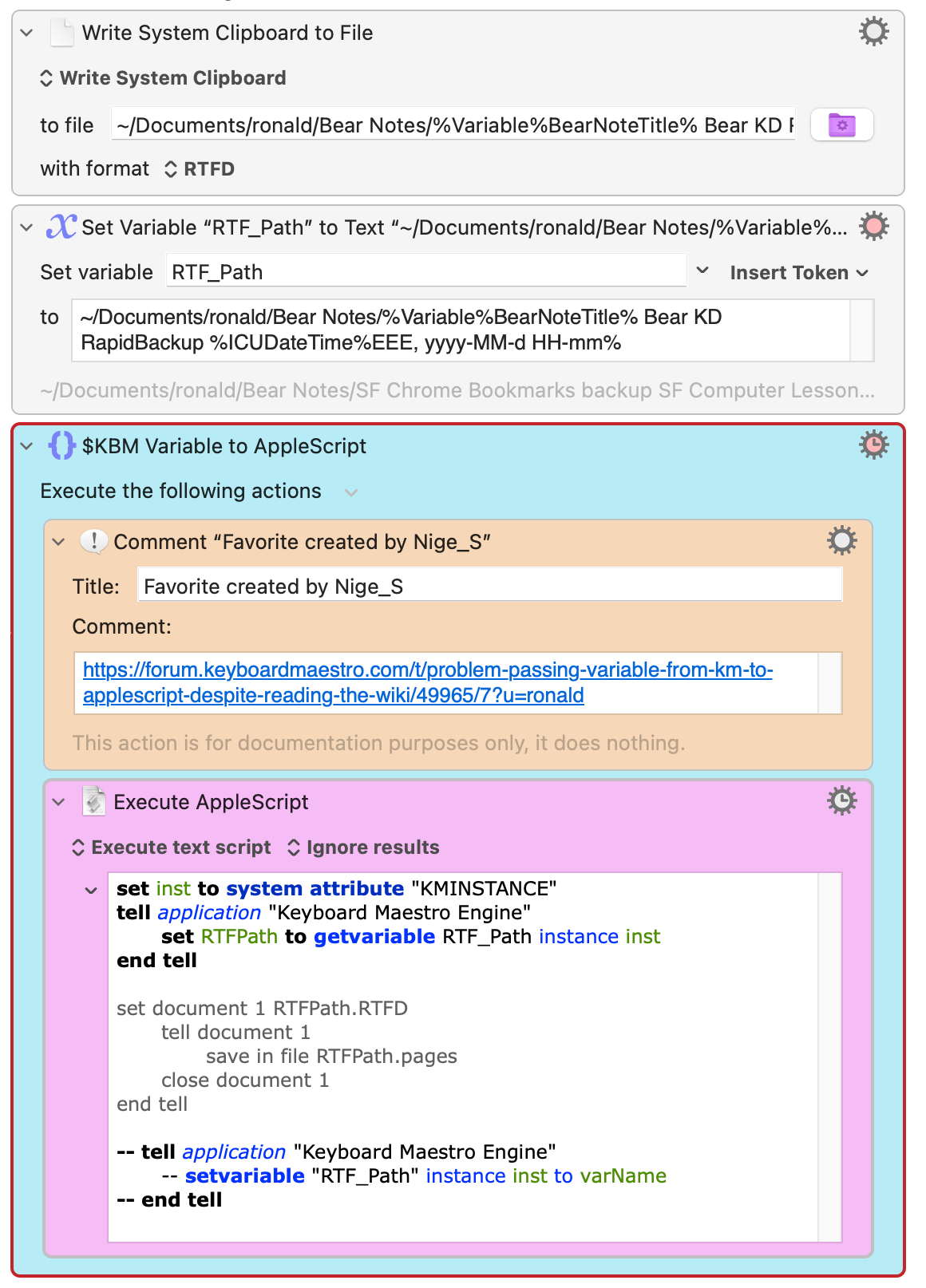
I tried to follow your instructions and still get an error. Vielen Dank !

set inst to system attribute "KMINSTANCE"
tell application "Keyboard Maestro Engine"
	set RTFPath to getvariable RTF_Path instance inst
end tell

set document 1 RTFPath.RTFD
	tell document 1
		save in file RTFPath.pages
	close document 1
end tell

-- tell application "Keyboard Maestro Engine"
	-- setvariable "RTF_Path" instance inst to varName
-- end tell

2025-11-09 06:48:46 Execute macro “Conversion from RTFD  to Pages $wip” from trigger Editor
2025-11-09 06:48:46 Action 100060863 failed: Write File action failed to read source text
2025-11-09 06:48:46 Write File action failed to read source text in macro “Conversion from RTFD  to Pages $wip” (while executing Write System Clipboard to File).
2025-11-09 06:48:46 Action 100016734 failed: Execute an AppleScript failed with script error: text-script:159:168: script error: A identifier can’t go after this number. (-2740)
2025-11-09 06:48:46 Execute an AppleScript failed with script error: text-script:159:168: script error: A identifier can’t go after this number. (-2740). Macro “Conversion from RTFD  to Pages $wip” cancelled (while executing Execute AppleScript).
I could tell you three specific errors I do see in your code, but I don't think that's what you want. I think you want the problem solved. So I won't tell you about the errors that I see, because that won't fix your problem.

You cited a script by Nige, but you didn't provide the link to the page where that script is, or the script itself, so I can't refer to it. I suspect you are referring to this page:

From reading that thread, it looks like your original problem was solved. Now you have opened a new thread with the title "convert clipboard -> RTFD -> Pages format." But that's not enough information, because it's impossible to convert a clipboard to RTFD using the KM Write action if the clipboard does not already contain an RTFD flavour. If it does contain an RTFD object, then no conversion is necessary.

If your clipboard already contains an RTFD flavoured object, then you don't need to convert it to RTFD, (and you can't convert it with the Write action in KM anyway) all you need to do is convert it to pages, and that's what Nige's script seems to do. If you are trying to create an RTFD document from scratch, then you need to use an application that can create RTFD documents, like TextEdit. Pages cannot do it.

I would like to know why you are trying to convert a clipboard to RTFD. How are you putting an object into the clipboard? What app is running when the clipboard is given an object? What are the flavours of the object that you put into the clipboard? After you create the clipboard, you should run the following command in a Terminal window and show us the result:

osascript -e 'clipboard info'

If you show us the output of this command after placing the same item into the clipboard that you are trying to convert to an RTFD package, we might spot the problem. But you have to manually type the command into Terminal, as opposed to pasting it in there.

1 Like

Thank you very much for your detailed note and sorry for not providing the link.

your terminal script osascript -e 'clipboard info'

«class rtfd», 926580, «class RTF », 5160, «class ut16», 3180, «class utf8», 1606, Unicode text, 3178, string, 229

write system clipboard → RTFD

I work 90% bear notes (markdown) and 10% Apple Notes, and use DevonThink for filing.

I frequently backup my notes in progress (perhaps 15 times a day). My backups essentially consist of running a macro which→ select all in the note I am working in→ copy → run the write system clipboard→ RTFD action below and I have my backups in RTFD format which contain formatted text, images, tables all in color and perfectly intact. I have been doing this for years.

the problem I am trying to solve is

that the downside of using notes apps is that collaborators usually do not use those apps. A close collaborator to whom I want to send notes uses Pages docs filed in a folder hierarchy.

I am simply trying to modify my seamless backup to RTFD system to create Pages docs, which I will use once my notes are completed.

So I have been wasting 3 days trying to simply convert RTFD to Pages docs, and frankly I am my wits end. I have had enough for the moment. Life is too short.

Thanks again. I am very grateful for your help.

When I select all →copy and run the KM action below, a RTFD file is generated which is a perfect backup of my Bear or Apple Note, including formatted text, images, tables all in color and perfectly intact.

Since I don't have your apps, I won't be able to help much, but as I said, the KM action Write to File does NOT "convert" to RTFD unless the clipboard is already an RTFD object. And to make matters worse, there are different types of RTFD documents which handle inline images differently. Some of these types are compatible with Pages, and some are not!!

So I think you should abandon the Write action, and try something else. You should use a tool that handles RTFD much better, and that tool is already in macOS called TextEdit. Try pasting your RTFD clipboard into TextEdit, then either (a) export the result into a different file format, you may have to try more than one, after which you import that file into Pages, or (b) just "select all" once it's in TextEdit, then copy it, and then try pasting it into Pages from there, which is a very simple idea that may work.

So you can try the above two tests manually, and if one of them works, then you can consider implementing them as a KM macro. Don't attempt these tests in KM until they have worked manually. Each test will take under a minute.

Have you tried simply writing your RTFD to file, opening it in Pages, saving the Pages doc? You shouldn't need any AS at all, just simple KM actions.

Otherwise:

This is not how you concatenate strings in AS -- you use the & symbol. So if you want to add ".pages" to the of myVar it would be

set myVar to (myVar & ".pages")

But using the ~ symbol for "starting at my home directory" doesn't work in AS. The easiest way round that is to "Filter: Standardize" your path in KM to give an absolute POSIX path -- and you might as well add ".pages" to the KM string before you do that then pass the complete absolute POSIX path to your AS.

1 Like