I have macro that converts / processes PDF files from images to text.
I use OCRmyPDF to do so and noticed that the conversion can take time.
I was concerned that the macro was hanging so added a progress bar that looks like this:

I noticed that the progress bar is of fixed size, and a limited number of characters.
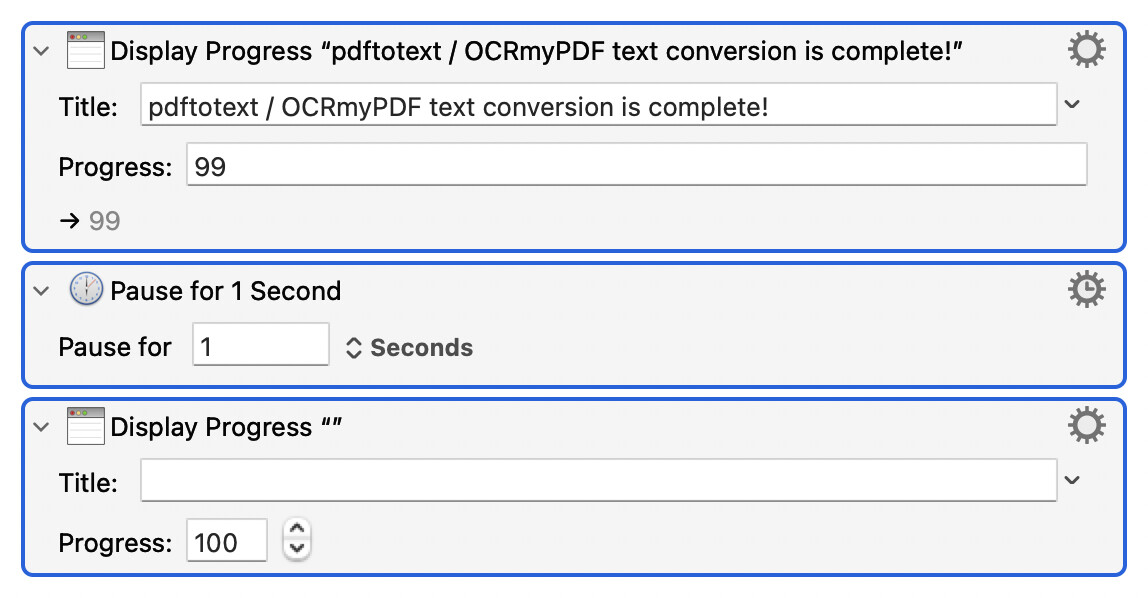
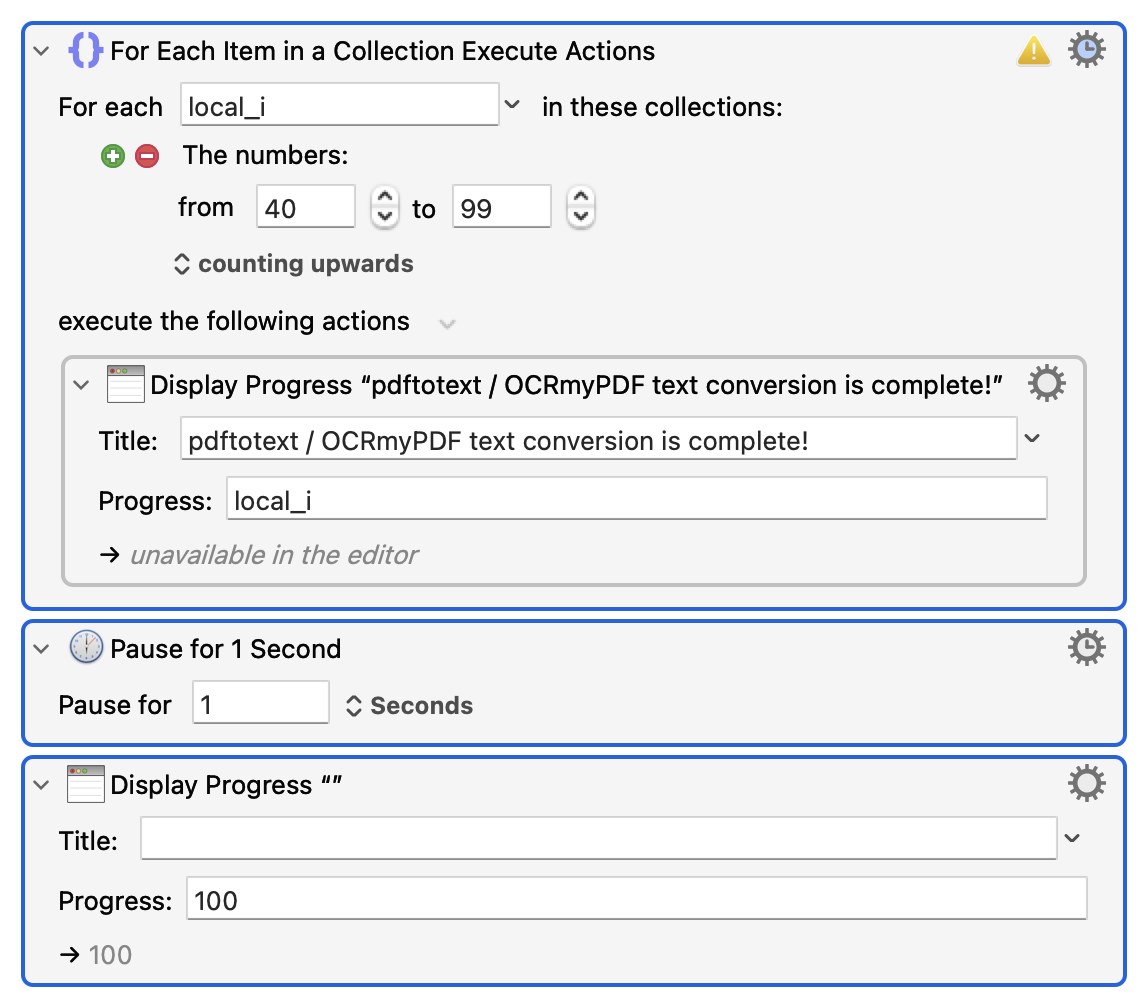
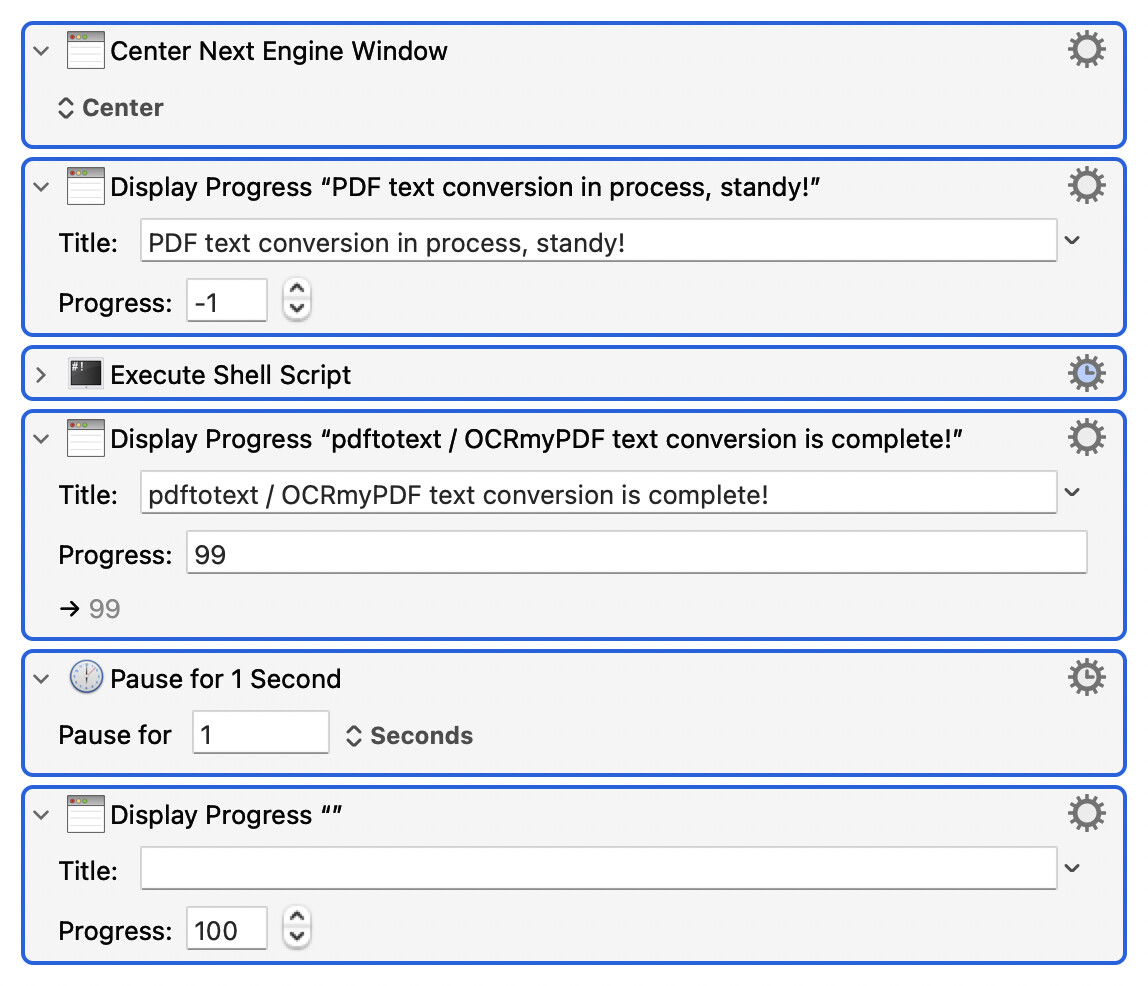
I was able to get the progress bar to bounce back and forth while the conversion is taking place by entering -1 in the progress field and then close the progress bar once the conversion had completed by entering 100 in the progress field as follows (where the shell script is the PDF → text conversion):
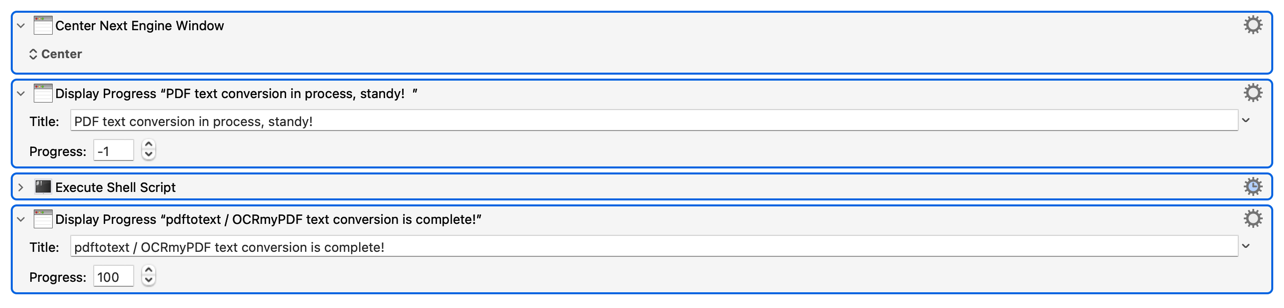
Is there a way to get the progress bar to display a different message (i..e, PDF text conversion complete!) and hang around for a second before disappearing?
While I know I can do this through notifications I prefer the idea of a process bar because it is front and centre.
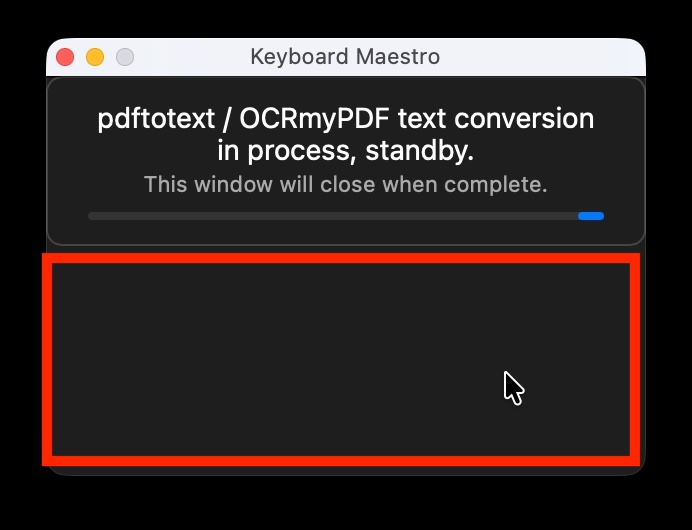
And, while on the topic of progress bars I decided to experiment with HTML and had Gemini (I know nothing about HTML) build the below custom progress bar:
<!DOCTYPE html>
<html>
<head>
    <style>
        body {
            background-color: #1e1e1e; color: #ffffff;
            font-family: -apple-system, BlinkMacSystemFont, sans-serif;
            margin: 0; padding: 12px 20px; text-align: center; overflow: hidden;
            border: 1px solid #444; border-radius: 8px;
            display: flex; flex-direction: column; justify-content: center;
        }
        .text { font-size: 14px; line-height: 1.2; margin-bottom: 8px; }
        .sub { color: #aaa; font-size: 11px; display: block; margin-top: 2px; }
        .loader {
            height: 4px; width: 100%; background: #333;
            border-radius: 10px; overflow: hidden; position: relative;
        }
        .loader::after {
            content: ""; position: absolute; left: -50%; height: 100%; width: 50%;
            background: #007aff; border-radius: 10px;
            animation: loading 1.5s infinite linear;
        }
        @keyframes loading { 0% { left: -50%; } 100% { left: 100%; } }
    </style>
</head>
<body data-kmwindow="SCREEN(Main,Left,calc(50% - 300)),SCREEN(Main,Top,calc(50% - 45)),600,90">
    <div class="text">
        pdftotext / OCRmyPDF text conversion in process, standby.<br>
        <span class="sub">This window will close when complete.</span>
    </div>
    <div class="loader"></div>
</body>
</html>
The problems with the custom progress bar are:
-
The extra black area as highlighted in red that appears as part of / with the custom progress bar and teh shape, I would like it to be rectangular. Is there a way to do so as no amount of asking Gemini or CharGPT was able to do so?
-
While I have yet to do so -- and apologies for being lazy on this point -- how do I control / manage the custom HTML prompt. I will run the HTML prompt asynchronously so that the rest of the instance can run, but why action do I place after the PDF → text conversion to close the custom HTML prompt?
Thank you.