Hello there! I have a simple macro that creates folders for my YouTube videos. Does anyone know how I can add an action that opens a small window and asks me what name I want to use for the main folder (Next folder)? Thank you!
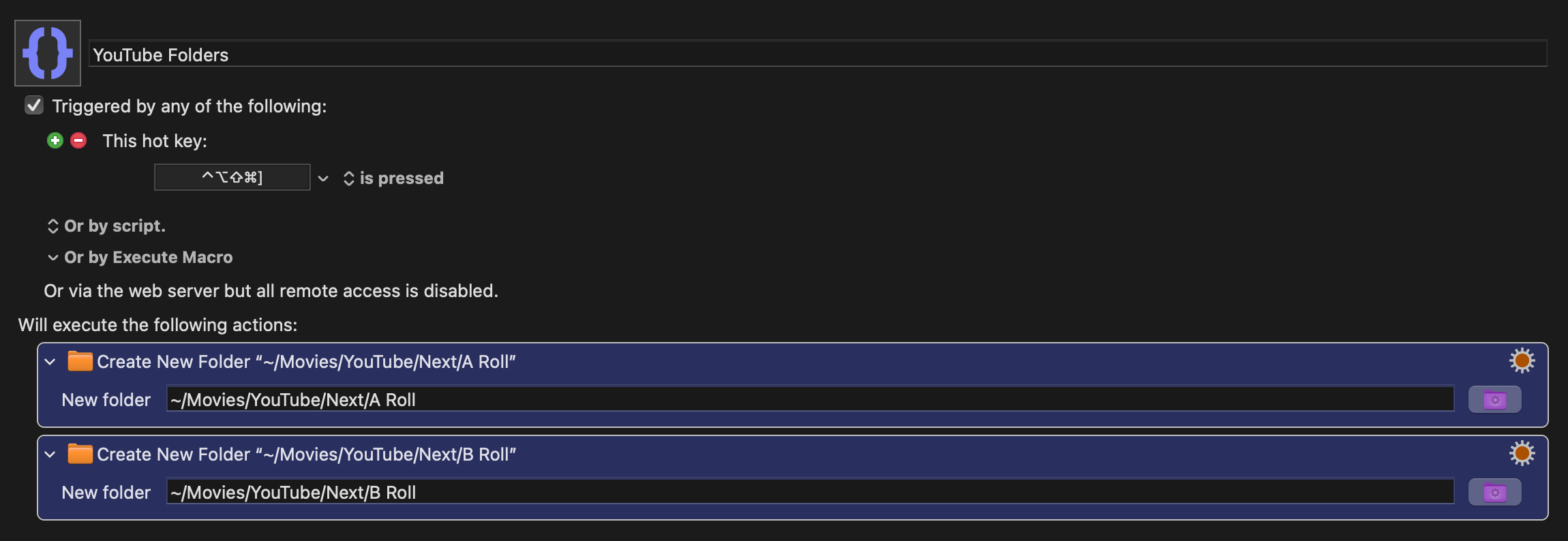
Thanks for the reply. Maybe I didn’t explain myself clearly, but I basically want to create a simple folder structure with a main folder and two subfolders (A Roll and B Roll) inside /Movies/YouTube, with a prompt asking me what I want to name the main folder. Hopefully, this is a bit clearer. I tried the macro you’ve suggested, but I couldn’t make it work. Thanks.
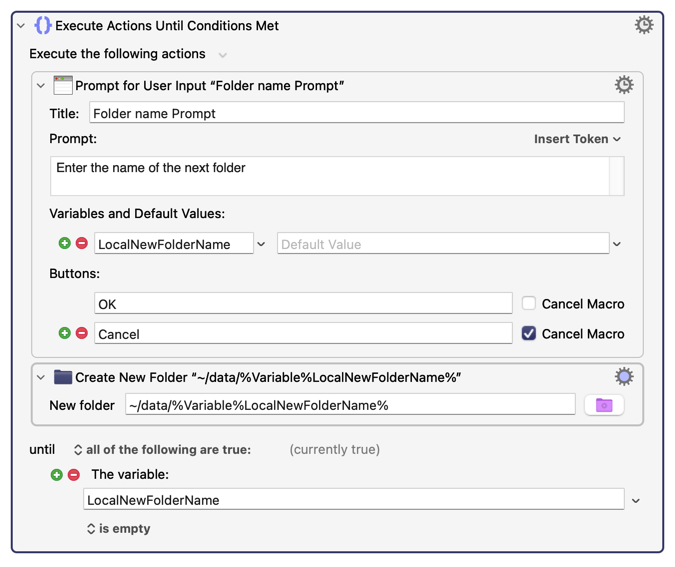
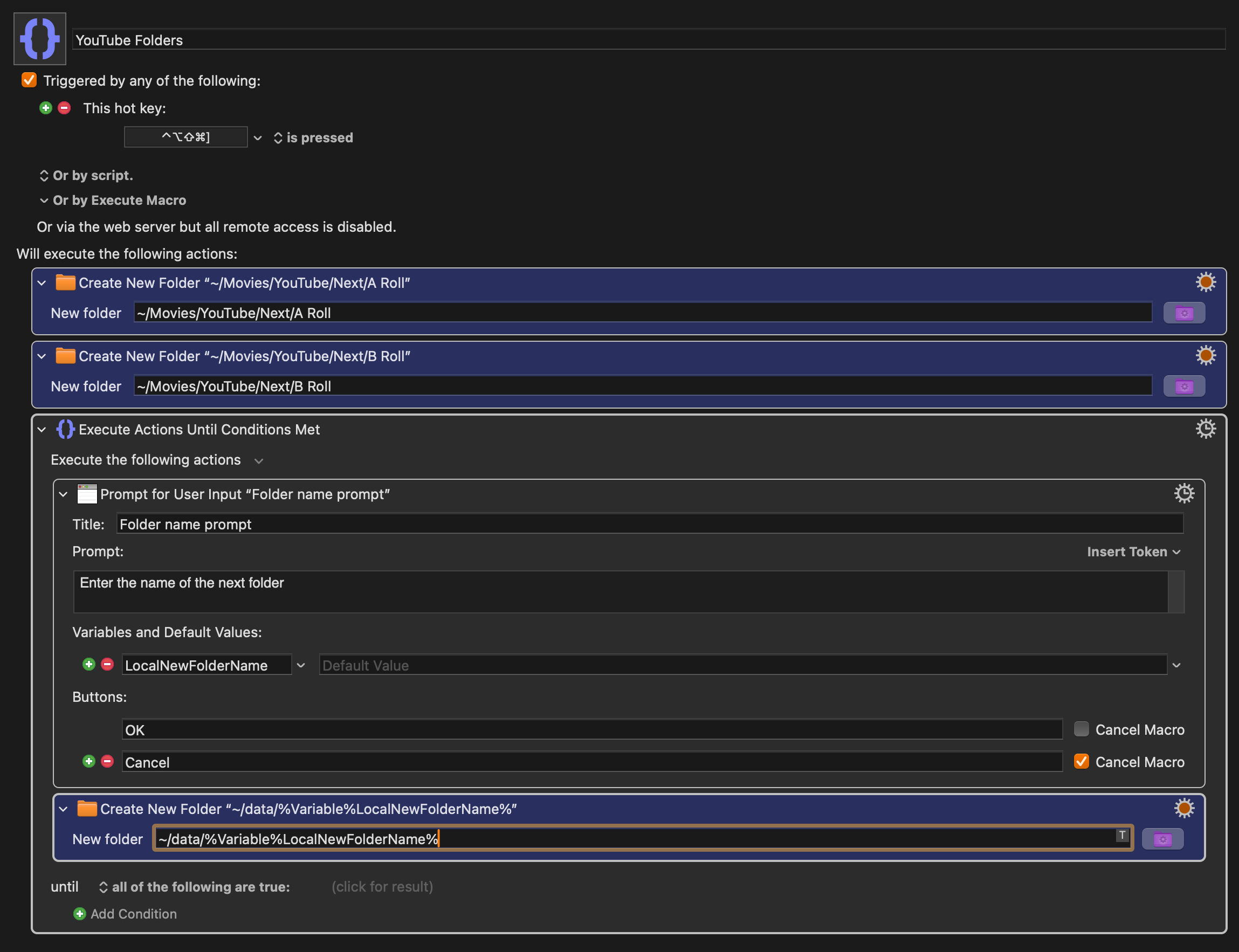
As @Airy suggested, use the Prompt for User Input action to ask for the name. Airy used the variable name LocalNewFolderName to store the name you enter.
Then use the Variable token, %Variable%LocalNewFolderName% in place to Next when creating the folder.
In the New Folder action, ensure you have enabled the Create Intermediate option so that the new folder you specify will be created.
1 Like
Yes, I think that is clearer. Does Peter's response help you?
Honestly, i’m a bit confused haha. I have no idea what Peter said means..
Okay, I'll write you another attempt now. It will take a couple of minutes.
That’s ok. I played with it a bit and managed to make it work. Thank you for the tips!
1 Like
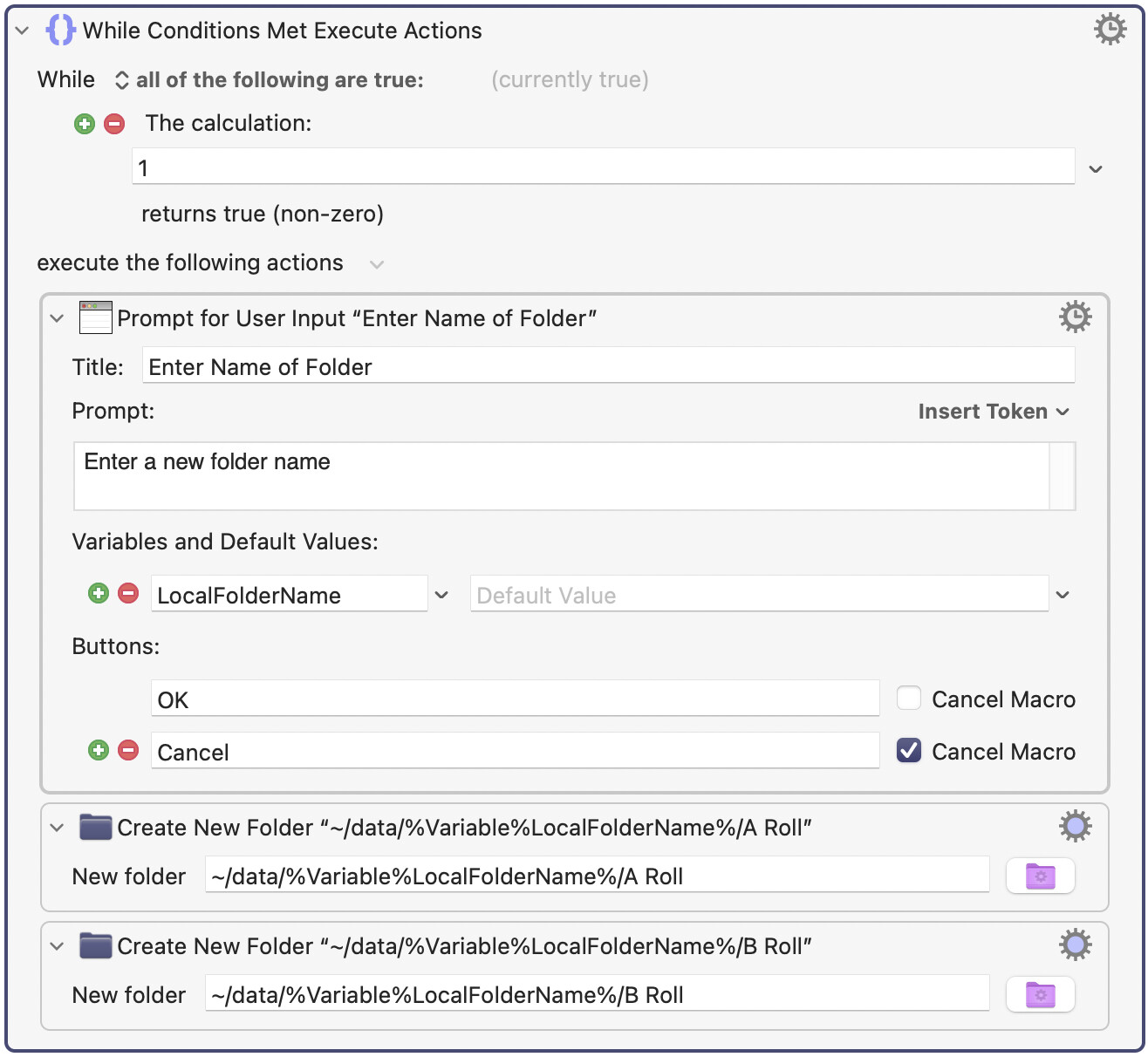
Here's my next attempt. I may be closer to what you want. It's important to know that on the Create New Folder action there is a cogwheel and you must click on that so that each Create New Folder action has the flag "Create Intermediary" set. Otherwise you will get an error.
Also, you have to replace my path "~/data" with your own path which is probably "~/Movies/Youtube".
I was thinking that you wanted a loop that will keep creating new folder sets until you press Cancel. But I can change that if that's a wrong assumption.
1 Like