Hi all. I can't figure out how to get the Prompt for New Folder action (a version of the Prompt for File/Folder action) to work the way I would like — or at all, unless I totally misunderstand what it's supposed to do.
My expectation: It triggers a system Open dialog with an optional Default name prefilled; on hitting the Save button, it creates a new folder using the name (either as pre-filled by the macro, or using whatever the user enters).
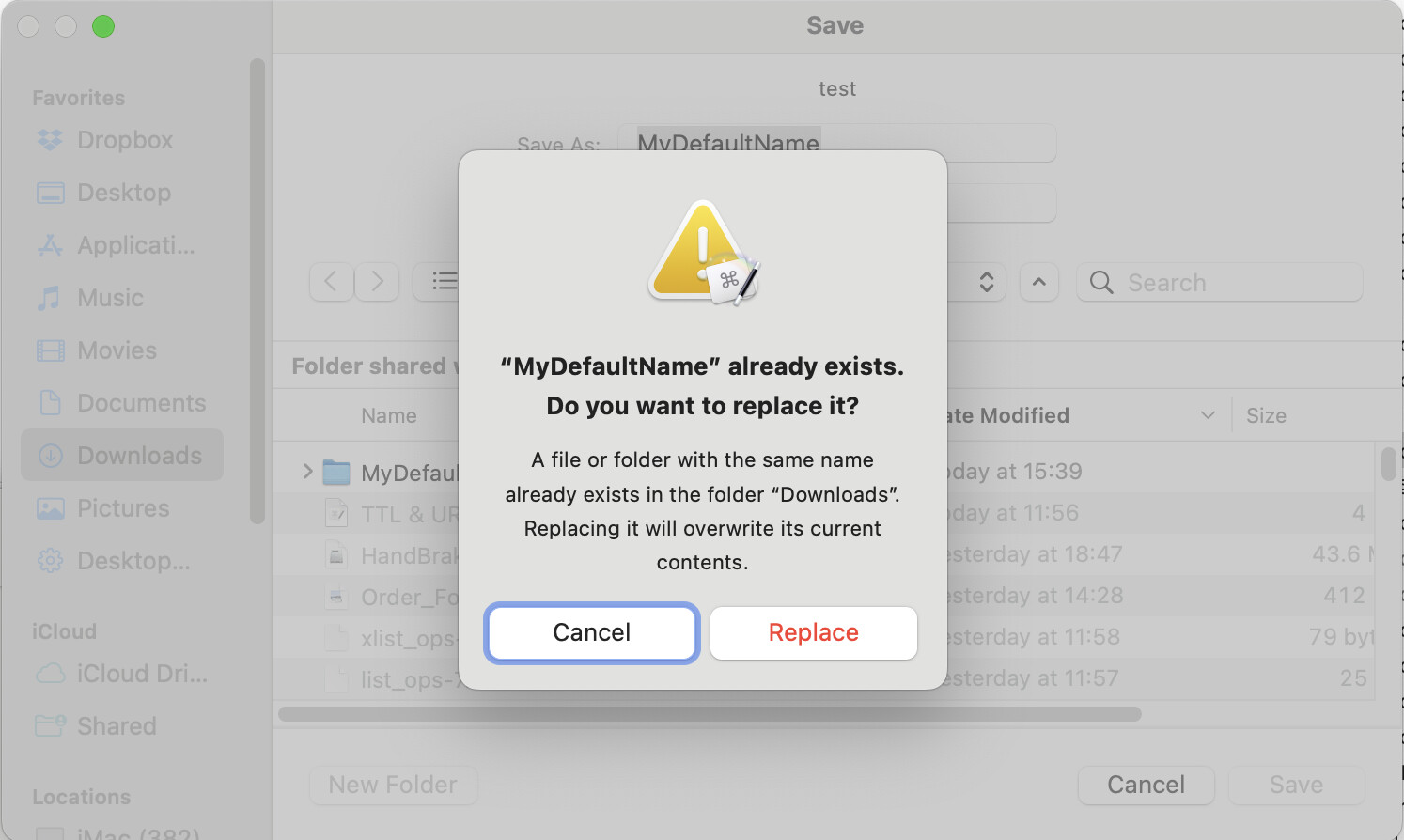
What happens: It triggers a system Open dialog; the Default name is indeed already in the Save As: field. However, if I just click Save, nothing happens. No folder is created. By contrast, if I click the New Folder button that is in the lower lefthand corner of the dialog, I am prompted to name my new folder (no pre-filled default name) and then have to click Create in that modal dialog; the new folder is created, and I'm still left looking at the Prompt for New Folder dialog with the pre-filled Default name and the Save button. Hitting the Save button, as before, does nothing.
From what I can tell, the Prompt for New Folder dialog works precisely like the Prompt for New File dialog — except it doesn't create a file or a folder.
Did you ever figure this out? Folder seems to be in limbo. I tried to use the move or rename file command to place the folder contained in my variable but nothing happened. Don't know where that file goes.
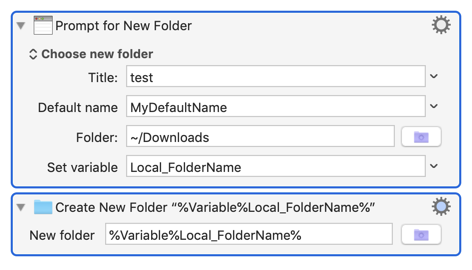
Thanks! That does seem to work. I had the Prompt for New Folder action, but it never occurred to me I'd need to feed the result into a Create New Folder action — I assumed Prompt for New would create it.
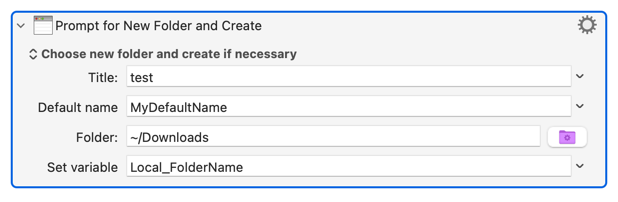
Things have changed since 2020 -- in KM v10+ this Action has the "Choose new folder and create if necessary" option, so the second action in the example above isn't needed: