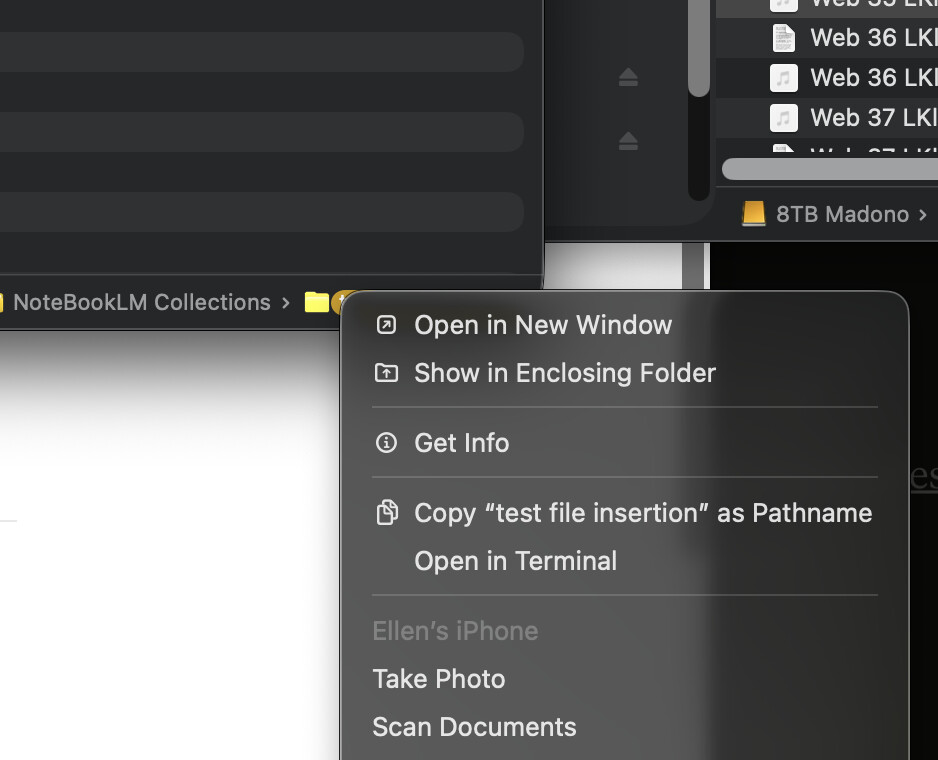
I am using the above dropdown menu to copy the folder path.
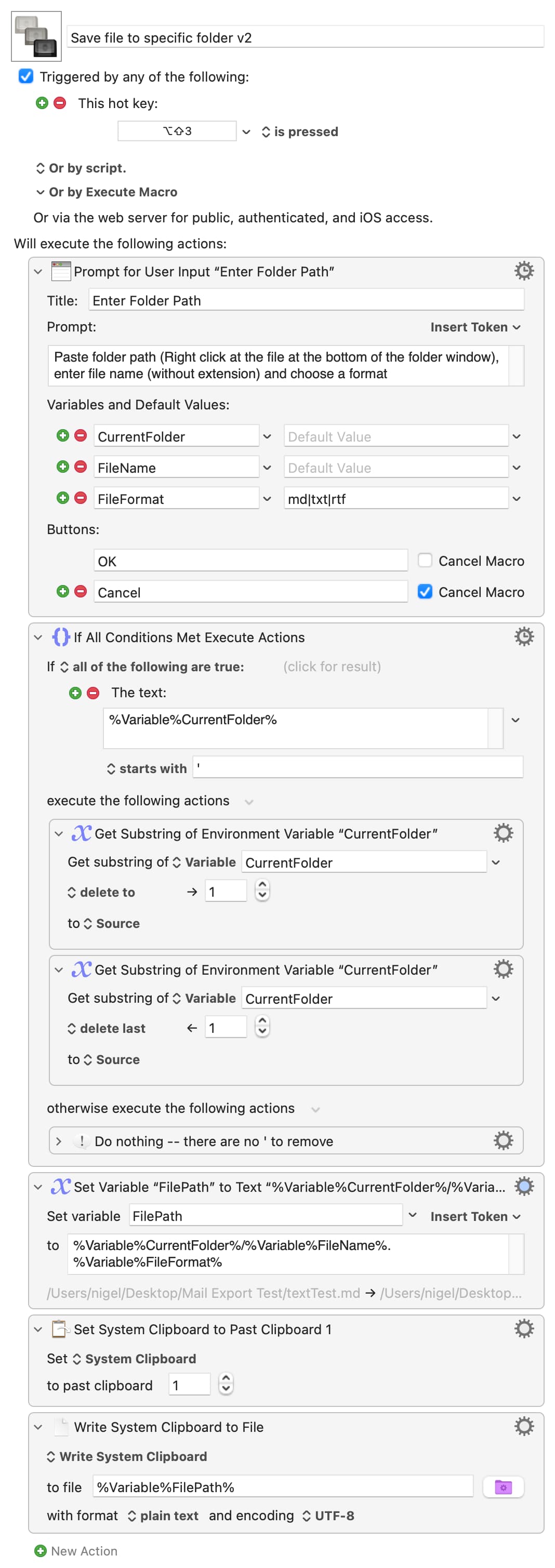
When I went to the bottom of the Mac page, it was automatically included. I tried manually removing the ‘ sign. The macro still did not produce a file in the folder that produced that path. Claude tried this trimming action to get rid of the ‘ That also did not produce a file in the designated folder.
I removed the trimming action. (the second action) I tried taking the ‘ and running the macro doing nothing to the path. Neither worked when I ran the macro. So, the problem is not there.
That will put the ' at beginning and end if the path contains spaces so you'll need to check if they are there before, or as part of, removal.
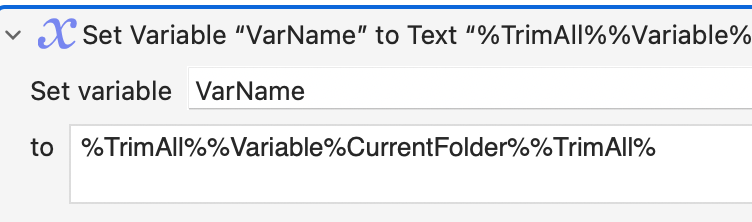
Claude has invented the %TrimAll% token, probably because lots of other languages have similar functionality.
Why are you Copying the path and then (presumably) manually Pasting it into the dialog? You'll find it easier to use Prompt for File, the %FinderSelection% token (if you select the folder then run the macro), or the %FinderInsertionLocation% token if you already "looking inside" the target folder. It all depends on what workflow you want.
Assuming you do want to do it your way -- and there are many reasons why that might be the right way -- then you'll need to
"Clean" the path if necessary
Combine the path with the new file name remembering to add the / between them because your copied path will not have a trading slash
As previously mentioned you can combine all your "questions" into one prompt.
You finish by writing the System Clipboard to file. But the System Clipboard contains the most recent thing you Copied, which is the file path! I'm going to assume you want the thing you Copied before that, and also assume that you are using KM's Clipboard History. (Note that using the other "location" methods above will avoid this problem entirely).
Putting all that together and using multiple simple actions so you can see what's happening:
This looks like what I want and probably many other people do this kind of repetative filing. I want to test your macro, but run does not work. I tried shutting down KM and also my whole Mac, but no change. What else could I do? Only this macro does not allow me to run it.
Maybe you didn't enable the group after you installed that macro.
This is normal. You always have to enable the group after you download any macro. That's for security reasons, I imagine, so that macros can't start on their own after you've installed them.