ChrisQ
September 11, 2023, 9:34pm
1
Hello,
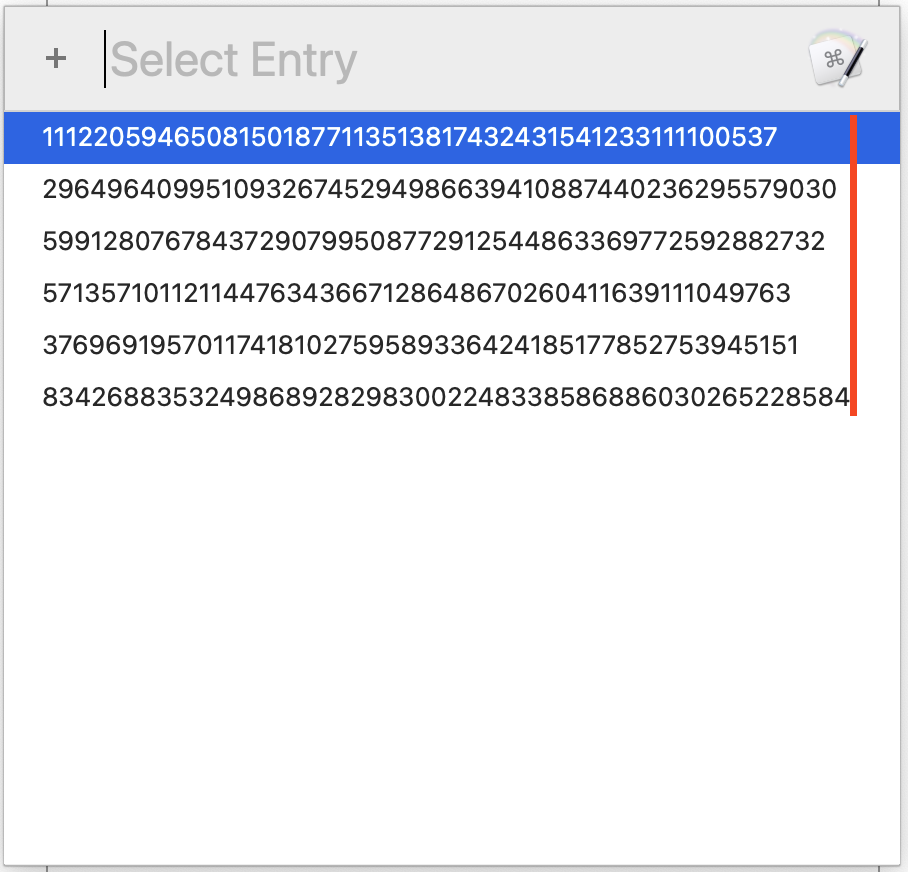
Is it possible to specify a monospace font when using Prompt with List?
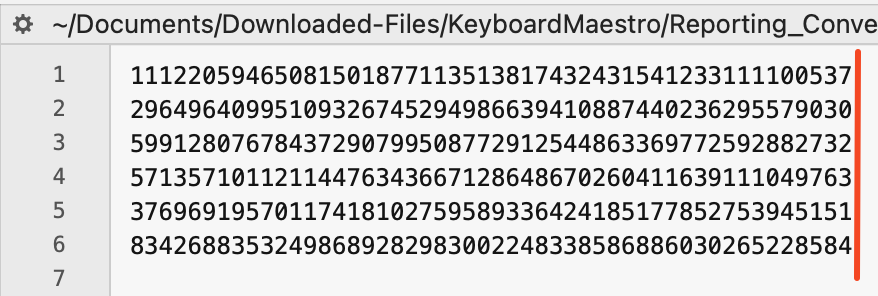
All the lines are aligned when I view the text file in BBEdit with Melo monospace font.
Thanks,
_jims
September 12, 2023, 2:07am
2
Hi, @ChrisQ . The only way I know to do it has a serious limitation. See the embedded comment for details.
Download : PWL (Monospace).kmmacros
Macro-Image
Macro-Notes
Macros are always disabled when imported into the Keyboard Maestro Editor.
The user must ensure the macro is enabled.
The user must also ensure the macro's parent macro-group is enabled.
System Information
macOS 13.5.1 (22G90)
Keyboard Maestro v10.2
ChrisQ
September 12, 2023, 1:37pm
3
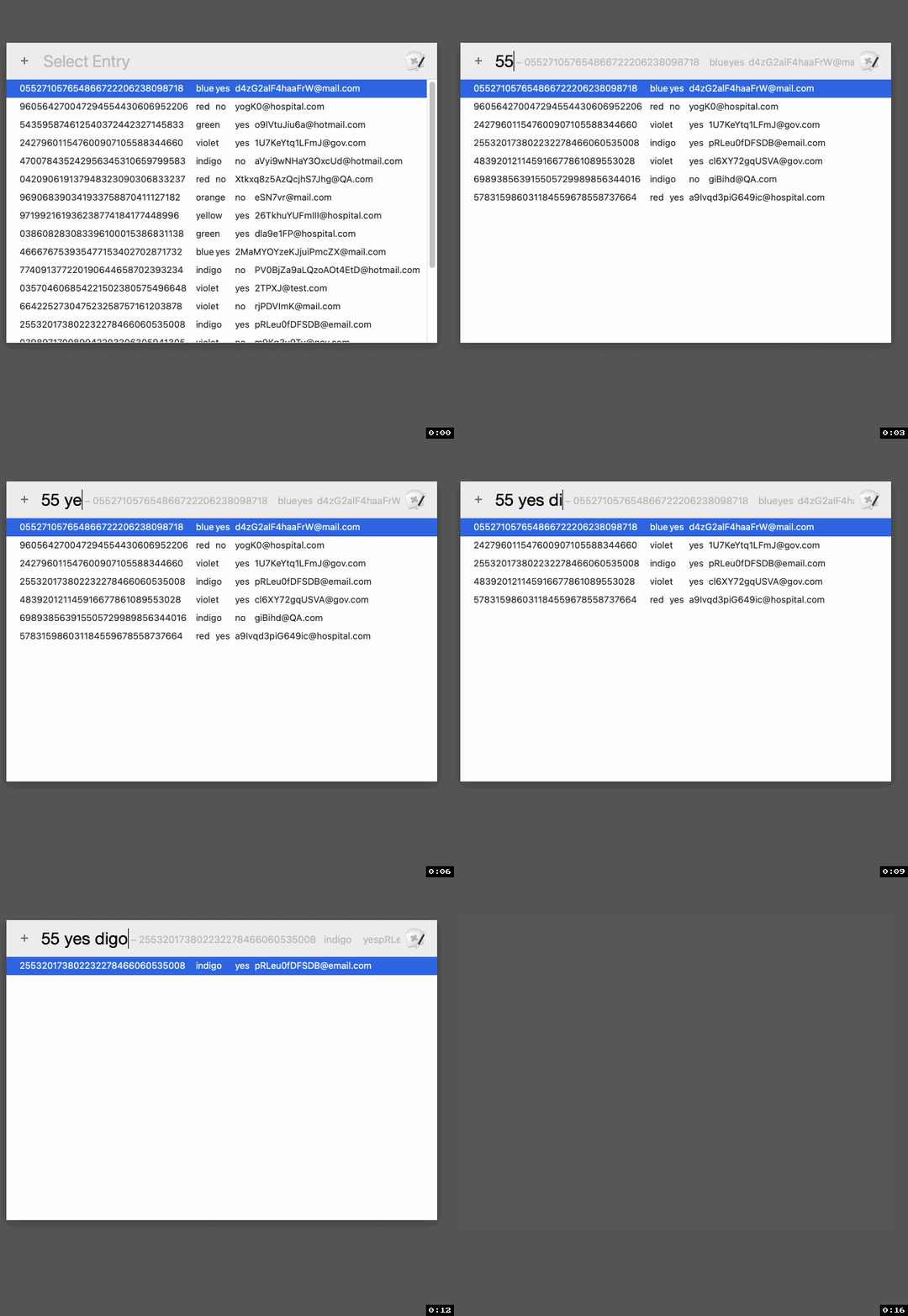
Hi @_jims , thanks for the macro. The Prompt with List values look great, all aligned.
However, as you noted, the limitation of not being able to search for values is disappointing because my value list is rather large.
Always appreciate the help though
_jims
September 12, 2023, 3:52pm
4
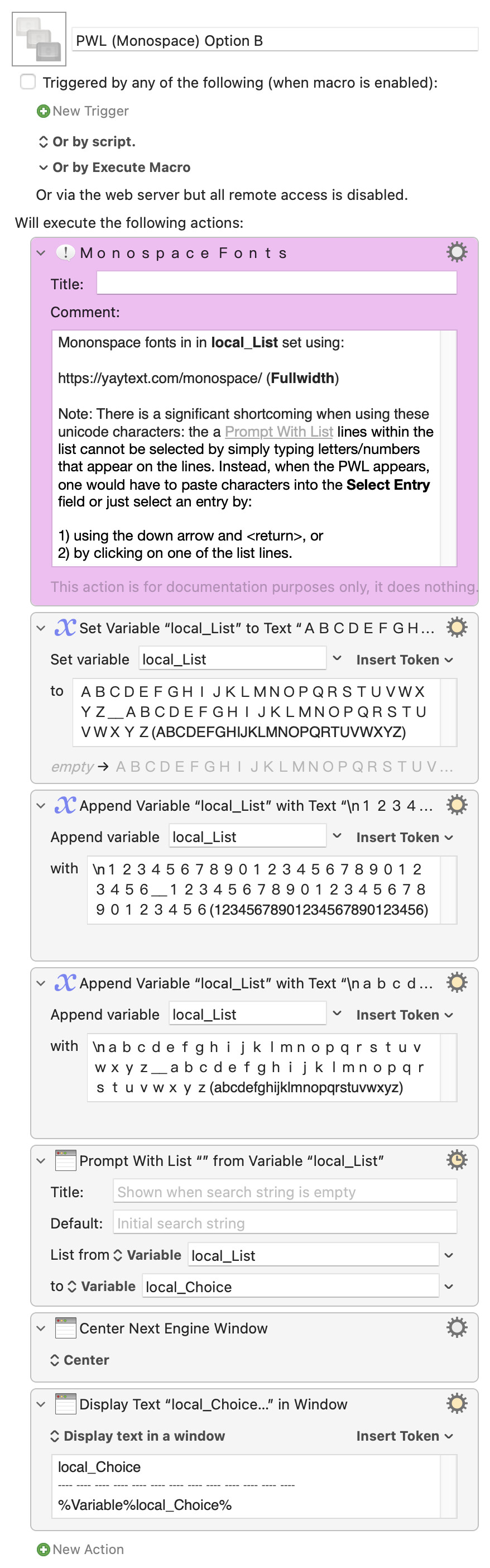
Far from ideal, but you could do something like this:
Download : PWL (Monospace) Option B.kmmacros
Macro-Image
Macro-Notes
Macros are always disabled when imported into the Keyboard Maestro Editor.
The user must ensure the macro is enabled.
The user must also ensure the macro's parent macro-group is enabled.
System Information
macOS 13.5.1 (22G90)
Keyboard Maestro v10.2
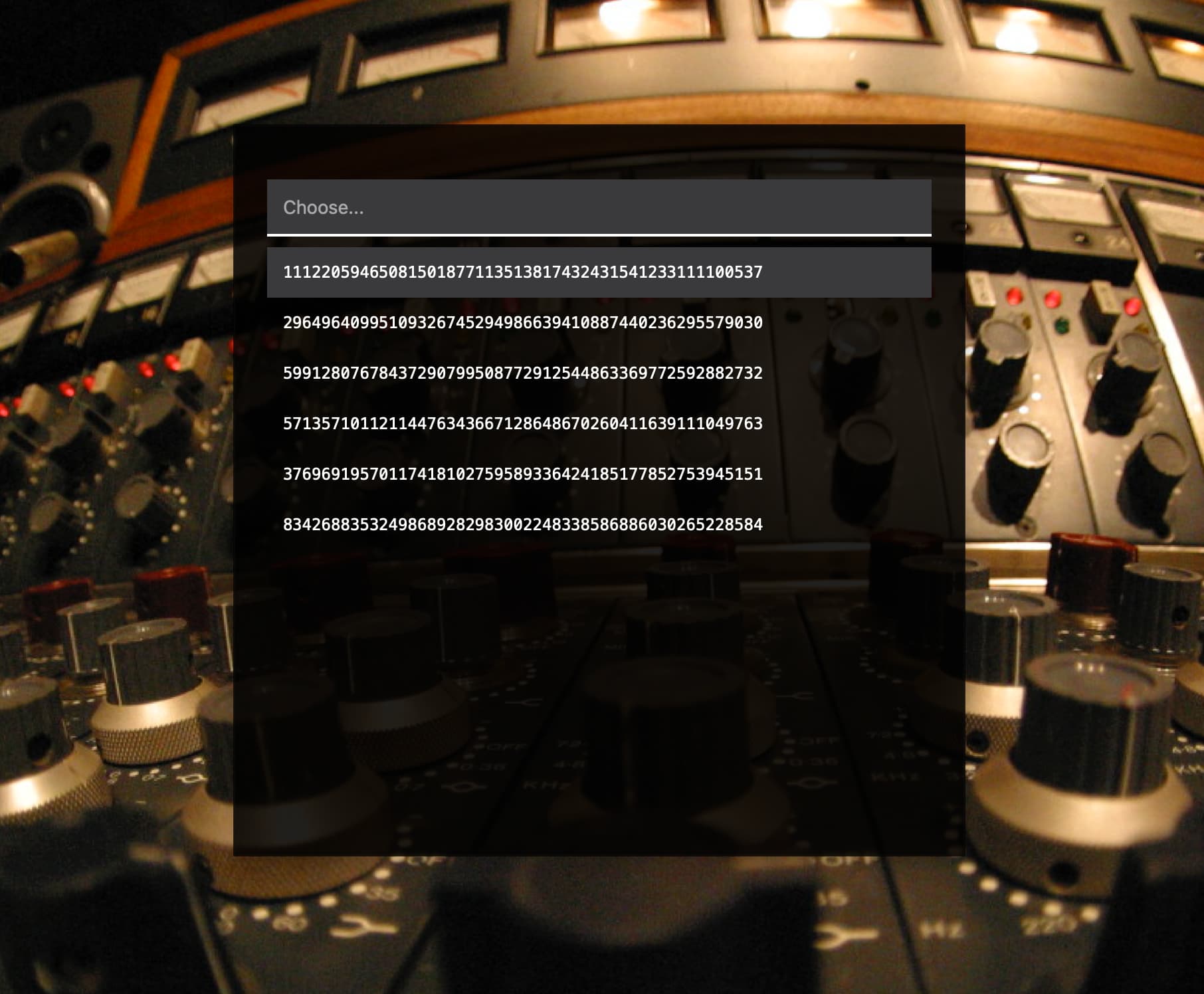
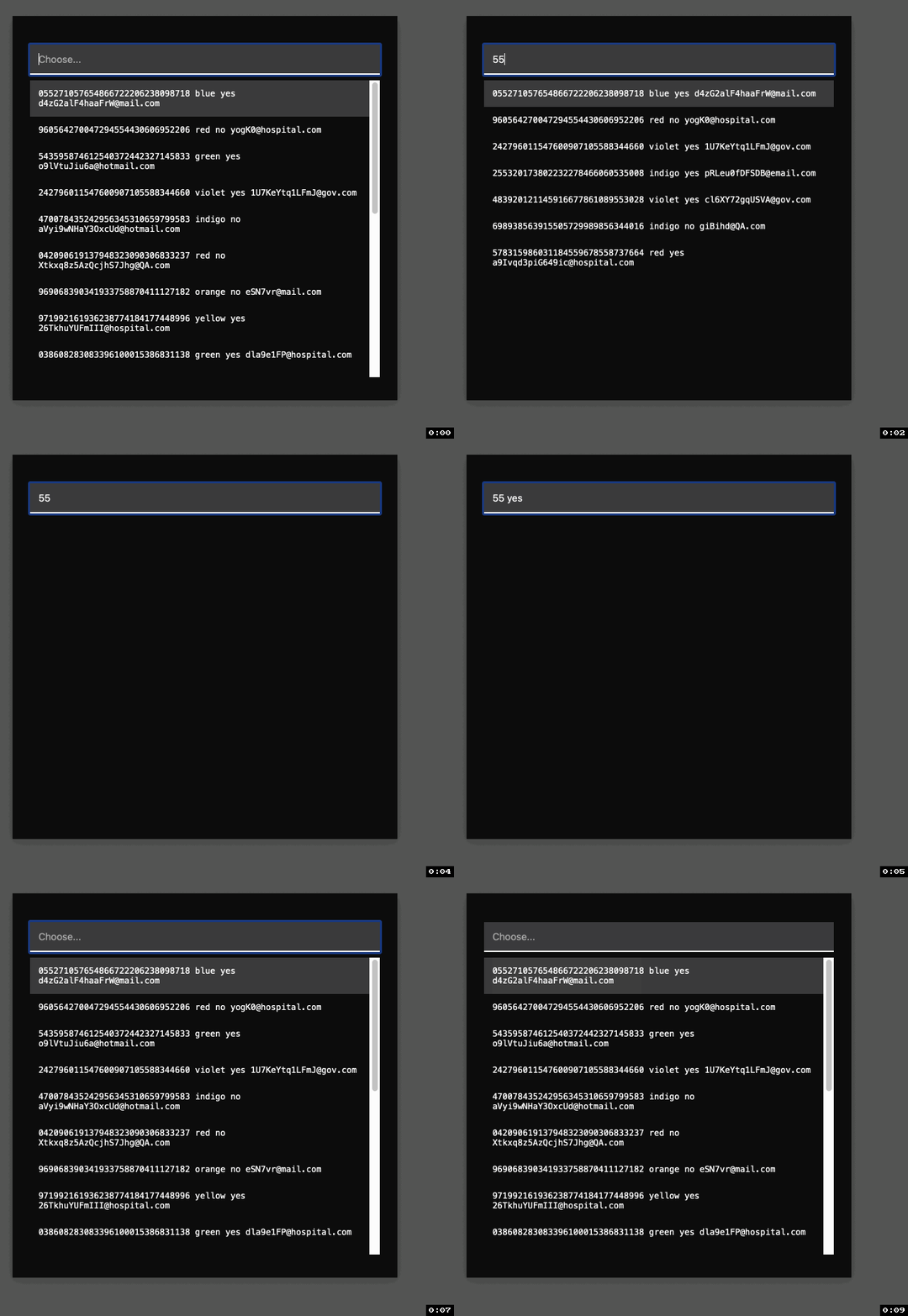
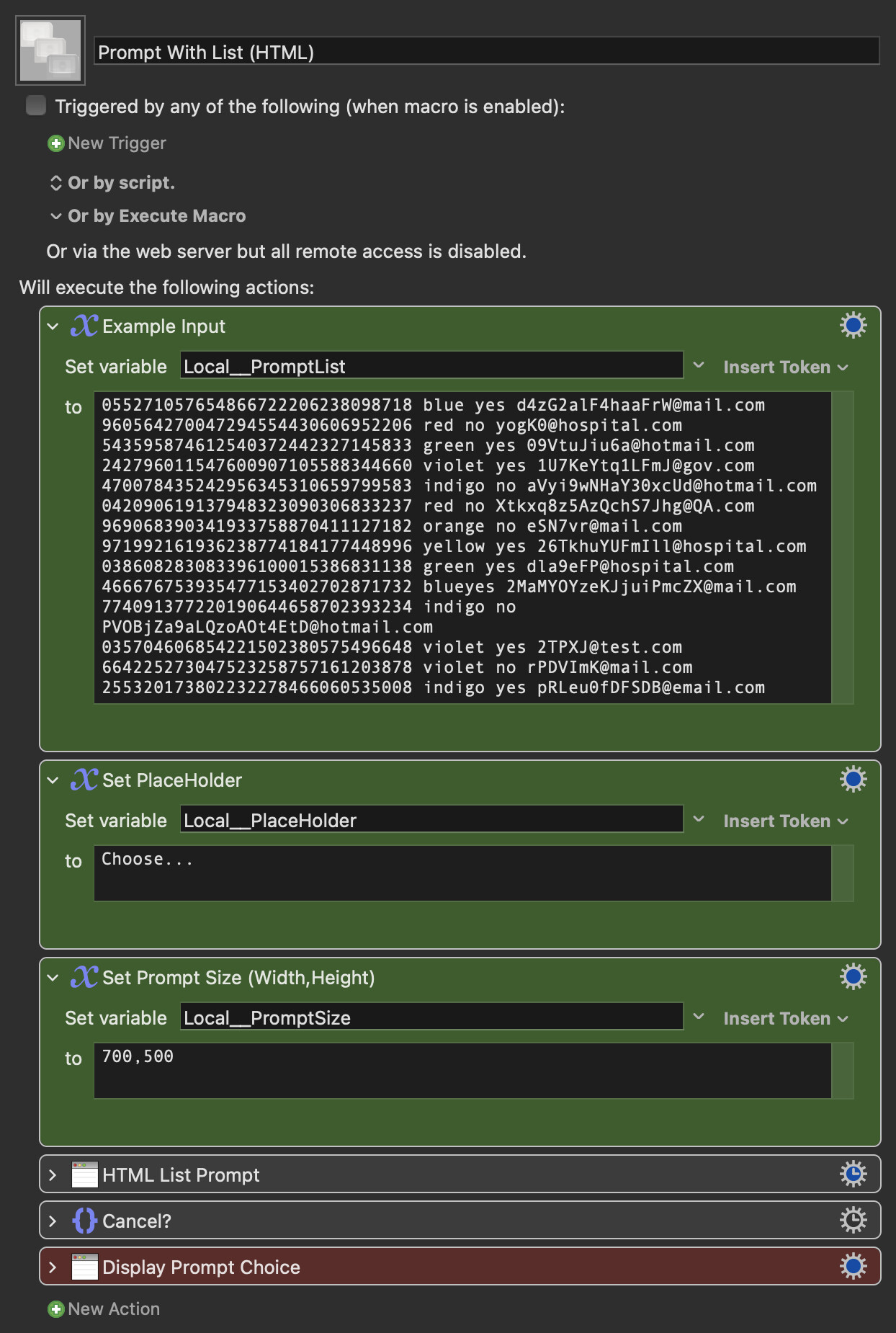
How about a roll-yer-own solution?
Prompt With List (HTML).kmmacros (28 KB)
Macro screenshot
I never thought I would have a need to utter the following phrase: that’s a sexy list.
_jims
September 12, 2023, 8:03pm
7
@noisneil , you’re getting quite adept using the Custom HTML Prompt action. This is very cool; thanks for sharing.
I messed around with the CSS and managed to tighten the lines by adding line-height: 0em; to the li selector.
I might play around more to see if I can create a lightmode and darkmode version and key off the DARKMODE() function.
ChrisQ
September 12, 2023, 10:19pm
8
Hi @_jims , thanks for the update to the macro. However I'm trying to avoid adding more text to each line.
ChrisQ
September 12, 2023, 10:33pm
9
Hi @noisneil , this is a very sexy list indeed @cdthomer .
I noticed that the searching capabilities are different between the standard Prompt with List and your Custom HTML Prompt. Also the wrapping of lines that are too long for the width of the prompt also makes the list look messier.
I think my wish list is too much of an ask here
But thanks again for the help. I'm amazed at how the regular gurus on the forums are always so willing to help out.
All that is doable. I was just working off the example you gave in screenshots.
Try this version:
Prompt With List (HTML).kmmacros (26 KB)
Macro screenshot
ChrisQ
September 13, 2023, 3:59pm
12
Hi @noisneil , WOW! This is fantastic! I believe other will find this macro very useful as well.
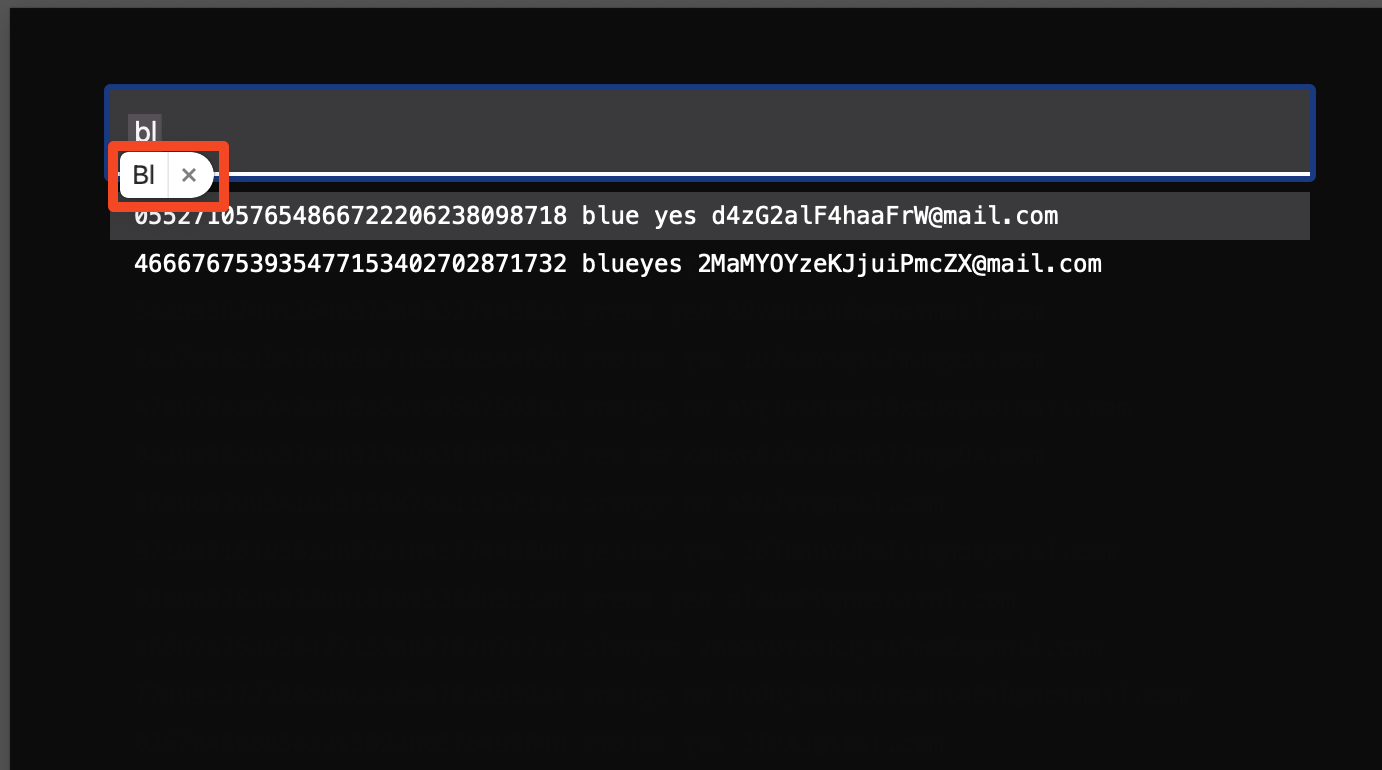
Just a question about the popup that appears when I type in the search field. Could this popup be disable?
I can't thank you enough for this.
ChrisQ
That’s not part of the macro... that’s some keyboard setting, likely the spelling correction or suggestions.
ChrisQ
September 13, 2023, 4:39pm
14
Yes, it is the spell check / suggestion. Just wondering how come I'm not seeing that in the standard Prompt with List search field.
Oh interesting... I wouldn’t know to be honest because I have that turned off on my setup so I never see it anyway.
@noisneil you opened a can of worms here...
This could be refined somewhat, but give it a go...